
Project Management · Researched comparison

5 Tools That Compete With Active Collab in 2026

TaskReports may earn a fee from some links on this page, and some placements are paid and labelled. Neither one decides the order. See our disclosure.

The short answer

Start with Trello if you need straightforward kanban boards. For a different need, ClickUp covers most features per dollar and Zoho Projects covers budget-friendly project tracking. The full list of 5 tools follows, with prices and free plan facts.

On this page

Key takeaways

  • This list starts with Trello, which is built for simple kanban boards.
  • monday.com fits visual boards and custom workflows.
  • Starting prices begin at $4 per user per month with Zoho Projects.
  • Free plans exist at 5 of 5 tools (Trello, ClickUp, Zoho Projects, Asana, monday.com).

Quick comparison

ToolStarting priceFree optionMain limitBest fit
---------------
Trello$5 per user per monthYesReporting is thinStraightforward kanban boards
ClickUp$7 per user per monthYesSetup takes decisionsMost features per dollar
Zoho Projects$4 per user per monthYesFewer third-party integrationsBudget-friendly project tracking
Asana$10.99 per user per monthYesFree plan is limitedCross-team task coordination
monday.com$9 per user per monthYesCosts rise with customizationVisual boards and custom workflows
★ Best overall

Trello

Straightforward kanban boards

  • Drag-and-drop boards anyone understands
  • Ample free plan
Price$5 per user a month
See Trello pricing

Trello works best for simple kanban boards. Trello wins on simplicity. A board, a handful of lists, and drag-and-drop cards handle most small-team work without training. In practice, for straightforward task tracking, its speed is unmatched. Complicated work exposes the limits. Dependencies, workload views, and portfolio reporting are thin, and power-ups add cost on lower plans. On top of that, the free plan supports up to ten collaborators per board, and Standard at $5 per user a month billed yearly brings unlimited boards, custom fields, and saved views. Trello starts at: $5 per user per month. Trello has a free plan. Points against: Reporting is thin.

Price: $5 per user a month

Free plan: Yes

Website: trello.com

Watch out for

  • Restricted for complicated dependencies
2

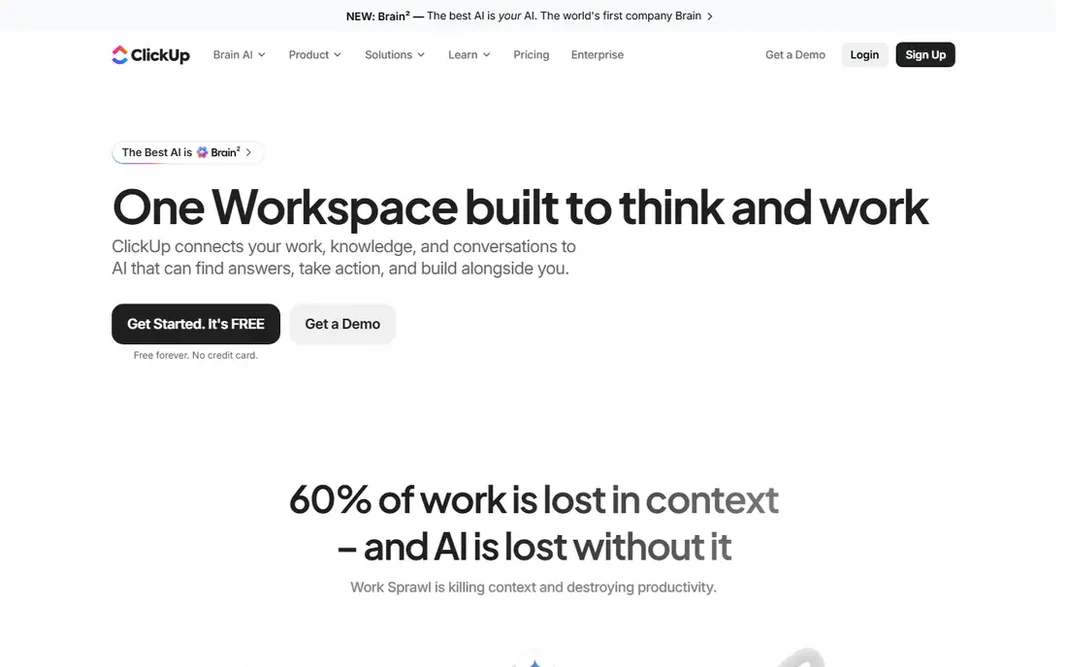
ClickUp

Most features per dollar
$7 per user a month

Think of ClickUp for most features per dollar. Tasks, documents, goals, and time tracking live in one workspace, and the free plan handles unlimited users with ample limits. Trade-offs to know: Some views need tuning. Start with one project type, lock the structure, and expand only when the team asks. The Unlimited plan at $7 per user a month billed yearly brings the views and automations most teams actually need. On cost, ClickUp starts like this: $7 per user per month. ClickUp includes a free tier.

Free plan: Yes

Website: clickup.com

Strengths

  • Ample free plan
  • Deep customization

Watch out for

  • Can feel busy if over-customized
3

Zoho Projects

Budget-friendly project tracking
$4 per user a month

Zoho Projects is aimed squarely at budget-friendly project tracking. The free plan includes small teams getting started. Also, premium at $4 per user a month billed yearly layers on Gantt charts, time tracking, and task automation that rivals charge more for. Where it falls short: Fewer external integrations. Advanced features like portfolio management need higher levels. Zoho Projects is the budget pick with real depth. In daily use, the interface feels less refined than Asana or monday.com, and external integrations are fewer outside the Zoho range. Price to start with Zoho Projects: $4 per user per month. Zoho Projects has a free plan.

Free plan: Yes

Website: zoho.com

Strengths

  • Lowest premium price in this group
  • Decent Zoho ecosystem fit

Watch out for

  • Interface feels less refined
4

Asana

Cross-team task coordination
$10.99 per user a month

For cross-team task coordination, Asana is a natural candidate. The free plan handles small teams, but Starter at $10.99 per user a month billed yearly is where timelines and dashboards arrive, and portfolios sit higher still. In daily use, for cross-functional teams that require everyone aligned on ownership and deadlines, Asana remains the safest pick in this group. Points against: Costs add up for large teams. As for the details, the honest catch is price at scale. Tasks, projects, timelines, and calendars come together in an interface most people understand in an afternoon. Asana cost at the entry level: $10.99 per user per month. Asana offers a free plan.

Free plan: Yes

Website: asana.com

Strengths

  • Clear task ownership and timelines
  • Solid automation rules

Watch out for

  • Portfolios need higher levels
5

monday.com

Visual boards and custom workflows
$9 per user a month

monday.com is aimed squarely at visual boards and custom workflows. Teams that struggled to get colleagues to open a plainer tool commonly adopt monday.com quicker. On top of that, templates include marketing, sales, product, and operations work, and automations manage routine routing and reminders. Where it falls short: Costs rise with customization. In practice, monday.com fits teams that think in boards and color. Also, premium plans need a minimum number of seats, and the free plan includes only two users, so small teams should check the real entry cost. More specifically, for visual teams that want dashboards from day one, monday.com is a capable pick. More specifically, seat minimums are the catch. What you pay to start with monday.com: $9 per user per month. You can start on monday.com without paying.

Free plan: Yes

Website: monday.com

Strengths

  • Color-coded boards and templates
  • Adaptable automations

Watch out for

  • Free plan includes only two seats

FAQ

What is the cheapest option for active collab in this list?

On published monthly entry prices, Zoho Projects is the lowest here at $4 per user per month. Entry price is only part of the cost, because seats, add-ons and billing terms can change the total.

Which tool is cheapest for a small team?

Zoho Projects opens at $4 per user a month billed yearly, and ClickUp opens at $7 with an ample free plan. Trello is free for small boards.

Which ActiveCollab alternative is a good match for agencies?

Trello is the pick this page puts first, mainly for straightforward kanban boards. If your situation differs, ClickUp suits most features per dollar, and Zoho Projects suits budget-friendly project tracking. Compare price and limits before you decide.

Is Trello the right pick for everyone comparing active collab?

No single tool suits every team. Trello comes first because it fits simple kanban boards, while ClickUp suits most features per dollar and Zoho Projects suits budget-friendly project tracking. Match the tool to your own size, budget and workflow before deciding.

Do these tools publish their prices?

Yes. Every tool from Trello to monday.com shows a starting price, though seats, add-ons and billing terms still change the final cost.

Which options for active collab have a free plan?

On this list, Trello, ClickUp, Zoho Projects, Asana and monday.com include a free plan. Caps on seats, usage or features are common, so test the free plan against your real workload.