Project Management · Researched comparison

The 6 Best Automation Tools to Shortlist in 2026

TaskReports may earn a fee from some links on this page, and some placements are paid and labelled. Neither one decides the order. See our disclosure.

The short answer

Make comes first here, mainly for visual workflows with branches and filters. Look at Microsoft Power Automate for teams already using Microsoft 365 and Teams, and at UiPath for enterprise robotic process automation. The full list of 6 tools follows, with prices and free plan facts.

On this page

Key takeaways

  • Make takes the first slot, best suited to visual workflows with branches and filters.
  • 4 of 6 tools offer a free plan: Make, IFTTT, Zapier, n8n.
  • What to know about IFTTT first: free plan limits applets.
  • n8n suits technical teams that want control and fair volume pricing.

Quick comparison

ToolStarts atFree tierWebsite
------------
MakeSee websiteYesmake.com
Microsoft Power Automate$15 per user per monthFree trialmicrosoft.com
UiPath$25 per monthFree trialuipath.com
IFTTT$2.99 per monthYesifttt.com
Zapier$19.99 per monthYeszapier.com
n8n$20 per monthYesn8n.io
★ Best overall

Make

Visual workflows with branches and filters

  • Visual canvas with routers and filters
  • Free plan with 1,000 credits per month
PriceSee website
See Make pricing

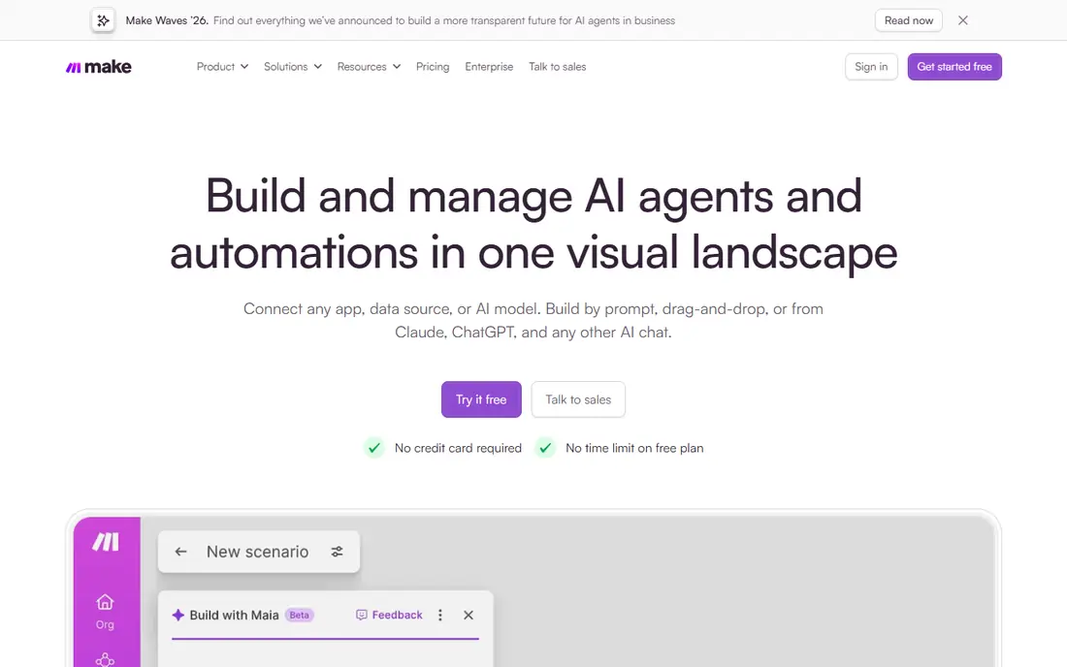
Choose Make for visual workflows with branches and filters. For teams that like to see the entire process at once and want more control than a linear editor provides, Make is a capable middle ground. In practice, Make, formerly Integromat, builds workflows as visual scenarios on a canvas. Limits to weigh: Ramp-up time is steeper than Zapier for beginners. In daily use, you can branch a flow, filter data, repeat steps and manage errors in a way that stays visible on one screen. That layout helps when a process has multiple paths, like routing leads by region or handling different order types. No starting price is listed for Make here; confirm pricing on the vendor site. A free plan is available with Make.

Price: See website

Free plan: Yes

Website: make.com

Watch out for

  • Credit use varies by scenario
2

Microsoft Power Automate

Teams already using Microsoft 365 and Teams

$15 per user a month

Microsoft Power Automate was built for teams already using Microsoft 365 and Teams. Power Automate is the natural automation layer for Microsoft shops. Since it sits inside the Microsoft system, sign-in, permissions and data controls follow the same admin rules as the rest of the tenant. Main advantages: SharePoint and Excel. What to check first: Premium plan costs $15 per user a month. Worth adding: the premium per-user price of $15 a month applies to premium flows. Some features need a Microsoft 365 license as well. Outside Microsoft apps, the catalog is still wide but less central to the pitch. On top of that, if you use Google Workspace or a mixed stack, compare Zapier, Make and n8n first. Microsoft Power Automate starts at: $15 per user per month. Trial and free access: Free trial.

Free plan: Free trial

Website: microsoft.com/en-us/power-platform/products/power-automate

Strengths

  • Enterprise controls
  • Deep links to Outlook, Teams

Watch out for

  • Best value stays inside Microsoft apps

3

UiPath

Enterprise robotic process automation
$25 a month

UiPath is built with enterprise robotic process automation in mind. Also, large businesses use it for finance, HR and operations processes that run at volume. Small teams with straightforward app links will find Zapier or Make quicker and less expensive. Where it falls short: Entry price is only the start for bigger deployments. Pricing starts around $25 a month for an entry-level level. But users, robots and agent calls can add cost, and enterprise levels are quote-based. UiPath automates work inside desktop apps and browsers by mimicking user steps, which fits tasks that lack a clean API. The starting price for UiPath: $25 per month. Trial and free access: Free trial.

Free plan: Free trial

Website: uipath.com

Strengths

  • Document processing
  • Enterprise governance

Watch out for

  • Setup needs specialist skill
4

IFTTT

Personal automation and straightforward device routines
$2.99 a month

Pick IFTTT if this describes you: personal automation and straightforward device routines. IFTTT, short for If This Then That, links a trigger to a single action. Multi-step logic, branching and error handling are limited compared to Make or n8n. Where it falls short: Free plan limits applets. IFTTT is not a business workflow engine. Worth adding: for personal routines, smart home links and light small-team tasks, that simplicity is a benefit. What you pay to start with IFTTT: $2.99 per month. You can start on IFTTT without paying.

Free plan: Yes

Website: ifttt.com

Strengths

  • Straightforward applet model
  • Smart home and personal app links

Watch out for

  • Not designed for complicated business workflows
5

Zapier

Straightforward app-to-app automation for small teams
$19.99 per month

In short, Zapier is for straightforward app-to-app automation for small teams. A new form entry can produce a spreadsheet row, send a message and update a CRM record without code. More specifically, the free plan includes 100 tasks a month with two-step flows. Price to start with Zapier: $19.99 per month. Zapier offers a free plan. Downsides: Free plan limits steps.

Free plan: Yes

Website: zapier.com

Strengths

  • Free plan for entry-level flows
  • Straightforward step editor

Watch out for

  • Task-based billing grows quick with long workflows
6

n8n

Technical teams that want control and fair volume pricing
$20 per month

Choose n8n for technical teams that want control and fair volume pricing. n8n counts one workflow run as one execution, no matter how plenty of steps it contains. That model makes long, complicated workflows far less expensive than task-based billing at high volume. The free route is the self-hosted Community Edition, where you pay only for your own server. The trade-off is responsibility. Self-hosting means updates, backups and uptime fall to your team. On cost, n8n starts like this: $20 per month. n8n has a free plan. The main drawbacks: App catalog is smaller than Zapier.

Free plan: Yes

Website: n8n.io

Strengths

  • Execution-based billing
  • Self-hosted Community Edition is free

Watch out for

  • Self-hosting needs server care

FAQ

Can automation tools replace manual data entry?

They can cut it a lot, but they seldom remove it completely. Well-built flows manage routine transfers, notifications and updates, whereas exceptions still need a human review step.

Do these tools publish their prices?

Not all of them. Make publishes no starting price, so expect a quote request for it. The rest, Microsoft Power Automate included, show a starting price, though seats and billing terms still change the final cost.

What are the best automation apps for small business?

Make comes first here and is built for visual workflows with branches and filters. Buyers with other needs may prefer Microsoft Power Automate (for teams already using Microsoft 365 and Teams) or UiPath (for enterprise robotic process automation). Compare costs and limits first.

Is Make the right pick for everyone comparing automation tools?

No single tool suits every team. Make comes first because it fits visual workflows with branches and filters, while Microsoft Power Automate suits teams already using Microsoft 365 and Teams and UiPath suits enterprise robotic process automation. Match the tool to your own size, budget and workflow before deciding.

What is the cheapest option for automation tools in this list?

On published monthly entry prices, IFTTT is the lowest here at $2.99 per month. Entry price is only part of the cost, because seats, add-ons and billing terms can change the total.

Can I try these options before paying?

Often, yes. Make, IFTTT, Zapier and n8n have a free plan and Microsoft Power Automate and UiPath offer a free trial. Use your own data and a real task during the test, and check what the free tier or trial limits before you rely on it.