How we rank
Project Management · Researched comparison

7 Best Client Portal Time Reporting Tools in 2026

TaskReports may earn a fee from some links on this page, and some placements are paid and labelled. Neither one decides the order. See our disclosure.

The short answer

Harvest is the first pick for teams that mainly need to track hours and show clients clean time and budget reports, because its client and project structure is built around that workflow. FreshBooks suits freelancers and small firms that want time tracking next to invoicing and client access. Teamwork fits teams that need a client portal alongside full project delivery, budgets and billing.

On this page

Key takeaways

  • Client portal time reporting tools combine tracked hours with a shared client-facing view, so clients see approved time without a separate spreadsheet.
  • Harvest, Toggl Track and Clockify all offer free entry tiers, which makes them the lowest-cost starting points for small teams.
  • Wrike and Teamwork put time tracking inside a broader project and client management suite, so the portal comes with other project features.
  • Entry prices and free plan limits change, so confirm current terms on each vendor's pricing page before you commit.

Quick comparison

ToolBest fitStarting price
HarvestTeams that bill clients by tracked hoursSee vendor pricing page
Toggl TrackSimple time tracking with shareable reportsSee vendor pricing page

ClockifyBudget-conscious teams needing shared time reportsSee vendor pricing page
FreshBooksFreelancers billing clients for tracked timeSee vendor pricing page
TeamworkAgencies needing a client portal with project deliverySee vendor pricing page
WrikeLarger teams needing client-facing project and time viewsSee vendor pricing page
Zoho ProjectsTeams already using Zoho for client workSee vendor pricing page

How we chose

We picked tools that combine time tracking with a way to share reported hours with clients, then compared entry pricing, free access and main limits using vendor pricing pages and public documentation. We did not run hands-on tests or collect user reviews. Prices and plan limits change, so confirm current terms on each vendor's site before you buy.

★ Best overall

Harvest

Teams that bill clients by tracked hours

  • Clear client and project time reports
  • Budget tracking tied to tracked hours
PriceSee vendor pricing page
See Harvest pricing
getharvest.comHomepage, Nov 2026
Harvest homepage

Harvest tracks time against clients, projects and tasks, then turns those hours into reports a client can review. Budgets can be set per project, and the reports show hours used against the budget. Invoices can be generated from tracked time, which keeps the client-facing record tied to the same data. The plan structure is built around seats and paid tiers, with a free trial rather than a permanent free plan. Teams that only need a shared time view get that from the reports, but Harvest is not a full document or message portal. Skip it if you need a client workspace with file sharing and threaded discussion.

Price: See vendor pricing page

Free plan: Free trial (30 days)

Website: getharvest.com

Watch out for

  • Client portal features are limited to time and invoice views
  • No free plan after the trial
2

Toggl Track

Simple time tracking with shareable reports
See vendor pricing page
toggl.comHomepage, Nov 2026
Toggl Track homepage

Toggl Track focuses on capturing hours with timers and manual entries, then grouping them by client and project. Reports can be filtered by client and shared, which gives clients a view of reported time without a separate system. That shared report is the main client-facing feature. A free plan exists for small teams, with paid tiers adding more features. The tool does not provide a branded client workspace with approvals and messaging. It suits freelancers and small teams that want low-friction tracking and a shareable time report, and it is a weaker fit for firms that need a full client portal.

Free plan: Yes

Website: toggl.com/track

Strengths

  • Fast timer-based tracking
  • Reports can be shared by link

Watch out for

  • Client portal is report sharing, not a full portal
  • Advanced features sit on paid tiers

3

Clockify

Budget-conscious teams needing shared time reports
See vendor pricing page
clockify.meHomepage, Nov 2026
Clockify homepage

Clockify offers time tracking with reports that can be filtered by client, project and team member. Shared reports give clients a view of hours logged, and the client and project structure keeps entries organized. It is a practical choice when cost is the main constraint. The free plan covers unlimited users with core tracking and reporting, while paid tiers add features such as more detailed reporting and admin controls. It does not provide a dedicated branded portal with client logins and approvals. Teams that need only a shared time record will find it sufficient; teams that need a full portal should look at the suite options below.

Free plan: Yes

Website: clockify.me

Strengths

  • Free tier for unlimited users
  • Reports grouped by client and project

Watch out for

  • Client-facing view is report-based
  • Some reporting features are paid
4

FreshBooks

Freelancers billing clients for tracked time
See vendor pricing page
freshbooks.comHomepage, Nov 2026
FreshBooks homepage

FreshBooks combines time tracking with invoicing, so tracked hours can be pulled into a client invoice. Clients get access to invoices and related documents through the client area, which makes it a fit for service businesses that bill by the hour. The plan structure is tiered by client count and features, and there is a free trial rather than a permanent free plan. The client-facing side is centered on billing documents rather than a project workspace. Skip it if you need detailed project reporting and a portal with task or file collaboration.

Free plan: Free trial (30 days)

Website: freshbooks.com

Strengths

  • Time tracking connected to invoices
  • Client access to invoices and estimates

Watch out for

  • Limited project management depth
  • Client portal is invoice-focused
5

Teamwork

Agencies needing a client portal with project delivery
See vendor pricing page
teamwork.comHomepage, Nov 2026
Teamwork homepage

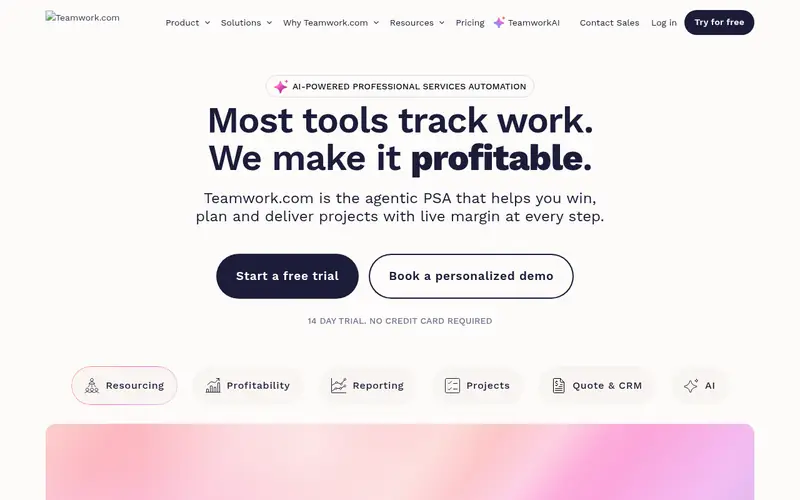
Teamwork combines project management, time tracking and client access. Client users can be given access to projects, and tracked time feeds into budgets and billing reports. That makes it a fit for agencies that want clients to see progress and hours in one place. The suite covers tasks, milestones, time and invoicing, so setup takes more work than a standalone timer. Pricing is tiered with a free trial rather than a free plan. Teams that only need a shared time report may find it heavier than needed; teams that want a client portal plus delivery tools will get more use from it.

Free plan: Free trial (30 days)

Website: teamwork.com

Strengths

  • Client users can access projects and time
  • Budgets and billing in one suite

Watch out for

  • Higher complexity for small teams
  • No permanent free plan
6

Wrike

Larger teams needing client-facing project and time views
See vendor pricing page
wrike.comHomepage, Nov 2026
Wrike homepage

Wrike is a project management platform with time tracking and reporting. Tracked hours roll into project views and dashboards, and reports can be shared with clients or stakeholders. It suits teams that already run projects in Wrike and want hours visible alongside delivery work. A free plan exists for small teams, with paid tiers adding features such as more automation and admin controls. Client-facing access and advanced reporting depend on the plan level. The setup is more involved than a standalone timer, so smaller teams may prefer a simpler tool unless they need the broader project suite.

Free plan: Yes

Website: wrike.com

Strengths

  • Time tracking inside project workflows
  • Shareable dashboards and reports

Watch out for

  • Client access depends on plan
  • Configuration takes time
7

Zoho Projects

Teams already using Zoho for client work
See vendor pricing page
zoho.comHomepage, Nov 2026
Zoho Projects homepage

Zoho Projects includes timesheets linked to projects and tasks, plus the ability to add client users to project workspaces. Tracked hours appear in project reports, which gives clients a view of time spent on their work. A free plan is available for small teams, with paid tiers adding users and features. The tool fits teams already using Zoho products, where client records and billing can stay connected. Teams outside that ecosystem may find the interface and setup less direct than a dedicated time tracking tool.

Free plan: Yes

Website: zoho.com/projects

Strengths

  • Timesheets tied to projects and tasks
  • Client users can be added to projects

Watch out for

  • Interface takes learning
  • Best value inside the Zoho ecosystem

Pre-purchase checklist

  • Confirm the tool lets clients see tracked hours without giving them edit access to your data.
  • Check how many client users the plan includes and what each extra client seat costs.
  • Verify that reports can be filtered by client and project, and exported if clients need a copy.
  • Confirm whether time entries can be approved before they appear in client-facing reports.
  • Check the free plan or trial limits against your team size and client count.

FAQ

What is a client portal time reporting tool?

It is software that tracks hours worked and gives clients a view of those hours, usually through shared reports, a client login or an invoice tied to tracked time. It replaces sending spreadsheets and manual summaries to clients each billing period.

Do these tools offer a free plan?

Some do. Toggl Track, Clockify, Wrike and Zoho Projects list free plans, though limits vary by vendor. Harvest, FreshBooks and Teamwork offer free trials rather than permanent free plans. Check each vendor's pricing page for current limits.

Can clients see time entries without editing them?

It depends on the tool. Report sharing usually gives a read-only view, while client user access in suite tools can be limited by permissions. Confirm the permission settings on your plan before inviting clients.

Which tool is best for a small agency?

Teamwork suits agencies that want a client portal plus project delivery and billing. Harvest is a lighter option when the main need is tracked hours and client reports. Both are worth comparing against your client count and budget.

Are prices the same for every team size?

No. Most tools price by user count or tier, and client seats may be counted separately. Entry prices listed here are a starting point only, so confirm the cost for your team and client count on the vendor's pricing page.