
Developer Tools · Researched comparison

5 Strong Code Review Tools for Distributed Teams in 2026

TaskReports may earn a fee from some links on this page, and some placements are paid and labelled. Neither one decides the order. See our disclosure.

The short answer

Graphite is the first pick on this list for GitHub teams using stacked pull requests. For a different need, Bitbucket covers teams already using Jira and GitHub covers distributed teams that want the standard pull request workflow. Details, prices and limits for the rest of the 5 tools are below.

On this page

Key takeaways

  • Graphite sits first on this list: GitHub teams using stacked pull requests.
  • A free plan is available from 3 of the 5 tools: Bitbucket, GitHub, Gerrit.
  • For Graphite and SonarQube, you have to request a quote because no starting price is shown.
  • Check the limits for GitHub before you commit: advanced enterprise features need premium plans.
  • Gerrit is the one to check for large teams with patch-based review workflows.

Quick comparison

ToolBest forKey limitationStarts atFree plan
---------------
GraphiteGitHub teams using stacked pull requestsStacking workflow takes learningSee websiteNot stated
BitbucketTeams already using JiraAI features require PremiumFreeYes
GitHubDistributed teams that want the standard pull request workflowAdvanced enterprise features require premium plansFreeYes
SonarQubeAutomatic quality and security verification before mergeEnterprise features require premium editionsSee websiteCommunity edition
GerritLarge teams with patch-based review workflowsSelf-hosting requires operations effortFreeYes
★ Best overall

Graphite

GitHub teams using stacked pull requests

  • Stacking keeps developers unblocked while changes await review
  • Unified PR inbox and merge queue
PriceSee website
See Graphite pricing

Think of Graphite for GitHub teams using stacked pull requests. For fast-moving GitHub teams, stacking alone justifies the tool. More specifically, Graphite is code review for the age of AI, built on GitHub with deep sync. Its core idea is stacking: produce and handle stacks of dependent pull requests with a CLI and VS Code extension, so developers keep shipping whereas earlier changes are under review. Organizations that adopt Graphite ship more code with smaller pull requests and quicker review cycles. Check the vendor site for Graphite pricing; none is listed in this comparison. Free access: Not stated. Honest limits: Built on GitHub, so non-GitHub teams cannot use it.

Price: See website

Free plan: Not stated

Website: graphite.dev

Watch out for

  • Stacking workflow takes learning
2

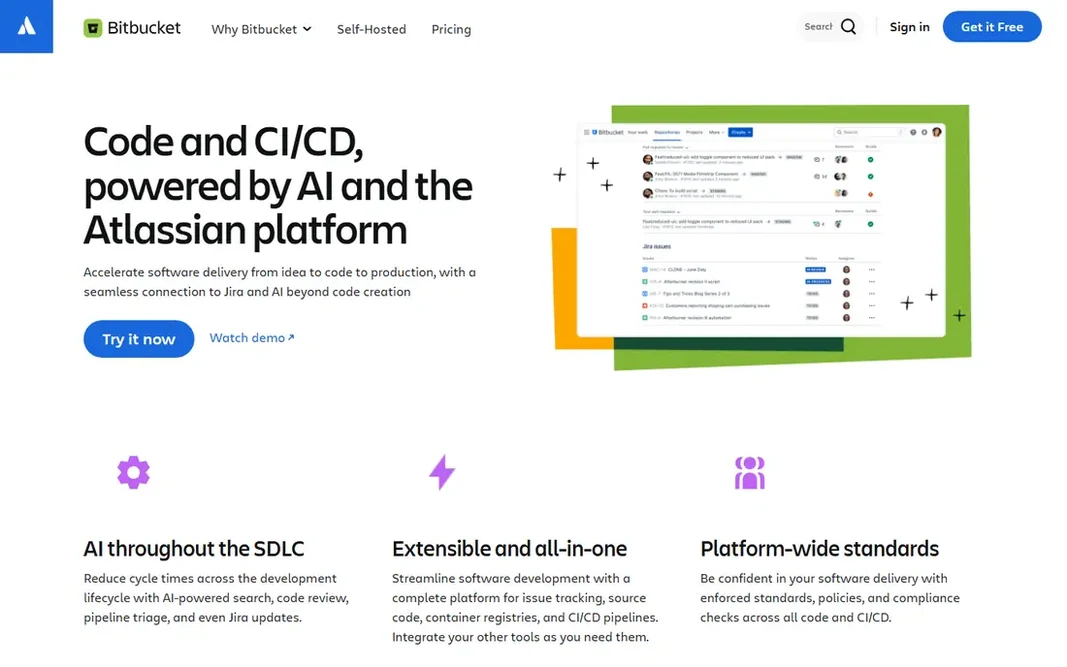
Bitbucket

Teams already using Jira
Free

Pick Bitbucket if this describes you: teams already using Jira. Bitbucket is the Git option for teams using Jira, connecting code to planning and incident management with native Jira links, Rovo AI and the Teamwork Graph. More specifically, for Jira shops, Bitbucket is the natural choice. Watch-outs: Smaller ecosystem than GitHub. Worth adding: pricing starts free for up to 5 users, with Standard from $15 a month and Premium from $30 a month. Bitbucket Pipelines runs CI/CD with hosted or private runners. Price to start with Bitbucket: Free. Bitbucket has a free plan. Main advantages: Free level for up to 5 users.

Free plan: Yes

Website: bitbucket.org

Strengths

  • Standard from $15 a month
  • Native Jira and Jira Service Management connections

Watch out for

  • AI features need Premium
3

GitHub

Distributed teams that want the standard pull request workflow
Free

GitHub serves distributed teams that want the standard pull request workflow. For distributed teams, GitHub's advantage is familiarity: most developers already know it, which removes onboarding friction across time zones. Limits to weigh: Advanced enterprise features need premium plans. Reasons to shortlist it: Pull requests keep conversation and context next to code. As for the details, GitHub scales from startups to enterprises in any industry. GitHub starts at: Free. A free plan is available with GitHub.

Free plan: Yes

Website: github.com

Strengths

  • Copilot helps write
  • Test and fix code

Watch out for

  • Review automation commonly needs Actions or external apps
4

SonarQube

Automatic quality and security verification before merge
See website

Where SonarQube fits: automatic quality and security verification before merge. It tracks maintainability, reliability and technical debt, spots vulnerabilities and security hotspots, and creates fix suggestions with a click. Drawbacks to consider: Enterprise features need premium editions. SonarQube shows no starting price here, so confirm the cost on the vendor site. Trial and free access: Community edition.

Free plan: Community edition

Website: sonarsource.com/products/sonarqube

Strengths

  • Static analysis across 35 or more languages with quality gates
  • Cloud and Server choices

Watch out for

  • Automated checks complement but do not replace human review
5

Gerrit

Large teams with patch-based review workflows
Free

Gerrit works best for large teams with patch-based review workflows. Its model follows the proven mailing-list workflow used by Git itself and the Linux kernel: patches are reviewed and iterated on before being applied to the central repository, which supports higher code quality. The main drawbacks: Self-hosting needs operations effort. For everyday use, smaller teams may prefer the more straightforward pull request model. Gerrit pricing: Free. Gerrit has a free plan.

Free plan: Yes

Website: gerritcodereview.com

Strengths

  • 100 percent open source with no licensing fees
  • Patchset-based reviews with fine-grained permissions

Watch out for

  • Workflow differs from pull requests, so onboarding takes time

FAQ

What is the best code review tool for remote teams?

For most readers this guide would start with Graphite, built for GitHub teams using stacked pull requests. Bitbucket is the alternative for teams already using Jira, and GitHub for distributed teams that want the standard pull request workflow. The right answer depends on budget and workflow.

Is Graphite the right pick for everyone comparing code review tools for distributed teams?

No single tool suits every team. Graphite comes first because it fits GitHub teams using stacked pull requests, while Bitbucket suits teams already using Jira and GitHub suits distributed teams that want the standard pull request workflow. Match the tool to your own size, budget and workflow before deciding.

Do these tools publish their prices?

Not all of them. Graphite and SonarQube publish no starting price, so expect a quote request for those. The rest, Bitbucket included, show a starting price, though seats and billing terms still change the final cost.

Can I try these tools before paying?

Often, yes. Bitbucket, GitHub and Gerrit have a free plan. Use your own data and a real task during the test, and check what the free tier or trial limits before you rely on it.

Which options for code review tools for distributed teams have a free plan?

Bitbucket, GitHub and Gerrit offer a free plan in this list. Free plans usually cap users, projects or features, so check the limits on the vendor page.