
Collaboration · Researched comparison

7 Cross Platform Messaging Apps Compared on Price and Fit

TaskReports may earn a fee from some links on this page, and some placements are paid and labelled. Neither one decides the order. See our disclosure.

The short answer

Our first pick is Threema, best for users who want Swiss-grade privacy and will pay a handful of dollars for it. Alternatives: Session for users who want private messaging with no phone number or account, and Viber for international communication combining messaging and cheap calls. All 7 tools are compared below on price, free plan and limits.

On this page

Key takeaways

  • This list starts with Threema, which is built for users who want Swiss-grade privacy and will pay a handful of dollars for it.
  • What to know about Session first: smaller network and slower message delivery than centralized apps.
  • No starting price is published for Threema; expect a quote.
  • Discord fits Communities, gaming groups and voice-first hangouts.
  • 6 of the 7 tools have a free plan, including Session, Viber, Signal and Element.

Quick comparison

ToolFree tierBest fitMain limit
------------
ThreemaNoUsers who want Swiss-grade privacy and will pay a handful of dollars for itPremium app with no free version
SessionYesUsers who want private messaging with no phone number or accountFewer features and polish than Signal or Telegram
ViberYesInternational communication combining messaging and cheap callsSmaller global network than WhatsApp or Telegram
SignalYesAnyone who wants private messaging without thinking about itRequires a phone number
ElementYesTeams and open-source advocates wanting decentralized chatSmaller network
WireYesTeams and firms needing secure, compliant messagingSmaller consumer network
DiscordYesCommunities, gaming groups and voice-first hangoutsGaming-centric culture
★ Best overall

Threema

Users who want Swiss-grade privacy and will pay a handful of dollars for it

  • No subscription
  • No phone number or email required
PriceSee website
See Threema pricing

For users who want Swiss-grade privacy and will pay a handful of dollars for it, Threema is a natural candidate. Threema has the smallest user base here, and there is no free version to lure contacts in. In practice, you are buying very good software your friends probably do not have. Where it is weaker: premium app with no free version. Reasons to shortlist it: Swiss jurisdiction with solid privacy laws. The honest catch is the network effect squared. On top of that, for the privacy-conscious buyer who distrusts "free," paying for the product is the point. Worth adding: the one-time purchase (no subscription) aligns the business model with the user rather than advertisers. Check the vendor site for Threema pricing; none is listed in this comparison. Threema does not include a free plan.

Price: See website

Free plan: No

Website: threema.ch

Watch out for

  • Smallest network here, so contacts are unlikely to have it
2

Session

Users who want private messaging with no phone number or account
Free

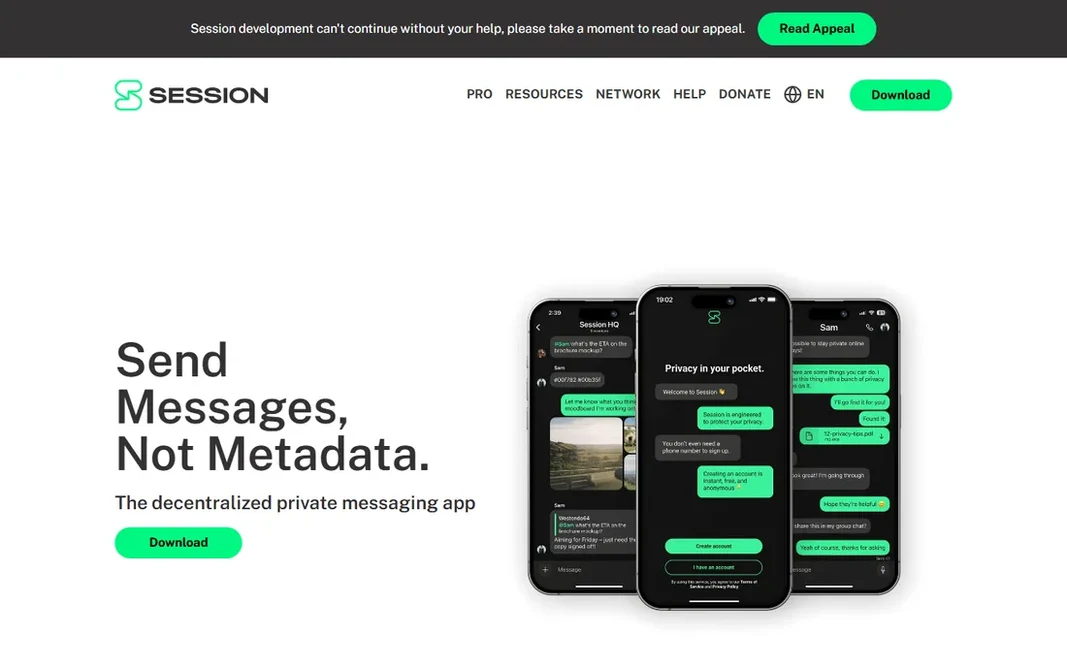
Session serves users who want private messaging with no phone number or account. Session is the answer to "what if I trust no one, including the app maker." It needs no phone number: you get a random Session ID, and messages route through a decentralized network of nodes with onion encryption, so no central server knows who talks to whom. It is free, open source, and the closest thing messaging has to true anonymity. Also, the network is smaller, message delivery can lag, and the app lacks the polish and features of its centralized rivals. But for journalists, activists, or anyone whose threat model comes with their own contacts list, Session is purpose-built. Beyond that, the honest catch is usability. On cost, Session starts like this: Free. You can start on Session without paying. Honest limits: Fewer features and polish than Signal or Telegram.

Free plan: Yes

Website: getsession.org

Strengths

  • Email or account required
  • Decentralized onion-routing network

Watch out for

  • Smaller network and slower message delivery than centralized apps
3

Viber

International communication combining messaging and cheap calls
Free

Where Viber fits: international communication combining messaging and cheap calls. Stickers, GIFs and public channels keep it lively. The commercial feel (stickers, ads for services) also turns off minimalists. But if your people are on Viber, especially across borders, it does the job well. Viber holds strong regional positions (Eastern Europe, parts of Asia, the diaspora communities connecting them) where it is frequently the default family app. Starting cost for Viber: Free. Free access exists with Viber. What to check first: Owned by Rakuten with a commercial, sticker-heavy feel.

Free plan: Yes

Website: viber.com

Strengths

  • End-to-end encrypted by default
  • Viber Out provides cheap international calls to non-users

Watch out for

  • Smaller global network than WhatsApp or Telegram
4

Signal

Anyone who wants private messaging without thinking about it
Free

Think of Signal for anyone who wants private messaging without thinking about it. Signal is the app privacy experts actually use, which tells you everything. It is free, open source, run by a nonprofit foundation, and collects almost nothing. Where it is weaker: Needs a phone number. Reasons to shortlist it: No ads. Worth adding: the honest catch is the network. It also needs a phone number, so the truly anonymous should look at Session. But as a daily driver that is private by default and free forever, nothing beats it. Starting cost for Signal: Free. Signal includes a free tier.

Free plan: Yes

Website: signal.org

Strengths

  • End-to-end encrypted by default for every message and call
  • Open source and run by a nonprofit

Watch out for

  • Fewer fun features than Telegram
5

Element

Teams and open-source advocates wanting decentralized chat
Free

Element was built for teams and open-source advocates wanting decentralized chat. Element is the ideological pick: built on Matrix, an open protocol for decentralized communication, where no single company controls the network and anyone can run a server. Messages are end-to-end encrypted, and bridges link Matrix to Slack, Discord, IRC and more. Trade-offs to know: Setup and concepts (servers, federation) confuse non-technical users. As for the details, when decentralization is a requirement instead of a preference, it stands alone. Also, the honest catch is friction. Starting cost for Element: Free. Free access exists with Element. What Element does well: Built on the open Matrix protocol: decentralized, federated.

Free plan: Yes

Website: element.io

Strengths

  • Bridges to other networks (IRC, Slack, Discord)
  • End-to-end encrypted

Watch out for

  • Smaller network
6

Wire

Teams and firms needing secure, compliant messaging
Free (personal)

Wire was built for teams and firms needing secure, compliant messaging. Wire split its personality: a free personal level for individuals and a serious business product with compliance, admin controls and enterprise deployment. Best features of Wire: Open source with a professional pedigree. What you pay to start with Wire: Free. A free plan is available with Wire. Downsides: Smaller consumer network.

Free plan: Yes

Website: wire.com

Strengths

  • Calls and file sharing
  • Business levels with compliance and admin controls

Watch out for

  • Personal free level is the afterthought
7

Discord

Communities, gaming groups and voice-first hangouts
Free (optional Nitro tier available)

Discord targets Communities, gaming groups and voice-first hangouts. Discord won the community era: servers with organized channels, granular roles and permissions, a bot ecosystem for moderation and games, and voice channels you can drop in and out of like rooms. For everyday use, the free level is ample; Nitro layers on cosmetic and quality perks. In practice, the honest catch is privacy and purpose. But for any group that needs structure, voice and bots, nothing else is close. Discord cost at the entry level: Free. You can start on Discord without paying. Limits to weigh: Not end-to-end encrypted; Gaming-centric culture.

Free plan: Yes

Website: discord.com

Strengths

  • Best-in-class community structure: servers, channels, roles, bots
  • Very good voice channels and screen sharing

Watch out for

  • Awkward for one-to-one messaging

FAQ

What is the best cross-platform messaging app overall?

Threema comes first here and is built for users who want Swiss-grade privacy and will pay a handful of dollars for it. Buyers with other needs may prefer Session (for users who want private messaging with no phone number or account) or Viber (for international communication combining messaging and cheap calls). Compare costs and limits first.

Can I try these tools before paying?

Often, yes. Session, Viber, Signal and others have a free plan. Use your own data and a real task during the test, and check what the free tier or trial limits before you rely on it.

Do these tools publish their prices?

Not all of them. Threema publishes no starting price, so expect a quote request for it. The rest, Session included, show a starting price, though seats and billing terms still change the final cost.

Is Threema the right pick for everyone comparing cross platform messaging app?

No single tool suits every team. Threema comes first because it fits users who want Swiss-grade privacy and will pay a few dollars for it, while Session suits users who want private messaging with no phone number or account and Viber suits international communication combining messaging and cheap calls. Match the tool to your own size, budget and workflow before deciding.

How are the tools for cross platform messaging app ordered?

The order follows typical fit for cross platform messaging app, with Threema first and Discord last, then price clarity and free access. It is editorial judgement, not a score, so another team could rank the tools differently.