Project Management · Researched comparison

7 Document Management Software, Compared by Cost and Features

TaskReports may earn a fee from some links on this page, and some placements are paid and labelled. Neither one decides the order. See our disclosure.

The short answer

For secure content sharing for bigger teams, Box is where this list starts. Dropbox Business is better for straightforward sharing with solid sync, and M-Files is better for metadata-driven document control. Details, prices and limits for the rest of the 7 tools are below.

On this page

Key takeaways

  • Box sits first on this list: secure content sharing for bigger teams.
  • Only Google Drive offers a free plan among these 7 tools.
  • The cheapest monthly starting price in the list is $65 per user per month, offered by M-Files.
  • DocuWare fits Digitising paper and automating document workflows.
  • Before buying Dropbox Business, weigh this: collaboration editing is weaker than Google or Microsoft suites.

Quick comparison

ToolStarting priceFree accessWebsite
------------
BoxSee websiteFree trialbox.com
Dropbox BusinessSee websiteFree trialdropbox.com
M-Files$65 per user per monthNom-files.com
Zoho WorkDriveSee websiteFree trialzoho.com
Google DriveSee websiteYesdrive.google.com
Microsoft SharePointSee websiteNomicrosoft.com
DocuWareSee websiteFree trialdocuware.com

How we chose

We compared the tools on published pricing, free plan or trial availability, feature coverage for document management software, and the limits each vendor documents. Seat minimums, billing terms and add-ons can move the real cost, so the starting prices here are a guide and not a quote. The ranking is editorial: typical fit first, then clear pricing, then free access. If your needs are unusual, read the profiles rather than relying on position.

★ Best overall

Box

Secure content sharing for bigger teams

  • Workflow and e-signature choices
  • Granular permissions and external sharing controls
PriceSee website
See Box pricing

Pick Box if this describes you: secure content sharing for larger teams. Box is aimed at organisations that share sensitive content with partners, clients and contractors. Drawbacks to consider: Interface can feel formal for very small teams. More specifically, if security and external sharing matter more than simple storage, Box deserves a trial against SharePoint. Also, admins can control who can view, download or edit a file, set expiry dates on shared links, and track activity. Pricing for Box is not stated here, so ask the vendor for current figures. Free plan details: Free trial.

Price: See website

Free plan: Free trial

Website: box.com

Watch out for

  • Best features need premium business plans
2

Dropbox Business

Straightforward sharing with capable sync
See website

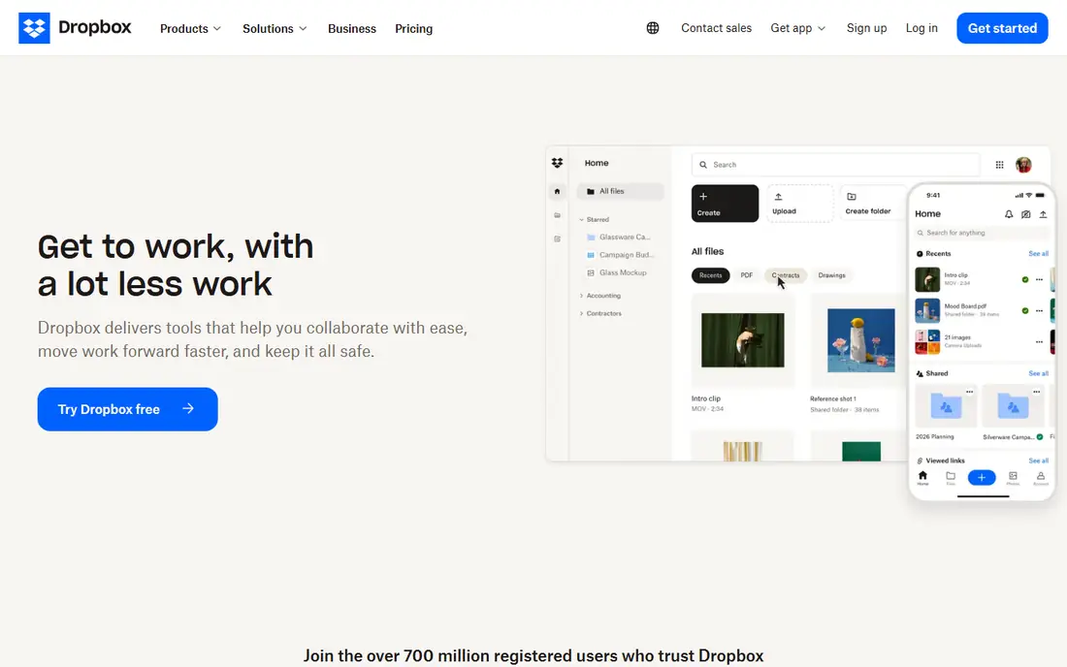
Choose Dropbox Business for straightforward sharing with solid sync. Files update rapidly across desktop, web and mobile, and sharing a folder with a client or contractor takes seconds. Also, Dropbox Business earns its place on sync alone. Also, version history and deleted file recovery help when someone overwrites a contract or deletes a folder by mistake. Business plans add team folders, admin controls and more storage. Pricing should be checked on the vendor site, since plans and storage levels change. As for the details, for a team whose primary pain is files not being in sync, Dropbox is a calm, dependable fix. Check the vendor site for Dropbox Business pricing; none is listed in this comparison. On free options: Free trial. What to check first: Collaboration editing is weaker than Google or Microsoft suites.

Free plan: Free trial

Website: dropbox.com

Strengths

  • Decent version history and recovery
  • Quick

Watch out for

  • Advanced admin features sit on higher plans
3

M-Files

Metadata-driven document control
$65 per user a month

Pick M-Files if this describes you: metadata-driven document control. M-Files organises documents by metadata, such as client, project, document type and status, rather than forcing everything into folders. Strengths: Documents found by what they are. Drawbacks to consider: Metadata design needs thought before rollout. A contract can appear in a client view, a project view and an approval view at the same time, without duplicate copies. That price is far above Dropbox or Google Drive, so M-Files only makes sense when document control, compliance or retrieval speed is a real business cost. Entry price for M-Files: $65 per user per month. M-Files has no permanent free option.

Free plan: No

Website: m-files.com

Strengths

  • Microsoft 365 integration
  • Version control and approval workflows

Watch out for

  • Higher per-user price than cloud storage tools
4

Zoho WorkDrive

Small firms already using Zoho
See website

Zoho WorkDrive is built with small companies already using Zoho in mind. Zoho WorkDrive is a sensible document store for a business already running on Zoho apps. It also links to Zoho CRM and other Zoho tools, so a client file can sit near the client record. On top of that, check the current WorkDrive pricing page, since Zoho sells it both standalone and inside bundles. The bundle price may beat the standalone price. Beyond that, as a standalone choice, WorkDrive is more straightforward than M-Files or DocuWare, with fewer records and workflow features. That simplicity is a strength for a small business that wants storage and sharing without a long project. Check the vendor site for Zoho WorkDrive pricing; none is listed in this comparison. As for free access: Free trial. Watch-outs: Less mature as a standalone document system than SharePoint or Box.

Free plan: Free trial

Website: zoho.com/workdrive

Strengths

  • Team folders and file sharing
  • Sheet and CRM

Watch out for

  • Best value inside the Zoho suite
5

Google Drive

Small teams using Google Workspace
See website

Google Drive is aimed squarely at small teams using Google Workspace. Sharing is a link or an email address, several people can edit at once, and search finds documents by name and content. Retention, data loss prevention and approval workflows exist in Workspace, but they are not as document-centric as M-Files or DocuWare. On top of that, the free personal level is enough for a solo owner to test the workflow before moving a team onto a premium Workspace plan. No starting price is listed for Google Drive here; confirm pricing on the vendor site. Free access exists with Google Drive. Downsides: Advanced records controls need Workspace admin settings.

Free plan: Yes

Website: drive.google.com

Strengths

  • Free personal storage level
  • Live Docs

Watch out for

  • Folder-based organisation can get messy at scale
6

Microsoft SharePoint

Teams already using Microsoft 365
See website

Pick Microsoft SharePoint if this describes you: teams already using Microsoft 365. Permissions can be set by site, library or folder, which helps when some documents should stay inside one department. Microsoft SharePoint shows no starting price here, so confirm the cost on the vendor site. Microsoft SharePoint has no free tier. What to check first: Setup and governance take planning.

Free plan: No

Website: microsoft.com/en-us/microsoft-365/sharepoint

Strengths

  • Deep Teams
  • Outlook and Office integration

Watch out for

  • Pricing relies on the Microsoft 365 plan you choose
7

DocuWare

Digitising paper and automating document workflows
See website

DocuWare makes the most sense for Digitising paper and automating document workflows. That matters for finance and operations teams that require to prove who approved what, and when. In daily use, ask for a written quote that bundles the number of users, storage, workflow modules and support. Limits to weigh: Pricing is quote-based, so budgeting needs a sales conversation. As for the details, for a team with a clear paper-to-digital problem, that conversation is worth having. In practice, DocuWare does not publish a single starting price that handles every deployment, and cloud plans are sold by user count and storage. This comparison lists no price for DocuWare; ask the vendor. As for free access: Free trial.

Free plan: Free trial

Website: docuware.com

Strengths

  • Document capture and intelligent indexing
  • Cloud and on-premises choices

Watch out for

  • Setup for complicated workflows takes time

FAQ

Which options for document management software have a free plan?

Google Drive is the only tool in this list with a free plan. Free plans usually cap users, projects or features, so check the limits on the vendor page. Several others offer a trial instead.

Is Box the right pick for everyone comparing document management software?

No single tool suits every team. Box comes first because it fits secure content sharing for larger teams, while Dropbox Business suits simple sharing with strong sync and M-Files suits metadata-driven document control. Match the tool to your own size, budget and workflow before deciding.

How are the tools for document management software ordered?

Box sits first and DocuWare last because the order follows typical fit for document management software, then price clarity and free access. It is a judgement call, so read each profile for fit and limits.

What is the best document management software for small business?

This list starts with Box, which fits secure content sharing for bigger teams. For other needs, Dropbox Business is aimed at straightforward sharing with capable sync, and M-Files at metadata-driven document control. Check each tool's price and main limit first.

What is the cheapest option for document management software in this list?

On published monthly entry prices, M-Files is the lowest here at $65 per user per month. Entry price is only part of the cost, because seats, add-ons and billing terms can change the total.