
Project Management · Researched comparison

Shortlist: 7 Best File Sharing Apps for Laptops for 2026

TaskReports may earn a fee from some links on this page, and some placements are paid and labelled. Neither one decides the order. See our disclosure.

The short answer

Our first pick is MEGA, best for large encrypted free level. Alternatives: Dropbox for quick, reliable sync, and Box for business sharing and controls. All 7 tools are compared below on price, free plan and limits.

On this page

Key takeaways

  • MEGA takes the first slot, best suited to large encrypted free level.
  • Proton Drive is the one to check for encrypted sharing.
  • The lowest published monthly entry price here is $1.99 per month, from Google Drive.
  • 7 of the 7 tools have a free plan, including MEGA, Dropbox, Box and Google Drive.
  • Check the limits for MEGA before you commit: pricing is shown in euros on some plans.

Quick comparison

ToolBest fitPrice fromWatch out for
------------
MEGALarge encrypted free levelSee websiteTransfer quotas can limit heavy free use
DropboxQuick, steady sync$11.99 per monthOnly 2 GB free
BoxBusiness sharing and controls$5 per user per monthLess focused on personal photo or media use
Google DriveGoogle users and everyday sharing$1.99 per monthDesktop app can feel heavier than Dropbox
OneDriveWindows and Microsoft 365 users$1.99 per monthOnly 5 GB free
pCloudLifetime payment choice$4.99 per monthClient-side encryption costs extra
Proton DriveEncrypted sharing$3.99 per monthFewer third-party integrations than Drive or Dropbox
★ Best overall

MEGA

Large encrypted free level

  • Chat and sharing features built in
  • End-to-end encryption by default
PriceSee website
See MEGA pricing

Pick MEGA if this describes you: large encrypted free level. MEGA also has fewer business integrations than Box or Drive. That combination makes it attractive for users who want private storage without paying, and its sharing links contain password and expiry choices. More specifically, for a large, encrypted free level on a laptop, it is hard to beat. This comparison lists no price for MEGA; ask the vendor. You can start on MEGA without paying. Where it is weaker: Transfer quotas can limit heavy free use.

Price: See website

Free plan: Yes

Website: mega.io

Watch out for

  • Pricing is shown in euros on some plans
2

Dropbox

Quick, steady sync
$11.99 a month

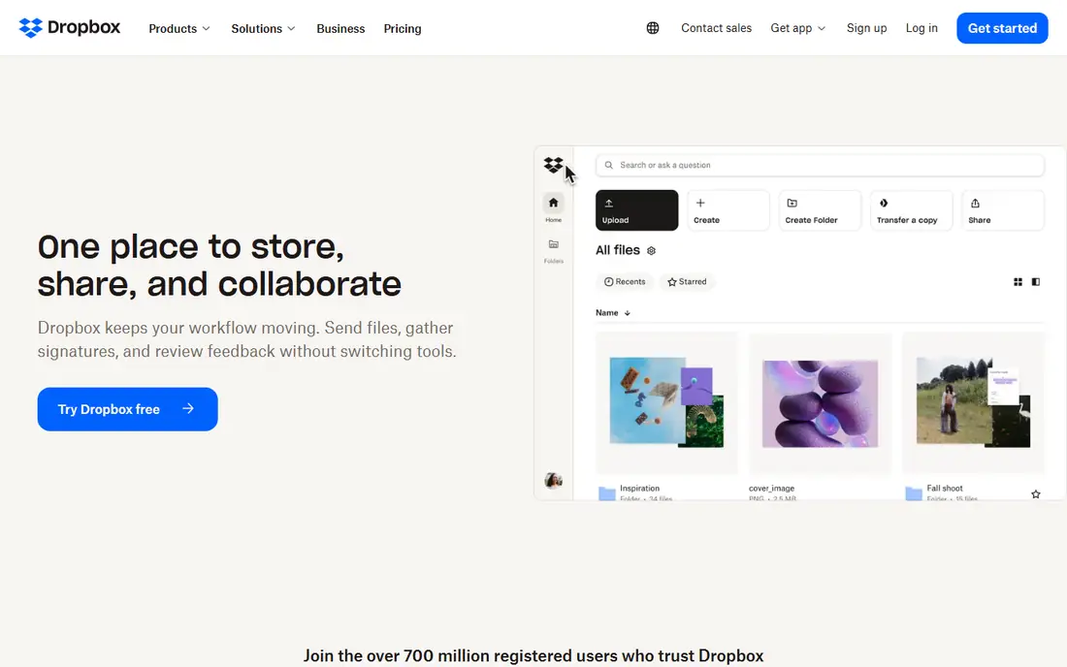
For quick, dependable sync, Dropbox is a natural candidate. Dropbox built its name on sync that just works, and that reputation still holds. Worth adding: the free plan is the weak point, with only 2 GB, so Dropbox is a poor choice if you want a large free level. From a buyer's view, if sync speed and reliability matter more than free storage, Dropbox is still a solid pick. Premium Plus plans start at $11.99 a month for 2 TB billed monthly. On top of that, files appear rapidly across laptops, phones. The web, and its integrations with tools like Slack, Zoom, and Microsoft Office make it simple to share from inside other apps. Entry price for Dropbox: $11.99 per month. Dropbox offers a free plan. Drawbacks to consider: premium plans cost more per terabyte than some rivals.

Free plan: Yes

Website: dropbox.com

Strengths

  • Quick and dependable sync across devices
  • Broad app integrations

Watch out for

  • Only 2 GB free
3

Box

Business sharing and controls
$5 per user per month

Box targets business sharing and controls. Box is designed for business sharing, with in-depth permissions, version history, and admin controls that IT teams value. It links up with Google Workspace, Microsoft 365, Slack, and Salesforce, so shared files fit into existing workflows. Downsides: Business plans need a three-user minimum on some levels. In daily use, Box is less appealing as a personal media library than Dropbox or Google Drive, and some business levels require a minimum number of users. More specifically, for teams that share client files, contracts, or regulated documents, its controls justify the business focus. Box cost at the entry level: $5 per user per month. Free access exists with Box.

Free plan: Yes

Website: box.com

Strengths

  • Numerous business app integrations
  • 10 GB free for individuals

Watch out for

  • Less centred on personal photo or media use
4

Google Drive

Google users and everyday sharing
$1.99 a month

Google Drive serves Google users and everyday sharing. The 15 GB free level spans Drive, Gmail, and Photos together, and premium Google One plans start at $1.99 a month for 100 GB. Sharing is straightforward: right-click a file, set permissions, and send a link. The main limit is that the shared 15 GB fills quicker than it first appears, particularly if you keep a large Gmail history or photo library. Google Drive starts at: $1.99 per month. You can start on Google Drive without paying. Where Google Drive stands out: 15 GB free across Google services. Honest limits: Free storage is shared with Gmail and Photos.

Free plan: Yes

Website: drive.google.com

Strengths

  • Solid Docs, Sheets
  • Gmail integration

Watch out for

  • Desktop app can feel heavier than Dropbox
5

OneDrive

Windows and Microsoft 365 users
$1.99 a month

OneDrive works best for Windows and Microsoft 365 users. OneDrive is the natural choice on a Windows laptop, since it appears inside File Explorer and syncs with Microsoft 365. In practice, a standalone 100 GB plan opens at $1.99 a month, whereas Microsoft 365 Personal brings 1 TB plus Office desktop apps. Also, the 5 GB free tier is modest, and the best value plainly comes from the Microsoft 365 bundle instead of storage alone. From a buyer's view, if you already pay for Microsoft 365, OneDrive is effectively included. There is little reason to add another sync service for everyday files. OneDrive cost at the entry level: $1.99 per month. You can start on OneDrive without paying. Limits to weigh: Only 5 GB free.

Free plan: Yes

Website: onedrive.live.com

Strengths

  • Microsoft 365 bundles bundle Office apps
  • Files On-Demand saves local space

Watch out for

  • Best value needs a Microsoft 365 subscription
6

pCloud

Lifetime payment choice
$4.99 a month

pCloud is designed for lifetime payment choice. pCloud fits people who dislike subscriptions, since it provides lifetime plans alongside monthly and annual choices. On top of that, monthly plans start at $4.99 a month for 500 GB, and the free level supplies up to 10 GB. It also deals with media playback well, so music and video stored in pCloud can be played without downloading first. As for the details, if you want to pay once and keep a large library, pCloud is the standout here. For everyday use, the primary catch is encryption: pCloud's client-side encryption add-on, called Crypto, costs additional, whereas some rivals contain end-to-end encryption by default. A lifetime plan is also a larger upfront commitment. pCloud cost at the entry level: $4.99 per month. pCloud offers a free plan. Where it falls short: Lifetime pricing is a bigger upfront payment.

Free plan: Yes

Website: pcloud.com

Strengths

  • Lifetime plans avoid continuing subscriptions
  • Media playback and file versioning included

Watch out for

  • Client-side encryption costs additional
7

Proton Drive

Encrypted sharing
$3.99 per month

Think of Proton Drive for encrypted sharing. Drive Plus begins at $3.99 a month billed yearly for 200 GB. Proton Drive, from the makers of Proton Mail, applies end-to-end encryption to files, folder names, and sharing links by default. On cost, Proton Drive starts like this: $3.99 per month. Free access exists with Proton Drive. Where it is weaker: 5 GB free on the entry-level free level in recent listings.

Free plan: Yes

Website: drive.proton.me

Strengths

  • VPN on higher plans
  • Links up with Proton Mail, Calendar

Watch out for

  • Fewer third-party integrations than Drive or Dropbox

FAQ

What is the best free file sharing app for laptops?

MEGA is the pick this page puts first, mainly for large encrypted free level. If your situation differs, Dropbox suits quick, dependable sync, and Box suits business sharing and controls. Compare price and limits before you decide.

How are the tools for file sharing apps for laptops ordered?

The order follows typical fit for file sharing apps for laptops, with MEGA first and Proton Drive last, then price clarity and free access. It is editorial judgement, not a score, so another team could rank the tools differently.

Can I try these tools before paying?

Often, yes. MEGA, Dropbox, Box and others have a free plan. Use your own data and a real task during the test, and check what the free tier or trial limits before you rely on it.

What is the cheapest option for file sharing apps for laptops in this list?

On published monthly entry prices, Google Drive is the lowest here at $1.99 per month. Entry price is only part of the cost, because seats, add-ons and billing terms can change the total.

Is MEGA the right pick for everyone comparing file sharing apps for laptops?

No single tool suits every team. MEGA comes first because it fits large encrypted free tier, while Dropbox suits fast, reliable sync and Box suits business sharing and controls. Match the tool to your own size, budget and workflow before deciding.