
How we rank
Project Management · Researched comparison

Best Monthly Activity Report Tools in 2026

TaskReports may earn a fee from some links on this page, and some placements are paid and labelled. Neither one decides the order. See our disclosure.

The short answer

Clockify is the first pick for most teams that need monthly activity reports, because its free plan covers unlimited users and includes billable hours tracking. Harvest suits freelancers and agencies that bill clients by the hour and want reports tied to invoices. Toggl Track is a good alternative for small teams that want a simple free tier before paying.

On this page

Key takeaways

  • Clockify has a free plan with unlimited users and tracks billable hours for monthly activity reports.
  • Harvest starts at $12 per user per month and combines time tracking with client reporting.
  • Toggl Track offers a free plan for up to 5 users and paid plans from $9 per user per month.
  • Most tools here export monthly activity data to CSV or PDF for client and manager review.

Quick comparison

ToolBest fitStarting price
ClockifyTeams that need free time tracking and monthly reports$3.99 per user per month
HarvestFreelancers and agencies billing clients by the hour$12 per user per month

Toggl TrackSmall teams that want simple time reports$9 per user per month
HubstaffRemote teams tracking activity and hours$7 per user per month
RescueTimeIndividuals reviewing how work time is spentSee vendor pricing page
Time DoctorTeams that need detailed activity and attendance reportsSee vendor pricing page

How we chose

We picked tools that record time or activity and can produce a report for a calendar month. Criteria were fit for monthly reporting, published entry price, free access, and the main limits of each plan. Sources are vendor websites and public pricing pages. Prices and plan limits change, so confirm details on the vendor site before you buy.

★ Best overall

Clockify

Teams that need free time tracking and monthly reports

    Price$3.99 per user per month
    See Clockify pricing
    clockify.meHomepage, Nov 2026
    Clockify homepage

    Clockify records time against projects and clients, then builds summary and detailed reports for any date range, including a full month. You can filter by user, project, client or tag and export the result to CSV, PDF or Excel. The free plan supports unlimited users and includes reporting, which makes it unusual among time tracking tools. Paid plans add features such as invoicing, budgeting, and rounding. The entry paid tier is $3.99 per user per month. Larger teams should check how many people need admin roles, since some controls sit behind the paid tiers. Teams that only need a monthly summary and already use a full project management suite may not need a separate tool.

    Price: $3.99 per user per month

    Free plan: Yes

    Website: clockify.me

    Watch out for

    • Check current limits on the vendor page

    2

    Harvest

    Freelancers and agencies billing clients by the hour
    $12 per user per month
    getharvest.comHomepage, Nov 2026
    Harvest homepage

    Harvest tracks time by client and project and produces monthly reports that connect to invoices. You can see billable versus non-billable hours, budget used, and amounts owed for a chosen period. Reports export to CSV and PDF, and the invoice link is useful for agencies that bill monthly. Harvest has no free plan. The entry price is $12 per user per month, billed annually, and the per-user cost adds up for larger teams. It suits service businesses more than internal teams that only need activity summaries. Check the current plan limits on the vendor pricing page before committing.

    Free plan: Free trial (30 days)

    Website: getharvest.com

    Strengths

      Watch out for

      • Check current limits on the vendor page

      3

      Toggl Track

      Small teams that want simple time reports
      $9 per user per month
      toggl.comHomepage, Nov 2026
      Toggl Track homepage

      Toggl Track records time with a timer or manual entry and builds summary and detailed reports for any period, including monthly views. Reports can be filtered by client, project, tag and user, and exported to CSV or PDF. The free plan covers up to 5 users and includes basic reporting. Paid plans start at $9 per user per month and add features such as billable rates, project estimates and scheduled reports. The tool is light on project management features, so teams that need task tracking alongside time data should pair it with another system. It is a good fit for small teams that want a clean monthly report without a heavy setup.

      Free plan: Yes

      Website: toggl.com/track

      Strengths

        Watch out for

        • Check current limits on the vendor page
        4

        Hubstaff

        Remote teams tracking activity and hours
        $7 per user per month
        hubstaff.comHomepage, Nov 2026
        Hubstaff homepage

        Hubstaff combines time tracking with activity monitoring, which suits teams that need monthly reports on both hours and work activity. It records screenshots and activity levels on paid plans and builds reports by team member, project and date range. Monthly reports can be exported and shared with managers or clients. The entry price is $7 per user per month for the basic plan, and activity monitoring features sit on higher tiers. There is no free plan, only a trial. Teams that object to screenshots or activity monitoring should look at Clockify or Toggl Track instead. Confirm current plan details on the vendor site.

        Free plan: Free trial (14 days)

        Website: hubstaff.com

        Strengths

          Watch out for

          • Check current limits on the vendor page

          5

          RescueTime

          Individuals reviewing how work time is spent
          See vendor pricing page
          rescuetime.comHomepage, Nov 2026
          RescueTime homepage

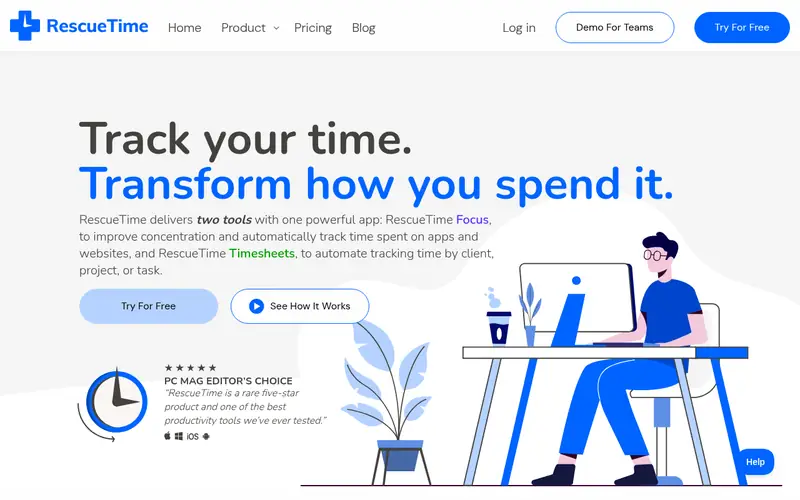
          RescueTime runs in the background and records which apps and websites you use, then turns that into daily and weekly activity reports. Monthly summaries show time by category, such as communication, design or distraction. It is aimed at individuals and small teams that want to understand where time goes rather than bill clients. The free plan covers basic tracking and reports, while the paid plan adds features such as focus sessions and detailed history. It does not track project hours or billable time the way Clockify or Harvest do, so it fits personal productivity reviews better than client billing. Check the vendor pricing page for current paid plan details.

          Free plan: Yes

          Website: rescuetime.com

          Strengths

            Watch out for

            • Check current limits on the vendor page
            6

            Time Doctor

            Teams that need detailed activity and attendance reports
            See vendor pricing page
            timedoctor.comHomepage, Nov 2026
            Time Doctor homepage

            Time Doctor tracks time and activity and produces reports on hours, attendance and project work. Monthly reports can be filtered by team, project or client and exported for payroll or client review. It is built for distributed teams that want more oversight than a simple timer provides. The tool includes screenshots and activity monitoring on its plans, which some teams will not want. Pricing is quoted per user and depends on the plan and billing cycle, so check the vendor pricing page. It suits managers who need attendance and activity data together. Small teams that only need monthly hour totals may find it heavier than needed.

            Free plan: Free trial (14 days)

            Website: timedoctor.com

            Strengths

              Watch out for

              • Check current limits on the vendor page

              Pre-purchase checklist

              • Confirm the tool can report on a custom date range that matches your monthly cycle.
              • Check whether the free plan limits users, projects or report exports.
              • Verify export formats, such as CSV or PDF, before you commit.
              • Check if billable rates and invoicing are included or cost extra.
              • Confirm per-user pricing and whether annual billing is required for the entry price.

              FAQ

              What is a monthly activity report?

              A monthly activity report summarizes time or work activity for a calendar month. It usually shows hours by person, project or client, and may include billable amounts. Tools like Clockify and Harvest build these reports from tracked time.

              Which tool has the best free plan for monthly reports?

              Clockify offers a free plan with unlimited users and reporting, which makes it the strongest free option here. Toggl Track also has a free plan, but it covers up to 5 users. Check current limits on each vendor site.

              Can these tools export monthly reports?

              Most tools listed here export reports to CSV or PDF. Clockify, Harvest and Toggl Track all support exports. Confirm the export options on your plan, since some formats may be limited.

              Do I need activity monitoring for a monthly report?

              No. If you only need hours by project or client, a time tracker like Clockify or Harvest is enough. Activity monitoring tools such as Hubstaff and Time Doctor add screenshots and activity data, which suit oversight-heavy teams.

              Are prices per user?

              Most tools here charge per user per month. Clockify's free plan has no per-user cost, and its paid plans start at $3.99 per user per month. Harvest starts at $12 per user per month. Confirm current pricing on vendor sites.