Project Management · Researched comparison

Online Tool to Reduce PDFs: 7 Options Side by Side (2026)

TaskReports may earn a fee from some links on this page, and some placements are paid and labelled. Neither one decides the order. See our disclosure.

The short answer

For straightforward online compression, PDF2Go is where this list starts. Alternatives: Smallpdf for refined compression and cloud workflow, and PDF24 Tools for free online tools with desktop choice. All 7 tools are compared below on price, free plan and limits.

On this page

Key takeaways

  • The list opens with PDF2Go, aimed at straightforward online compression.
  • 6 out of 7 tools include a free plan, among them PDF2Go, Smallpdf, PDF24 Tools and iLovePDF.
  • Smallpdf comes with a trade-off: free level lets only a small number of tasks per day.
  • Foxit PDF Editor fits compression inside a full editor.
  • Smallpdf is the lowest-priced starter here at $12 per month.

Quick comparison

ToolPrice fromFree optionWatch out forSuited to
---------------
PDF2GoFreeYesInterface is less polished than SmallpdfStraightforward online compression
Smallpdf$12 per monthYesPremium price is higher than some rivalsRefined compression and cloud workflow
PDF24 ToolsFreeYesDesktop app is Windows-focusedFree online tools with desktop choice
iLovePDFFreeYesAdvanced editing needs a premium planEveryday compression with plenty of tools
SejdaFreeYesFree tier caps file size and pagesClear free limits and no account for most tools
UPDFFreeYesSome advanced features need a premium planCompression plus editing across devices
Foxit PDF EditorSee websiteFree trialPremium plans needed for sustained useCompression inside a full editor
★ Best overall

PDF2Go

Straightforward online compression

  • Preset quality choices
  • Straightforward upload and compress flow

Choose PDF2Go for straightforward online compression. PDF2Go is less refined than Smallpdf, and its wider PDF suite is not as deep as iLovePDF. It earns its place for straightforward, quick compression instead of for advanced document work. The starting price for PDF2Go: Free. Free access exists with PDF2Go. What to check first: Free level has file size and task limits.

Price: Free

Free plan: Yes

Website: pdf2go.com

Watch out for

  • Interface is less refined than Smallpdf
2

Smallpdf

Refined compression and cloud workflow
$12 per month

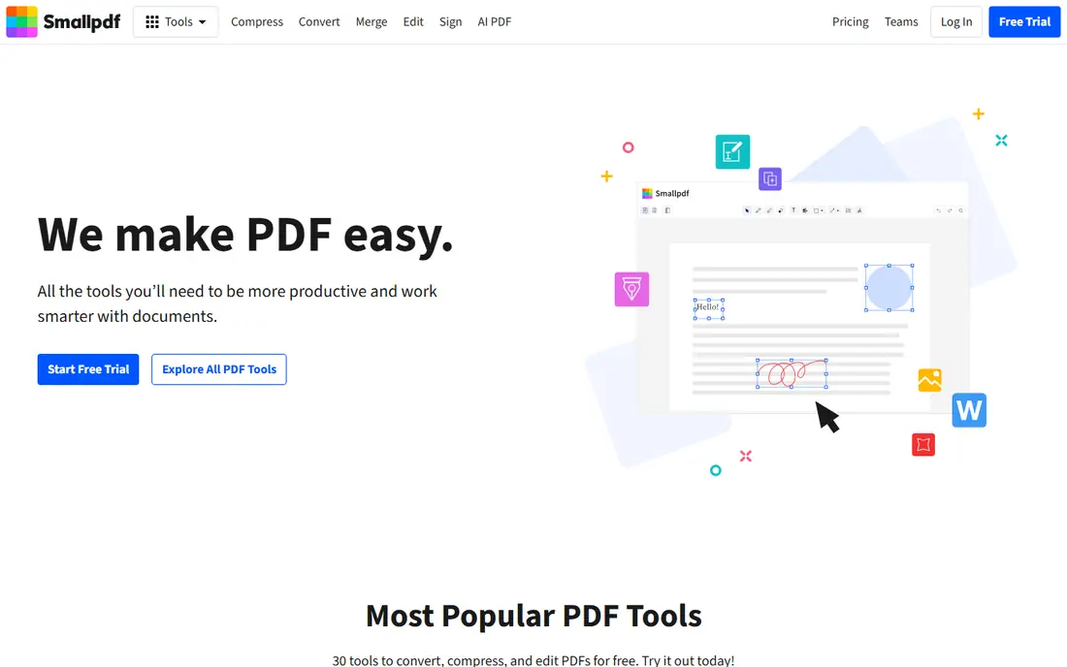
Smallpdf serves refined compression and cloud workflow. Smallpdf gives you one of the smoothest compression experiences online, with a straightforward upload, a clear progress view and a download that is simple to find. Its integration with Google Drive and Dropbox helps teams that already store documents in the cloud, since files can move from storage to compression without a manual download and re-upload step. premium plans remove that limit and add batch tools, but at a higher monthly price than iLovePDF. On top of that, choose Smallpdf for polish and cloud workflow, not for heavy free use. The starting price for Smallpdf: $12 per month. Smallpdf includes a free tier. Honest limits: Free level permits only a small number of tasks per day.

Free plan: Yes

Website: smallpdf.com

Strengths

  • Solid Google Drive and Dropbox integration
  • Very clean interface

Watch out for

  • Premium price is higher than some rivals

3

PDF24 Tools

Free online tools with desktop choice
Free

PDF24 Tools is aimed squarely at free online tools with desktop choice. PDF24 Tools provides a free online compressor alongside a large set of other PDF tools, plus a desktop Creator for Windows users who prefer local processing. From a buyer's view, the online tools are simple to find and use, with clear upload and download steps. Honest limits: Desktop app is Windows-focused. From a buyer's view, the primary limit is system focus for the desktop app, which is made for Windows, whereas Mac and mobile users will primarily use the online tools. From a buyer's view, Online processing also means files are uploaded, so sensitive documents need the same caution as with any online tool. The starting price for PDF24 Tools: Free. You can start on PDF24 Tools without paying.

Free plan: Yes

Website: tools.pdf24.org

Strengths

  • Online tools are free to use
  • Broad range of PDF tools beyond compression

Watch out for

  • Online free use still has practical file limits
4

iLovePDF

Everyday compression with plenty of tools
Free

iLovePDF was built for everyday compression with plenty of tools. You upload a PDF, choose a compression level, and download a smaller file, with choices for extreme, recommended or less compression. That choice matters, since a light setting keeps quality high for print, whereas an extreme setting is better for a quick email attachment where perfect image detail is less important. On top of that, for a user who compresses a PDF every few weeks, the free level is normally enough. Also, the free level includes most everyday files, but it has limits on file size and batch work, and some features sit behind Premium. iLovePDF pricing: Free. iLovePDF offers a free plan. Upsides: Compression levels from light to extreme. Trade-offs to know: Advanced editing needs a premium plan.

Free plan: Yes

Website: ilovepdf.com

Strengths

  • Batch tools on premium plans
  • Desktop and mobile

Watch out for

  • Free level has file and task limits
5

Sejda

Clear free limits and no account for most tools
Free

Sejda is aimed squarely at clear free limits and no account for most tools. The free caps will block large scanned archives or design-heavy PDFs, and the premium web level raises those limits for a monthly fee. From a buyer's view, compression choices are clear, and the output is usable without a watermark in numerous free cases, which is not true of every online tool. For everyday use, Sejda stands out for honesty about its free level. Its site states limits on file size and pages, and most tools work without creating an account, which fits a fast one-off job. Sejda starts at: Free. A free plan is available with Sejda. Downsides: premium level needed for larger files and heavy use.

Free plan: Yes

Website: sejda.com

Strengths

  • Clear free limits published on its site
  • No watermarks on free output in plenty of cases

Watch out for

  • Free level caps file size and pages
6

UPDF

Compression plus editing across devices
Free

UPDF was built for compression plus editing across devices. The trade-off is that UPDF is primarily an app, not a single-purpose online compressor. So a user who only needs a browser tool may prefer iLovePDF or Sejda. Downsides: Some advanced features need a premium plan. Files can move between phone, tablet and computer without switching to a different vendor. Premium plans add advanced features, whereas the free level spans entry-level viewing and restricted tools. On cost, UPDF starts like this: Free. UPDF includes a free tier.

Free plan: Yes

Website: updf.com

Strengths

  • IOS and Android
  • Compression alongside editing and annotation

Watch out for

  • Online compression is less central than its apps
7

Foxit PDF Editor

Compression inside a full editor
See website

Think of Foxit PDF Editor for compression inside a full editor. The editor also manages forms, signatures and collaboration in premium plans. Optimization settings provide more control over images and fonts than a straightforward online preset, which helps with large reports and scanned files. Casual users should start with a free online tool instead. In practice, Foxit PDF Editor is a full PDF editor that bundles file optimization and compression controls, which fits business users who require to cut size as part of preparing a document for sharing. No starting price is listed for Foxit PDF Editor here; confirm pricing on the vendor site. On free options: Free trial. What to check first: Full editor is overkill for one-off compression.

Free plan: Free trial

Website: foxit.com

Strengths

  • Well suited to business documents
  • Desktop and cloud choices

Watch out for

  • Premium plans needed for sustained use

FAQ

Which online tool to reduce PDFs have a free plan?

6 of the 7 tools have a free plan, including PDF2Go, Smallpdf, PDF24 Tools and iLovePDF. Free plans usually cap users, projects or features, so check the limits on the vendor page. One other tool offers a trial instead.

Do these tools publish their prices?

Not all of them. Foxit PDF Editor publishes no starting price, so expect a quote request for it. The rest, PDF2Go included, show a starting price, though seats and billing terms still change the final cost.

Why does my PDF not shrink much after compression?

Try a more solid compression level, check whether embedded fonts or large images are the cause, and consider OCR or rescanning at a lower resolution for scanned documents.

What is the cheapest option for online tool to reduce PDFs in this list?

On published monthly entry prices, Smallpdf is the lowest here at $12 per month. Entry price is only part of the cost, because seats, add-ons and billing terms can change the total.

How much can an online tool cut a PDF?

It relies on the file. A tool that promises a fixed percentage for every file should be treated with caution, since results vary by content.

Is PDF2Go the right pick for everyone comparing online tool to reduce PDFs?

No single tool suits every team. PDF2Go comes first because it fits simple online compression, while Smallpdf suits polished compression and cloud workflow and PDF24 Tools suits free online tools with desktop option. Match the tool to your own size, budget and workflow before deciding.