
Project Management · Researched comparison

The 6 Best PDF Remover Tools to Shortlist in 2026

TaskReports may earn a fee from some links on this page, and some placements are paid and labelled. Neither one decides the order. See our disclosure.

The short answer

PDF Candy leads the list, best for straightforward online removal tasks. For a different need, PDFsam Basic covers offline page removal and splitting and Adobe Acrobat covers full professional PDF work. Details, prices and limits for the rest of the 6 tools are below.

On this page

Key takeaways

  • Number one here is PDF Candy, a fit for straightforward online removal tasks.
  • One limit worth knowing about PDFsam Basic: no full text editing.
  • Smallpdf is the one to check for fast online PDF jobs.
  • iLovePDF has the lowest monthly starting price in this list: $4 per month.

Quick comparison

ToolEntry priceFree tierKey limitationBest for
---------------
PDF Candy$6 per monthYesFree use has limitsStraightforward online removal tasks
PDFsam BasicFreeYesNo full text editingOffline page removal and splitting
Adobe Acrobat$19.99 per monthFree trialHighest price hereFull professional PDF work
Foxit PDF Editor$10.99 per monthFree trialInterface can feel busyLess expensive full editor than Acrobat
iLovePDF$4 per monthYesText editing needs a premium planBeginner-friendly online tools
Smallpdf$10 per monthYesFree plan allows two tasks per dayFast online PDF jobs
★ Best overall

PDF Candy

Straightforward online removal tasks

  • No registration needed for numerous tools
  • Straightforward page deletion and password removal tools
Price$6 a month
See PDF Candy pricing

PDF Candy makes the most sense for straightforward online removal tasks. PDF Candy is a straightforward online suite for people who want a quick fix without installing software. Limits to weigh: Privacy relies on online upload, so avoid sensitive files. More specifically, numerous tools work without registration, which lowers friction for a one-off job, and premium plans start at $6 per month for higher limits and quicker processing. PDF Candy cost at the entry level: $6 per month. A free plan is available with PDF Candy.

Price: $6 a month

Free plan: Yes

Website: pdfcandy.com

Watch out for

  • Free use has limits
2

PDFsam Basic

Offline page removal and splitting
Free

For offline page removal and splitting, PDFsam Basic is a natural candidate. PDFsam Basic does not edit text inside a PDF, apply redaction, or remove password protection in the same way as a full editor, so pair it with another tool when you need those jobs. What works well: Runs offline on Windows, Mac, Linux. That focused design makes it quick to learn for file-level jobs, even if it looks plain next to a full editor. The starting price for PDFsam Basic: Free. A free plan is available with PDFsam Basic. Limits to weigh: No full text editing.

Free plan: Yes

Website: pdfsam.org

Strengths

  • Page extraction tools
  • Free and open source

Watch out for

  • Interface is centred on file tasks instead of page design
3

Adobe Acrobat

Full professional PDF work
$19.99 a month

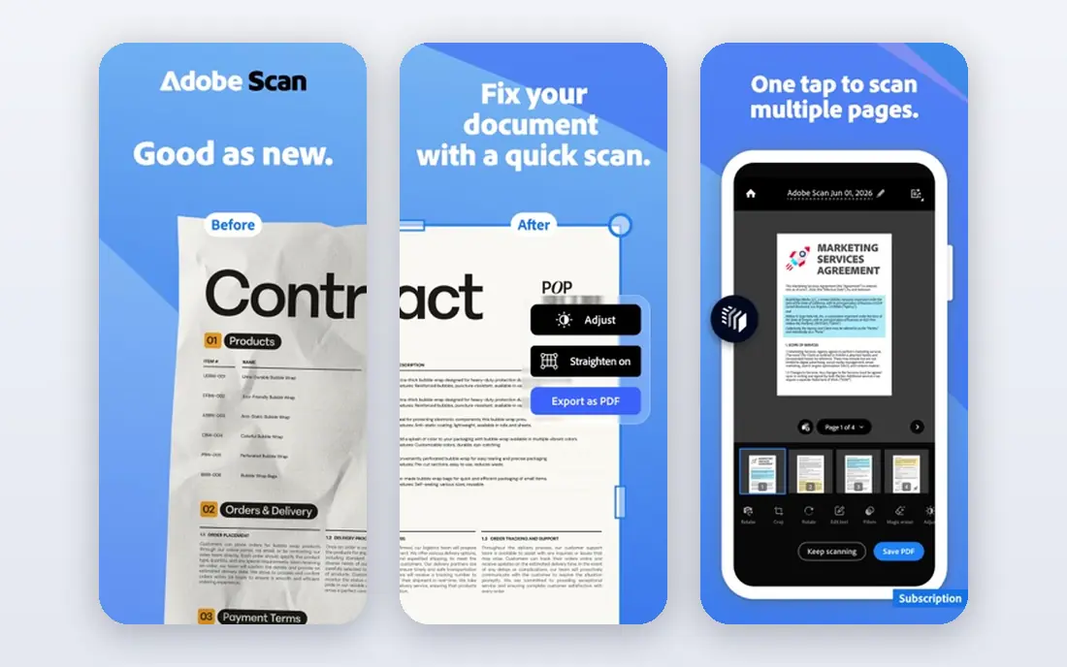
Adobe Acrobat was built for full professional PDF work. You can delete pages, reorder pages, split a file, remove password protection when you know the password, and apply true redaction that removes hidden text instead of just including it with a black box. For teams that deal with sensitive PDFs every day, Acrobat is still the most steady and complete choice. Where it falls short: Full power needs the desktop app. Beyond that, Pro is listed from $19.99 a month on an annual plan billed monthly, with a free trial, while online tools offer only restricted free use. Acrobat also takes care of forms, signatures, and document comparison in the same app. Casual users who delete a page once per month will not need this depth. What you pay to start with Adobe Acrobat: $19.99 per month. Free plan details: Free trial. Reasons to shortlist it: Desktop and mobile apps.

Free plan: Free trial

Website: adobe.com/acrobat.html

Strengths

  • True redaction in one app
  • Page deletion, splitting

Watch out for

  • Online free tools are restricted
4

Foxit PDF Editor

Less expensive full editor than Acrobat
$10.99 a month

Foxit PDF Editor is aimed squarely at less expensive full editor than Acrobat. It supports page deletion and reordering, text and image editing, redaction, forms, and signing, plus password and permission controls for files you handle. Drawbacks to consider: Interface can feel busy. Foxit also uploads less of your work when you use the desktop app, which helps with sensitive files. Foxit PDF Editor pricing: $10.99 per month. Free access: Free trial.

Free plan: Free trial

Website: foxit.com

Strengths

  • Page management
  • A decent match for daily office work

Watch out for

  • Some advanced features need higher levels
5

iLovePDF

Beginner-friendly online tools
$4 a month

For beginner-friendly online tools, iLovePDF is a natural candidate. iLovePDF is the most beginner-friendly online suite here, with large buttons and a clear step for each job. As for the details, iLovePDF uploads files to its servers and states a short deletion window, so it fits menus, homework, and public documents better than private contracts. Starting cost for iLovePDF: $4 per month. iLovePDF includes a free tier. Points against: Free level limits file size and processing.

Free plan: Yes

Website: ilovepdf.com

Strengths

  • Ample free tier for one-off jobs
  • Straightforward tools for pages, passwords, splitting

Watch out for

  • Text editing needs a premium plan
6

Smallpdf

Fast online PDF jobs
$10 a month

Smallpdf makes the most sense for quick online PDF jobs. Upload a file, pick pages to delete, or use its tools to remove password protection from a file you own, then download the lead to a handful of clicks. Pro is listed at $10 a month billed yearly, with a higher monthly rate. It removes daily limits and brings batch processing and OCR. The interface is clear on desktop and mobile, and the toolset handles merging, splitting, compressing, converting, and signing alongside removal tasks. The free limit is the catch. In daily use, files are also uploaded to Smallpdf servers, so sensitive documents deserve additional thought. Entry price for Smallpdf: $10 per month. Smallpdf offers a free plan. Main advantages: Page deletion, splitting. Where it is weaker: Bigger files and batch work need Pro.

Free plan: Yes

Website: smallpdf.com

Strengths

  • Decent file handling for everyday jobs
  • Password removal tools

Watch out for

  • Free plan permits two tasks per day

FAQ

What does a PDF remover tool actually remove?

It relies on the tool. Full editors can also redact text, remove metadata, and delete annotations, whereas more straightforward tools focus on pages and file structure.

Is it safe to use an online PDF remover for sensitive files?

It is safer to use an offline desktop tool for sensitive files, since online tools upload your document to a server. More specifically, if you must use an online tool, pick one with clear privacy and deletion practices, and avoid uploading IDs, contracts, medical records, or financial statements.

Which free PDF remover is best?

For most readers this guide would start with PDF Candy, built for straightforward online removal tasks. PDFsam Basic is the alternative for offline page removal and splitting, and Adobe Acrobat for full professional PDF work. The right answer depends on budget and workflow.

Do these tools publish their prices?

Yes. Every tool from PDF Candy to Smallpdf shows a starting price, though seats, add-ons and billing terms still change the final cost.

How are the tools for PDF remover tool ordered?

PDF Candy sits first and Smallpdf last because the order follows typical fit for PDF remover tool, then price clarity and free access. It is a judgement call, so read each profile for fit and limits.

Which options for PDF remover tool have a free plan?

On this list, PDF Candy, PDFsam Basic, iLovePDF and Smallpdf include a free plan. Caps on seats, usage or features are common, so test the free plan against your real workload. Several others offer a trial instead.