
How we rank
Project Management · Researched comparison

7 Best Project Time Reporting Dashboards in 2026

TaskReports may earn a fee from some links on this page, and some placements are paid and labelled. Neither one decides the order. See our disclosure.

The short answer

Harvest is a good first pick for teams that mainly need clean project time reports and client billing. Toggl Track fits small teams that want simple time dashboards at a low entry price. Wrike is the better fit for larger groups that want time tracking inside a full project management suite. All three publish their entry prices, but confirm current limits on the vendor site before you buy.

On this page

Key takeaways

  • Harvest, Toggl Track, Clockify, Wrike and Zoho Projects all offer a free plan or free trial for time reporting.
  • Harvest starts at $12 per seat per month, while Toggl Track starts at $9 per user per month.
  • Clockify has a free plan for unlimited users, and Zoho Projects has a free plan for up to 3 users.
  • Hubstaff and ClickUp publish entry prices that vary by plan and billing term, so confirm on the vendor page.

Quick comparison

ToolBest fitStarting price
HarvestSmall teams that bill clients by project hours$12 per seat per month
Toggl TrackFreelancers and small teams wanting simple time reports$9 per user per month

ClockifyBudget-conscious teams that need unlimited free usersSee vendor pricing page
WrikeLarger teams that want time tracking inside project managementSee vendor pricing page
Zoho ProjectsTeams already using Zoho tools that need project time reportsSee vendor pricing page
HubstaffTeams that need time tracking with activity dataSee vendor pricing page
ClickUpTeams that want time tracking inside a broad work platformSee vendor pricing page

How we chose

We picked tools that publish project time reporting features and have an official website. Criteria were fit for project time reporting, published entry price, free access, and the main limits of each plan. Sources are vendor pages and public documentation. Prices and plan limits change, so confirm them on the vendor site before you buy.

Best overall

Harvest

Small teams that bill clients by project hours

    Price$12 per seat per month
    See Harvest pricing
    getharvest.comHomepage, Nov 2026
    Harvest homepage

    Harvest is a time tracking tool built around project and client reporting. You log hours against projects and tasks, then view reports by team member, client or project. Budget tracking shows how much of a project's hours or fee has been used. Invoices can be built from tracked time. The paid plans are Pro and Premium, billed per seat. Harvest lists a 30-day free trial. The reporting views cover time by project, client and teammate, plus budget and capacity reports. Teams that need resource scheduling across many projects will find Harvest narrower than a full project suite.

    Price: $12 per seat per month

    Free plan: Free trial (30 days)

    Website: getharvest.com

    Watch out for

    • Check current limits on the vendor page

    2

    Toggl Track

    Freelancers and small teams wanting simple time reports
    $9 per user per month
    toggl.comHomepage, Nov 2026
    Toggl Track homepage

    Toggl Track is a time tracking tool with dashboards for time by project, client and user. Reports can be filtered by date range and exported. The free plan supports up to 5 users and includes basic reporting. Paid plans add more report types and features. The Starter plan is listed at $9 per user per month, and higher plans add features for larger teams. Toggl Track focuses on time data rather than full project management. Teams that need task boards, budgets and billing in one tool may need a different product.

    Free plan: Yes

    Website: toggl.com/track

    Strengths

      Watch out for

      • Check current limits on the vendor page

      3

      Clockify

      Budget-conscious teams that need unlimited free users
      See vendor pricing page
      clockify.meHomepage, Nov 2026
      Clockify homepage

      Clockify offers a free plan for unlimited users with time tracking and basic reports. Paid plans add features such as more detailed reporting, project budgets and admin controls. Reports can be grouped by project, client, user and tag. Because the free plan covers unlimited users, Clockify suits teams that want time reporting without a per-seat cost at the start. The trade-off is that some reporting and management features sit behind paid tiers. Check the plan comparison on the vendor site for the current feature split.

      Free plan: Yes

      Website: clockify.me

      Strengths

        Watch out for

        • Check current limits on the vendor page

        4

        Wrike

        Larger teams that want time tracking inside project management
        See vendor pricing page
        wrike.comHomepage, Nov 2026
        Wrike homepage

        Wrike is a project management platform with time tracking and reporting built in. You can log time against tasks and projects, then view reports on time spent, workload and project progress. Dashboards can be shared with stakeholders. Wrike publishes a free plan and several paid tiers, with prices that depend on the plan and billing term. Time tracking and advanced reporting are part of the paid plans. Small teams that only need time reports may find Wrike more than they need, while larger teams get project planning and time data in one place.

        Free plan: Yes

        Website: wrike.com

        Strengths

          Watch out for

          • Check current limits on the vendor page

          5

          Zoho Projects

          Teams already using Zoho tools that need project time reports
          See vendor pricing page
          zoho.comHomepage, Nov 2026
          Zoho Projects homepage

          Zoho Projects is a project management tool with timesheets and time reports. You can track hours against tasks and view reports by project, user and date. It connects with other Zoho apps, which helps teams already in that ecosystem. Zoho Projects lists a free plan for up to 3 users, and paid plans add features such as more projects and advanced reporting. Prices vary by plan and billing cycle, so check the vendor page. Teams outside the Zoho ecosystem may prefer a standalone time tracker.

          Free plan: Yes

          Website: zoho.com/projects

          Strengths

            Watch out for

            • Check current limits on the vendor page
            6

            Hubstaff

            Teams that need time tracking with activity data
            See vendor pricing page
            hubstaff.comHomepage, Nov 2026
            Hubstaff homepage

            Hubstaff combines time tracking with activity monitoring and project reporting. You can see time by project, team member and client, and review activity data alongside tracked hours. Reports can be exported and shared. Hubstaff publishes several plans with prices that depend on features and billing term. It lists a 14-day free trial. The activity monitoring features suit some teams and not others, so decide whether you need that data before choosing it. Teams that only want simple time reports may find it heavier than needed.

            Free plan: Free trial (14 days)

            Website: hubstaff.com

            Strengths

              Watch out for

              • Check current limits on the vendor page
              7

              ClickUp

              Teams that want time tracking inside a broad work platform
              See vendor pricing page
              clickup.comHomepage, Nov 2026
              ClickUp homepage

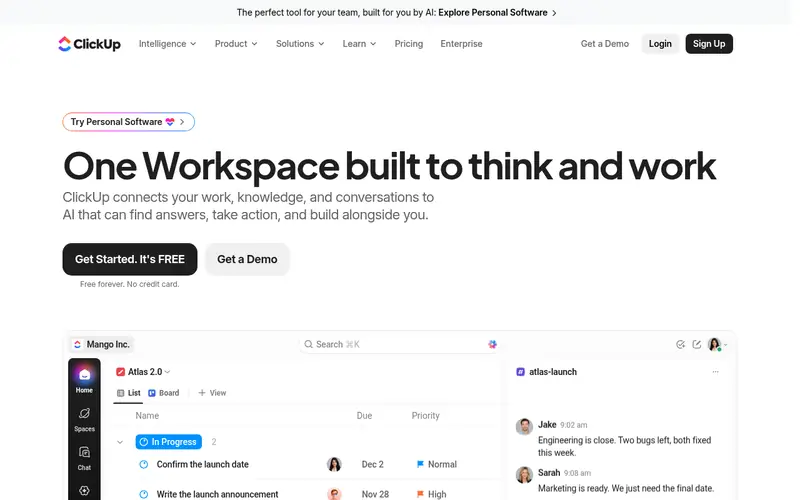
              ClickUp is a work management platform with time tracking and reporting. You can log time against tasks, then view time reports and dashboards by project, list or user. It also covers tasks, docs and goals in one tool. ClickUp publishes a free plan and several paid tiers, with prices that depend on the plan and billing term. Time tracking and advanced reporting are available across plans, with some limits. Teams that want a single platform for work and time data may like it, while teams that only need time reports may prefer a dedicated tracker.

              Free plan: Yes

              Website: clickup.com

              Strengths

                Watch out for

                • Check current limits on the vendor page

                Pre-purchase checklist

                • Check whether reports can be grouped by project, client and team member.
                • Confirm the free plan limits, such as user count and report types.
                • Check whether time data can be exported to a spreadsheet or billing tool.
                • Confirm the entry price and what features it includes.
                • Review whether time tracking is standalone or part of a larger suite.

                FAQ

                What is a project time reporting dashboard?

                It is a view that shows tracked hours by project, client or team member. Most tools let you filter by date range and export the data. Some dashboards also show budgets and workload.

                Do these tools have free plans?

                Harvest and Hubstaff offer free trials. Toggl Track, Clockify, Wrike, Zoho Projects and ClickUp list free plans, with limits that vary by vendor. Check each vendor page for current limits.

                Can I bill clients from tracked time?

                Harvest supports building invoices from tracked time. Other tools may export time data to a billing tool instead. Check whether your billing workflow needs built-in invoicing.

                Which tool is best for a small team?

                Toggl Track and Clockify suit small teams that want simple time reports at a low cost. Harvest fits small teams that bill clients by the hour. The right choice depends on whether you need billing features.

                Are prices the same for every team?

                No. Prices depend on the plan, billing term and number of users. Some tools publish per-seat prices, while others vary by plan. Confirm the current price on the vendor site.