How we rank
Project Management · Researched comparison

Best Timesheet Audit Trail Software in 2026

TaskReports may earn a fee from some links on this page, and some placements are paid and labelled. Neither one decides the order. See our disclosure.

The short answer

Clockify is the best starting point for most teams that need timesheet audit trail software, because it logs time entries, edits and approvals and offers a free plan for unlimited users. Harvest suits small teams that want simple approval and edit history at a low entry price. Wrike fits larger organizations that need audit trails inside a full project management suite.

On this page

Key takeaways

  • Clockify is the first pick for teams that want a full audit trail on a free plan for unlimited users.
  • Harvest, Toggl Track and TimeCamp pair time tracking with edit history and approval controls at published entry prices.
  • Wrike adds timesheet audit trails inside broader work management suites.
  • Most tools log edits and approvals, but retention length and export options vary, so check vendor pages before buying.

Quick comparison

ToolBest fitStarting price
ClockifyTeams that need free timesheet audit trailsSee vendor pricing page
HarvestSmall teams that need simple approval historySee vendor pricing page

Toggl TrackFreelancers and teams tracking billable hoursSee vendor pricing page
TimeCampTeams that need automatic tracking with edit logsSee vendor pricing page
WrikeLarger teams needing audit trails in a suiteSee vendor pricing page
ClickTimeAgencies that need timesheet approval controlsSee vendor pricing page
HubstaffRemote teams needing activity and time logsSee vendor pricing page

How we chose

We picked tools that publish timesheet audit, approval or edit history features and that fit time tracking and work reporting. Criteria were fit for the use case, published entry price, free access, and main plan limits. Sources are vendor websites and public pricing pages. Prices and plan limits change, so confirm details on the vendor site before you buy.

Best overall

Clockify

Teams that need free timesheet audit trails

  • Free plan for unlimited users
  • Logs time entries, edits and approvals
PriceSee vendor pricing page
See Clockify pricing
clockify.meHomepage, Nov 2026
Clockify homepage

Clockify records time entries and keeps a history of edits and approvals, so managers can trace who changed a timesheet and when. The free plan covers unlimited users and includes basic time tracking, timesheets and approval workflows. Paid tiers add more reporting and admin controls. For audit trail needs, the main limits are on exports and advanced reporting, which sit behind paid plans. Teams that only need to see edit history and approve timesheets can stay on the free plan. Larger teams that need detailed audit exports should compare paid tiers on the vendor pricing page. Skip Clockify if you need deep financial audit controls built into the timesheet itself.

Price: See vendor pricing page

Free plan: Yes

Website: clockify.me

Watch out for

  • Advanced audit exports need a paid tier
  • Some reports are limited on the free plan
2

Harvest

Small teams that need simple approval history
See vendor pricing page
getharvest.comHomepage, Nov 2026
Harvest homepage

Harvest tracks time and expenses and includes timesheet approvals with a record of who submitted and approved each period. Time entries keep an edit history, which helps when a client questions billed hours. The interface is simple and suits small teams and agencies. Harvest does not offer a free plan, only a trial. Audit features focus on approvals and entry history rather than a full compliance log. Teams that need detailed, exportable audit trails for finance or legal review may need a larger suite. Confirm the current entry price and seat limits on the Harvest pricing page.

Free plan: Free trial (30 days)

Website: getharvest.com

Strengths

  • Clear timesheet approval workflow
  • Edit history on time entries

Watch out for

  • No permanent free plan
  • Audit detail is basic compared with enterprise tools

3

Toggl Track

Freelancers and teams tracking billable hours
See vendor pricing page
toggl.comHomepage, Nov 2026
Toggl Track homepage

Toggl Track logs time entries and keeps a record of edits, which supports basic timesheet auditing. Paid plans add approvals and more reporting. The free plan covers up to five users, so it suits freelancers and very small teams that need a simple trail. For audit trail work, Toggl Track is strongest when paired with its approval workflow on paid plans. It does not aim at deep compliance logging. Teams that need long retention or exportable audit reports should check the plan details on the vendor site. Skip it if you need audit trails tied to payroll or invoicing controls.

Free plan: Yes

Website: toggl.com/track

Strengths

  • Free plan for up to five users
  • Edit history and approval features on paid plans

Watch out for

  • Free plan caps users at five
  • Audit detail is lighter than enterprise suites
4

TimeCamp

Teams that need automatic tracking with edit logs
See vendor pricing page
timecamp.comHomepage, Nov 2026
TimeCamp homepage

TimeCamp tracks time automatically and keeps a history of edits, which helps managers review changes to timesheets. Approval features are available on paid plans. The free plan is limited to a single user, so it works for individuals but not for teams that need shared audit trails. TimeCamp suits teams that want automatic tracking plus a record of changes. Audit depth depends on the plan, so check which tiers include approvals and reporting. Teams that need a permanent free option for many users should look at Clockify instead. Confirm entry pricing and limits on the TimeCamp pricing page.

Free plan: Yes

Website: timecamp.com

Strengths

  • Automatic time tracking
  • Edit history and approval options

Watch out for

  • Free plan is limited to one user
  • Some audit features need paid tiers
5

Wrike

Larger teams needing audit trails in a suite
See vendor pricing page
wrike.comHomepage, Nov 2026
Wrike homepage

Wrike combines project management with timesheets and keeps activity history that can support timesheet auditing. Teams can review changes and approvals within the same tool they use for tasks and reporting. This suits organizations that want one system for work and time. Audit trail depth depends on the plan, and some controls sit on higher tiers. The free plan is limited, so teams that need shared audit trails will likely need a paid plan. Wrike is a good fit when timesheet audit trails are part of a wider project management need. Check plan details and current pricing on the Wrike site.

Free plan: Yes

Website: wrike.com

Strengths

  • Timesheets inside a full project suite
  • Activity and change history

Watch out for

  • Audit features vary by plan
  • Higher tiers cost more
6

ClickTime

Agencies that need timesheet approval controls
See vendor pricing page
clicktime.comHomepage, Nov 2026
ClickTime homepage

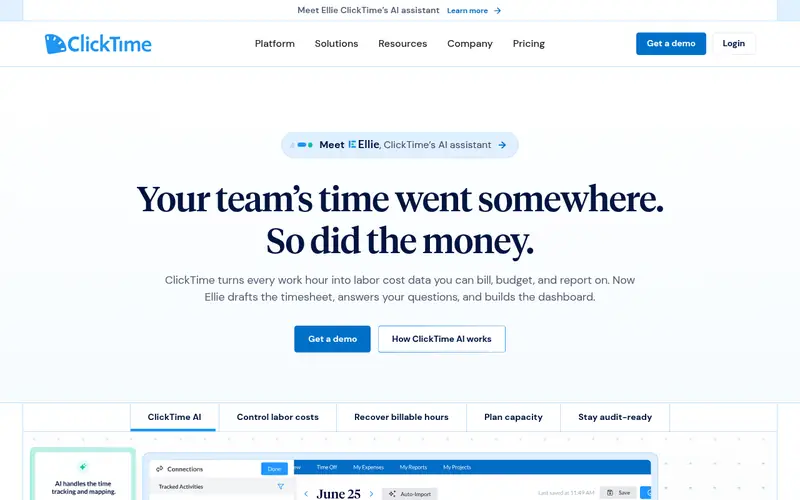
ClickTime focuses on timesheets, approvals and reporting for agencies and professional services teams. It includes approval workflows and controls that lock timesheets after review, which supports an audit trail. Managers can review changes and sign-offs. ClickTime does not offer a permanent free plan, only a trial, and some pricing is quote-based. It suits teams that need structured approval and lock controls more than deep compliance logging. Teams that need a free option for many users should compare Clockify. Confirm current pricing and plan limits on the ClickTime site.

Free plan: Free trial (30 days)

Website: clicktime.com

Strengths

  • Timesheet approvals and lock controls
  • Audit history on entries

Watch out for

  • No free plan
  • Pricing is quote-based for some tiers
7

Hubstaff

Remote teams needing activity and time logs
See vendor pricing page
hubstaff.comHomepage, Nov 2026
Hubstaff homepage

Hubstaff tracks time and activity for remote teams and keeps logs that can support timesheet review. It includes approval workflows and a record of edits. The combination suits teams that want time and activity evidence in one place. Hubstaff offers a 14-day trial rather than a free plan. Activity tracking is a core feature, which some teams may not want. For audit trail needs, the logs and approvals help managers review changes, but retention and export options vary by plan. Check the vendor site for current pricing and limits.

Free plan: Free trial (14 days)

Website: hubstaff.com

Strengths

  • Time logs with activity records
  • Approval and edit history

Watch out for

  • Short trial only
  • Activity tracking may not suit every team

Pre-purchase checklist

  • Confirm the tool logs edits, approvals and lock events for timesheets.
  • Check how long audit history is retained and whether you can export it.
  • Verify the free plan user limit and which audit features are paid.
  • Check whether approvals and lock controls fit your payroll or billing process.
  • Confirm the current entry price and seat minimums on the vendor pricing page.

FAQ

What is a timesheet audit trail?

A timesheet audit trail is a record of changes to time entries, including who created, edited or approved a timesheet and when. It helps managers and finance teams verify hours and resolve disputes about billed time.

Which tool has the best free timesheet audit trail?

Clockify offers a free plan for unlimited users that includes time tracking, timesheets and approvals. That makes it a strong free option for basic audit trails. Advanced audit exports and reporting sit on paid plans.

Do these tools keep a permanent record of edits?

Most tools keep an edit history, but retention length and export options vary by product and plan. Check the vendor documentation for retention details before you rely on it for compliance or client disputes.

Can I export audit trails for clients or auditors?

Several tools offer export and reporting features, often on paid plans. Confirm export formats and whether audit history is included before you buy, since free tiers may limit exports.

Is a dedicated timesheet tool better than a spreadsheet for audit trails?

A dedicated tool usually logs edits and approvals automatically. A shared spreadsheet can work if you build the process, but it takes more setup and manual control.