Collaboration · Researched comparison

The 6 Best Tools for Remote Teams to Shortlist in 2026

TaskReports may earn a fee from some links on this page, and some placements are paid and labelled. Neither one decides the order. See our disclosure.

The short answer

If you need clear task ownership across time zones, Asana is the first tool to look at here. Look at Miro for Brainstorming, planning and workshops on a shared board, and at Loom for async video explanations that replace meetings. The remaining 3 options are covered below with prices and limits.

On this page

Key takeaways

  • Asana takes the first slot, best suited to clear task ownership across time zones.
  • Slack suits daily team chat in channels.
  • 6 of the 6 tools have a free plan, including Asana, Miro, Loom and Zoom.
  • The cheapest monthly starting price in the list is $8.75 per user/month, offered by Slack.

Quick comparison

ToolIdeal forStarts atDomain
------------
AsanaClear task ownership across time zones$10.99 per user/monthasana.com
MiroBrainstorming, planning and workshops on a shared board$10 per user/monthmiro.com
LoomAsync video explanations that replace meetings$12.50 per creator/monthloom.com
ZoomDependable video meetings for distributed teams$15.99 per user/monthzoom.us
NotionTeam wikis, docs and shared knowledge$10 per member/monthnotion.so
SlackDaily team chat in channels$8.75 per user/monthslack.com
★ Best overall

Asana

Clear task ownership across time zones

  • Portfolios and dashboards in one place
  • Free guests on premium plans for contractors and clients
Price$10.99 per user/month (billed yearly)
See Asana pricing

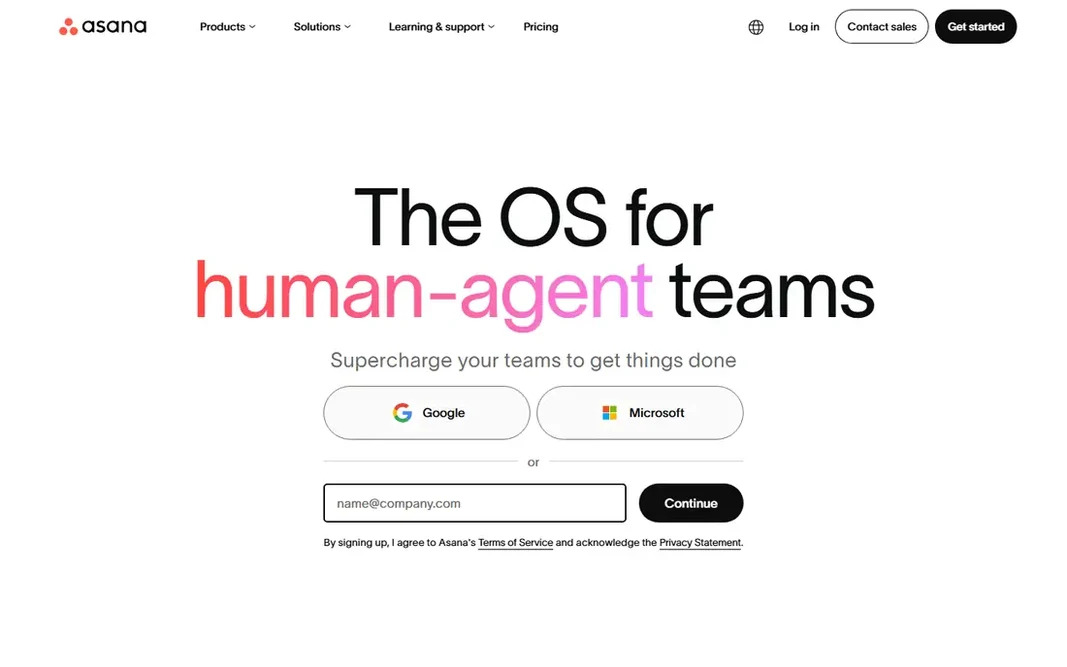
Asana is built with clear task ownership across time zones in mind. Asana answers the remote question that chat cannot: who is doing what, by when, and what is blocked. Also, teams should also keep task descriptions complete, since a vague task in a remote team produces a round of clarification messages that a colocated team would solve in seconds. The free plan will not hold a real team, since it caps at two users, so budget for Starter at $10.99 per user a month billed yearly. The starting price for Asana: $10.99 per user/month. Asana offers a free plan. Points against: Free plan is restricted to two users.

Price: $10.99 per user/month (billed yearly)

Free plan: Yes

Website: asana.com

Watch out for

  • Native time tracking needs a higher plan
2

Miro

Brainstorming, planning and workshops on a shared board
$10 per user/month (billed yearly)

Where Miro fits: Brainstorming, planning and workshops on a shared board. A team can brainstorm with sticky notes, vote on ideas, map a customer journey, plan a sprint and leave comments, all on one board that stays available after the session. Where it is weaker: Some advanced features need higher plans. Miro replaces the office whiteboard, and it does more than a video call with screen sharing can. A board still needs a facilitator. Miro pricing: $10 per user/month. You can start on Miro without paying.

Free plan: Yes

Website: miro.com

Strengths

  • Timelines and templates
  • Infinite canvas with sticky notes, diagrams

Watch out for

  • Guests and viewers need clear permission settings

3

Loom

Async video explanations that replace meetings
$12.50 per creator/month (billed yearly)

Loom makes the most sense for async video explanations that replace meetings. Colleagues watch when their workday starts, reply with comments or their own video, and the explanation stays available for anyone who joins later. On top of that, teams should keep most Looms under five minutes, use them for explanations and updates instead of for decisions that require live discussion, and store important videos in Notion or a shared drive. Entry price for Loom: $12.50 per creator/month. A free plan is available with Loom. Where it falls short: Videos need decent titles and chapters to stay searchable.

Free plan: Yes

Website: loom.com

Strengths

  • Camera or both in a handful of clicks
  • Transcripts

Watch out for

  • Free plan limits video length and features
4

Zoom

Dependable video meetings for distributed teams
$15.99 per user/month (billed yearly)

Zoom is aimed squarely at dependable video meetings for distributed teams. Zoom became the default remote meeting tool since it seldom fails at the entry-level job: people join, video works, screen sharing works, and recordings are simple to find later. As for the details, Zoom performs best when live meetings are reserved for discussion, decisions and relationship building, while status updates move to Slack or Loom. Price the Pro plan for anyone who hosts regular team meetings, since the free 40-minute limit will interrupt them. Remote teams that default to video for every question end up with calendars full of calls and little time for deep work. For everyday use, breakout rooms help bigger teams split into working groups, and the whiteboard provides a shared surface for live discussion. On top of that, the discipline matters more than the feature list. Entry price for Zoom: $15.99 per user/month. Zoom includes a free tier. Trade-offs to know: Free group meetings end after 40 minutes.

Free plan: Yes

Website: zoom.us

Strengths

  • Whiteboard and recording built in
  • AI summaries and action items on premium plans

Watch out for

  • Phone and webinar features cost additional
5

Notion

Team wikis, docs and shared knowledge
$10 per member/month (billed yearly)

Notion was built for team wikis, docs and shared knowledge. Remote teams fail when knowledge lives only in people's heads, and Notion is built to fix that. More specifically, Notion asks for an owner. Reasons to shortlist it: roadmaps and meeting notes. Beyond that, without a clear structure, pages multiply, duplicates appear, and search becomes less handy. More specifically, new hires can answer many of their own questions by searching the workspace, rather than interrupting three colleagues. Beyond that, a handbook can hold how the team works, a project hub can link briefs, decisions and files, and meeting notes can live beside the tasks they build. Teams should keep the top level small, assign an owner to each major section, and archive outdated pages on a regular basis. On cost, Notion starts like this: $10 per member/month. Notion has a free plan. What to check first: Offline use is restricted.

Free plan: Yes

Website: notion.so

Strengths

  • Adaptable pages
  • Guests can be added to shared pages

Watch out for

  • Large databases need careful design
6

Slack

Daily team chat in channels
$8.75 per user/month (billed yearly)

Choose Slack for daily team chat in channels. The risk is noise. Without rules on which channels are required, which are optional and when threads are expected, Slack can feel like a feed that never stops. More specifically, a project channel holds its decisions, a social channel holds informal chat. A shared channel can bring a client or contractor into the same space without giving them access to everything. From a buyer's view, Slack works since it replaces scattered email threads with rooms that have a purpose. Entry price for Slack: $8.75 per user/month. Slack offers a free plan. Drawbacks to consider: Message history is restricted on the free plan.

Free plan: Yes

Website: slack.com

Strengths

  • Channels keep discussion by topic and searchable
  • Broad integration range with docs

Watch out for

  • Costs grow with every full member

FAQ

How do remote teams avoid too numerous meetings?

Loom videos, Slack updates and Notion notes can replace numerous status meetings, whereas a clear agenda and a named decision-maker keep the remaining meetings short.

Can I try these tools before paying?

Often, yes. Asana, Miro, Loom and others have a free plan. Use your own data and a real task during the test, and check what the free tier or trial limits before you rely on it.

What is the cheapest option for tools for remote teams in this list?

On published monthly entry prices, Slack is the lowest here at $8.75 per user/month. Entry price is only part of the cost, because seats, add-ons and billing terms can change the total.

How many tools does a remote team actually need?

Adding more tools without clear rules produces search problems and duplicate work. Start small, and add a tool only when a repeated pain has no home in the current stack.

Should a remote team use Slack or email for most communication?

Plenty of remote teams use Slack for internal work, keep email for clients and formal notices, and store final decisions in Notion so they are simple to find later.

Is Asana the right pick for everyone comparing tools for remote teams?

No single tool suits every team. Asana comes first because it fits clear task ownership across time zones, while Miro suits Brainstorming, planning and workshops on a shared board and Loom suits async video explanations that replace meetings. Match the tool to your own size, budget and workflow before deciding.