How we rank
Project Management · Researched comparison

Best Weekly Timesheet Software in 2026

TaskReports may earn a fee from some links on this page, and some placements are paid and labelled. Neither one decides the order. See our disclosure.

The short answer

Clockify is the first pick for most teams that want weekly timesheet software, because its free plan covers unlimited users and includes a weekly timesheet view. Harvest suits small teams that bill clients and want timesheets tied to invoices. Toggl Track suits individuals and small teams that want a simple weekly grid with a free tier. All three let you record hours by day and project in one weekly view.

On this page

Key takeaways

  • Clockify offers a free plan with unlimited users and a weekly timesheet view, and its paid entry plan starts at a published per-user monthly price.
  • Harvest combines weekly timesheets with invoicing and starts at a flat monthly base fee plus a per-seat cost.
  • Toggl Track and Clockify both let you enter time in a weekly grid and both have free tiers.
  • Confirm every price on the vendor site before you buy, because published rates change.

Quick comparison

ToolBest fitStarting price
ClockifyTeams that want a free weekly timesheet with unlimited usersSee vendor pricing page
HarvestSmall teams that bill clients from timesheetsSee vendor pricing page

Toggl TrackIndividuals and small teams that want a simple weekly gridSee vendor pricing page
HubstaffTeams that need timesheets with activity trackingSee vendor pricing page
QuickBooks TimeTeams already using QuickBooks for payrollSee vendor pricing page
Time DoctorDistributed teams that need weekly time and activity reportsSee vendor pricing page
ClockSharkField and construction crews that need weekly timesheetsSee vendor pricing page
Zoho PeopleHR teams that want timesheets inside an HR systemSee vendor pricing page

How we chose

We picked tools that show time in a weekly format and support project or client tracking. We looked at fit for weekly entry, the published entry price, free access and main limits. Sources are vendor pages and public documentation. Prices change, so confirm the current rate on the vendor site before you buy.

★ Best overall

Clockify

Teams that want a free weekly timesheet with unlimited users

  • Free plan with unlimited users
  • weekly timesheet view included
PriceSee vendor pricing page
See Clockify pricing
clockify.meHomepage, Nov 2026
Clockify homepage

Clockify is built around a timer and a timesheet, and the timesheet view shows a full week with rows for projects and tasks. You can enter hours manually in the grid or start a timer and let it fill the week. The free plan covers unlimited users and includes the timesheet view, which makes it a common choice for teams that need weekly entry without a per-seat cost. Paid plans add features such as more detailed reporting, approvals and admin controls. The free tier has limits on some advanced features, so check the plan comparison if you need approvals or scheduled reports. Teams that only need basic weekly time entry can stay on the free plan. Skip it if you need deep invoicing built into the same tool.

Price: See vendor pricing page

Free plan: Yes

Website: clockify.me

Watch out for

  • Some reporting features sit on paid plans
  • interface has many settings
2

Harvest

Small teams that bill clients from timesheets
See vendor pricing page
getharvest.comHomepage, Nov 2026
Harvest homepage

Harvest pairs a weekly timesheet with project budgets and client invoicing. You enter hours by day and task, then turn tracked time into an invoice. The weekly view shows the whole team's hours, which helps when you bill by the hour or check project budgets. Harvest does not offer a permanent free plan. It has a free trial, and paid plans are priced as a base fee plus a per-seat charge. That structure suits small teams that bill clients and want timesheets and invoices in one place. Skip it if you only need internal time tracking and want to avoid a per-seat cost.

Free plan: Free trial (30 days)

Website: getharvest.com

Strengths

  • Timesheets connect to invoices
  • clean weekly view

Watch out for

  • No permanent free plan
  • per-seat cost adds up
3

Toggl Track

Individuals and small teams that want a simple weekly grid
See vendor pricing page
toggl.comHomepage, Nov 2026
Toggl Track homepage

Toggl Track focuses on fast time entry. The timesheet view lays out the week so you can add or edit hours by day and project. It works well for freelancers and small teams that want a clean weekly record without a complex setup. The free plan covers a limited number of users, and paid plans add features such as billable rates, rounding and more reporting. It does not aim to be a full invoicing tool, so teams that bill clients may need another system for invoices. Check the current free plan user limit on the vendor site before you commit.

Free plan: Yes

Website: toggl.com/track

Strengths

  • Simple weekly timesheet view
  • free plan for small teams

Watch out for

  • Invoicing is limited
  • advanced features need paid plans
4

Hubstaff

Teams that need timesheets with activity tracking
See vendor pricing page
hubstaff.comHomepage, Nov 2026
Hubstaff homepage

Hubstaff combines weekly timesheets with optional activity tracking, screenshots and payroll exports. Managers can review a week of hours per person and approve timesheets before payroll. That fits teams that manage remote or hourly staff and want timesheets tied to work evidence. The tool has a free trial but no permanent free plan. Paid plans are priced per user, and some features sit on higher tiers. Teams that value privacy and do not want activity tracking should look at a simpler timesheet tool. Confirm the current trial length and plan limits on the vendor site.

Free plan: Free trial (14 days)

Website: hubstaff.com

Strengths

  • Weekly timesheets with activity data
  • supports payroll exports

Watch out for

  • Activity tracking may not suit every team
  • no permanent free plan
5

QuickBooks Time

Teams already using QuickBooks for payroll
See vendor pricing page
quickbooks.intuit.comHomepage, Nov 2026
QuickBooks Time homepage

QuickBooks Time provides weekly timesheets, scheduling and job costing, and it connects to QuickBooks payroll. Employees enter hours by day and job, and managers approve a week at a time. That makes it a fit for small businesses that already run payroll in QuickBooks. It has a free trial but no permanent free plan. Pricing is per user per month, and the exact rate depends on the plan and any bundle. Teams outside the QuickBooks ecosystem may find the connection less useful. Check the vendor page for current pricing and plan details.

Free plan: Free trial (30 days)

Website: quickbooks.intuit.com/time-tracking

Strengths

  • Weekly timesheets feed payroll
  • works with QuickBooks

Watch out for

  • Best value inside the QuickBooks ecosystem
  • no free plan
6

Time Doctor

Distributed teams that need weekly time and activity reports
See vendor pricing page
timedoctor.comHomepage, Nov 2026
Time Doctor homepage

Time Doctor records time and builds weekly reports per person and project. It includes optional screenshots and activity monitoring, which suits teams that manage remote staff and want a weekly record of hours and work. Managers can review a week and export reports. It offers a free trial but no permanent free plan. Plans are priced per user, and some features require higher tiers. Teams that want a simple weekly grid without monitoring should choose a lighter tool. Confirm the trial length and plan limits on the vendor site.

Free plan: Free trial (14 days)

Website: timedoctor.com

Strengths

  • Weekly timesheet reports
  • supports remote team oversight

Watch out for

  • Activity monitoring may not fit every culture
  • no free plan
7

ClockShark

Field and construction crews that need weekly timesheets
See vendor pricing page
ClockSharkHomepage image unavailable

ClockShark is aimed at field service and construction crews. Employees clock in on a phone or kiosk, and the weekly timesheet shows hours by job and employee. GPS and job tracking help managers confirm where hours were worked. It has a free trial but no permanent free plan, and pricing is per user with a base fee on some plans. Office-based teams will find it heavier than needed. Field teams that need weekly timesheets tied to jobs should check the current plan structure on the vendor site.

Free plan: Free trial (14 days)

Website: clockshark.com

Strengths

  • Weekly timesheets for field crews
  • GPS and job tracking

Watch out for

  • Built for field service, not office teams
  • no free plan
8

Zoho People

HR teams that want timesheets inside an HR system
See vendor pricing page
zoho.comHomepage, Nov 2026
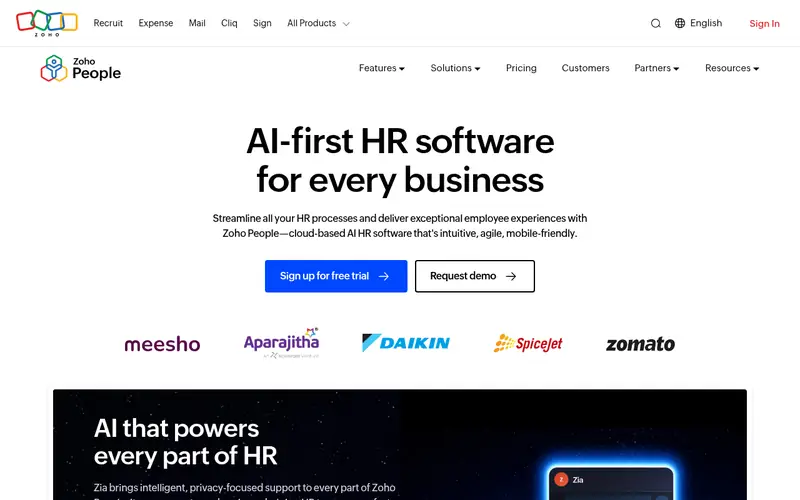
Zoho People homepage

Zoho People includes attendance and timesheet modules inside a broader HR platform. Employees submit weekly hours, and managers approve them alongside leave and attendance. That fits companies that want timesheets in the same system as HR records. It has a free plan for small teams, and paid plans add features such as shifts, payroll inputs and more approvals. The suite is broad, so setup takes more time than a standalone timesheet tool. Teams that only need a weekly grid may prefer a simpler product. Check the free plan user limit on the vendor site.

Free plan: Yes

Website: zoho.com/people

Strengths

  • Timesheets sit inside an HR suite
  • free plan for small teams

Watch out for

  • Broad suite may be more than a timesheet needs
  • setup takes time

Pre-purchase checklist

  • Check that the tool shows a full week in one view, not just a daily timer.
  • Confirm the free plan user limit and which features sit behind paid tiers.
  • Check whether approvals and payroll exports are included or cost extra.
  • Confirm the billing model: per user, flat base fee, or both.
  • Verify the current price and trial length on the vendor site.

FAQ

What is the best free weekly timesheet software?

Clockify is a common choice because its free plan covers unlimited users and includes a weekly timesheet view. Toggl Track and Zoho People also have free plans, but their user limits differ. Check each vendor page for the current free plan limits before you choose.

Do these tools support weekly timesheet approvals?

Several do. Harvest, Hubstaff, QuickBooks Time and Zoho People include approval steps on paid plans. Clockify offers approvals on paid plans as well. Confirm which plan includes approvals on the vendor pricing page.

Can I enter hours manually instead of using a timer?

Yes. Clockify, Harvest, Toggl Track and most tools here let you type hours into a weekly grid. Timers are optional. Manual entry suits teams that fill in timesheets at the end of the week.

Which tool is best for billing clients by the hour?

Harvest is built for this, because tracked hours turn into client invoices. Toggl Track and Clockify track billable hours but have limited invoicing. Teams that bill clients should compare Harvest with their current invoicing setup.

Are prices the same for every team size?

No. Most tools here charge per user, and some add a base fee. A small team may pay less than a large one. Prices also change, so confirm the current rate on the vendor site.