
Data and Analytics · Researched comparison

Replacing AgencyAnalytics: 7 Alternatives Compared

TaskReports may earn a fee from some links on this page, and some placements are paid and labelled. Neither one decides the order. See our disclosure.

The short answer

Metrics Watch comes first here, mainly for email-first client reports. For a different need, Whatagraph covers refined cross-channel reports and Looker Studio covers free custom reporting. Prices, free plans and limits for all 7 tools follow.

On this page

Key takeaways

  • The list opens with Metrics Watch, aimed at email-first client reports.
  • What to know about Whatagraph first: higher entry price than budget tools.
  • For Metrics Watch, Whatagraph, Klipfolio and others, you have to request a quote because no starting price is shown.
  • Only 2 of the 7 tools have a free plan (Looker Studio, Databox), so check the caps.
  • Databox suits KPI dashboards and goals.

Quick comparison

ToolSuited toPrice fromWebsite
------------
Metrics WatchEmail-first client reportsSee websitemetricswatch.com
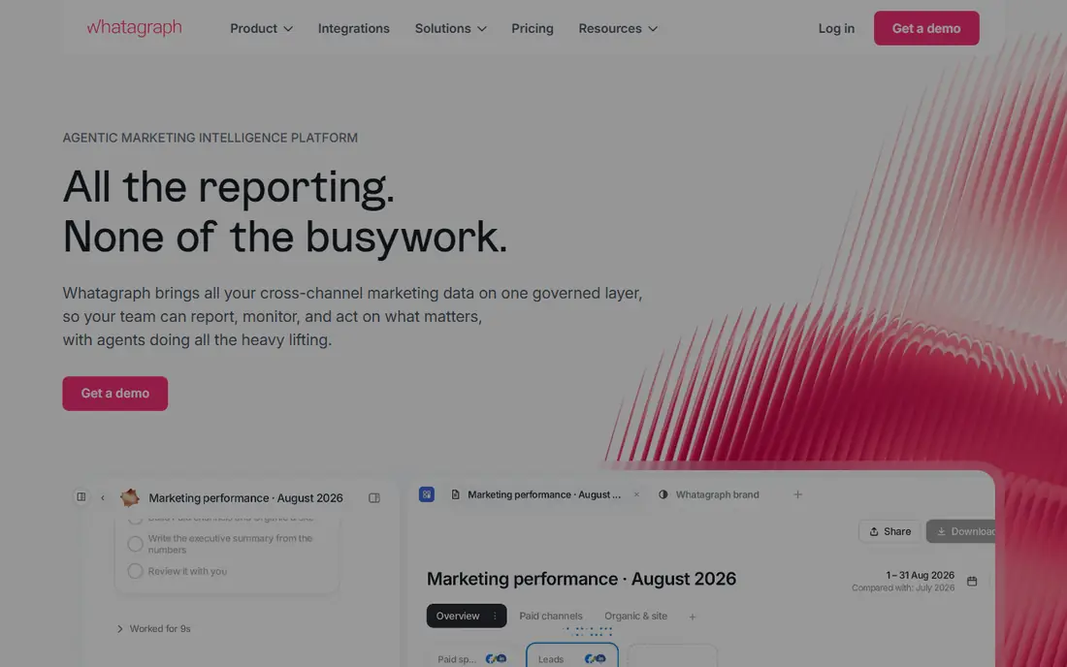
WhatagraphRefined cross-channel reportsSee websitewhatagraph.com
Looker StudioFree custom reportingFreelookerstudio.google.com
KlipfolioCustom live dashboardsSee websiteklipfolio.com
DashThisSmall agencies needing quick reportsSee websitedashthis.com
SwydoPPC agency reportingSee websiteswydo.com
DataboxKPI dashboards and goalsSee websitedatabox.com
★ Best overall

Metrics Watch

Email-first client reports

  • Simple setup
  • Reports delivered inside the email body
PriceSee website
See Metrics Watch pricing

Pick Metrics Watch if this describes you: email-first client reports. If interactive dashboards matter most, choose a dashboard-first tool. For everyday use, if email open rates and straightforward client summaries matter most, Metrics Watch is worth testing. Also, clients who want to explore data, filter by date, or view live dashboards will find it less interactive than Databox or Klipfolio. Rather than asking clients to open a dashboard link or PDF, it gives the report inside the email body, so clients see the numbers once they open the message. Check the vendor site for Metrics Watch pricing; none is listed in this comparison. As for free access: Free trial. Limits to weigh: Smaller feature set than full dashboard systems.

Price: See website

Free plan: Free trial

Website: metricswatch.com

Watch out for

  • Less suited to live interactive dashboards
2

Whatagraph

Refined cross-channel reports
See website

Think of Whatagraph for refined cross-channel reports. For agencies that sell reporting as part of a premium service, that polish is a real selling point. Where it falls short: Higher entry price than budget tools. Entry pricing is higher than DashThis or Swydo, and credit-based levels for sources can make total cost harder to forecast at first. Beyond that, if you run a handful of clients, start less expensive and upgrade when reporting volume grows. Whatagraph shows no starting price here, so confirm the cost on the vendor site. Free plan details: Free trial.

Free plan: Free trial

Website: whatagraph.com

Strengths

  • White-label and client portal options
  • Wide integration coverage

Watch out for

  • Credit and integration levels can complicate pricing

3

Looker Studio

Free custom reporting
Free

Looker Studio targets free custom reporting. Looker Studio, formerly Google Data Studio, is the free alternative for teams willing to build reports themselves. It links well to Google Ads, GA4, Search Console, and Sheets, and provides deep customization for charts, filters, and branding. Where it is weaker: Setup takes time and skill. For everyday use, if budget is tight and you can build reports, Looker Studio is a very good free choice. Also, community templates also help new users start quicker than building from a blank page. What you pay to start with Looker Studio: Free. Free access exists with Looker Studio.

Free plan: Yes

Website: lookerstudio.google.com

Strengths

  • Deep customization
  • Free for most use

Watch out for

  • White-label and client management need manual work
4

Klipfolio

Custom live dashboards
See website

In short, Klipfolio is for custom live dashboards. Klipfolio, now known for its Klips dashboard product, fits teams that want custom live dashboards instead of fixed report templates. That adaptability helps agencies with unusual metrics or clients that want a live view rather than a monthly PDF. From a buyer's view, the central metric layer also keeps definitions consistent across reports. Beyond that, if you need custom live dashboards and consistent metrics, Klipfolio is a solid pick. Also, if you need quick template reports, choose a template-first tool instead. No starting price is listed for Klipfolio here; confirm pricing on the vendor site. Free plan details: Free trial. The main drawbacks: Setup takes more time than template tools.

Free plan: Free trial

Website: klipfolio.com

Strengths

  • Broad data source choices
  • Central metric layer

Watch out for

  • White-label costs additional on lower plans
5

DashThis

Small agencies needing quick reports
See website

DashThis is built with small agencies needing fast reports in mind. Pre-built templates handle Google Ads, Meta Ads, GA4, Search Console, and other common sources. So a small agency can produce a client-ready dashboard in minutes instead of building each report from scratch. For everyday use, custom calculations and deep data blending are also thinner than on a full BI platform. The limits are plan-based. Dashboard counts and data source caps vary by level. So an agency with plenty of clients and numerous sources per client needs to check the plan math carefully. More specifically, for a small agency with a growing client list, that speed matters more than advanced modeling. On top of that, scheduled reports, live dashboard links, and white-label choices help agencies present results under their own branding. DashThis shows no starting price here, so confirm the cost on the vendor site. Free plan details: Free trial. Watch-outs: Less deep for custom data modeling than BI tools.

Free plan: Free trial

Website: dashthis.com

Strengths

  • Fast dashboard setup
  • Scheduled email reports and live links

Watch out for

  • Data source limits vary by plan
6

Swydo

PPC agency reporting
See website

Swydo was built for PPC agency reporting. Swydo is a good fit for PPC agencies. It automates reporting for Google Ads, Meta Ads, Microsoft Ads, and other premium channels, with budget pacing features that flag overspend or underspend before a client notices. Worth adding: non-PPC data for example SEO or email may also need additional setup. From a buyer's view, white-label reports, scheduled delivery, and dashboard links include the core agency workflow. This comparison lists no price for Swydo; ask the vendor. Free access: Free trial. Where it falls short: Less wide than full BI tools for non-PPC data.

Free plan: Free trial

Website: swydo.com

Strengths

  • Budget pacing and alerts
  • Solid PPC reporting for Google Ads and Meta Ads

Watch out for

  • Priced by data source, so costs rise with sources per client
7

Databox

KPI dashboards and goals
See website

Where Databox fits: KPI dashboards and goals. Pre-built dashboards cover typical metrics, goal tracking displays progress against targets, and alerts flag changes that require attention. Honest limits: Pricing rises with data sources and clients. More specifically, if white-label PDF reports are your central deliverable, DashThis or Swydo may suit you better. For in-house teams and agencies that want live dashboards clients can check anytime, Databox is a practical choice. No starting price is listed for Databox here; confirm pricing on the vendor site. Databox has a free plan.

Free plan: Yes

Website: databox.com

Strengths

  • Pre-built KPI dashboards
  • Wide integration library

Watch out for

  • White-label is a premium add-on on some plans

FAQ

How are the AgencyAnalytics ordered?

Metrics Watch sits first and Databox last because the order follows typical fit for AgencyAnalytics, then price clarity and free access. It is a judgement call, so read each profile for fit and limits.

Can these tools replace AgencyAnalytics rank tracking and SEO reporting?

If rank tracking is core to your service, keep a rank tracker alongside your reporting tool or choose a suite that bundles both.

Can I try these tools before paying?

Often, yes. Looker Studio and Databox have a free plan and Metrics Watch, Whatagraph, Klipfolio and others offer a free trial. Use your own data and a real task during the test, and check what the free tier or trial limits before you rely on it.

Is Metrics Watch the right pick for everyone comparing AgencyAnalytics?

No single tool suits every team. Metrics Watch comes first because it fits email-first client reports, while Whatagraph suits polished cross-channel reports and Looker Studio suits free custom reporting. Match the tool to your own size, budget and workflow before deciding.

Do these tools publish their prices?

Not all of them. Metrics Watch, Whatagraph, Klipfolio and others publish no starting price, so expect a quote request for those. The rest, Looker Studio included, show a starting price, though seats and billing terms still change the final cost.