How we rank
HR and Workforce · Researched comparison

Best Attendance Tracking Software for Architecture Firms in 2026

TaskReports may earn a fee from some links on this page, and some placements are paid and labelled. Neither one decides the order. See our disclosure.

The short answer

QuickBooks Time is the first pick for architecture firms that need clock-in records tied to client and project hours. It suits firms already using QuickBooks for billing. Clockify is a lower-cost alternative for small studios, and Hubstaff fits firms that need attendance data alongside remote work monitoring. Firms with heavier HR needs should look at BambooHR or Jibble.

On this page

Key takeaways

  • QuickBooks Time is the first pick for firms that want simple clock-in records tied to projects and clients.
  • Clockify has a free plan for unlimited users and works well for small studios tracking billable hours.
  • Hubstaff combines attendance records with screenshots and activity data, which suits firms managing remote staff.
  • Most tools here charge per user per month, so cost grows with studio headcount.

Quick comparison

ToolBest fitStarting price
QuickBooks TimeFirms that bill clients through QuickBooksSee vendor pricing page
ClockifySmall studios that want a free startSee vendor pricing page

HubstaffFirms managing remote or hybrid design staffSee vendor pricing page
JibbleFirms that want simple clock-in on any deviceSee vendor pricing page
BambooHRFirms that want attendance inside a full HR systemSee vendor pricing page
Time DoctorFirms tracking hours across project teamsSee vendor pricing page
HarvestStudios that bill hours to clientsSee vendor pricing page
Toggl TrackSmall firms that want easy time entriesSee vendor pricing page

How we chose

We picked tools that record real clock-in or attendance data and also fit the way architecture firms work: hours by project and client, timesheet review, and leave records where relevant. We looked at entry price, free access, and the main limits of each plan. Details come from vendor websites and public documentation. Prices and plan limits change, so confirm them on the vendor site before you buy.

Best overall

QuickBooks Time

Firms that bill clients through QuickBooks

  • Tracks time by project and client
  • Payroll and invoicing tie into QuickBooks
PriceSee vendor pricing page
See QuickBooks Time pricing
quickbooks.intuit.comHomepage, Nov 2026
QuickBooks Time homepage

QuickBooks Time records clock-in and clock-out times, and it lets staff assign hours to specific projects and clients. For an architecture firm, that means a principal can see how many hours went to a competition entry versus a construction drawing set. Timesheets can be approved before they flow into payroll or billing. The product is sold in tiers, and the entry tier covers basic time tracking while scheduling and project tracking sit in higher tiers. A 30-day trial is offered. Firms that do not use QuickBooks for accounting get less from the integration and may prefer a standalone tool.

Price: See vendor pricing page

Free plan: Free trial (30 days)

Website: quickbooks.intuit.com/time-tracking

Watch out for

  • Full features need a paid plan
  • Best value only if you use QuickBooks
2

Clockify

Small studios that want a free start
See vendor pricing page
clockify.meHomepage, Nov 2026
Clockify homepage

Clockify offers a free plan for unlimited users with time tracking, and paid plans add attendance, scheduling and approvals. Staff can start a timer or enter hours manually, then tag each entry to a project or client. That fits a studio that wants to see hours per drawing package or per client. The free plan covers basic tracking but limits some admin features. Attendance and timesheet approvals are part of paid tiers. Small firms can start free and upgrade when they need formal attendance records. Large firms with payroll rules should check the paid plan limits first.

Free plan: Yes

Website: clockify.me

Strengths

  • Free plan for unlimited users
  • Tracks time by project and task

Watch out for

  • Advanced attendance features are paid
  • Reporting depth varies by plan
3

Hubstaff

Firms managing remote or hybrid design staff
See vendor pricing page
hubstaff.comHomepage, Nov 2026
Hubstaff homepage

Hubstaff records clock-in times and can capture activity data such as screenshots and app usage. For an architecture firm with remote drafters or consultants, that gives a record of when work happened and on which project. Timesheets and reports are built in. The tool is priced per user per month, and a 14-day trial is offered. Some firms will find the monitoring features unnecessary or unwelcome for salaried architects. It is a better fit for firms that need proof of hours for contract or remote staff than for studios that only want simple attendance.

Free plan: Free trial (14 days)

Website: hubstaff.com

Strengths

  • Attendance data with activity tracking
  • Supports remote teams

Watch out for

  • Screenshot and activity features may not suit every firm
  • Per-user pricing adds up
4

Jibble

Firms that want simple clock-in on any device
See vendor pricing page
jibble.ioHomepage, Nov 2026
Jibble homepage

Jibble focuses on attendance: clock-in and clock-out, timesheets and reports. Staff can punch in from a phone, a browser or a shared tablet at the studio entrance. That suits a firm that wants a simple record of who is in the office and when. A free plan covers small teams, and paid plans add more users and features. The tool is lighter on project billing than QuickBooks Time or Clockify, so firms that bill by project may need a second tool. It works best as a straightforward attendance register for office staff.

Free plan: Yes

Website: jibble.io

Strengths

  • Free plan for small teams
  • Clock-in from web, mobile or tablet

Watch out for

  • Free plan caps the number of users
  • Payroll features are limited
5

BambooHR

Firms that want attendance inside a full HR system
See vendor pricing page
bamboohr.comHomepage, Nov 2026
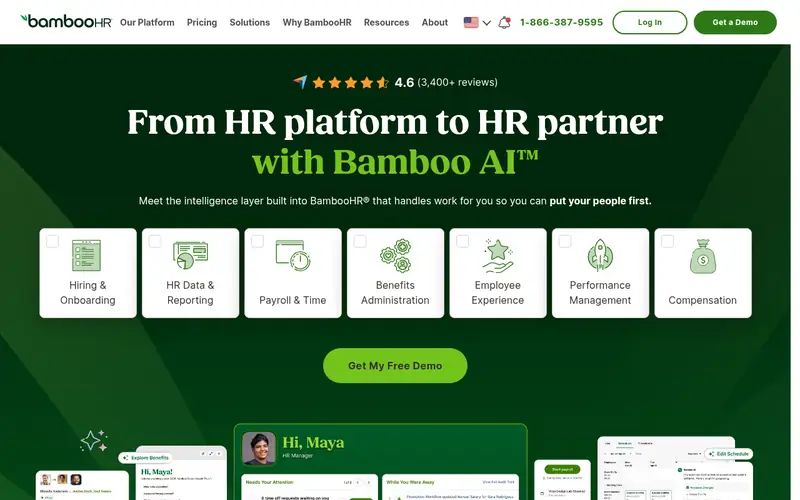
BambooHR homepage

BambooHR is an HR platform with time tracking and time-off management built in. For an architecture firm, that means attendance records sit next to employee files, leave balances and onboarding steps. Managers can approve timesheets and leave requests in the same place. There is no free plan, and pricing is quoted by the vendor based on headcount and modules. The attendance features are part of a broader HR product, so firms that only need a clock-in tool may pay for features they do not use. It fits firms of roughly 25 people and up that want one HR system.

Free plan: No

Website: bamboohr.com

Strengths

  • Time off and attendance in one HR platform
  • Employee records and onboarding included

Watch out for

  • No free plan
  • Priced for growing firms, not solo studios
6

Time Doctor

Firms tracking hours across project teams
See vendor pricing page
timedoctor.comHomepage, Nov 2026
Time Doctor homepage

Time Doctor records work hours and can track activity, with reports by project, client and team member. An architecture firm can use it to see hours spent per project and to check attendance patterns across a distributed team. The product is sold per user per month, and a 14-day trial is offered. Some of its monitoring features go beyond what a design studio needs. Firms that want a light attendance register should look at Jibble or Clockify instead. It suits firms that need detailed time records for billing or client reporting.

Free plan: Free trial (14 days)

Website: timedoctor.com

Strengths

  • Detailed time and attendance reports
  • Project and client time allocation

Watch out for

  • Monitoring features may feel heavy
  • Per-user cost grows with the team
7

Harvest

Studios that bill hours to clients
See vendor pricing page
getharvest.comHomepage, Nov 2026
Harvest homepage

Harvest tracks time by project and client and turns tracked hours into invoices. For an architecture firm, that links attendance and hours worked to the fee for each project. Staff can enter time daily, and managers can review it before invoicing. There is no free plan, and a 30-day trial is offered. Harvest is stronger on billing than on formal attendance rules such as shifts and lateness. Firms that need strict clock-in records should pair it with an attendance tool or choose QuickBooks Time. It fits studios that bill hourly and want simple time capture.

Free plan: Free trial (30 days)

Website: getharvest.com

Strengths

  • Clean project and client time tracking
  • Invoicing from tracked hours

Watch out for

  • Attendance features are basic
  • No free plan
8

Toggl Track

Small firms that want easy time entries
See vendor pricing page
toggl.comHomepage, Nov 2026
Toggl Track homepage

Toggl Track offers a free plan for small teams with a timer and manual time entry. Staff can tag hours to a project or client, which helps a studio see where design time goes. Reports show totals by project and team member. The free plan covers basic tracking, and paid plans add more reporting and admin controls. Attendance features such as approvals and timesheet locks are limited compared with QuickBooks Time or Jibble. It suits small firms that want low-friction time capture more than a formal attendance system.

Free plan: Yes

Website: toggl.com/track

Strengths

  • Free plan for small teams
  • Simple timer and manual entry

Watch out for

  • Attendance and approval features are limited
  • Advanced reports are paid

Which attendance tracking software for architecture firms should I use if my team works remotely?

Hubstaff is the best fit if your team works remotely, because it records clock-in times alongside activity data for distributed staff. If you only need simple clock-in records, Jibble works on phones and tablets. If you bill clients by the hour, Harvest links tracked time to invoices. If you want a free start for a small studio, Clockify covers unlimited users on its free plan.

Is QuickBooks Time better than Clockify for attendance tracking software for architecture firms?

QuickBooks Time is better if you already use QuickBooks for billing and want project hours tied to invoices. Clockify is better if you want a free plan for unlimited users and a lighter setup. QuickBooks Time offers a 30-day trial; Clockify has a free plan with paid tiers for attendance and approvals. Firms that bill through QuickBooks should start with QuickBooks Time.

Pre-purchase checklist

  • Confirm the tool records real clock-in and clock-out times, not just manual time entries.
  • Check whether hours can be tagged to both projects and clients.
  • Confirm the free plan user limit or trial length before you commit.
  • Check whether timesheet approvals and leave records are included or cost extra.
  • Confirm per-user pricing against your current and planned headcount.

FAQ

What is the best attendance tracking software for architecture firms?

QuickBooks Time is a strong first choice for firms that bill through QuickBooks, because it ties clock-in records to project and client hours. Clockify is a good free option for small studios. Hubstaff fits firms with remote staff, and Jibble is a simple attendance register for office teams.

Do architecture firms need attendance tracking separate from project time tracking?

Not always. Tools like Harvest and Toggl Track capture project hours but offer limited attendance rules. If you need clock-in records, lateness data or timesheet approvals, a dedicated tool such as QuickBooks Time or Jibble is a better fit. Some firms use one tool for billing and another for attendance.

Which attendance tool has a free plan?

Clockify offers a free plan for unlimited users, Jibble has a free plan for small teams, and Toggl Track has a free plan for small teams. QuickBooks Time, Hubstaff, Time Doctor and Harvest offer free trials rather than free plans. BambooHR has no free plan.

Can these tools track hours by client and project?

Yes, several do. QuickBooks Time, Clockify, Harvest, Time Doctor and Toggl Track all let staff tag hours to projects and clients. Jibble focuses on attendance rather than project billing. BambooHR centers on HR records, with time tracking as one part of the platform.

How much does attendance tracking software cost for a small architecture firm?

Prices vary by vendor and are usually charged per user per month. We do not list figures here because published prices change. Check each vendor's pricing page for current rates. Small firms can start with a free plan from Clockify, Jibble or Toggl Track before moving to a paid tier.