How we rank
HR and Workforce · Researched comparison

Best Attendance Tracking Software for Banks in 2026

TaskReports may earn a fee from some links on this page, and some placements are paid and labelled. Neither one decides the order. See our disclosure.

The short answer

Connecteam is the first pick for banks that want a free start, since its free plan covers up to 10 users with time clock and geofencing. Homebase suits single branches that need scheduling and timesheets together. QuickBooks Time fits banks already using QuickBooks payroll. Larger banks with complex rules should look at UKG Ready or Dayforce. Confirm current prices on each vendor site before buying.

On this page

Key takeaways

  • Connecteam offers a free plan for up to 10 users and paid plans from $29 per month for 30 users.
  • Homebase has a free plan for one location with up to 20 employees and paid plans from $24.95 per month per location.
  • QuickBooks Time costs from $20 per month plus $10 per user per month, with a 30-day free trial and no free plan.
  • Most tools here track clock-ins by mobile app, web browser or kiosk, which fits branch and back-office staff.

Quick comparison

ToolBest fitStarting price
ConnecteamSmall bank teams that need a free time clock$29 per month for 30 users
HomebaseSingle-location branches that need scheduling and timesheets$24.95 per month per location

QuickBooks TimeBanks already running QuickBooks for payroll$20 per month plus $10 per user per month
ClockifyBudget-conscious teams that need simple time recordsSee vendor pricing page
TimeClock PlusBanks that need configurable attendance rules and compliance recordsSee vendor pricing page
UKG ReadyLarger banks that need HR, scheduling and attendance togetherSee vendor pricing page
DayforceLarge banks that need payroll and attendance on one platformSee vendor pricing page

How we chose

We picked tools that record real clock-ins or attendance data and fit bank workplaces such as branches and back offices. Criteria were fit for the use case, published entry price, free access and main limits. Sources are vendor websites and public documentation. Prices change, so confirm on the vendor site before you buy.

Best overall

Connecteam

Small bank teams that need a free time clock

  • Free plan for up to 10 users
  • mobile clock-in with geofencing
Price$29 per month for 30 users
See Connecteam pricing
connecteam.comHomepage, Nov 2026
Connecteam homepage

Connecteam is an employee management app with a time clock module. Staff can clock in from a mobile device, and admins can set geofences so a punch only registers at a branch or office location. Timesheets export for payroll. For a bank, this covers tellers, branch staff and back-office employees who work at fixed sites. The free plan covers up to 10 users and includes the time clock. Paid plans start at $29 per month for 30 users on the basic tier, and the price rises with more users and features such as GPS tracking and job scheduling. Small banks and credit unions can start free and upgrade as headcount grows. Skip Connecteam if you need deep payroll integration or complex overtime rules across many states. It is a general workforce app, not a payroll system.

Price: $29 per month for 30 users

Free plan: Yes

Website: connecteam.com

Watch out for

  • Advanced features need paid tiers
  • pricing scales with user count
2

Homebase

Single-location branches that need scheduling and timesheets
$24.95 per month per location
joinhomebase.comHomepage, Nov 2026
Homebase homepage

Homebase combines scheduling, time clock and timesheets. Employees clock in from a mobile app or a shared kiosk, and managers see hours against the schedule. For a single bank branch, this keeps shift coverage and attendance records in one place. The free plan covers one location with up to 20 employees. Paid plans start at $24.95 per month per location, and higher tiers add hiring and payroll features. Banks with several branches pay per location, so the cost grows with the network. Skip Homebase if you run many branches and need centralized rules across all of them. The per-location model gets expensive at scale.

Free plan: Yes

Website: joinhomebase.com

Strengths

  • Free plan for one location with up to 20 employees
  • scheduling and time clock in one app

Watch out for

  • Free plan limited to one location
  • paid tiers add cost per location
3

QuickBooks Time

Banks already running QuickBooks for payroll
$20 per month plus $10 per user per month
quickbooks.intuit.comHomepage, Nov 2026
QuickBooks Time homepage

QuickBooks Time is a time tracking product from Intuit. Employees clock in by mobile app, web browser or kiosk, and approved timesheets move into QuickBooks payroll. For a bank already on QuickBooks, this removes a manual export step. Pricing starts at $20 per month for the base fee plus $10 per user per month. There is a 30-day free trial but no free plan. A 40-person branch would pay about $420 per month at that rate, so budget carefully. Skip QuickBooks Time if you do not use QuickBooks payroll or if you need scheduling with geofencing at no cost. The value depends on the payroll link.

Free plan: Free trial (30 days)

Website: quickbooks.intuit.com/time-tracking

Strengths

  • Timesheets flow into QuickBooks payroll
  • mobile and kiosk clock-in

Watch out for

  • No free plan
  • per-user pricing adds up
4

Clockify

Budget-conscious teams that need simple time records
See vendor pricing page
clockify.meHomepage, Nov 2026
Clockify homepage

Clockify is a time tracking tool with a free plan that allows unlimited users on basic tracking. Staff can start and stop a timer or enter hours manually from web or mobile. Admins run reports on hours by person, team or project. The free plan covers core time tracking. Features such as timesheet approvals, attendance reports and scheduling are on paid plans. Check the vendor pricing page for current rates, since tiers change. Clockify suits small banks and back-office teams that need simple hour records. It is weaker for branch clock-in with location checks, so banks that need geofencing should look elsewhere.

Free plan: Yes

Website: clockify.me

Strengths

  • Free plan with unlimited users for basic time tracking
  • web and mobile clock-in

Watch out for

  • Attendance-focused features sit in paid tiers
  • limited geofencing
5

TimeClock Plus

Banks that need configurable attendance rules and compliance records
See vendor pricing page
TimeClock PlusHomepage image unavailable

TimeClock Plus is a workforce time and attendance system used in regulated industries. It handles clock-ins by kiosk, badge or biometric reader, and it applies pay rules for overtime, shifts and leave. Audit trails support record-keeping needs common in banking. Pricing is not published. You request a quote, and cost depends on employees, modules and deployment. There is no free plan. Expect an implementation project rather than a self-serve signup. This fits mid-size and large banks with formal attendance policies. Small branches that want a quick free tool should skip it.

Free plan: No

Website: timeclockplus.com

Strengths

  • Built for complex pay and attendance rules
  • supports biometric and kiosk clock-in

Watch out for

  • No free plan or public entry price
  • setup is heavier
6

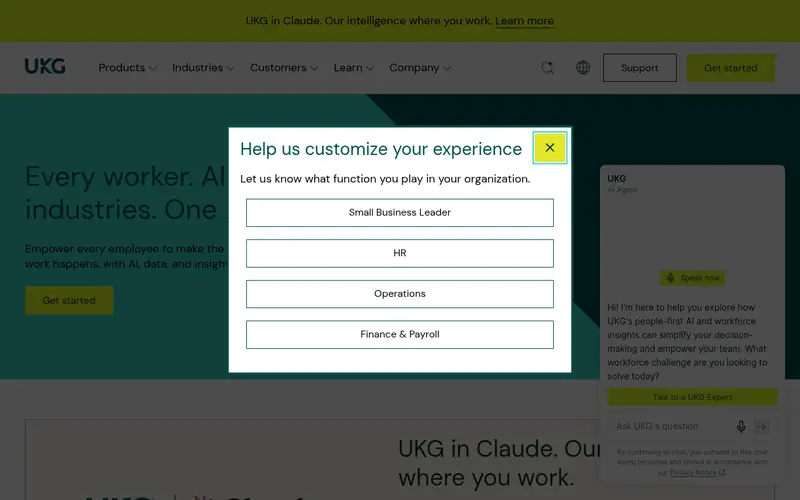
UKG Ready

Larger banks that need HR, scheduling and attendance together
See vendor pricing page
ukg.comHomepage, Nov 2026
UKG Ready homepage

UKG Ready is a workforce management suite that includes time and attendance, scheduling and HR. Banks can set rules by location, apply leave policies and keep attendance records in one system. Mobile and kiosk clock-in are supported. Pricing is quote-based, and there is no free plan. Implementation takes planning, and the product is aimed at organizations with dedicated HR and payroll staff. Choose UKG Ready when attendance ties into broader HR processes across many branches. Small teams will find it more than they need.

Free plan: No

Website: ukg.com

Strengths

  • Attendance, scheduling and HR in one suite
  • handles multi-location rules

Watch out for

  • No public pricing
  • longer implementation
7

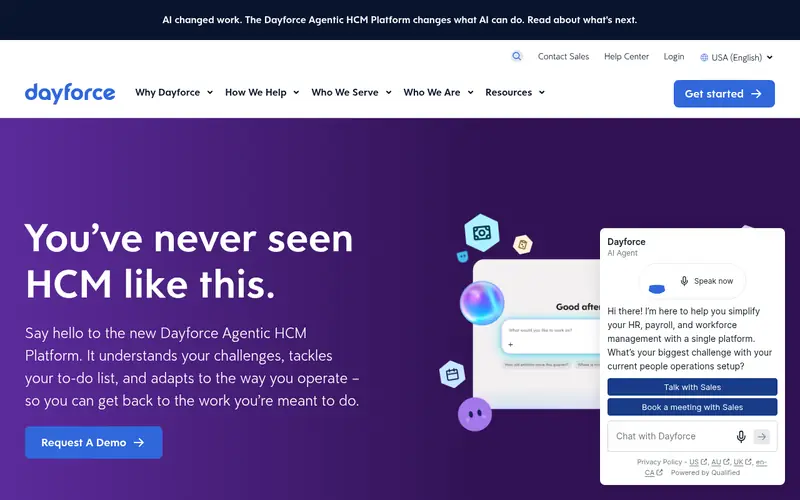
Dayforce

Large banks that need payroll and attendance on one platform
See vendor pricing page
dayforce.comHomepage, Nov 2026
Dayforce homepage

Dayforce, from Ceridian, combines payroll, time and attendance, and scheduling. Attendance punches feed directly into payroll calculations, which reduces manual reconciliation for banks with hourly staff and shift work. Pricing is not published, and there is no free plan. The platform is built for larger employers, so implementation and support are part of the purchase. Dayforce suits banks with hundreds of employees and complex pay rules. A small credit union should start with a lighter tool.

Free plan: No

Website: dayforce.com

Strengths

  • Time, attendance and payroll in a single system
  • strong compliance tooling

Watch out for

  • No public pricing or free plan
  • enterprise-scale setup

Which attendance tracking software for banks should I use if I only have one branch?

Start with Homebase, since its free plan covers one location with up to 20 employees. If your branch has 10 or fewer staff and you want mobile clock-in with geofencing, Connecteam's free plan fits. If you already run QuickBooks payroll, QuickBooks Time avoids a manual export. If you need strict pay rules and audit records, TimeClock Plus is the heavier option to quote.

Is Connecteam better than Homebase for attendance tracking software for banks?

Connecteam is better for teams that want mobile clock-in with geofencing on a free plan for up to 10 users. Homebase is better for a single branch that needs scheduling and timesheets together, with a free plan for one location and up to 20 employees. Both have paid tiers; compare per-user versus per-location cost against your headcount.

Pre-purchase checklist

  • Confirm the clock-in methods: mobile app, web browser, kiosk or badge reader.
  • Check whether geofencing or location checks are included or cost extra.
  • Ask how timesheets export to your payroll system and whether the link is native.
  • Confirm audit trails and record retention meet your compliance policy.
  • Test the free plan or trial with one branch before signing a contract.

FAQ

What is the best attendance tracking software for banks with a free plan?

Connecteam and Homebase both offer free plans. Connecteam's free plan covers up to 10 users with a time clock. Homebase's free plan covers one location with up to 20 employees. Clockify also has a free plan with unlimited users for basic time tracking. Check each vendor page for current limits.

How much does attendance tracking software cost for a bank branch?

Published entry prices range from $24.95 per month per location for Homebase to $29 per month for 30 users on Connecteam. QuickBooks Time starts at $20 per month plus $10 per user per month. TimeClock Plus, UKG Ready and Dayforce use quote-based pricing, so ask for a quote.

Do banks need geofencing for employee clock-ins?

Geofencing is useful when staff work at fixed branches and you want punches to register only on site. Connecteam includes mobile clock-in with geofencing. Not every tool here offers it, so confirm before you buy if branch location checks matter to your policy.

Can attendance tracking software handle overtime and shift rules?

Yes, tools built for workforce management handle overtime, shifts and pay rules. TimeClock Plus, UKG Ready and Dayforce are designed for complex rules and audit records. Lighter tools such as Clockify focus on recording hours and may need manual review for complex pay policies.

Does attendance tracking software connect to payroll?

Some tools do. QuickBooks Time sends approved timesheets into QuickBooks payroll. Dayforce combines payroll and attendance on one platform. Others export timesheets as files for your payroll provider. Ask about the export format and any native integration before you commit.