How we rank
HR and Workforce · Researched comparison

Best Attendance Tracking Software for Clinical Research Sites in 2026

TaskReports may earn a fee from some links on this page, and some placements are paid and labelled. Neither one decides the order. See our disclosure.

The short answer

Homebase is the best starting point for small clinical research sites that need free scheduling and clock-in records. It suits sites with a single location and a small staff. Deputy is a better fit when shift rules and rotating coverage get complex. QuickBooks Time is the better choice when payroll already runs in QuickBooks and staff hours need to be split across studies.

On this page

Key takeaways

  • Homebase is the first pick for small research sites that need free scheduling and clock-in records for coordinators and front-desk staff.
  • QuickBooks Time fits sites that already run payroll in QuickBooks and want job and service item codes for study billing.
  • Deputy covers sites with complex shift rules, such as 24-hour monitoring visits and rotating coordinator coverage.
  • Most tools here price per user per month, and several offer a free trial or a free plan with limited features.

Quick comparison

ToolBest fitStarting price
HomebaseSmall single-site research sites that need free schedulingSee vendor pricing page
QuickBooks TimeSites that run payroll in QuickBooksSee vendor pricing page

DeputySites with complex shift rules and rotating coverageSee vendor pricing page
When I WorkSites that need simple scheduling and time clocksSee vendor pricing page
ClockifySites that need free time tracking by projectSee vendor pricing page
CalamariSites that need leave and attendance in one toolSee vendor pricing page
TimeCampSites that track hours by study and taskSee vendor pricing page

How we chose

We picked tools that record real clock-in or attendance data and that fit the daily work of a clinical research site, such as shift coverage, leave balances and hours by study. We looked at entry price, free access, and the main limits of each plan. Sources are vendor websites and public pricing pages. Prices change, so confirm the current price on the vendor site before you buy.

Best overall

Homebase

Small single-site research sites that need free scheduling

  • Free plan covers scheduling and clock-in
  • mobile app for remote staff
PriceSee vendor pricing page
See Homebase pricing
joinhomebase.comHomepage, Nov 2026
Homebase homepage

Homebase combines staff scheduling, clock-in and timesheets in one app. A research site can build a schedule for coordinators, lab staff and front-desk teams, then have each person clock in from a phone or a shared kiosk. Timesheets collect the hours, and a manager can review and approve them before payroll. The free plan covers the basics for one location. Paid plans add features such as payroll, hiring and more advanced controls. A site that runs several locations or needs detailed reporting will likely need a paid tier. Sites that need study-level cost allocation should look at a tool built for that, such as QuickBooks Time.

Price: See vendor pricing page

Free plan: Yes

Website: joinhomebase.com

Watch out for

  • Free plan limits features and locations
  • payroll add-ons cost more
2

QuickBooks Time

Sites that run payroll in QuickBooks
See vendor pricing page
quickbooks.intuit.comHomepage, Nov 2026
QuickBooks Time homepage

QuickBooks Time records clock-in and clock-out times and ties them to jobs, customers and service items. A clinical research site can set up a job code for each study and have staff assign their hours to the right study. That makes it easier to bill sponsor hours or track effort on a trial. The tool syncs with QuickBooks payroll, so approved timesheets flow into pay runs. It also supports mobile clock-in, geofencing and schedule tools. The main catch is that the value depends on using QuickBooks. A site that runs payroll elsewhere may find the integration less useful.

Free plan: Free trial (30 days)

Website: quickbooks.intuit.com/time-tracking

Strengths

  • Job and service item codes for splitting hours
  • syncs with QuickBooks payroll

Watch out for

  • Best value only if you use QuickBooks
  • pricing varies by plan
3

Deputy

Sites with complex shift rules and rotating coverage
See vendor pricing page
deputy.comHomepage, Nov 2026
Deputy homepage

Deputy is built for shift-based workplaces. A clinical research site can set up shift patterns for early monitoring visits, weekend coverage and rotating coordinator schedules. The tool applies rules for overtime, breaks and shift swaps, and it records clock-in times against each shift. Deputy also handles leave requests and unavailability, which helps when staff cover for each other. The scheduling view shows gaps and conflicts before they happen. Setup takes more effort than a simple time clock, so small sites with fixed hours may not need it. Sites with steady 9-to-5 schedules can start with Homebase instead.

Free plan: Free trial (31 days)

Website: deputy.com

Strengths

  • Strong shift and award rules
  • handles rotating schedules well

Watch out for

  • No free plan after the trial
  • setup takes time
4

When I Work

Sites that need simple scheduling and time clocks
See vendor pricing page
wheniwork.comHomepage, Nov 2026
When I Work homepage

When I Work focuses on employee scheduling and attendance. A research site can build a weekly schedule, send it to staff, and have people clock in from a phone or a shared device. The app shows who is on shift and who is late, which helps a site coordinator keep coverage during visit days. Staff can request time off and swap shifts in the app. Managers approve requests and the schedule updates. The tool does not handle study billing or effort reporting, so sites that need to split hours by study should pair it with a separate system. It suits sites that mainly need reliable shift coverage.

Free plan: Free trial (14 days)

Website: wheniwork.com

Strengths

  • Clean scheduling and clock-in app
  • staff can swap shifts

Watch out for

  • No free plan after the trial
  • advanced features cost more
5

Clockify

Sites that need free time tracking by project
See vendor pricing page
clockify.meHomepage, Nov 2026
Clockify homepage

Clockify is a time tracking tool with a free plan for unlimited users. A clinical research site can create a project for each study and have staff log time against it. That gives a record of hours per study, which helps with effort reporting and sponsor billing. The tool also has a timesheet view and basic attendance tracking. The free plan covers core tracking, while paid plans add admin controls, approvals and reporting. The attendance features are lighter than a dedicated shift tool, so sites that need strict clock-in rules and geofencing should look at Deputy or QuickBooks Time.

Free plan: Yes

Website: clockify.me

Strengths

  • Free plan with unlimited users
  • project tags for each study

Watch out for

  • Free plan lacks some admin controls
  • attendance features are basic
6

Calamari

Sites that need leave and attendance in one tool
See vendor pricing page
calamari.ioHomepage, Nov 2026
Calamari homepage

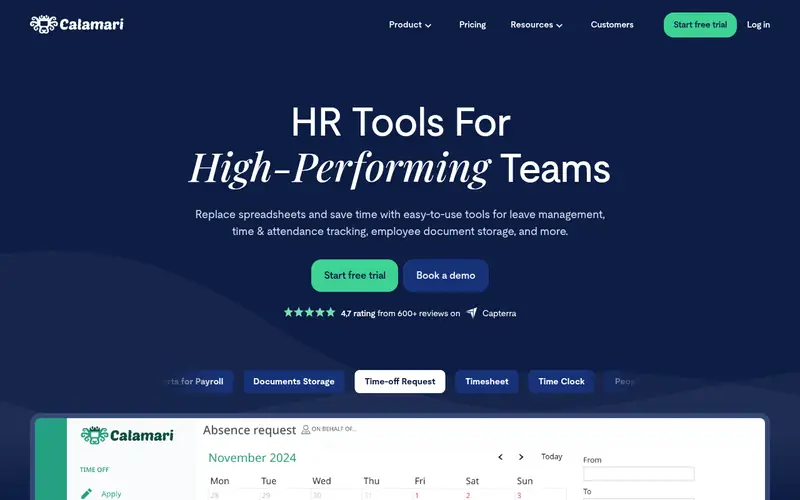
Calamari handles leave management and attendance together. A research site can set up leave types, track accruals and balances, and record clock-in and clock-out times. Staff request time off in the app, and managers see who is out before they build the schedule. The tool fits sites that need a clear record of paid time off alongside daily attendance. It supports approval flows and calendar views. Pricing is per user, so a large site should check the cost at its headcount. Sites that only need a time clock can find simpler options.

Free plan: Free trial (14 days)

Website: calamari.io

Strengths

  • Combines leave requests with clock-in records
  • clear balance tracking

Watch out for

  • No free plan after the trial
  • priced per user
7

TimeCamp

Sites that track hours by study and task
See vendor pricing page
timecamp.comHomepage, Nov 2026
TimeCamp homepage

TimeCamp records time by project and task, which suits research sites that need to show hours per study. Staff start a timer or fill in a timesheet, and the data rolls up into reports by study, task or client. That supports effort tracking and sponsor invoicing. The free plan covers a small team. Paid plans add more users, approvals and integrations. TimeCamp is a time tracking tool first, so it does not replace a shift scheduler. Sites that need clock-in rules and coverage planning should use it alongside a scheduling tool, or pick Deputy instead.

Free plan: Yes

Website: timecamp.com

Strengths

  • Free plan for a small team
  • tracks time by project and task

Watch out for

  • Free plan is limited to a few users
  • attendance features are secondary

Which attendance tracking software for clinical research sites should I use if my site runs 24-hour monitoring visits?

Deputy is the best fit for 24-hour monitoring visits because it handles complex shift rules and rotating coverage. For other situations: pick Homebase if you run a small single-site office and want free scheduling and clock-in. Pick QuickBooks Time if payroll already runs in QuickBooks and you need hours split by study. Pick Calamari if leave balances and attendance need to sit in one tool.

Is Homebase better than QuickBooks Time for attendance tracking software for clinical research sites?

Homebase is better for small sites that want free scheduling and clock-in without a payroll system. QuickBooks Time is better when payroll already runs in QuickBooks and staff hours need to be split across studies with job codes. Homebase has a free plan; QuickBooks Time offers a 30-day free trial and ties closely to QuickBooks.

Pre-purchase checklist

  • Confirm the tool records clock-in and clock-out times, not just schedules.
  • Check whether you need hours split by study, and whether the tool supports project or job codes.
  • Confirm the free plan limits, such as number of users or locations.
  • Check how leave requests and balances are tracked if your site manages PTO.
  • Confirm mobile clock-in and geofencing if staff work across rooms or buildings.

FAQ

What is the best attendance tracking software for clinical research sites?

Homebase is a strong first pick for small sites because it offers free scheduling and clock-in. Deputy fits sites with complex shift rules. QuickBooks Time fits sites that run payroll in QuickBooks and need hours split by study. The right choice depends on site size, shift patterns and payroll setup.

Do clinical research sites need attendance software with study-level time tracking?

Not always. Sites that bill sponsors for staff hours or report effort per study need time tracking by project or study. QuickBooks Time, Clockify and TimeCamp support that. Sites that only need shift coverage and clock-in can use Homebase or When I Work.

Can attendance tracking software handle leave and PTO for research staff?

Some tools do. Calamari combines leave requests, accruals and balances with clock-in records. Deputy also handles leave requests and unavailability. Tools focused only on time clocks may need a separate leave process.

Is there free attendance tracking software for a small research site?

Homebase offers a free plan that covers scheduling and clock-in for one location. Clockify has a free plan for unlimited users with basic time tracking. TimeCamp has a free plan for a small team. Free plans have limits, so check the current terms on the vendor site.

How much does attendance tracking software cost for a clinical research site?

Prices vary by vendor and plan, and most tools price per user per month. Several offer a free trial. We do not list fixed prices here because they change. Check each vendor's pricing page for current rates before you buy.