How we rank
HR and Workforce · Researched comparison

Best Attendance Tracking Software for Electrical Contractors in 2026

TaskReports may earn a fee from some links on this page, and some placements are paid and labelled. Neither one decides the order. See our disclosure.

The short answer

QuickBooks Time is the first pick for electrical contractors who already use QuickBooks for payroll, because approved timesheets move into payroll without re-entry. ClockShark suits shops that want GPS stamps tied to each job site. Homebase fits small crews that want a free start before paying for more. All three are per-user products, so compare the cost at your full crew size.

On this page

Key takeaways

  • QuickBooks Time is the first pick for crews that already run payroll in QuickBooks, with GPS clock-in on the mobile app.
  • ClockShark and Connecteam focus on field crews, with GPS stamps and job or cost-code assignment on each punch.
  • Homebase has a free plan for one location, and its paid plans start at $24.95 per month.
  • Most tools here charge per user or per active worker, so price scales with crew size.

Quick comparison

ToolBest fitStarting price
QuickBooks TimeElectrical crews already running payroll in QuickBooksSee vendor pricing page
ClockSharkField crews that need GPS stamps tied to job sitesSee vendor pricing page
HomebaseSmall electrical shops that want a free start$24.95 per month
ConnecteamCrews that want scheduling and communication in one appSee vendor pricing page
BusybusyContractors who want GPS time tracking with job costingSee vendor pricing page
ExakTimeMid-size crews that need a rugged on-site time clockSee vendor pricing page
TimeeroSmall teams that need simple GPS time trackingSee vendor pricing page
DeputyShops that need scheduling plus attendance recordsSee vendor pricing page

How we chose

We picked products that record real clock-in and clock-out data and that fit field crews, then compared published entry prices, free access and main limits. Sources are vendor websites and public documentation. Prices change, so confirm the current figure on the vendor pricing page before you buy.

Best overall

QuickBooks Time

Electrical crews already running payroll in QuickBooks

  • Timesheets flow into QuickBooks payroll
  • mobile app records GPS-stamped clock-ins
PriceSee vendor pricing page
See QuickBooks Time pricing
quickbooks.intuit.comHomepage, Nov 2026
QuickBooks Time homepage

QuickBooks Time records clock-ins from a mobile app, a web browser or a shared kiosk. Each entry can carry a GPS stamp, a job code and a service item, which suits electrical work split across multiple sites in one day. Supervisors approve timesheets before they reach payroll. The product is sold per user per month, with a lower tier for payroll and timesheet basics and a higher tier that adds scheduling and job costing. A 30-day trial is offered. The main reason to pick it is the payroll link: if you run payroll in QuickBooks, approved hours move over without a second entry step. Skip it if you do not use QuickBooks and want the lowest per-user cost. Competitors below charge less per worker for similar field clock-in features.

Price: See vendor pricing page

Free plan: Free trial (30 days)

Website: quickbooks.intuit.com/time-tracking

Watch out for

  • Per-user pricing adds up on large crews
  • full value depends on the QuickBooks ecosystem
2

ClockShark

Field crews that need GPS stamps tied to job sites
See vendor pricing page
ClockSharkHomepage image unavailable

ClockShark is built for construction and field service trades. Workers clock in from a phone, and the entry records location, the job, and the task. Geofences can flag a punch made outside the site boundary, which helps when crews move between commercial and residential jobs. The plans are tiered by feature: time tracking and GPS on the entry plan, scheduling on the next tier, and job costing and payroll exports above that. Pricing is per user per month and is quoted on the vendor site. A 14-day trial is available. It fits contractors with several crews and several active job sites. Small shops with one location and no job costing needs may find the higher tiers more than they need.

Free plan: Free trial (14 days)

Website: clockshark.com

Strengths

  • GPS clock-in with job and task codes
  • geofencing alerts when crews arrive or leave a site

Watch out for

  • No free plan
  • scheduling and job costing sit on higher tiers

3

Homebase

Small electrical shops that want a free start
$24.95 per month
joinhomebase.comHomepage, Nov 2026
Homebase homepage

Homebase combines scheduling, a time clock and payroll. The free plan covers one location with core scheduling and time clock features, which suits a small electrical shop with a handful of employees. Paid plans start at $24.95 per month for the Essentials tier, with higher tiers adding hiring and HR tools. Workers clock in from the app or a shared device, and hours flow into the scheduling and payroll views. GPS and more detailed controls are part of paid tiers, not the free plan. It is a reasonable first system for a shop under about ten employees. Contractors with many job sites and a need for per-job cost codes should look at ClockShark or QuickBooks Time instead.

Free plan: Yes

Website: joinhomebase.com

Strengths

  • Free plan for one location
  • scheduling, time clock and payroll in one place

Watch out for

  • Free plan caps features
  • GPS and advanced controls sit on paid tiers
4

Connecteam

Crews that want scheduling and communication in one app
See vendor pricing page
connecteam.comHomepage, Nov 2026
Connecteam homepage

Connecteam is a workforce app with a time clock, scheduling, task lists and team messaging. For electrical contractors, the time clock can require a GPS stamp and can be limited to a job site. The free plan supports a small team with basic features. Paid tiers add advanced time tracking, GPS controls and more admin tools. Pricing is quoted per user or per plan on the vendor site. It suits contractors who want one app for clock-in, shift scheduling and crew communication. It is less specialized for construction job costing than ClockShark, so shops that bill hours to many cost codes should compare both.

Free plan: Yes

Website: connecteam.com

Strengths

  • Free plan for small teams
  • time clock plus scheduling, tasks and team chat

Watch out for

  • Free plan limits users and features
  • advanced time tracking is on paid tiers
5

Busybusy

Contractors who want GPS time tracking with job costing
See vendor pricing page
busybusy.comHomepage, Nov 2026
Busybusy homepage

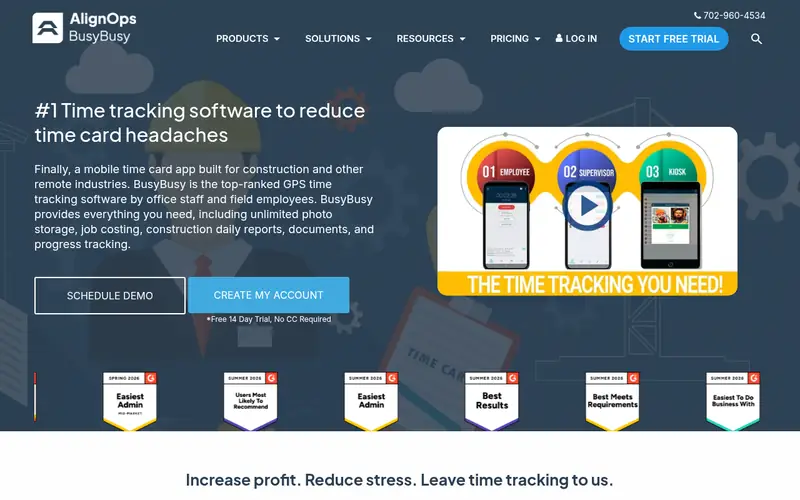
Busybusy is a construction-focused time tracking app. Workers clock in from a phone, and the entry records GPS location, the project and the cost code. Office staff can review hours by job and export them to payroll or accounting. The product is sold per user per month, with pricing quoted on the vendor site. There is no free plan, but a trial is typically offered. It fits electrical contractors who bill by job and need clean cost-code data. Shops that only need basic clock-in and do not track job costs can spend less elsewhere.

Free plan: No

Website: busybusy.com

Strengths

  • GPS time clock built for construction
  • hours can be sorted by job and cost code

Watch out for

  • No free plan
  • pricing is quoted per user on the vendor site
6

ExakTime

Mid-size crews that need a rugged on-site time clock
See vendor pricing page
ExakTimeHomepage image unavailable

ExakTime combines time clock hardware with cloud software. Crews clock in at a fixed device on site using a PIN or face recognition, and the data syncs to the office for payroll and job costing. The hardware suits job sites where phones are impractical. The software is sold by subscription, and hardware is a separate cost. Pricing is quoted by the vendor based on crew size and devices. It fits mid-size contractors with a fixed yard or site who want a shared clock rather than a phone app. Small mobile crews that move daily will likely prefer an app-based tool.

Free plan: No

Website: exaktime.com

Strengths

  • Durable on-site clock hardware
  • face and PIN clock-in options

Watch out for

  • Hardware adds cost
  • no free plan
7

Timeero

Small teams that need simple GPS time tracking
See vendor pricing page
timeero.comHomepage, Nov 2026
Timeero homepage

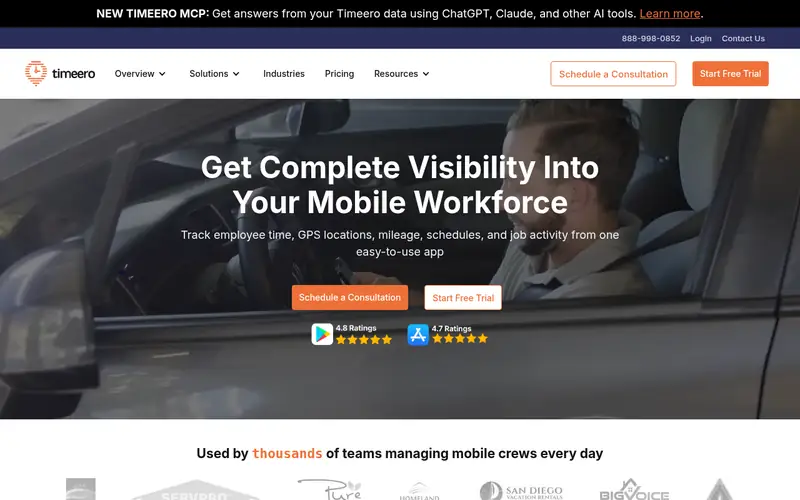
Timeero is a GPS time tracking app. Workers clock in from a phone, and the system records location, mileage and route history. It suits contractors who need to confirm that crews reached a site. Pricing is per user per month, with tiers based on features such as scheduling and mileage tracking. A 14-day trial is offered. It is a lighter option for small electrical crews. Contractors who need detailed job costing or payroll integration with QuickBooks should compare it with QuickBooks Time or ClockShark.

Free plan: Free trial (14 days)

Website: timeero.com

Strengths

  • GPS tracking with route history
  • simple per-user pricing

Watch out for

  • No free plan
  • fewer construction-specific job costing tools
8

Deputy

Shops that need scheduling plus attendance records
See vendor pricing page
deputy.comHomepage, Nov 2026
Deputy homepage

Deputy handles shift scheduling, time and attendance, and payroll exports. Workers clock in from an app or a shared device, and the system records attendance against the schedule. It can flag late arrivals and missed shifts. Pricing is per user per month, with tiers for scheduling and for HR features. A 31-day trial is offered. It fits electrical contractors who mainly need to track attendance against shifts. Shops that bill hours to many job cost codes should pair it with a construction-focused tool or choose ClockShark instead.

Free plan: Free trial (31 days)

Website: deputy.com

Strengths

  • Scheduling, time clock and attendance records in one system
  • mobile clock-in with location

Watch out for

  • No free plan
  • construction-specific job costing is limited

Which attendance tracking software for electrical contractors should I use if I already run payroll in QuickBooks?

QuickBooks Time is the pick here, because approved timesheets move into QuickBooks payroll without re-entry. If you do not use QuickBooks, ClockShark fits crews that need GPS stamps tied to job sites. Homebase fits a small shop that wants a free start for one location. ExakTime fits a mid-size crew that wants a shared on-site clock instead of phones.

Is QuickBooks Time better than ClockShark for attendance tracking software for electrical contractors?

QuickBooks Time is the better fit if you run payroll in QuickBooks and want hours to flow over without re-entry. ClockShark is the better fit if GPS stamps tied to job sites and geofence alerts matter more than the payroll link. Both charge per user, and both offer a trial, so compare the cost at your full crew size.

Pre-purchase checklist

  • Confirm the clock-in method: phone app, shared kiosk or fixed on-site hardware.
  • Check whether each punch can carry a job or cost code, which matters for billing.
  • Ask how GPS data is stored and who can see it.
  • Confirm the payroll export works with your accounting system.
  • Price the plan at your full crew size, not just current headcount.

FAQ

What is the best attendance tracking software for electrical contractors?

QuickBooks Time is the first pick for shops that run payroll in QuickBooks. ClockShark suits crews that need GPS stamps tied to job sites. Homebase fits small shops that want a free plan for one location. The right choice depends on crew size, payroll system and whether you bill hours to job cost codes.

Do these tools track GPS location when workers clock in?

Most do. QuickBooks Time, ClockShark, Busybusy and Timeero record a GPS stamp with each clock-in. Homebase and Deputy offer location data on paid tiers. ExakTime uses a fixed on-site clock instead of phone GPS. Check the plan details, because GPS is not always included on the lowest tier.

Can attendance data go straight into payroll?

Some tools export approved hours to payroll. QuickBooks Time sends timesheets into QuickBooks payroll. Deputy, Homebase and Busybusy offer payroll exports. Confirm the export works with your payroll provider before you commit, since integrations differ by plan.

Is there a free option for a small electrical crew?

Homebase has a free plan for one location with core scheduling and time clock features. Connecteam also has a free plan for small teams. Both cap users or features on the free tier, so check the limits against your crew size before you rely on them.

How is pricing structured for these products?

Most products here charge per user per month, sometimes with a base fee. ExakTime adds hardware cost. Homebase starts at $24.95 per month for its Essentials tier. For the others, the vendor quotes the price, so confirm the current figure on the pricing page.