
How we rank
HR and Workforce · Researched comparison

Best Attendance Tracking Software for Food Processing Plants in 2026

TaskReports may earn a fee from some links on this page, and some placements are paid and labelled. Neither one decides the order. See our disclosure.

The short answer

Deputy is the first pick for most food processing plants because it handles shift scheduling, clock-in and attendance records in one place and publishes its pricing. Homebase is a good fit for a single plant that wants a free starting point. Clockify works when the main need is low-cost time records rather than shift coverage.

On this page

Key takeaways

  • Deputy suits plants that run multiple shift patterns, with published per-user pricing and a free trial.
  • Homebase offers a free plan for one location, which fits a single-site plant testing clock-in and scheduling.
  • Clockify is the lowest-cost option here for time records, but it is not built around shift coverage.
  • Attendance tools only help if they capture real clock-in data; check device, kiosk and offline support before buying.

Quick comparison

ToolBest fitStarting price
DeputyPlants with rotating shifts and mixed hourly crewsSee vendor pricing page
HomebaseSingle-site plants that want a free startSee vendor pricing page
ClockifyLow-cost time records without scheduling depthSee vendor pricing page
When I WorkShift-based crews with quick scheduling needsSee vendor pricing page
SlingSmall plants that need scheduling and time clockSee vendor pricing page
QuickBooks TimePlants already using QuickBooks for payrollSee vendor pricing page
TimeClock PlusLarger plants with compliance and integration needsSee vendor pricing page

How we chose

We picked tools that record real clock-in or attendance data and fit shift-based plant work. Criteria were fit for the use case, published entry pricing, free access, and main limits. Sources are vendor websites and public documentation. Prices change, so confirm on the vendor site before buying.

Best overall

Deputy

Plants with rotating shifts and mixed hourly crews

  • Shift scheduling tied to clock-in records
  • supports kiosk and mobile clock-in
PriceSee vendor pricing page
See Deputy pricing
deputy.comHomepage, Nov 2026
Deputy homepage

Deputy combines employee scheduling, time and attendance, and payroll export. For a food processing plant, the scheduling side matters because crews often work rotating shifts across production, sanitation and packing. A supervisor can build a shift plan and see who clocked in against it. Clock-in happens through a shared kiosk, a tablet or a worker's phone. That flexibility helps in plants where staff cannot carry phones onto the floor. Timesheets feed into the attendance record and can be exported to payroll. Deputy prices per user per month, with add-on modules for things like scheduling optimization. Exact rates change, so confirm on the vendor page. Skip it if you only need a simple time clock and no scheduling.

Price: See vendor pricing page

Free plan: Free trial (31 days)

Website: deputy.com

Watch out for

  • Per-user pricing rises with headcount
  • advanced features cost more
2

Homebase

Single-site plants that want a free start
See vendor pricing page
HomebaseHomepage image unavailable

Homebase bundles scheduling, time clock and timesheets. The free plan covers one location and core scheduling and time tracking, which suits a single plant that wants to move off paper timesheets without a large spend. Clock-in runs on a shared tablet or kiosk, and the app records breaks and hours. Payroll and hiring features sit on paid plans. For a plant with several sites or complex shift rules, the paid tiers or a different tool may fit better. The free plan has limits on features and locations. Check the vendor page for current terms before you rely on it.

Free plan: Yes

Website: homebase.com

Strengths

    Watch out for

    • Check current limits on the vendor page

    3

    Clockify

    Low-cost time records without scheduling depth
    See vendor pricing page
    clockify.meHomepage, Nov 2026
    Clockify homepage

    Clockify is a time tracking tool that records hours by project, client and team. It has a free plan and low-cost paid tiers. For a food processing plant, it can log attendance and hours, but it is not built around shift coverage or production scheduling. Use it if your main need is a record of hours worked and you already handle scheduling elsewhere. It supports a shared kiosk and mobile entry. It lacks the shift-planning depth of Deputy or Homebase, so skip it if supervisors need to build and cover shifts in the same tool.

    Free plan: Yes

    Website: clockify.me

    Strengths

      Watch out for

      • Check current limits on the vendor page

      4

      When I Work

      Shift-based crews with quick scheduling needs
      See vendor pricing page
      wheniwork.comHomepage, Nov 2026
      When I Work homepage

      When I Work focuses on employee scheduling and attendance for hourly teams. Supervisors build shifts, publish them, and staff clock in through the app. Attendance alerts flag late arrivals and no-shows, which helps a plant keep lines staffed. It suits plants with predictable shift patterns and a workforce that can use a phone app. It does not offer a free plan, only a trial, and pricing is per user. Confirm current rates on the vendor site.

      Free plan: Free trial (14 days)

      Website: wheniwork.com

      Strengths

      • Fast drag-and-drop scheduling
      • clock-in with GPS and attendance alerts

      Watch out for

      • No free plan
      • pricing is per user
      5

      Sling

      Small plants that need scheduling and time clock
      See vendor pricing page
      getsling.comHomepage, Nov 2026
      Sling homepage

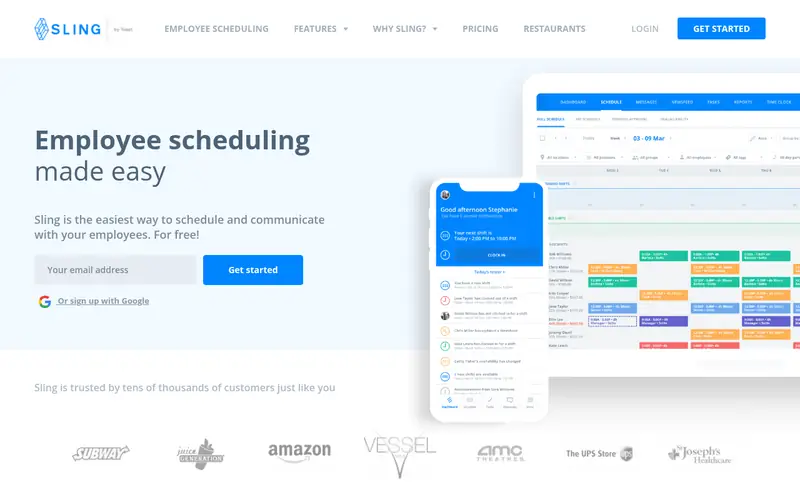
      Sling offers scheduling, time clock and communication tools. It has a free plan for small teams and paid plans for more features. A small food processing operation can publish shifts, let staff clock in, and track attendance in one place. The free tier limits features and team size. Larger plants with complex shift rules may outgrow it. Check the vendor page for current plan limits.

      Free plan: Yes

      Website: getsling.com

      Strengths

        Watch out for

        • Check current limits on the vendor page
        6

        QuickBooks Time

        Plants already using QuickBooks for payroll
        See vendor pricing page
        quickbooks.intuit.comHomepage, Nov 2026
        QuickBooks Time homepage

        QuickBooks Time tracks employee hours through mobile, kiosk or web clock-in and sends approved timesheets to QuickBooks payroll. For a plant already on QuickBooks, that removes a manual step between attendance records and pay. It handles scheduling and job costing too. The main drawback is that the value depends on using QuickBooks for payroll. Plants on other payroll systems should compare standalone tools first. Pricing is per user, so confirm on the vendor page.

        Free plan: Free trial (30 days)

        Website: quickbooks.intuit.com/time-tracking

        Strengths

        • Timesheets flow into QuickBooks payroll
        • mobile and kiosk clock-in

        Watch out for

        • Best value only inside the QuickBooks ecosystem
        • no free plan
        7

        TimeClock Plus

        Larger plants with compliance and integration needs
        See vendor pricing page
        TimeClock PlusHomepage image unavailable

        TimeClock Plus is a workforce management system built around time and attendance. It supports clock-in devices, scheduling, leave tracking and payroll integration. That breadth suits larger food processing plants with multiple sites and stricter record-keeping needs. It is not a low-cost or self-serve product. Expect a sales process and quote-based pricing. Smaller plants that just need a time clock will likely find it heavier than needed. Confirm features and pricing directly with the vendor.

        Free plan: No

        Website: timeclockplus.com

        Strengths

          Watch out for

          • Check current limits on the vendor page

          Which attendance tracking software for food processing plants should I use if I run a single plant on a tight budget?

          Start with Homebase, whose free plan covers one location. If you need shift coverage and attendance alerts, look at When I Work. If payroll already runs on QuickBooks, QuickBooks Time avoids double entry. If you only need hours records and schedule elsewhere, Clockify is the lowest-cost path.

          Is Deputy better than Homebase for attendance tracking software for food processing plants?

          Deputy is the better fit for plants with rotating shifts and multiple crews. Homebase is the better fit for a single plant that wants a free start. Deputy ties scheduling to clock-in records with kiosk and mobile options. Homebase covers core scheduling and time clock on its free plan but limits locations and features.

          Pre-purchase checklist

          • Confirm clock-in works on shared kiosks or tablets, since staff may not carry phones on the floor.
          • Check offline clock-in if your plant has weak network coverage in production areas.
          • Verify shift scheduling covers rotating and overnight patterns.
          • Confirm timesheet export matches your payroll provider.
          • Ask how attendance records are stored and for how long, for audit needs.

          FAQ

          What is the best attendance tracking software for food processing plants?

          Deputy is a strong fit for plants with rotating shifts because it links scheduling to clock-in records. Homebase suits a single plant that wants a free plan. QuickBooks Time fits plants already on QuickBooks payroll. The right choice depends on shift complexity, site count and payroll system.

          Do these tools support clock-in without a smartphone?

          Deputy, Homebase, When I Work and QuickBooks Time support shared kiosk or tablet clock-in. That matters in plants where phones are not allowed on the floor. Confirm device requirements with each vendor before you buy.

          Can attendance software handle rotating and overnight shifts?

          Deputy, When I Work and TimeClock Plus are built for shift-based scheduling, including overnight and rotating patterns. Simpler time tracking tools like Clockify record hours but do not plan shift coverage. Match the tool to how your plant actually schedules crews.

          Is there a free option for a small food processing plant?

          Homebase offers a free plan for one location, and Sling and Clockify have free tiers. Free plans limit features, locations or team size. Check current limits on each vendor page, since terms change.

          How much does attendance tracking software cost?

          Most tools here price per user per month, and published entry prices change often. Deputy, Homebase, When I Work, Sling, Clockify and QuickBooks Time list plans on their sites. TimeClock Plus is quote-based. Confirm current rates with each vendor.