How we rank
HR and Workforce · Researched comparison

Best Attendance Tracking Software for Hospitals in 2026

TaskReports may earn a fee from some links on this page, and some placements are paid and labelled. Neither one decides the order. See our disclosure.

The short answer

UKG Ready is the first pick for hospitals that need attendance, scheduling and payroll data in one workforce system. Deputy suits departments that want simple shift-based attendance with a mobile clock-in. Homebase is a lower-cost choice for small clinics and outpatient sites. Larger hospital groups should compare all three against their payroll rules and shift complexity before choosing.

On this page

Key takeaways

  • UKG Ready and Deputy lead this list for hospital attendance because both handle 24/7 shift patterns and multiple clock-in methods.
  • Entry prices range from free tiers at Homebase and Clockify to per-user monthly fees at Deputy and When I Work.
  • Most tools here bill per user or per employee per month, so cost scales with headcount across departments.
  • Overtime, break and rounding rules vary by vendor, so confirm they match your payroll policy before you buy.

Quick comparison

ToolBest fitStarting price
UKG ReadyHospitals needing attendance, scheduling and payroll in one systemSee vendor pricing page
DeputyShift-based departments that need simple clock-in and schedulingSee vendor pricing page

HomebaseSmall clinics and outpatient sites on a budgetSee vendor pricing page
When I WorkScheduling-led attendance for clinics and small hospital unitsSee vendor pricing page
ClockifyLow-cost time tracking for administrative and support staffSee vendor pricing page
QuickBooks TimeHospitals already using QuickBooks for payrollSee vendor pricing page
ConnecteamFrontline hospital teams needing mobile attendance and communicationSee vendor pricing page
BambooHRHR-led attendance records for hospital administrative staffSee vendor pricing page

How we chose

We selected tools that support attendance tracking for shift-based and administrative hospital staff. Criteria were fit for the use case, published entry price, free access, and main limits such as user caps or missing payroll features. Sources are vendor websites and public documentation. Prices change, so confirm current pricing on each vendor site before you buy.

★ Best overall

UKG Ready

Hospitals needing attendance, scheduling and payroll in one system

  • Handles complex shift and overtime rules
  • Combines scheduling, time and attendance, and HR records
PriceSee vendor pricing page
See UKG Ready pricing
ukg.comHomepage, Nov 2026
UKG Ready homepage

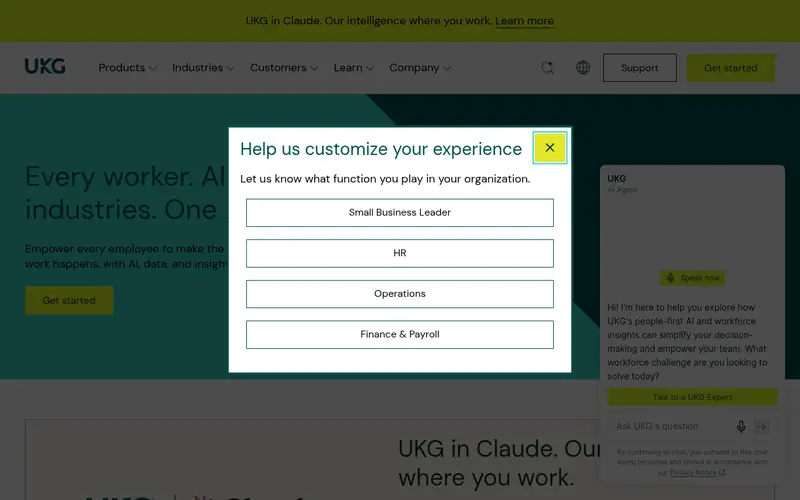
UKG Ready is a workforce management suite that covers time and attendance, staff scheduling, absence management and payroll export. For hospitals, the value is in the rule engine: it can apply overtime, shift differential and break rules across departments with different policies. Attendance data flows into scheduling and payroll rather than sitting in a separate spreadsheet. UKG does not publish list prices for Ready. Buyers request a quote, and cost depends on employee count and modules. That makes it hard to compare on price alone, and it means smaller clinics may find the total cost of ownership high. Implementation also takes planning. Choose UKG Ready if you need one system for attendance, scheduling and payroll across a multi-department hospital. Skip it if you want a low-cost tool you can set up in a day.

Price: See vendor pricing page

Free plan: No

Website: ukg.com

Watch out for

  • Pricing is quote-based
  • Setup and configuration take time
2

Deputy

Shift-based departments that need simple clock-in and scheduling
See vendor pricing page
deputy.comHomepage, Nov 2026
Deputy homepage

Deputy is built around shift work, which fits hospital wards, clinics and support departments. Staff clock in from a mobile app, a shared kiosk or a web browser. Managers see who is on shift, who is late and where overtime is building. Timesheets export to payroll. Deputy publishes plan tiers but routes larger teams to a quote, so confirm the current entry price on the vendor pricing page. The free trial runs 31 days. Features such as advanced scheduling and payroll integrations depend on the plan. Choose Deputy for a department or single site that wants fast setup and clear shift visibility. Skip it if you need deep HR records or clinical credentialing in the same tool.

Free plan: Free trial (31 days)

Website: deputy.com

Strengths

  • Strong shift scheduling with clock-in on mobile or kiosk
  • Handles overtime and break rules per location

Watch out for

  • Advanced features sit in higher tiers
  • Pricing is quote-based for larger teams

3

Homebase

Small clinics and outpatient sites on a budget
See vendor pricing page
joinhomebase.comHomepage, Nov 2026
Homebase homepage

Homebase offers scheduling, a time clock and timesheet tools, with a free plan for a single location. Small clinics and outpatient offices can use it to track staff hours without a large software budget. Staff clock in from a mobile app or a shared device, and managers review hours before payroll. The free plan covers basic needs but limits advanced features and additional locations. Larger hospitals with many departments will outgrow it quickly. Paid tiers add more controls, and pricing should be confirmed on the vendor site. Choose Homebase for a small practice or clinic that needs basic attendance tracking at low cost. Skip it for a full hospital with complex shift and overtime rules.

Free plan: Yes

Website: joinhomebase.com

Strengths

  • Free tier covers basic scheduling and time clock
  • Simple mobile app for staff clock-in

Watch out for

  • Free tier limits features and locations
  • Less suited to large multi-site hospitals
4

When I Work

Scheduling-led attendance for clinics and small hospital units
See vendor pricing page
wheniwork.comHomepage, Nov 2026
When I Work homepage

When I Work focuses on employee scheduling with attendance tracking built in. Managers build shifts, staff confirm or swap them, and clock-in records show who actually worked. That suits clinics, labs and small hospital units that schedule by shift. The tool is lighter on payroll and HR records than a full workforce suite. Pricing is per user per month, so cost rises with headcount. A 14-day free trial is offered. Choose When I Work if scheduling is your main pain point and attendance follows from it. Skip it if you need payroll processing or detailed HR records in the same system.

Free plan: Free trial (14 days)

Website: wheniwork.com

Strengths

  • Clear shift scheduling with attendance tracking
  • Staff swap and availability tools

Watch out for

  • Payroll and HR features are limited
  • Per-user pricing adds up for large teams
5

Clockify

Low-cost time tracking for administrative and support staff
See vendor pricing page
clockify.meHomepage, Nov 2026
Clockify homepage

Clockify is a time tracking tool with a free tier for unlimited users on basic features. Hospitals can use it for administrative, IT or support teams that need simple clock-in and timesheet reports. It records hours and produces reports for payroll or project costing. It is not a hospital scheduling system. Shift patterns, overtime rules and leave management are limited compared with workforce suites. The free tier covers basic tracking, and paid tiers add controls. Confirm current limits on the vendor pricing page. Choose Clockify for back-office teams that need cheap, simple time tracking. Skip it for ward staff who need shift scheduling and complex attendance rules.

Free plan: Yes

Website: clockify.me

Strengths

  • Free tier for unlimited users on basic time tracking
  • Simple clock-in and timesheet reports

Watch out for

  • Not built for hospital shift scheduling
  • Limited attendance and leave rules
6

QuickBooks Time

Hospitals already using QuickBooks for payroll
See vendor pricing page
quickbooks.intuit.comHomepage, Nov 2026
QuickBooks Time homepage

QuickBooks Time tracks employee hours and sends approved timesheets to QuickBooks payroll. Staff clock in from a mobile app, and managers review hours by job code or location. For hospitals and clinics already running QuickBooks, this keeps attendance and payroll in one place. The tool is strongest when paired with QuickBooks payroll. On its own, attendance and leave rules are simpler than a dedicated workforce suite. A 30-day free trial is offered, and pricing should be confirmed on the vendor page. Choose QuickBooks Time if your finance team already uses QuickBooks. Skip it if you need advanced shift and overtime rules across many departments.

Free plan: Free trial (30 days)

Website: quickbooks.intuit.com/time-tracking

Strengths

  • Timesheets flow into QuickBooks payroll
  • Mobile clock-in with GPS and job codes

Watch out for

  • Best value only if you use QuickBooks payroll
  • Attendance rules are basic compared with HR suites
7

Connecteam

Frontline hospital teams needing mobile attendance and communication
See vendor pricing page
connecteam.comHomepage, Nov 2026
Connecteam homepage

Connecteam is built for frontline and deskless workers, which fits hospital staff who move between wards. Staff clock in from a mobile device, and managers see attendance, shifts and task updates in one app. It also carries team communication tools, useful for shift handovers. The free plan covers small teams and limits features by user count. Larger hospitals need a paid tier, and pricing should be confirmed on the vendor site. Payroll and HR records are lighter than a full workforce suite. Choose Connecteam for mobile-first attendance and team messaging. Skip it if you need deep payroll integration or complex overtime rules.

Free plan: Yes

Website: connecteam.com

Strengths

  • Mobile-first clock-in for staff without desks
  • Combines attendance with team communication

Watch out for

  • Free tier limits features by user count
  • Less depth in payroll and HR records
8

BambooHR

HR-led attendance records for hospital administrative staff
See vendor pricing page
bamboohr.comHomepage, Nov 2026
BambooHR homepage

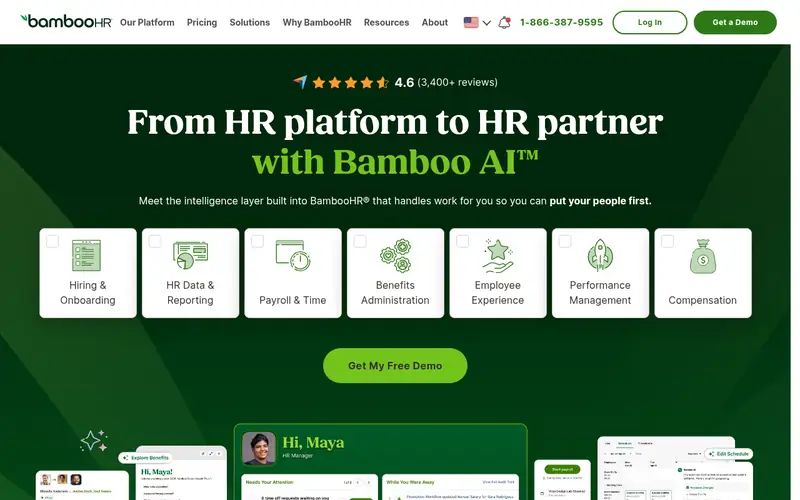
BambooHR is an HR platform with time and attendance features for salaried and administrative staff. Hospitals can track hours, manage leave requests and keep attendance records alongside employee files. Staff request time off through self-service, and managers approve it in the same system. Time tracking is not the core strength, so clinical shift workers may need a separate scheduling tool. BambooHR does not offer a free plan, and pricing is quote-based. Confirm current pricing on the vendor site. Choose BambooHR if you want attendance tied to HR records for administrative teams. Skip it if you need detailed shift scheduling for ward staff.

Free plan: No

Website: bamboohr.com

Strengths

  • Combines attendance with HR records and leave tracking
  • Employee self-service for time off requests

Watch out for

  • Time tracking is basic compared with dedicated tools
  • No free plan

Pre-purchase checklist

  • Confirm the tool handles 24/7 shifts, overnight shifts and rotating rosters.
  • Check overtime, break and rounding rules match your payroll policy.
  • Verify clock-in methods: mobile, kiosk, web or biometric.
  • Ask how attendance data exports to your payroll system.
  • Confirm per-user pricing at your full headcount, including part-time staff.

FAQ

What is the best attendance tracking software for hospitals?

UKG Ready is the strongest fit for hospitals that need attendance, scheduling and payroll in one system. Deputy suits shift-based departments that want simple clock-in. Homebase is a lower-cost option for small clinics. The right choice depends on shift complexity, payroll integration and budget.

Do these tools handle 24/7 and overnight shifts?

Most tools on this list support overnight and rotating shifts, but depth varies. UKG Ready and Deputy are built for complex shift patterns. Simpler tools such as Clockify and Homebase are better for daytime or administrative teams. Confirm overnight handling during a trial.

Can attendance data go to payroll?

Yes, most tools export timesheets to payroll. UKG Ready, Deputy, QuickBooks Time and BambooHR offer payroll integrations or exports. Check that your payroll provider is supported before you commit, since integration depth varies by plan.

Is there free attendance software for hospitals?

Homebase, Clockify and Connecteam offer free plans with limits. Homebase's free tier covers one location with basic features. Clockify's free tier covers unlimited users on basic time tracking. Connecteam's free plan limits features by user count. Free tiers rarely cover full hospital shift rules.

How much does attendance tracking software cost for a hospital?

Pricing is usually per user or per employee per month, and most vendors here route larger teams to a quote. Entry prices should be confirmed on each vendor pricing page. Cost rises with headcount, so calculate at your full staff count, including part-time and agency workers.