How we rank
HR and Workforce · Researched comparison

Best Attendance Tracking Software for Software Companies in 2026

TaskReports may earn a fee from some links on this page, and some placements are paid and labelled. Neither one decides the order. See our disclosure.

The short answer

Homebase is the best starting point for small software companies that need simple clock-in records and scheduling on a free plan. Larger teams that want attendance tied to HR records should look at BambooHR, and teams that bill client hours should look at Clockify. Each tool below supports real attendance or leave records, not just project time.

On this page

Key takeaways

  • Homebase is the first pick for small software teams that want a free plan with clock-in records and scheduling.
  • Clockify and Hubstaff pair time tracking with attendance records, while BambooHR and Rippling focus on PTO and HR data.
  • Entry prices range from free plans to per-employee monthly fees, so team size drives the real cost.
  • Every tool here needs a clear policy on remote clock-ins and PTO before rollout.

Quick comparison

ToolBest fitStarting price
HomebaseSmall teams needing free clock-in and schedulingSee vendor pricing page
ClockifyTeams tracking attendance alongside billable project hoursSee vendor pricing page

HubstaffRemote teams needing activity and attendance recordsSee vendor pricing page
BambooHRHR teams tying attendance to leave and recordsSee vendor pricing page
RipplingCompanies combining attendance with HR and ITSee vendor pricing page
QuickBooks TimeTeams already using QuickBooks for payrollSee vendor pricing page
DeputyShift-based teams needing scheduling and attendanceSee vendor pricing page
TimeCampProject time tracking with attendance-style reportsSee vendor pricing page

How we chose

We selected tools that support real attendance records, clock-ins, or leave tracking, and that fit how software companies work. Criteria were fit for the use case, published entry price, free access, and main limits such as user caps or missing PTO features. We used vendor websites and public documentation only. Prices change, so confirm current pricing on each vendor site before buying.

Best overall

Homebase

Small teams needing free clock-in and scheduling

  • Free plan with clock-in records
  • scheduling and timesheets in one place
PriceSee vendor pricing page
See Homebase pricing
joinhomebase.comHomepage, Nov 2026
Homebase homepage

Homebase covers clock-in and clock-out records, timesheets, and scheduling. For a software company with hourly staff such as support or QA contractors, it gives a simple record of hours worked. The free plan covers one location and a small team, which suits early-stage companies. Paid plans add more locations, advanced scheduling, and payroll features. The product is designed around hourly work. Salaried engineers who log project time rather than shifts will find it a poor fit. There is no deep project or client billing layer. Teams that need attendance tied to HR records, benefits, or performance should look at a full HR platform instead.

Price: See vendor pricing page

Free plan: Yes

Website: joinhomebase.com

Watch out for

  • Built for hourly teams, not salaried engineers
  • limited HR depth
2

Clockify

Teams tracking attendance alongside billable project hours
See vendor pricing page
clockify.meHomepage, Nov 2026
Clockify homepage

Clockify records time entries that can serve as attendance records for remote software teams. Users start and stop a timer or enter hours manually, and admins review timesheets and reports. The free plan supports unlimited users, which fits a growing engineering team. Paid tiers add admin controls, approvals, and reporting. Attendance here means logged hours, not physical clock-ins or shift schedules. That works for remote teams that need a record of working time, but not for companies that need geofenced clock-ins. Teams that need formal leave requests and accrual balances should pair it with an HR tool or choose a platform with PTO built in.

Free plan: Yes

Website: clockify.me

Strengths

  • Free plan with unlimited users
  • timesheets and attendance reports

Watch out for

  • Attendance is time-entry based, not shift clocking
  • some features paid only
3

Hubstaff

Remote teams needing activity and attendance records
See vendor pricing page
hubstaff.comHomepage, Nov 2026
Hubstaff homepage

Hubstaff combines attendance tracking with activity monitoring for remote and distributed teams. Users clock in, and the platform records time, activity levels, and screenshots depending on settings. Reports break time down by project and client, which suits software companies that bill hours. There is a 14-day free trial, then paid plans per user. The monitoring features are the main caution. Some engineering teams will object to activity tracking and screenshots, so confirm your policy before rollout. The tool is a fit for agencies and outsourced teams where client billing depends on verified hours. It is a weaker fit for companies that only need simple attendance records.

Free plan: Free trial (14 days)

Website: hubstaff.com

Strengths

  • Clock-in with activity data
  • project and client time reports

Watch out for

  • No free plan
  • activity monitoring may not suit all teams
4

BambooHR

HR teams tying attendance to leave and records
See vendor pricing page
bamboohr.comHomepage, Nov 2026
BambooHR homepage

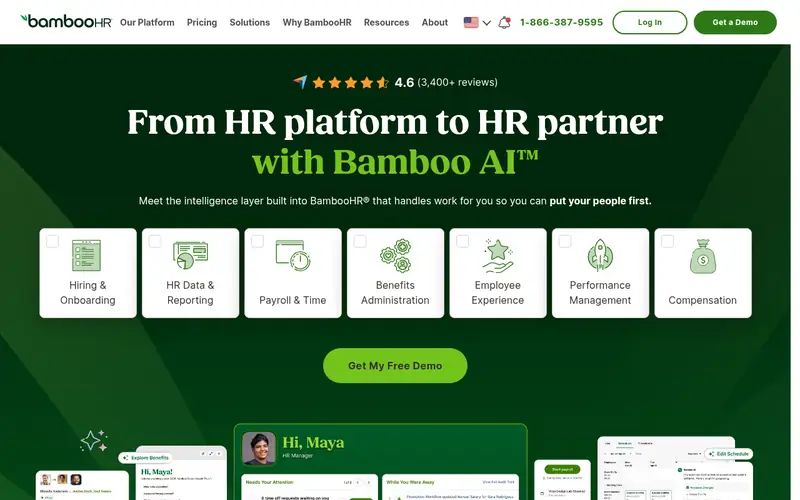
BambooHR is an HR platform with time-off tracking, employee records, and reporting. Software companies use it to manage PTO requests, accrual balances, and attendance history in one place. Employees request leave, managers approve it, and balances update. Attendance data sits alongside onboarding, documents, and other HR records. There is no free plan, and pricing is quoted per employee, so the cost rises with headcount. It is not a clock-in tool for hourly shifts. Companies that need shift clocking should pair it with a dedicated time tool. It fits software companies that want attendance and leave handled inside a broader HR system.

Free plan: No

Website: bamboohr.com

Strengths

  • PTO requests and balances built in
  • attendance sits with HR records

Watch out for

  • No free plan
  • priced per employee, so cost grows with headcount
5

Rippling

Companies combining attendance with HR and IT
See vendor pricing page
rippling.comHomepage, Nov 2026
Rippling homepage

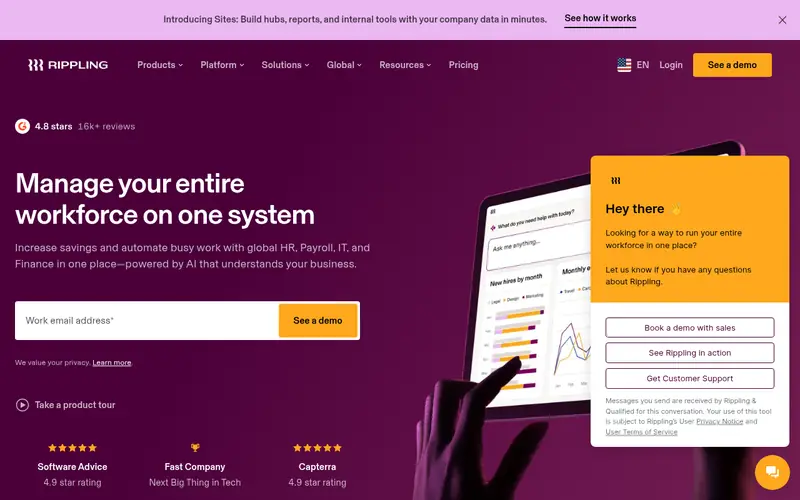
Rippling is a workforce platform that includes time and attendance, PTO management, payroll, and HR. Software companies can track clock-ins, manage leave requests, and keep attendance records next to payroll and device management. Because it is modular, you pay for the products you turn on, and the total depends on the modules selected. The breadth is the appeal and the risk. Pricing is not a single published number, so budget carefully and confirm quotes. It suits companies that want one system for HR, IT, and attendance. Smaller teams that only need clock-in records will find it more than they need and should compare simpler tools first.

Free plan: No

Website: rippling.com

Strengths

  • Attendance, PTO and payroll in one platform
  • strong integration with HR and IT

Watch out for

  • No free plan
  • modular pricing can be hard to predict
6

QuickBooks Time

Teams already using QuickBooks for payroll
See vendor pricing page
quickbooks.intuit.comHomepage, Nov 2026
QuickBooks Time homepage

QuickBooks Time tracks employee clock-ins, timesheets, and job or project codes. For a software company that runs payroll through QuickBooks, attendance records flow into payroll without manual entry. There is a 30-day free trial, then paid plans per user. Mobile clock-in and GPS options help with field or hybrid staff. The tool is strongest inside the Intuit ecosystem. Teams on other payroll systems get less value from the connection. It is not a full HR platform, so PTO accrual and leave policy need separate handling or a payroll add-on. Companies that only need project time tracking should compare Clockify first.

Free plan: Free trial (30 days)

Website: quickbooks.intuit.com/time-tracking

Strengths

  • Clock-in records with GPS and job codes
  • connects to QuickBooks payroll

Watch out for

  • No free plan
  • best value only inside the QuickBooks ecosystem
7

Deputy

Shift-based teams needing scheduling and attendance
See vendor pricing page
deputy.comHomepage, Nov 2026
Deputy homepage

Deputy handles shift scheduling, clock-in and clock-out, and attendance records. Software companies with support desks, data center staff, or contractor shifts can schedule people and confirm who actually worked. The platform applies shift rules and produces attendance reports. A 31-day free trial is available, then paid plans per user. The product is built around shifts. A team of salaried engineers who work flexible hours will not get much from it. It fits companies that run coverage schedules and need a record of who was on shift. Confirm the pricing tier that includes the attendance features you need before committing.

Free plan: Free trial (31 days)

Website: deputy.com

Strengths

  • Scheduling and clock-in in one tool
  • award and compliance rules for shifts

Watch out for

  • No free plan
  • shift focus is a weak match for salaried engineers
8

TimeCamp

Project time tracking with attendance-style reports
See vendor pricing page
timecamp.comHomepage, Nov 2026
TimeCamp homepage

TimeCamp records time automatically by tracking which applications and websites are used, and it also supports manual timesheets. For software companies, the result is a record of working time by project and client. The free plan covers a small number of users, and paid plans add reporting, invoicing, and integrations. Attendance here is a byproduct of project time tracking, not a formal clock-in or leave system. There are limited HR and PTO features. It suits teams that want to see where hours go across projects and clients. Companies that need formal attendance records for payroll or compliance should choose a dedicated attendance tool instead.

Free plan: Yes

Website: timecamp.com

Strengths

  • Free plan for a small number of users
  • automatic time tracking by app

Watch out for

  • Attendance is derived from project time
  • limited HR and leave features

Which attendance tracking software for software companies should I use if my team is fully remote?

Start with Clockify if your remote team needs a simple record of logged hours, since its free plan supports unlimited users. If you need activity data for client billing, look at Hubstaff. If attendance must sit with PTO and HR records, choose BambooHR. If you run shifts for support or contractors, choose Deputy. If you already use QuickBooks for payroll, QuickBooks Time keeps attendance and pay in one place.

Is Homebase better than Clockify for attendance tracking software for software companies?

Homebase is better if you need clock-in records and shift scheduling for hourly staff. Clockify is better if your team logs project hours and you want a free plan with unlimited users. Homebase is built for hourly teams and locations, while Clockify is built around time entries and reports. Neither offers deep PTO accrual, so check BambooHR if leave tracking matters.

Pre-purchase checklist

  • Confirm whether you need shift clock-ins, logged hours, or formal PTO records, since tools differ.
  • Check the free plan limits on users and locations before you rely on it.
  • Confirm how remote clock-ins are recorded and whether monitoring is acceptable to your team.
  • Check integrations with your payroll and HR systems to avoid duplicate data entry.
  • Review per-employee pricing against headcount growth before you commit.

FAQ

What is the best attendance tracking software for software companies?

Homebase is a strong first pick for small teams because it has a free plan with clock-in records. Clockify suits remote teams that log project hours. BambooHR fits companies that want attendance tied to PTO and HR records. The right choice depends on whether you need shifts, logged hours, or leave tracking.

Do software companies need attendance tracking software?

It depends on how the company works. Companies with hourly support staff, contractors, or shift coverage need real attendance records. Fully salaried remote teams may only need time or project tracking. Many software companies use a light time tool plus an HR platform for leave requests and balances.

Which attendance tools have a free plan?

Homebase and Clockify both offer free plans, and TimeCamp has a free plan for a small number of users. Hubstaff, QuickBooks Time, and Deputy offer free trials instead. BambooHR and Rippling do not list a free plan. Confirm current limits on each vendor site, since plans change.

Can these tools track PTO and leave requests?

BambooHR and Rippling include PTO requests and balances as part of their HR platforms. Homebase, Clockify, Hubstaff, QuickBooks Time, Deputy, and TimeCamp focus on time and attendance records, so leave tracking may need a separate HR tool or an add-on. Check each vendor's feature list before you buy.

How much does attendance tracking software cost for a software company?

Published entry prices vary, and several vendors quote per user or per employee, so cost depends on headcount. Some tools offer free plans for small teams, while others start with a trial and then a paid tier. Because pricing changes, confirm the current quote on the vendor's pricing page.