How we rank
HR and Workforce · Researched comparison

Best Attendance Tracking Software for Towing Companies in 2026

TaskReports may earn a fee from some links on this page, and some placements are paid and labelled. Neither one decides the order. See our disclosure.

The short answer

QuickBooks Time is the first pick for most towing companies. It records clock-ins by mobile app or kiosk and can attach GPS location to time entries, which matters when drivers start and end shifts on the road. Homebase is a good alternative if you want scheduling and payroll in the same tool. Clockify fits small fleets that want a free plan with unlimited users and simple time records.

On this page

Key takeaways

  • QuickBooks Time is the first pick for most towing companies because it combines GPS time tracking with payroll and invoicing add-ons.
  • Clockify has a free plan for unlimited users, which suits small towing fleets that need basic clock-in records.
  • Homebase bundles scheduling, time clocks and payroll in one product, which helps dispatch-heavy offices.
  • Prices here come from vendor pricing pages and can change, so confirm the current entry price before you buy.

Quick comparison

ToolBest fitStarting price
QuickBooks TimeTowing fleets that need GPS-stamped time recordsSee vendor pricing page
HomebaseSmall towing firms that want scheduling plus time clocksSee vendor pricing page

ClockifySmall towing fleets that want a free time trackerSee vendor pricing page
SlingTowing teams that need shift schedules and clock-inSee vendor pricing page
TimeCampTowing companies that bill clients by the hourSee vendor pricing page
Buddy PunchTowing crews that need clock-in with location and photoSee vendor pricing page
ConnecteamMobile towing crews that need clock-in and job updatesSee vendor pricing page

How we chose

We picked products that record real clock-in or attendance data and fit the way towing crews work, including mobile clock-in and optional location stamps. We weighed published entry prices, free plan access, and main limits such as per-user pricing or GPS add-ons. Sources are vendor websites and public documentation. Prices change, so confirm the current price on the vendor site before buying.

Best overall

QuickBooks Time

Towing fleets that need GPS-stamped time records

  • Mobile and kiosk clock-in with GPS
  • connects to QuickBooks payroll and invoicing
PriceSee vendor pricing page
See QuickBooks Time pricing
quickbooks.intuit.comHomepage, Nov 2026
QuickBooks Time homepage

QuickBooks Time records when a driver or dispatcher starts and ends a shift. Staff can clock in from a phone, a shared kiosk, or a computer. On mobile, entries can carry a GPS location, which helps when a tow truck operator starts a shift at a yard and ends it at a roadside job. The product connects to QuickBooks payroll, so hours flow into pay runs without a manual export. It also supports overtime rules and job costing, which suits towing companies that bill clients by the hour. A free trial is offered. Pricing is not published as a single fixed rate for all plans, so check the vendor page for current tiers. Skip it if your crew will not accept location tracking.

Price: See vendor pricing page

Free plan: Free trial (30 days)

Website: quickbooks.intuit.com/time-tracking

Watch out for

  • GPS tracking can draw objections from drivers
  • full features need paid plans
2

Homebase

Small towing firms that want scheduling plus time clocks
See vendor pricing page
joinhomebase.comHomepage, Nov 2026
Homebase homepage

Homebase combines employee scheduling, a time clock, and payroll in one account. For a towing company, that means dispatch can post shift schedules, drivers clock in from a phone or a shared tablet, and hours feed into payroll. The free plan covers one location and basic scheduling and time clock use. Paid plans add more locations and features such as hiring tools and payroll. The time clock records real punches, and timesheets can be reviewed before payroll. GPS tracking is not the main strength here, so if location stamps on every punch are a hard requirement, compare with QuickBooks Time. It fits small offices that want one tool for schedules and hours.

Free plan: Yes

Website: joinhomebase.com

Strengths

  • Free plan covers scheduling and time clock basics
  • payroll add-on for hourly crews

Watch out for

  • Advanced features sit on paid plans
  • GPS is not the core focus
3

Clockify

Small towing fleets that want a free time tracker
See vendor pricing page
clockify.meHomepage, Nov 2026
Clockify homepage

Clockify is a time tracking tool with a free plan that allows unlimited users. A towing company can have drivers and office staff clock in from a browser or the mobile app, and an admin can review timesheets by person, client, or job. The free plan covers core time tracking. Paid tiers add features such as attendance policies, approvals, and GPS tracking. That makes it a reasonable starting point for a small fleet that mainly needs a record of hours worked. It is weaker on scheduling and payroll than Homebase, and the GPS option costs extra. Skip it if you need payroll built in.

Free plan: Yes

Website: clockify.me

Strengths

  • Free plan with unlimited users
  • simple web and mobile clock-in

Watch out for

  • Limited attendance policy controls
  • GPS is a paid add-on
4

Sling

Towing teams that need shift schedules and clock-in
See vendor pricing page
getsling.comHomepage, Nov 2026
Sling homepage

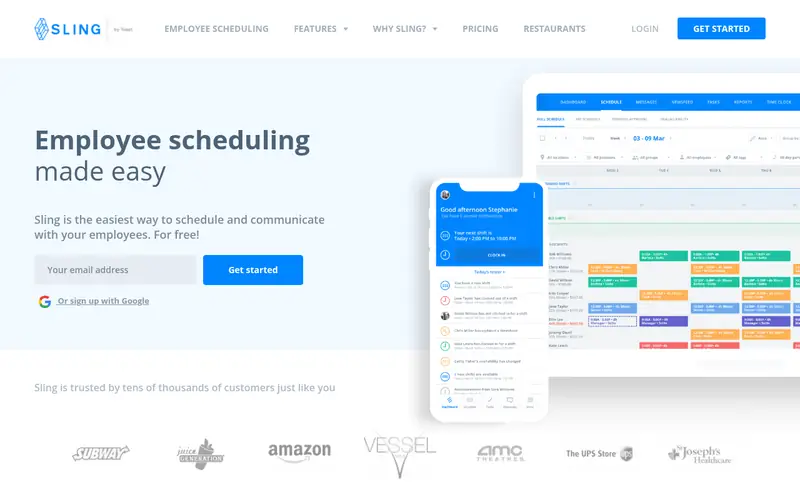
Sling focuses on employee scheduling and time tracking. A towing dispatcher can build shifts, assign drivers, and let staff clock in from the mobile app or a shared device. Timesheets then show scheduled versus actual hours, which helps spot late starts and no-shows. The free plan covers scheduling, time clock, and basic messaging for small teams. Paid plans add more management features. Sling is a good fit when scheduling is the main pain point and payroll is handled elsewhere. It does not replace a full payroll system, and GPS location on punches is not its focus. Confirm current plan limits on the vendor site.

Free plan: Yes

Website: getsling.com

Strengths

  • Free plan for scheduling and time clock
  • mobile app for drivers

Watch out for

  • Payroll is limited
  • advanced controls need paid plans
5

TimeCamp

Towing companies that bill clients by the hour
See vendor pricing page
timecamp.comHomepage, Nov 2026
TimeCamp homepage

TimeCamp records time by task, project, and client. For a towing company that bills for hourly roadside work or contracted fleet service, that structure helps tie hours to the right customer. Staff can clock in from a desktop or mobile app. The free plan covers basic time tracking for a small number of users. Paid plans add attendance tracking, approvals, and reporting. It is less focused on shift scheduling than Sling or Homebase, so it suits teams whose main need is accurate billable hours rather than shift planning. Check the vendor page for the current free plan limit and paid tiers.

Free plan: Yes

Website: timecamp.com

Strengths

  • Tracks time by client and job
  • free plan for a small team

Watch out for

  • Attendance features sit on paid tiers
  • setup takes some effort
6

Buddy Punch

Towing crews that need clock-in with location and photo
See vendor pricing page
Buddy PunchHomepage image unavailable

Buddy Punch is built around employee time clock records. Drivers can clock in from a mobile app, a shared tablet kiosk, or a web browser. Optional settings can capture GPS location and a photo at punch time, which helps confirm who is on shift and where. Admins get timesheets, overtime alerts, and reports. The product offers a free trial but no free plan, and pricing is per user, so cost grows with crew size. It fits towing companies that want stronger punch verification than a basic tracker provides. It does not handle payroll itself, so plan on an export or integration. Confirm current pricing on the vendor site.

Free plan: Free trial (14 days)

Website: buddypunch.com

Strengths

  • Clock-in by app, kiosk, or web
  • optional GPS and photo on punches

Watch out for

  • No free plan
  • per-user pricing adds up for larger crews
7

Connecteam

Mobile towing crews that need clock-in and job updates
See vendor pricing page
connecteam.comHomepage, Nov 2026
Connecteam homepage

Connecteam is a mobile-first tool for field and deskless teams. A towing company can use it for time clock punches, shift schedules, task checklists, and team messaging in one app. Drivers clock in from their phone, and admins review hours and job updates. The free plan is aimed at small businesses and covers core tools for a limited number of users. Paid plans add more features and larger user counts. Because the product covers many areas, setup takes more planning than a simple time clock. It suits towing operators who want attendance and daily job communication in one place. Check the vendor page for current free plan limits.

Free plan: Yes

Website: connecteam.com

Strengths

  • Free plan for small businesses
  • mobile-first tools for field staff

Watch out for

  • Best features need paid plans
  • broad feature set takes time to set up

Which attendance tracking software for towing companies should I use if my drivers start shifts on the road?

Use QuickBooks Time if drivers start and end shifts away from the yard, because mobile clock-ins can carry a GPS location. If you mainly need schedules plus a time clock, look at Homebase. If you want a free plan with unlimited users, Clockify is the simplest start. If punch verification with photos matters, Buddy Punch is the better fit.

Is QuickBooks Time better than Homebase for attendance tracking software for towing companies?

QuickBooks Time is the better fit when GPS-stamped punches and payroll connections are the priority. Homebase is the better fit when you want scheduling, a time clock, and payroll in one place and can work without GPS as a core feature. Both offer a free trial, and Homebase also has a free plan.

Pre-purchase checklist

  • Confirm how drivers clock in: mobile app, shared kiosk, or web, and whether that works at roadside job sites.
  • Check whether GPS or photo stamps are included or cost extra on the plan you are considering.
  • Confirm the free plan user limit and which attendance features sit behind paid tiers.
  • Check how hours export to your payroll provider, and whether the export is included.
  • Verify overtime rules and approval steps match how your towing dispatchers review timesheets.

FAQ

What is the best attendance tracking software for towing companies with drivers who work on the road?

QuickBooks Time is a strong fit because mobile clock-ins can record a GPS location, so a shift that starts at a roadside job still has a record. Connecteam and Buddy Punch also support mobile clock-in with location options. Compare which one exports cleanly to your payroll process.

Do these attendance tools include a free plan for a small towing fleet?

Some do. Homebase, Clockify, Sling, TimeCamp, and Connecteam list a free plan, though limits vary by product and user count. QuickBooks Time and Buddy Punch offer free trials instead of a free plan. Confirm the current free plan limits on each vendor page before you commit.

Can attendance tracking software record clock-ins for tow truck drivers who share one tablet at the yard?

Yes. QuickBooks Time, Homebase, Sling, and Buddy Punch all support a shared kiosk or tablet where each driver clocks in under their own name. Pair that with a PIN or photo setting if you need to confirm identity at punch time. Check that the kiosk mode is included on your plan.

How much does attendance tracking software for towing companies cost?

Entry prices vary and many vendors do not publish a single fixed rate for every plan. Several products here list per-user pricing or tiered plans, so cost depends on crew size and features like GPS or payroll. Check each vendor pricing page for the current rate before you decide.

Does attendance tracking software handle overtime for towing crews?

Many of these tools do. QuickBooks Time, Homebase, Buddy Punch, and Sling support overtime rules and timesheet approvals. Set your overtime threshold and approval flow during setup, then confirm the rules match your state requirements. Payroll integration or export is a separate step to check.