How we rank
HR and Workforce · Researched comparison

Best Attendance Tracking Software for Trucking Companies in 2026

TaskReports may earn a fee from some links on this page, and some placements are paid and labelled. Neither one decides the order. See our disclosure.

The short answer

Homebase is the best starting point for small trucking companies that want driver clock-in with location data and a free plan for up to 20 employees. Deputy suits mixed office and driver teams that need scheduling plus attendance on one app. QuickBooks Time fits carriers already running QuickBooks payroll. Larger fleets with complex compliance rules should look at TimeClock Plus or UKG Ready.

On this page

Key takeaways

  • Homebase is the first pick for small trucking fleets that need GPS clock-in and free scheduling for up to 20 employees.
  • Deputy, QuickBooks Time and Clockify all offer free entry tiers or trials, but their limits differ and each caps users or features.
  • TimeClock Plus and UKG Ready are built for larger fleets with compliance and payroll rules, and both require a quote.
  • None of these tools replaces an ELD for hours of service; they record attendance, shifts and PTO.

Quick comparison

ToolBest fitStarting price
HomebaseSmall fleets needing GPS clock-in and free schedulingSee vendor pricing page
DeputyMixed driver and office teams that need scheduling plus attendanceSee vendor pricing page

QuickBooks TimeCarriers already using QuickBooks for payrollSee vendor pricing page
ClockifyBudget-conscious fleets that need simple time recordsSee vendor pricing page
TimeClock PlusMid-size and large fleets with payroll and compliance rulesSee vendor pricing page
UKG ReadyLarger carriers needing HR, payroll and attendance in one systemSee vendor pricing page
SlingSmall fleets that need scheduling and clock-in togetherSee vendor pricing page

How we chose

We picked tools that record real clock-in and attendance data, support mobile use for drivers, and publish pricing or a free plan. We compared entry price, free access, plan limits and fit for trucking workflows such as route-based job codes, PTO balances and payroll export. Sources are vendor websites and public documentation. Prices change, so confirm current rates on the vendor site before buying.

Best overall

Homebase

Small fleets needing GPS clock-in and free scheduling

  • Free plan for up to 20 employees
  • mobile clock-in with location capture
PriceSee vendor pricing page
See Homebase pricing
joinhomebase.comHomepage, Nov 2026
Homebase homepage

Homebase covers the basics a small trucking company needs: employees clock in from a phone, the app records the time and location, and schedules and timesheets sit in one place. PTO requests and balances are handled in the same account, which helps when drivers are spread across routes. The free plan covers one location and up to 20 employees. Paid tiers add more locations, advanced scheduling and hiring tools. Pricing is published on the vendor site and changes by plan and add-ons, so confirm current rates before you commit. Skip Homebase if you run multiple terminals with hundreds of drivers or need deep payroll rules tied to state lines. It is built for small teams first.

Price: See vendor pricing page

Free plan: Yes

Website: joinhomebase.com

Watch out for

  • Advanced HR features cost extra
  • limited reporting on the free tier
2

Deputy

Mixed driver and office teams that need scheduling plus attendance
See vendor pricing page
deputy.comHomepage, Nov 2026
Deputy homepage

Deputy combines scheduling, time and attendance, and payroll export. Drivers clock in from the mobile app with location data, and dispatchers can see who is on shift. PTO accrual and leave requests are part of the platform. The trial runs 31 days. After that, pricing is per user per month, with tiers based on scheduling and HR features. The vendor publishes plan details on its pricing page. Confirm the current rate for your headcount. Deputy fits carriers with a mix of drivers and office staff who all need schedules. It is less suited to very large fleets that need custom compliance rules across many jurisdictions.

Free plan: Free trial (31 days)

Website: deputy.com

Strengths

  • Shift scheduling and clock-in in one app
  • GPS and photo capture on clock-in

Watch out for

  • No permanent free plan
  • per-user pricing adds up for large fleets

3

QuickBooks Time

Carriers already using QuickBooks for payroll
See vendor pricing page
quickbooks.intuit.comHomepage, Nov 2026
QuickBooks Time homepage

QuickBooks Time records clock-in and clock-out from mobile devices, captures location, and lets crews switch job codes. For trucking companies, job codes can map to routes, customers or terminals. Approved timesheets move into QuickBooks payroll without re-entry. The trial is 30 days. After that, pricing is per user per month, and the vendor lists current rates on its site. Some payroll and scheduling features depend on your QuickBooks plan. Choose it if payroll already runs in QuickBooks. If you use another payroll provider, the integration value drops and a standalone tool may cost less.

Free plan: Free trial (30 days)

Website: quickbooks.intuit.com/time-tracking

Strengths

  • Timesheets flow into QuickBooks payroll
  • mobile clock-in with GPS

Watch out for

  • Best value only inside the QuickBooks ecosystem
  • no free plan
4

Clockify

Budget-conscious fleets that need simple time records
See vendor pricing page
clockify.meHomepage, Nov 2026
Clockify homepage

Clockify is a time tracker first. Drivers can clock in from a phone or web browser, and admins can review timesheets and export hours. The free plan allows unlimited users, which is unusual and useful for small carriers watching costs. Attendance-specific tools such as scheduling, PTO policies and approvals sit in paid tiers. The vendor publishes per-user pricing on its site. Confirm what the free plan includes today, since feature limits change. Clockify suits carriers that mainly need a record of hours and can live with lighter scheduling. Skip it if you need GPS capture on every punch or detailed compliance reporting.

Free plan: Yes

Website: clockify.me

Strengths

  • Free plan with unlimited users
  • simple mobile and web clock-in

Watch out for

  • Attendance features are basic
  • PTO and scheduling need paid tiers
5

TimeClock Plus

Mid-size and large fleets with payroll and compliance rules
See vendor pricing page
TimeClock PlusHomepage image unavailable

TimeClock Plus is built for workforce time and attendance at scale. It handles pay rules, overtime, shift differentials and absence tracking, which matters when drivers cross state lines and fall under different rules. Mobile clock-in and scheduling are included. There is no free plan and no public price list. The vendor quotes based on headcount and modules. That makes it harder to budget without a sales call, but it also means the configuration can match complex fleets. This is a fit for carriers with dedicated HR or payroll staff. Small fleets will likely find it heavier and more expensive than they need.

Free plan: No

Website: timeclockplus.com

Strengths

  • Strong rules for overtime and pay codes
  • supports complex shift patterns

Watch out for

  • No free plan
  • pricing requires a quote
6

UKG Ready

Larger carriers needing HR, payroll and attendance in one system
See vendor pricing page
ukg.comHomepage, Nov 2026
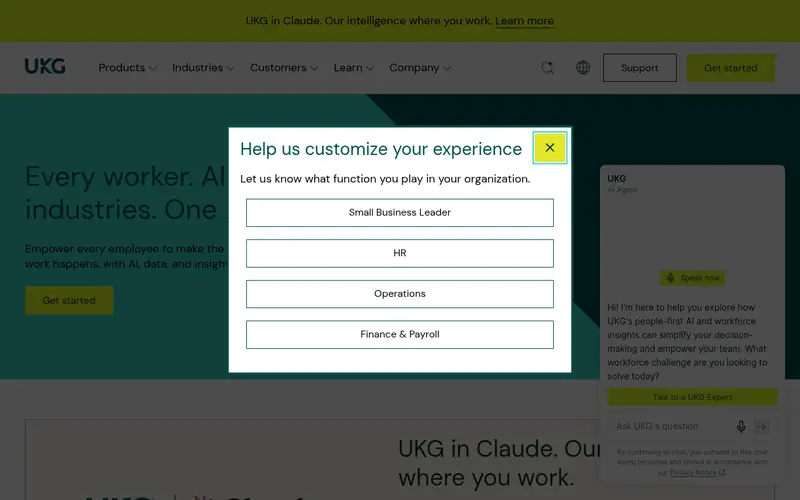
UKG Ready homepage

UKG Ready is a full HR suite with time and attendance, scheduling, PTO accrual and payroll connections. For trucking companies, it centralizes driver records, leave balances and shift data so HR and dispatch work from the same system. Pricing is quote-based and depends on modules and headcount. There is no free tier. Implementation involves configuration and training, so plan for a project timeline rather than a same-day switch. UKG Ready fits larger carriers that want one system for HR and attendance. Smaller fleets should compare lighter tools first, since the cost and setup effort are higher.

Free plan: No

Website: ukg.com

Strengths

  • Attendance, scheduling and HR records in one platform
  • strong reporting

Watch out for

  • No free plan or public pricing
  • setup takes time
7

Sling

Small fleets that need scheduling and clock-in together
See vendor pricing page
getsling.comHomepage, Nov 2026
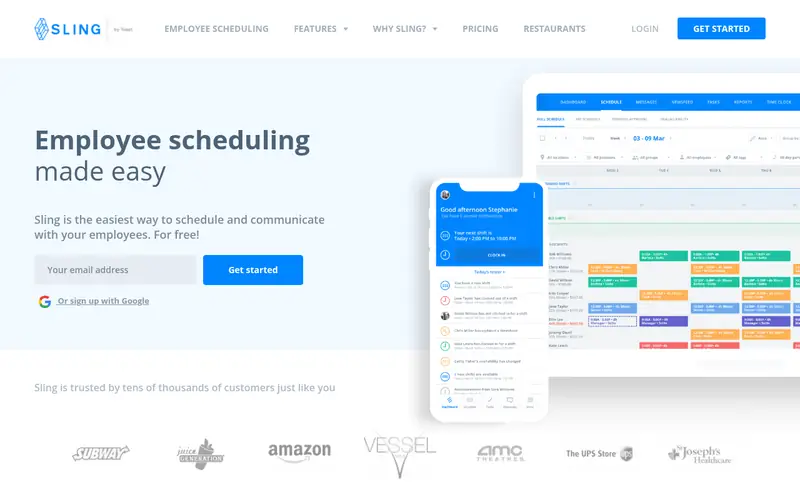
Sling homepage

Sling combines shift scheduling, time clock and team messaging. Drivers see their schedule on the app, clock in at the start of a shift, and managers review hours. PTO requests can be handled in the same place. Sling offers a free plan for small teams, with paid tiers that add features and remove limits. The vendor lists current plan details on its site. Payroll integrations exist but are lighter than dedicated payroll tools. Sling suits small carriers that want scheduling and attendance without a heavy HR system. Skip it if you need detailed pay rules, multi-state compliance or deep reporting.

Free plan: Yes

Website: getsling.com

Strengths

  • Free plan for small teams
  • scheduling, clock-in and messaging in one app

Watch out for

  • Limited payroll depth
  • attendance reporting is basic

Which attendance tracking software for trucking companies should I use if I run a fleet of 15 drivers and want to start free?

Start with Homebase, whose free plan covers up to 20 employees and includes mobile clock-in with location. If you need scheduling plus messaging, Sling has a free plan for small teams. If you mainly want a simple hours record with unlimited users, Clockify's free plan fits. For payroll inside QuickBooks, QuickBooks Time offers a 30-day trial before per-user pricing starts.

Is Homebase better than Deputy for attendance tracking software for trucking companies?

Homebase is better for very small fleets that want a free plan for up to 20 employees. Deputy is better for mixed driver and office teams that need scheduling and attendance in one app with a longer trial. Homebase has a permanent free tier; Deputy offers a 31-day trial and then per-user pricing. Both capture location on mobile clock-in.

Pre-purchase checklist

  • Confirm the tool records mobile clock-in with location, since drivers are rarely at a fixed terminal.
  • Check whether PTO accrual and leave balances are included or cost extra.
  • Verify payroll export works with your current payroll provider.
  • Ask how the plan counts users and whether office staff need paid seats.
  • Confirm the tool does not replace your ELD and does not claim to handle hours of service.

FAQ

What is the best attendance tracking software for trucking companies?

Homebase is a strong first choice for small fleets because its free plan covers up to 20 employees and includes mobile clock-in with location. Deputy and QuickBooks Time are good alternatives for scheduling and payroll integration. Larger carriers with complex pay rules should compare TimeClock Plus and UKG Ready.

Can attendance tracking software replace an ELD for drivers?

No. Attendance tools record clock-in, shifts and PTO. They do not record hours of service or meet ELD rules. Trucking companies still need a certified ELD for driver hours, and attendance software sits alongside it for payroll and HR records.

Do these tools track driver location when they clock in?

Homebase, Deputy and QuickBooks Time capture location on mobile clock-in. That helps confirm a driver is at a terminal or job site. It is not continuous GPS tracking, and it does not replace fleet telematics.

Is there free attendance tracking software for small trucking companies?

Yes. Homebase offers a free plan for up to 20 employees, Clockify offers a free plan with unlimited users, and Sling has a free plan for small teams. Feature limits differ, so check what each free plan includes before relying on it.

How much does attendance tracking software cost for a trucking company?

Most tools here use per-user monthly pricing, and the vendors publish current rates on their pricing pages. TimeClock Plus and UKG Ready are quote-based. Cost depends on headcount, modules and whether you need payroll, scheduling or PTO features.