
IT Management · Researched comparison

Top 7 Firewall Software for Homelabs for 2026, Compared

TaskReports may earn a fee from some links on this page, and some placements are paid and labelled. Neither one decides the order. See our disclosure.

The short answer

If you need a completely free firewall with no paywalled features, IPFire is the first tool to look at here. If your case is different, OPNsense suits a modern, community-driven open source firewall and pfSense suits the default homelab firewall for most users. The remaining 4 options are covered below with prices and limits.

On this page

Key takeaways

  • This list starts with IPFire, which is built for a completely free firewall with no paywalled features.
  • Untangle NG Firewall, MikroTik RouterOS and Sophos Firewall Home Edition: pricing is by quote only, so plan time for a sales conversation.
  • IPFire, OPNsense, pfSense, VyOS: these are the 4 tools out of 7 that offer a free plan.
  • Sophos Firewall Home Edition fits enterprise-grade firewall features at home.

Quick comparison

ToolPrice fromFree planDomain
------------
IPFireFreeYesipfire.org
OPNsenseFreeYesopnsense.org
pfSenseFreeYespfsense.org
VyOSFreeYesvyos.io
Untangle NG FirewallSee websiteNot stateduntangle.com
MikroTik RouterOSSee websiteNot statedmikrotik.com
Sophos Firewall Home EditionSee websiteNot statedsophos.com
★ Best overall

IPFire

A completely free firewall with no paywalled features

  • Free to download
  • Free forever

IPFire makes the most sense for a completely free firewall with no paywalled features. The ecosystem also comes with IPFire Location, a free, cryptographically signed IP geolocation database used by Tor and F-Droid, and IPFire DBL, a community-powered domain blocklist that works alongside the Suricata-based intrusion prevention system. The starting price for IPFire: Free. IPFire has a free plan. Points against: Smaller community than pfSense and OPNsense, fewer external packages. Upsides: free to run; latest release IPFire 2.29 Core Update 204 from October 14.

Price: Free

Free plan: Yes

Website: ipfire.org

Watch out for

  • Interface less refined than commercial choices
2

OPNsense

A modern, community-driven open source firewall

Free

Think of OPNsense for a modern, community-driven open source firewall. With the free OPNsense product, you get all the features of pricey commercial firewalls and more, with open and verifiable sources developed with and for a large user community of over 300,000 participants worldwide. Watch-outs: Smaller ecosystem than pfSense. On top of that, the system contains built-in support for Unbound DNS, strict port forwarding, GeoIP support, and much more, and community members praise its quality: one user with 16 years of Linux experience calls it possibly the best piece of open source software they have ever encountered, with flawless updates. On cost, OPNsense starts like this: Free. Free access exists with OPNsense.

Free plan: Yes

Website: opnsense.org

Strengths

  • Simplified 2-clause BSD and MIT license
  • Business Edition for turnkey use

Watch out for

  • Hardware appliances are European-built and may cost more to ship
3

pfSense

The default homelab firewall for most users
Free

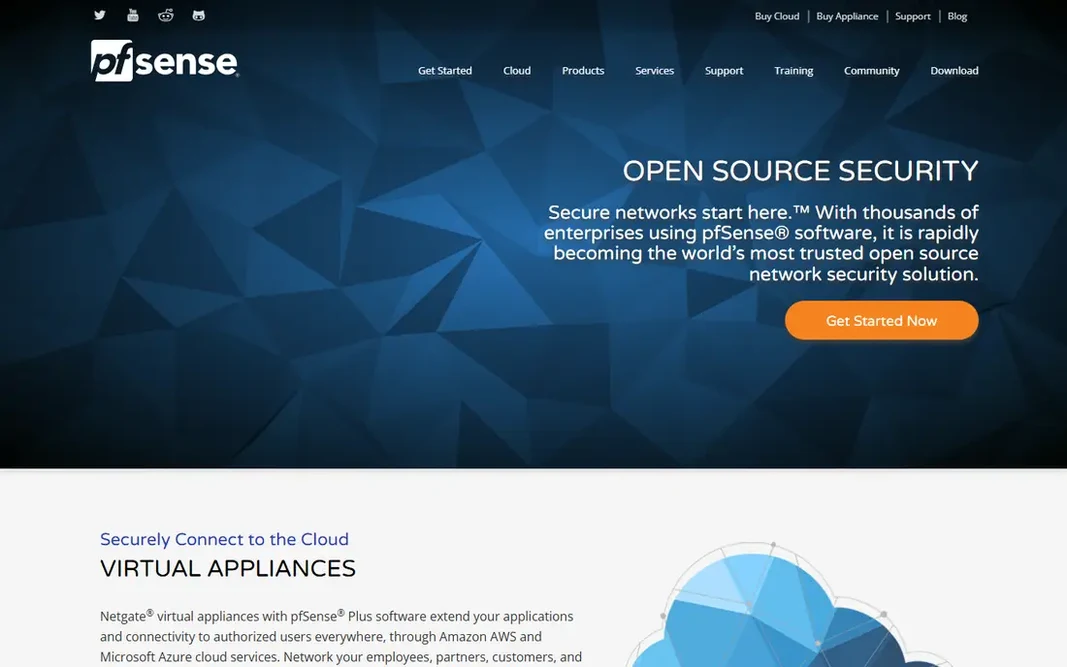
pfSense is built with the default homelab firewall for most users in mind. Community feedback on the homepage displays the range: public WiFi with 2 WANs and 700 plus concurrent captive portal users protected with Snort and stable for months, home accelerates rising from 250 Mbps to 500 Mbps, and native IPv6 from Comcast handled cleanly. As for the details, Netgate staff supply product support with direct access to the pfSense development team, and Netgate training is the only official source for pfSense courses. Price to start with pfSense: Free. pfSense offers a free plan. What to check first: interface feels dated to some users.

Free plan: Yes

Website: pfsense.org

Strengths

  • Cloud virtual appliances from $0.08 per hour
  • Full firewall, VPN

Watch out for

  • Hardware requirements higher than OpenWrt
4

VyOS

CLI-first routing, firewall, and VPN for engineers
Free

VyOS is a good fit for CLI-first routing, firewall, and VPN for engineers. VyOS is a high-performance, enterprise-grade open networking product for bare metal, cloud, and edge, built on the principle that your network should be truly yours: adaptable, transparent, and free from unnecessary restrictions or expensive licensing. More specifically, configuration is plain-text, documented, and auditable, with commit and rollback and full automation through REST and GraphQL APIs, Ansible, Terraform, and cloud-init. Routing spans BGP, OSPF, IS-IS, RIP, policy-based routing, and MPLS, whereas VPN handles IPsec, WireGuard, OpenVPN, and more. On cost, VyOS starts like this: Free. A free plan is available with VyOS. Downsides: or VyOS for Good membership; no web GUI as the primary interface.

Free plan: Yes

Website: vyos.io

Strengths

  • VPN on standard x86 hardware
  • Stateful and zone-based firewall

Watch out for

  • LTS images need a subscription, contributor
5

Untangle NG Firewall

Modular edge security with a single system
See website

Untangle NG Firewall is designed for modular edge security with a single platform. Untangle NG Firewall, now under Arista's Edge Threat Management, takes the complexity out of network security with a single, modular system that suits evolving needs without the headaches of several vendor options. Its homepage calls NG Firewall the number 1 choice of IT pros. What users get: free trial available. Drawbacks to consider: pricing not shown plainly on homepage. It serves industries from K-12 schools and higher education to healthcare, hospitality, nonprofits, and government, with special pricing for qualifying public schools, libraries, government institutions, NGOs, private schools, religious organizations, and other nonprofits. Worth adding: the system offers NG Firewall apps, an ETM dashboard with a mobile app, software packages, and a free trial. For homelab users who want a refined, modular commercial firewall with a free trial, Untangle NG Firewall is worth testing. Untangle NG Firewall does not show a starting price in this comparison, so check the vendor site for current pricing. Free plan details: Not stated.

Free plan: Not stated

Website: untangle.com

Strengths

  • NG Firewall is the number 1 choice of IT pros
  • Now part of Arista's Cognitive Unified Edge

Watch out for

  • Commercial focus may suit homelabs less than open source choices
6

MikroTik RouterOS

Low-cost hardware with a feature-rich firewall built in
See website

MikroTik RouterOS works best for low-cost hardware with a feature-rich firewall built in. MikroTik supplies routers, switches, and wireless systems for every type of network, from home offices and small businesses to carrier-grade ISP infrastructure, with a device to fit your needs and budget. What to check first: RouterOS license levels vary. Worth adding: for homelabs, the appeal is price: a small MikroTik router with RouterOS hands you a capable firewall, VLANs, VPN, and scripting for far less than a dedicated appliance, and you can grow into switches and wireless from the same vendor. This comparison lists no price for MikroTik RouterOS; ask the vendor. Free options: Not stated.

Free plan: Not stated

Website: mikrotik.com

Strengths

  • Wireless for every network size
  • Routers, switches

Watch out for

  • Ramp-up time for beginners
7

Sophos Firewall Home Edition

Enterprise-grade firewall features at home
See website

For enterprise-grade firewall features at home, Sophos Firewall Home Edition is a natural candidate. Sophos is a cybersecurity vendor concentrated on cyber resilience, with the only vendor named Gartner Customers Choice for endpoint, firewalls, mobile threats, and MDR, and 625,000 plus customers worldwide. The main drawbacks: Vendor homepage is the central Sophos site. Its Sophos Fusion defense system is described as the industry's most complete cyber defense system, protecting organizations from threats moving at AI speed, with an approach that blocks more threats upfront to minimize risk and cut investigation time. Check Sophos's site for current home edition availability, hardware requirements, and license terms before installing. No starting price is listed for Sophos Firewall Home Edition here; confirm pricing on the vendor site. Free options: Not stated. Highlights: solid prevention and threat intelligence.

Free plan: Not stated

Website: sophos.com

Strengths

  • Sophos Fusion defense system
  • From a vendor with 625,000 plus customers worldwide

Watch out for

  • Home edition terms and limits not shown plainly, commercial focus

FAQ

Which options for firewall software for homelabs have a free plan?

On this list, IPFire, OPNsense, pfSense and VyOS include a free plan. Caps on seats, usage or features are common, so test the free plan against your real workload.

Can I try these tools before paying?

Often, yes. IPFire, OPNsense, pfSense and VyOS have a free plan. Use your own data and a real task during the test, and check what the free tier or trial limits before you rely on it.

Can I run a firewall on an old PC?

Yes. pfSense, OPNsense, IPFire, and VyOS all run on standard x86 hardware, including old PCs with two network ports. Add a second network card if your PC has only one, and use a small SSD for reliability.

What is the best firewall software for homelabs?

The first pick on this list is IPFire, because it suits a completely free firewall with no paywalled features. OPNsense is better for a modern, community-driven open source firewall, and pfSense for the default homelab firewall for most users. Check price and limits against your own needs before choosing.

Is IPFire the right pick for everyone comparing firewall software for homelabs?

No single tool suits every team. IPFire comes first because it fits a fully free firewall with no paywalled features, while OPNsense suits a modern, community-driven open source firewall and pfSense suits the default homelab firewall for most users. Match the tool to your own size, budget and workflow before deciding.

Is pfSense or OPNsense better for a homelab?

Both are very good. pfSense has the largest community and the longest record, whereas OPNsense has a more modern interface, a more straightforward BSD and MIT license, and a quicker release cadence.