HR and Workforce · Researched comparison

Best HR Software for Small Business in 2026: 6 Tools Compared

TaskReports may earn a fee from some links on this page, and some placements are paid and labelled. Neither one decides the order. See our disclosure.

The short answer

Rippling is the first pick on this list for expanding businesses that want HR, IT, and finance on one system. OnPay is better for small companies that want transparent, low-cost payroll and HR, and Gusto is better for small US companies that want payroll and benefits without complexity. All 6 tools are compared below on price, free plan and limits.

On this page

Key takeaways

  • Number one here is Rippling, a fit for expanding firms that want HR, IT, and finance on one system.
  • For the cheapest start, look at OnPay: $49 per month plus $6 per worker.
  • Gusto, TriNet: these are the 2 tools out of 6 that offer a free plan.
  • For small companies that want outsourced HR experts plus technology, TriNet is worth a look.
  • Paychex Flex comes with a trade-off: pricing is quote-based, interface can feel enterprise-grade, smaller teams may find it heavier than Gusto or OnPay.

Quick comparison

ToolIdeal forFree optionWatch out for
------------
RipplingExpanding firms that want HRDemoPricing is quote-based
OnPaySmall firms that want transparent, low-cost payroll and HRNot statedHR tools are simpler
GustoSmall US companies that want payroll and benefits withoutYesUS-focused
Paychex FlexFirms that want an established providerNot statedPricing is quote-based
JustworksSmall firms that want PEO benefits and payrollDemoPricing is quote-based
TriNetSmall companies that want outsourced HR experts plus technologyYesPricing is quote-based

How we chose

TaskReports used vendor pricing pages and product documentation as the base, then compared plans, free access and documented limits for 6 tools. Where a vendor does not publish a price, the entry says quote. Where a price depends on seats or billing term, the entry says so. The ranking is editorial: typical fit first, then clear pricing, then free access. If your needs are unusual, read the profiles rather than relying on position.

★ Best overall

Rippling

Expanding firms that want HR, IT, and finance on one system

  • Solid automation
  • Global payroll and hiring
PriceSee website
See Rippling pricing

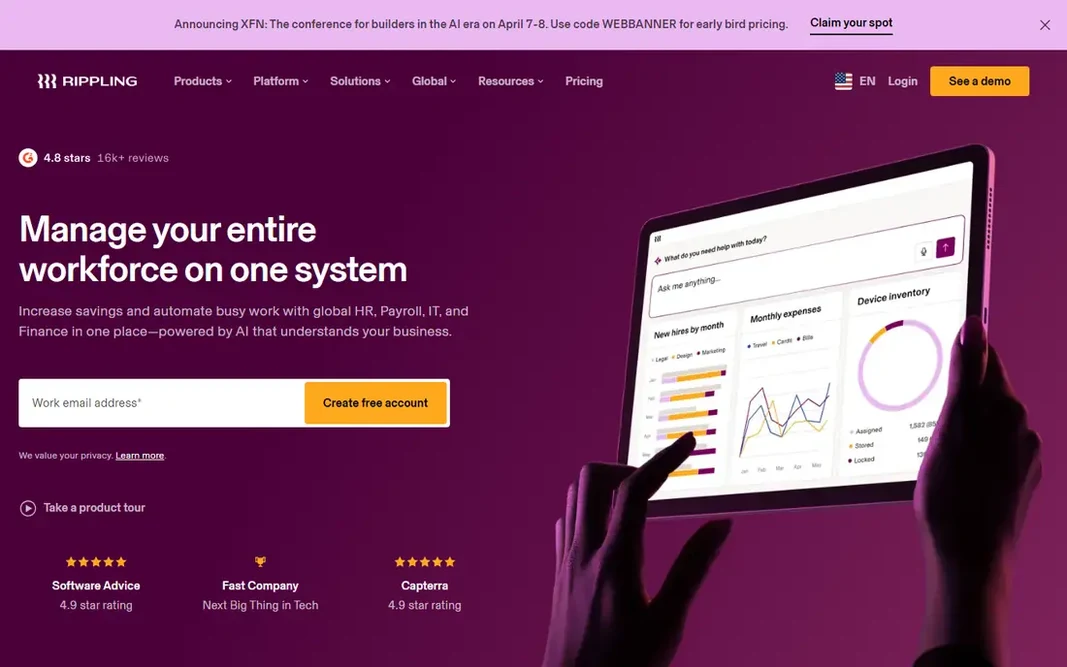
Rippling targets expanding companies that want HR, IT, and finance on one system. Rippling describes itself as a workforce management system instead of just HR software, and that framing is accurate. That shared foundation is Rippling's main advantage. More specifically, permissions and approvals are role-based and enforced everywhere, reporting joins workforce and business data, and automation removes handoffs between departments. It also manages global hiring and payroll, which matters for small firms that hire contractors or employees abroad. In daily use, the drawback is fit for the smallest teams. Rippling shows no starting price here, so confirm the cost on the vendor site. Free access: Demo. Where it falls short: Pricing is quote-based.

Price: See website

Free plan: Demo

Website: rippling.com

Watch out for

  • Best value comes from using several modules
2

OnPay

Small firms that want transparent, low-cost payroll and HR
$49 a month plus $6 per worker

In short, OnPay is for small firms that want transparent, low-cost payroll and HR. No sales pitch is required to see the number, which is refreshing in a market where most vendors hide pricing behind a quote form. What to check first: benefits choices are leaner. Highlights: free data migration when switching. Time tracking with mobile clock-in and geofencing feeds hours straight into payroll. On cost, OnPay starts like this: $49 per month plus $6 per worker. Trial and free access: Not stated.

Free plan: Not stated

Website: onpay.com

Strengths

  • Clear published pricing
  • Full-service payroll with automated tax filing

Watch out for

  • HR tools are more straightforward
3

Gusto

Small US companies that want payroll and benefits without complexity
See website

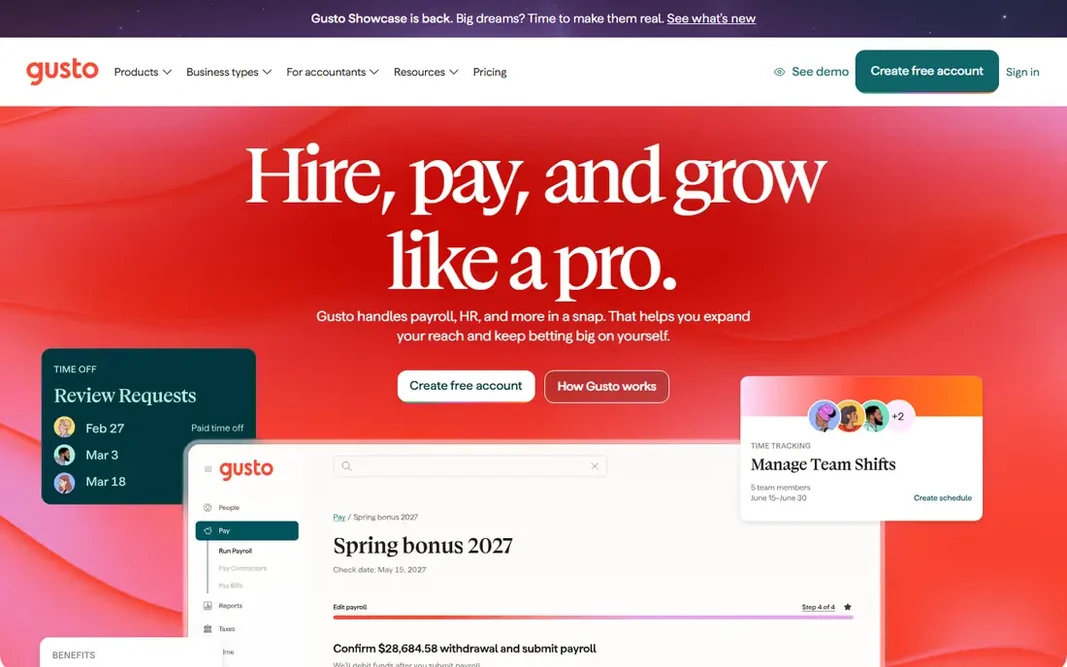
Gusto makes the most sense for small US companies that want payroll and benefits without complexity. Gusto is aimed at US employers, so firms with international staff will need a different tool. Gusto is the most widely used starting point for small US firms choosing HR software, and its homepage presents why: payroll in minutes, automatic tax filing, and benefits handled in the same place. The main drawbacks: US-focused. What works well: free account until you run payroll. Beyond that, Gusto files taxes, deals with compliance tasks for example required trainings and policies, and supplies health, dental, vision, and 401(k) benefits even for very small teams. Plan prices are not published plainly on the homepage, so you will have to compare plans on its pricing page. More specifically, the workflow is straightforward. You produce a free account, add your team or let them self-onboard, and run your first payroll. Pricing for Gusto is not stated here, so ask the vendor for current figures. Free access exists with Gusto.

Free plan: Yes

Website: gusto.com

Strengths

  • Automatic tax filing
  • Very simple payroll setup

Watch out for

  • Pricing varies by plan and is not shown plainly on the homepage
4

Paychex Flex

Firms that want an established provider with deep HR expertise
See website

Paychex Flex serves firms that want an established provider with deep HR expertise. The drawbacks are price transparency and weight. If you value a provider with decades of history and the widest support bench, Paychex Flex is a safe long-term choice. Watch-outs: interface can feel enterprise-grade. Worth adding: PEO services are available for firms that want to outsource more. The system scales from a first hire to hundreds of employees without a migration. Also, automation takes care of routine payroll and tax work, whereas a large team of HR experts supports the questions software cannot answer. More specifically, the strength of Paychex is depth. Paychex Flex shows no starting price here, so confirm the cost on the vendor site. Free plan details: Not stated.

Free plan: Not stated

Website: paychex.com

Strengths

  • Around 840,000 companies trust Paychex
  • All-in-one Flex product

Watch out for

  • Pricing is quote-based
5

Justworks

Small firms that want PEO benefits and payroll that grows with them
See website

Justworks makes the most sense for small companies that want PEO benefits and payroll that grows with them. Through the PEO model, small teams can offer benefits from large carriers like Aetna, Kaiser Permanente, and MetLife, which would be hard to secure alone. More specifically, the practical benefit is access. In daily use, as your needs shift, you can add time tracking, dedicated HR consulting, contractor management, and international hiring without learning a new system. For everyday use, companies that only need payroll will find less expensive, more straightforward tools here. It processed more than $31 billion in payroll in 2025 and supports over 4,000 tax localities, which presents the scale behind its small-business focus. Pricing for Justworks is not stated here, so ask the vendor for current figures. Free options: Demo. What to check first: Pricing is quote-based.

Free plan: Demo

Website: justworks.com

Strengths

  • Access to large-carrier benefits
  • Solid customer support

Watch out for

  • Some features unlock only at higher levels
6

TriNet

Small companies that want outsourced HR experts plus technology
See website

TriNet was built for small companies that want outsourced HR experts plus technology. TriNet processes about $70 billion in payroll per year and serves more than 22,000 firms, so its systems are proven at scale. In practice, you get HR experts backed by technology, instead of software alone, which helps when you face a tricky compliance question, a leave issue, or a benefits decision. Where it falls short: PEO model means co-employment for some plans. As for the details, pricing is quote-based. The trade-offs are model and price. Pricing for TriNet is not stated here, so ask the vendor for current figures. You can start on TriNet without paying. What TriNet does well: benefits and payroll handled.

Free plan: Yes

Website: trinet.com

Strengths

  • PEO and HR product choices
  • Real HR experts on call

Watch out for

  • More involved onboarding than pure software

FAQ

Can HR software manage benefits?

Yes, most tools here offer benefits administration, including health, dental, vision, and retirement plans. PEO providers usually offer the broadest benefits access, while more straightforward payroll tools offer leaner choices.

How are the tools for HR software for small business ordered?

The order follows typical fit for HR software for small business, with Rippling first and TriNet last, then price clarity and free access. It is editorial judgement, not a score, so another team could rank the tools differently.

What is the best HR software for a very small business?

Start with Rippling if you need growing firms that want HR, IT, and finance on one system. OnPay is the better match for small companies that want transparent, low-cost payroll and HR, and Gusto for small US firms that want payroll and benefits without complexity. The best choice depends on budget, team size and workflow.

Do these tools publish their prices?

Not all of them. Rippling, Gusto, Paychex Flex and others publish no starting price, so expect a quote request for those. The rest, OnPay included, show a starting price, though seats and billing terms still change the final cost.

Is Rippling the right pick for everyone comparing HR software for small business?

No single tool suits every team. Rippling comes first because it fits growing businesses that want HR, IT, and finance on one system, while OnPay suits small businesses that want transparent, low-cost payroll and HR and Gusto suits small US businesses that want payroll and benefits without complexity. Match the tool to your own size, budget and workflow before deciding.

Can I switch HR providers later?

Yes, but switching takes planning. Run the switch between payroll cycles, confirm year-to-date figures transfer correctly, and keep old records accessible for tax purposes.