How we rank
HR and Workforce · Researched comparison

Best Meal Break Compliance Software in 2026

TaskReports may earn a fee from some links on this page, and some placements are paid and labelled. Neither one decides the order. See our disclosure.

The short answer

Workday HCM suits large employers that want break rules enforced inside scheduling and timekeeping. Deputy is a strong alternative for shift-based teams that need break enforcement at the schedule level. When the priority is a dedicated break and rest enforcement layer on top of existing timekeeping, Time Doctor is worth a look. All three connect break rules to actual clocked time, which is the core requirement for meal break compliance.

On this page

Key takeaways

  • Meal break compliance software ties break rules to timekeeping, so a late or missed break is flagged automatically.
  • Most tools here start with a per-user monthly fee, and several offer a free trial instead of a free plan.
  • The right pick depends on whether you need scheduling, payroll-level timekeeping, or a dedicated break enforcement layer.
  • Confirm the entry price on the vendor pricing page, since plans and limits change.

Quick comparison

ToolBest fitStarting price
Workday HCMLarge employers with complex break rulesSee vendor pricing page
DeputyShift-based teams enforcing breaks at schedulingSee vendor pricing page
Time DoctorBreak enforcement on top of existing timekeepingSee vendor pricing page
HomebaseSmall businesses tracking breaks and hoursSee vendor pricing page
When I WorkHourly teams needing schedule-based break rulesSee vendor pricing page
QuickBooks TimeTeams already using QuickBooks for payrollSee vendor pricing page
ClockifyBudget-conscious teams needing break recordsSee vendor pricing page

How we chose

We selected products that connect meal break rules to actual recorded time, through scheduling, time clocking, or break reporting. Criteria were fit for meal break compliance, published entry pricing or a clear free option, and the main limits a buyer would hit. Sources are vendor websites and public documentation. Prices and plan limits change, so confirm details on the vendor site before buying.

★ Best overall

Workday HCM

Large employers with complex break rules

  • Break rules enforced inside scheduling and timekeeping
  • Strong audit trail for compliance reporting
PriceSee vendor pricing page
See Workday HCM pricing
workday.comHomepage, Nov 2026
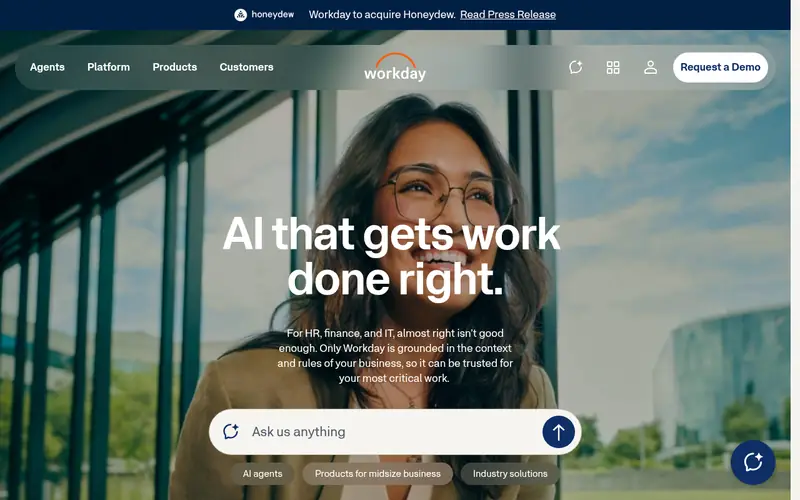
Workday HCM homepage

Workday HCM handles meal break compliance as part of its time tracking and scheduling modules. Break rules can be configured so that a scheduled meal period is required, and exceptions surface when a break is missed, shortened, or taken late. Because time data flows into payroll, the break record and the pay record stay linked, which matters for audit and for state-specific meal period rules. Plan structure is quote-based. Workday does not publish an entry price, and the cost depends on modules, headcount, and implementation. There is no free plan. The product is built for mid-size and large organizations, so small teams usually find the setup and cost hard to justify. Skip it if you need a fast, low-cost start with a self-serve signup.

Price: See vendor pricing page

Free plan: No

Website: workday.com

Watch out for

  • Quote-based pricing is not public
  • Setup requires implementation effort
2

Deputy

Shift-based teams enforcing breaks at scheduling

See vendor pricing page
deputy.comHomepage, Nov 2026
Deputy homepage

Deputy connects meal break compliance to the schedule. You set break rules, and shifts that require a meal break show it on the schedule and in the employee's clock-in flow. When someone clocks in, the break is tracked against the rule, and managers can see missed or late breaks. This makes it a practical fit for retail, hospitality, and healthcare teams where breaks are scheduled rather than assumed. Deputy publishes plan tiers but the entry price varies by region and billing cycle, so confirm it on the vendor pricing page. A free trial is offered. Some compliance and reporting features sit on higher tiers, so check the plan comparison before committing. Teams that only need simple time clocking may find the scheduling layer more than they need.

Free plan: Free trial (31 days)

Website: deputy.com

Strengths

  • Break rules attach to shifts and show on the schedule
  • Employees can clock breaks from mobile

Watch out for

  • Advanced compliance features sit on higher plans
  • Pricing varies by plan and region
3

Time Doctor

Break enforcement on top of existing timekeeping
See vendor pricing page
timedoctor.comHomepage, Nov 2026
Time Doctor homepage

Time Doctor is a time tracking tool with break tracking built in. It records break time separately from work time, can prompt employees to take breaks, and reports break duration so managers can spot patterns of missed or shortened meal periods. For teams that already have payroll and scheduling elsewhere, it works as a break enforcement layer rather than a full replacement. Pricing is per user and published in tiers, but the exact entry price changes, so check the vendor pricing page. A free trial is available. The tool is strongest for remote and distributed teams. It is not a scheduling system and does not replace a full HR platform, so organizations that need break rules tied to shifts should pair it with a scheduler.

Free plan: Free trial (14 days)

Website: timedoctor.com

Strengths

  • Break reminders and break-time tracking
  • Reports show break duration against policy

Watch out for

  • Focused on time tracking, not full HR
  • Per-user pricing adds up for large teams
4

Homebase

Small businesses tracking breaks and hours
See vendor pricing page
joinhomebase.comHomepage, Nov 2026
Homebase homepage

Homebase combines scheduling, time clocking, and break tracking for small businesses. Employees clock in and out for meal breaks, and the timesheet records break length so managers can check it against policy. It is aimed at hourly teams in retail, food service, and similar settings where meal break rules are a daily concern. Homebase offers a free plan for a single location with core scheduling and time clock features, plus paid plans for more locations and advanced tools. Free plan limits apply, so confirm current caps on the vendor pricing page. It suits small employers that want one simple app. Larger or multi-state employers with complex meal period rules will likely outgrow it.

Free plan: Yes

Website: joinhomebase.com

Strengths

  • Free tier for a single location
  • Breaks and hours tracked in one app

Watch out for

  • Free plan limits are capped
  • Advanced compliance tools need a paid plan
5

When I Work

Hourly teams needing schedule-based break rules
See vendor pricing page
wheniwork.comHomepage, Nov 2026
When I Work homepage

When I Work focuses on scheduling and time tracking for hourly teams. Break rules can be attached to shifts, and employees clock breaks through the mobile app, so late or missed meal breaks are visible to managers. Attendance and timesheet views show break data alongside worked hours. Pricing is per user, and the entry price depends on the plan and add-ons, so confirm it on the vendor pricing page. A free trial is offered. The tool is a good fit for restaurants, retail, and other shift-heavy operations. It is not a payroll or HR system, so break data has to be exported or integrated for payroll and audit use.

Free plan: Free trial (14 days)

Website: wheniwork.com

Strengths

  • Break rules built into shift scheduling
  • Mobile clock-in with break prompts

Watch out for

  • Payroll and HR features are limited
  • Pricing is per user and per feature
6

QuickBooks Time

Teams already using QuickBooks for payroll
See vendor pricing page
quickbooks.intuit.comHomepage, Nov 2026
QuickBooks Time homepage

QuickBooks Time tracks work and break time and passes it to payroll. Employees can clock meal breaks, and timesheets show break duration next to worked hours. For employers already running payroll in QuickBooks, this keeps break records and pay records in one place, which helps with meal break compliance checks. Pricing is per user with tiers, and the entry price changes, so check the vendor pricing page. A free trial is available. The tool is strongest for small and mid-size businesses on QuickBooks payroll. Teams on other payroll systems may find the integration value lower and should compare standalone time tools first.

Free plan: Free trial (30 days)

Website: quickbooks.intuit.com/time-tracking

Strengths

  • Break tracking flows into payroll
  • Timesheets show break and work time separately

Watch out for

  • Best value only inside the QuickBooks ecosystem
  • Some features cost extra per user
7

Clockify

Budget-conscious teams needing break records
See vendor pricing page
clockify.meHomepage, Nov 2026
Clockify homepage

Clockify is a time tracking tool that records break time as a separate entry, so timesheets show worked and break hours distinctly. That gives managers a record to check against meal break policy. It is simple to set up and works for office and remote teams as well as some hourly operations. Clockify has a free plan with core time tracking for unlimited users, and paid tiers add admin and reporting features. Free plan limits apply to advanced features, so confirm current terms on the vendor pricing page. It is a low-cost way to keep break records, but it does not enforce break rules automatically and its compliance reporting is basic. Employers with strict state meal period rules should look at tools built for enforcement.

Free plan: Yes

Website: clockify.me

Strengths

  • Free plan covers unlimited users
  • Break time recorded separately from work time

Watch out for

  • Limited break enforcement automation
  • Compliance reporting is basic

Pre-purchase checklist

  • Confirm the tool records meal break start and end separately from worked time.
  • Check whether break rules can be set by location or state, not just one global rule.
  • Ask whether missed or late breaks trigger alerts for managers.
  • Verify break data exports to payroll and to an audit-ready report.
  • Confirm the entry price, per-user costs, and any free plan limits on the vendor pricing page.

FAQ

What does meal break compliance software do?

It ties meal break rules to recorded time. It can require a break on a shift, track when the break starts and ends, flag missed or late breaks, and produce records for audits and payroll. Some tools enforce rules at scheduling; others track breaks at the time clock.

Do I need a full HR suite for meal break compliance?

Not always. Scheduling and time tracking tools can enforce and record meal breaks for hourly teams. A full HR suite makes sense when break rules vary by state, must flow into payroll, and need a long audit trail across many locations.

Can these tools handle state-specific meal period rules?

Some can. Workday HCM and Deputy allow break rules by location or group, which helps where state rules differ. Simpler time tools usually apply one break policy, so check rule flexibility before buying if you operate in several states.

Is there free meal break compliance software?

Homebase and Clockify offer free plans with core time and break tracking. Free plans have limits on locations, advanced features, or reporting. For strict enforcement and audit reporting, a paid plan is usually required.

How do I confirm pricing?

Vendor pricing pages list current plans and per-user rates. Because prices and plan limits change, confirm the entry price, free plan terms, and trial length on the vendor site before you commit.




