How we rank
HR and Workforce · Researched comparison

Best Multilingual Time Tracking Software in 2026

TaskReports may earn a fee from some links on this page, and some placements are paid and labelled. Neither one decides the order. See our disclosure.

The short answer

Clockify is the first pick for most teams that need a multilingual time tracking interface, because it publishes a long interface language list and a free plan for unlimited users. Toggl Track suits small teams that want simple timers and a free plan for up to five users. Zoho Projects fits teams that want time tracking tied to project and client reporting across a broad language set.

On this page

Key takeaways

  • Clockify offers the widest published interface language list and a free plan for unlimited users.
  • Toggl Track, Harvest and Wrike publish entry prices per user per month, but list prices differ by billing term and currency.
  • Zoho Projects and Wrike bundle time tracking with project and client reporting rather than selling it as a standalone tool.
  • Interface language count and per-user language settings are separate features; confirm both on the vendor site before buying.

Quick comparison

ToolBest fitStarting price
ClockifyTeams that want a free multilingual timer and timesheet toolSee vendor pricing page
Toggl TrackSmall teams that want a simple multilingual timerSee vendor pricing page

HarvestClient teams that bill hours across language regionsSee vendor pricing page
Zoho ProjectsTeams that want time tracking inside project managementSee vendor pricing page
WrikeLarger teams that need timesheets and project reportingSee vendor pricing page
HubstaffRemote teams that need time tracking with activity dataSee vendor pricing page
ClickTimeAgencies that need timesheets and client billingSee vendor pricing page

How we chose

We picked tools that publish a multilingual interface and support timesheets, work hours or project time reporting. We checked fit for the use case, published entry price, free access and main limits on each vendor's own site and public documentation. We did not run hands-on tests or collect user reviews. Prices and plan limits change, so confirm them on the vendor site before you buy.

Best overall

Clockify

Teams that want a free multilingual timer and timesheet tool

  • Free plan for unlimited users
  • long published interface language list
PriceSee vendor pricing page
See Clockify pricing
clockify.meHomepage, Nov 2026
Clockify homepage

Clockify is a time tracker and timesheet tool with a web and desktop interface offered in many languages. Users can start a timer, log hours manually or fill a weekly timesheet, and the same records feed project and client reports. For multilingual teams, the interface language can be set per user, so one office can work in one language while another works in a different one. The free plan covers unlimited users and unlimited tracking. Paid tiers add features such as admin controls, invoicing and more detailed reporting. The exact entry price changes by billing term and currency, so check the vendor pricing page before you commit. Skip Clockify if you need payroll or invoicing as the core function rather than time tracking with reporting attached.

Price: See vendor pricing page

Free plan: Yes

Website: clockify.me

Watch out for

  • Some reporting features sit behind paid tiers
  • setup takes time for larger teams
2

Toggl Track

Small teams that want a simple multilingual timer
See vendor pricing page
toggl.comHomepage, Nov 2026
Toggl Track homepage

Toggl Track is a timer-first time tracking tool with a web, desktop and mobile interface offered in multiple languages. Users start and stop a timer against a project, and the data rolls up into reports by project, client and team member. It suits freelancers and small teams that want a low-friction timer rather than a full project suite. The free plan covers up to five users. Paid plans add billable rates, more report types and admin features. The entry price depends on the billing term, so confirm it on the vendor pricing page. Skip Toggl Track if you need a free plan for more than five users or deep project management in the same tool.

Free plan: Yes

Website: toggl.com/track

Strengths

  • Simple one-click timer
  • free plan for up to five users

Watch out for

  • Free plan caps users at five
  • advanced reporting is paid
3

Harvest

Client teams that bill hours across language regions
See vendor pricing page
getharvest.comHomepage, Nov 2026
Harvest homepage

Harvest is a time tracking and invoicing tool for teams that bill clients by the hour. Users log time against projects and tasks, and the data feeds reports and invoices. The interface is offered in several languages, which helps teams that serve clients in more than one region. There is no permanent free plan. New accounts get a 30-day free trial, and paid plans are billed per user. The entry price depends on the plan and billing term, so check the vendor pricing page. Skip Harvest if you need a free plan for ongoing use or if you do not bill clients by the hour.

Free plan: Free trial (30 days)

Website: getharvest.com

Strengths

  • Clear client and project hour reports
  • invoicing built in

Watch out for

  • No permanent free plan
  • per-user pricing adds up for large teams
4

Zoho Projects

Teams that want time tracking inside project management
See vendor pricing page
zoho.comHomepage, Nov 2026
Zoho Projects homepage

Zoho Projects is a project management tool with built-in timesheets. Users log hours against tasks, and managers review timesheets and reports by project and client. Zoho publishes a wide language list across its product family, and Zoho Projects itself is offered in multiple interface languages. The free plan is limited to a small number of projects and users. Paid plans are billed per user and add features such as custom roles and advanced reporting. Confirm the current entry price on the vendor pricing page. Skip Zoho Projects if you only need a timer and do not want a full project management suite.

Free plan: Yes

Website: zoho.com/projects

Strengths

  • Time tracking tied to tasks and projects
  • broad language support across Zoho

Watch out for

  • Free plan limits project count and users
  • interface can feel dense
5

Wrike

Larger teams that need timesheets and project reporting
See vendor pricing page
wrike.comHomepage, Nov 2026
Wrike homepage

Wrike is a work management platform with time tracking and timesheets. Users log time against tasks, and the data feeds project and resource reports. The interface is offered in multiple languages, which suits teams spread across regions. The free plan is limited in users and features. Paid plans are billed per user and add custom fields, approvals and advanced reporting. The entry price varies by plan and billing term, so check the vendor pricing page. Skip Wrike if you want a lightweight timer and do not need work management features.

Free plan: Yes

Website: wrike.com

Strengths

  • Timesheets tied to tasks and projects
  • multilingual interface

Watch out for

  • Free plan is limited
  • paid tiers are priced per user
6

Hubstaff

Remote teams that need time tracking with activity data
See vendor pricing page
hubstaff.comHomepage, Nov 2026
Hubstaff homepage

Hubstaff is a time tracking tool for remote and distributed teams. Users log time against projects and tasks, and optional features record activity levels and screenshots. The interface is offered in multiple languages, which helps teams that span regions. There is no permanent free plan. New accounts get a 14-day free trial, and paid plans are billed per user. The entry price depends on the plan and billing term, so confirm it on the vendor pricing page. Skip Hubstaff if your team objects to activity monitoring or if you need a free plan for ongoing use.

Free plan: Free trial (14 days)

Website: hubstaff.com

Strengths

  • Time tracking with activity and screenshot options
  • multilingual interface

Watch out for

  • No permanent free plan
  • activity tracking may not suit every team
7

ClickTime

Agencies that need timesheets and client billing
See vendor pricing page
clicktime.comHomepage, Nov 2026
ClickTime homepage

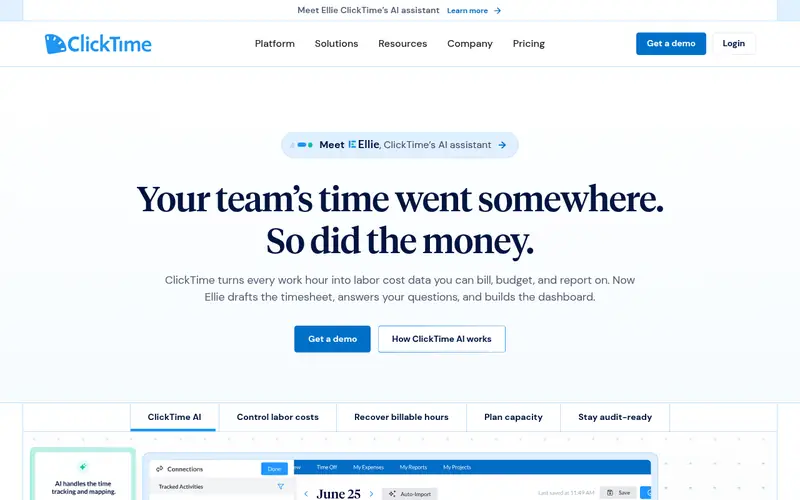
ClickTime is a timesheet and time tracking tool aimed at agencies and professional services teams. Users fill timesheets against projects and clients, and managers review utilization and billing reports. The interface is offered in multiple languages. There is no permanent free plan. New accounts get a 14-day free trial, and paid plans are billed per user. Some plans are quote-based, so check the vendor pricing page for the current entry price. Skip ClickTime if you need a free plan or a simple timer without billing reports.

Free plan: Free trial (14 days)

Website: clicktime.com

Strengths

  • Timesheets built for client billing
  • multilingual interface

Watch out for

  • No permanent free plan
  • pricing is quote-based for some plans

Which multilingual time tracking software should I use if my team works in three languages?

Start with Clockify, because it publishes a long interface language list and a free plan for unlimited users. If you bill clients by the hour, look at Harvest, which combines time tracking with invoicing. If you need time tracking inside project management, Zoho Projects ties hours to tasks and reports. If your team is remote and you want activity data, Hubstaff adds that on top of time tracking.

Is Clockify better than Toggl Track for multilingual time tracking software?

Clockify is the better fit if you need a free plan for more than five users and a long published interface language list. Toggl Track is the better fit if you want a simple timer and your team is five people or fewer, since its free plan caps users at five. Both offer paid plans with more reporting.

Pre-purchase checklist

  • Confirm the interface language list on the vendor site, not just the marketing page.
  • Check whether each user can set their own language or whether it is set for the whole account.
  • Confirm the free plan limits on users, projects and history before you rely on it.
  • Check how timesheets export to payroll or invoicing in your required languages.
  • Confirm the entry price for your billing term and currency on the vendor pricing page.

FAQ

What is the best multilingual time tracking software for small teams?

Clockify is a strong fit for small teams because its free plan covers unlimited users and its interface is published in many languages. Toggl Track is a simpler option for teams of five or fewer. Both offer paid plans when you need more reporting.

Does Toggl Track have a free plan?

Yes. Toggl Track offers a free plan for up to five users. Paid plans add features such as billable rates and more report types. Check the vendor pricing page for the current entry price and plan details.

Can I set a different interface language for each team member?

It depends on the tool. Clockify and several other tools let each user choose their own interface language. Others set one language for the whole account. Confirm this on the vendor site before you buy.

Do these tools support timesheets as well as timers?

Most do. Clockify, Harvest, Zoho Projects, Wrike and ClickTime all support timesheets in addition to timers. Toggl Track and Hubstaff are timer-first but include reporting. Check each vendor page for the exact timesheet features.

Are the prices in this guide final?

No. Prices and plan limits change, and billing terms and currencies affect the entry price. We list the published entry price where we are confident, and "See vendor pricing page" otherwise. Always confirm on the vendor site.