How we rank
HR and Workforce · Researched comparison

Best PTO Accrual Tracking Software in 2026

TaskReports may earn a fee from some links on this page, and some placements are paid and labelled. Neither one decides the order. See our disclosure.

The short answer

Gusto is the first pick for small US businesses that want PTO accrual tracking tied to payroll, because accrual policies and balances sit next to pay runs. BambooHR fits companies that need broader HR records with accrual tracking. Homebase is a lower-cost choice for hourly teams at one location, and it has a free plan. Teams that only need scheduling plus time off may prefer When I Work or Deputy.

On this page

Key takeaways

  • Gusto suits small US teams that want PTO accrual tracking built into payroll, with a monthly per-person fee plus a base fee.
  • BambooHR and Rippling handle accrual policies and approvals for growing companies, and both require a quote for pricing.
  • Homebase offers a free plan for a single location, while When I Work, Deputy and Clockify start with low-cost or free options.
  • Accrual rules differ by tool, so confirm caps, carryover and proration before you commit.

Quick comparison

ToolBest fitStarting price
GustoSmall US teams that run payroll and PTO together$49 per month plus $6 per person per month
BambooHRGrowing companies that want HR records and PTO in one placeSee vendor pricing page
RipplingCompanies that want PTO tracking connected to HR and ITSee vendor pricing page
HomebaseHourly teams at one location that need scheduling and PTO$0 for the free plan; paid plans start at $24.95 per location per month
When I WorkShift-based teams that need scheduling with time off requestsSee vendor pricing page
DeputyMulti-location teams that need scheduling, time and attendance, and leaveSee vendor pricing page
ClockifyTeams that want low-cost time tracking with PTO tracking$0 for the free plan; paid plans start at $3.99 per user per month

How we chose

We picked tools that list PTO accrual tracking as a feature and publish product information on their own websites. Criteria were fit for accrual tracking, entry price where it is published, free access, and the main limits of each plan. Sources are vendor product pages and public pricing pages. Prices change, so confirm current pricing on the vendor site before you buy.

★ Best overall

Gusto

Small US teams that run payroll and PTO together

  • PTO accrual policies connect to payroll
  • balances show on pay stubs
Price$49 per month plus $6 per person per month
See Gusto pricing
GustoHomepage image unavailable

Gusto is a payroll platform with built-in time off tracking. You set accrual policies by hours worked or per pay period, assign them to employees, and balances update as time is taken. Approved time off flows into payroll so paid leave is handled in the same system. This is the main reason teams pick it for PTO accrual tracking. Pricing uses a base monthly fee plus a per-person fee, and the entry tier covers core payroll and time off. Higher tiers add hiring and HR tools. The per-person fee rises with headcount, so larger teams should model cost before choosing. Companies outside the US should skip Gusto because its payroll and tax features are US-only.

Price: $49 per month plus $6 per person per month

Free plan: No

Website: gusto.com

Watch out for

  • US payroll focus limits use elsewhere
  • base fee applies on top of per-person cost
2

BambooHR

Growing companies that want HR records and PTO in one place
See vendor pricing page
bamboohr.comHomepage, Nov 2026
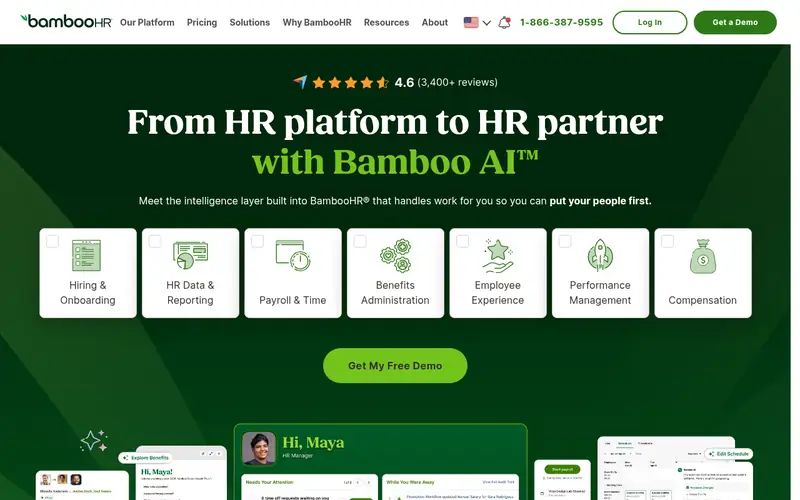
BambooHR homepage

BambooHR is an HR information system with a time off module. Admins create accrual policies, set accrual rates, and define caps and carryover limits. Employees request time off through self-service, and managers approve it. Balances update automatically, and the records sit alongside employee files, documents and reporting. BambooHR does not publish list prices. You request a quote, and cost depends on headcount and the modules you add. That makes it hard to compare on price alone. It suits companies that want one HR system rather than a standalone time off tool. Very small teams may find it more than they need and should compare lighter options first.

Free plan: Not stated

Website: bamboohr.com

Strengths

  • Accrual rules support caps and carryover
  • employees see balances in a self-service portal

Watch out for

  • Pricing requires a quote
  • no free plan
3

Rippling

Companies that want PTO tracking connected to HR and IT
See vendor pricing page
rippling.comHomepage, Nov 2026
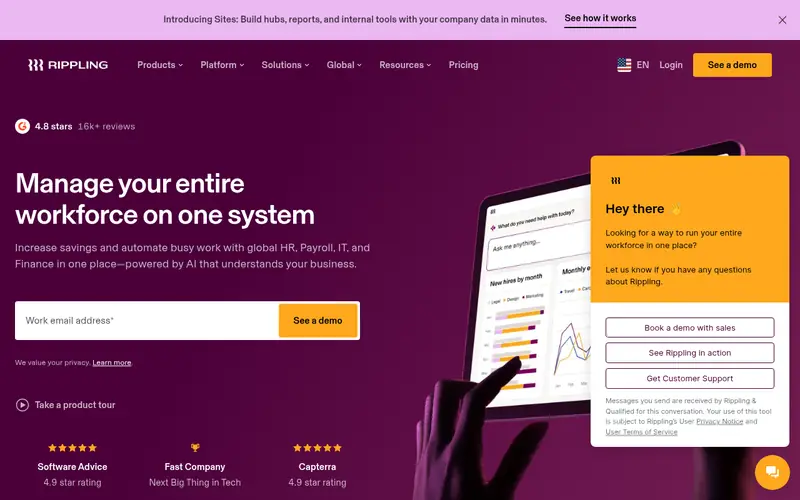
Rippling homepage

Rippling is a workforce platform that combines HR, payroll, time off and device management. Its time off module supports accrual policies, including rules that differ by employee group, location or employment type. Requests and approvals run through the platform, and approved leave feeds into payroll. Pricing is quote-based and depends on the modules you select, so confirm the cost of the time off and payroll pieces before committing. Rippling fits companies that want one system for HR and IT administration. A small business that only needs PTO accrual tracking may prefer a simpler, lower-cost tool.

Free plan: Not stated

Website: rippling.com

Strengths

  • Accrual policies can vary by group and location
  • time off connects to payroll and HR data

Watch out for

  • Quote-based pricing
  • broad platform may be more than small teams need
4

Homebase

Hourly teams at one location that need scheduling and PTO
$0 for the free plan; paid plans start at $24.95 per location per month
joinhomebase.comHomepage, Nov 2026
Homebase homepage

Homebase combines scheduling, time clock and time off tracking for hourly teams. You set accrual rules, employees request time off, and managers approve it from the app. Balances update as hours are worked and leave is taken. The free plan covers one location with core scheduling and time off features. Paid plans add more locations, advanced scheduling and HR tools, and pricing is per location rather than per person. That structure favors teams with many hourly staff at few sites. Companies with salaried, multi-state workforces should check whether Homebase covers their payroll and compliance needs before choosing it.

Free plan: Not stated

Website: joinhomebase.com

Strengths

  • Free plan covers one location
  • PTO accrual and requests are built in

Watch out for

  • Free plan limits features and location count
  • advanced HR tools cost extra
5

When I Work

Shift-based teams that need scheduling with time off requests
See vendor pricing page
wheniwork.comHomepage, Nov 2026
When I Work homepage

When I Work is a scheduling tool for shift-based teams. It includes time off requests and availability tracking, so managers can see who is off before building the schedule. Employees request leave from the mobile app, and approvals update the schedule. Accrual tracking is available but less detailed than in full HR platforms, so teams with complex accrual rules should check the feature set first. Pricing is tiered by feature and team size, and the vendor publishes plan details on its site. It suits restaurants, retail and similar operations where scheduling is the main need and PTO tracking is a secondary requirement.

Free plan: Not stated

Website: wheniwork.com

Strengths

  • Time off requests sit next to the shift schedule
  • mobile app for staff

Watch out for

  • Accrual depth is lighter than dedicated HR systems
  • pricing tiers vary by feature
6

Deputy

Multi-location teams that need scheduling, time and attendance, and leave
See vendor pricing page
deputy.comHomepage, Nov 2026
Deputy homepage

Deputy handles employee scheduling, time and attendance, and leave management. Its leave module supports accrual-based rules and lets employees request time off, with approvals routed to managers. Because scheduling and time clock data live in the same system, hours worked can feed accrual calculations. Pricing depends on the plan and team size, and the vendor lists plan options on its site. Deputy fits businesses with multiple locations and shift workers. A small office team with simple salaried leave may find it heavier than needed and should compare simpler HR tools.

Free plan: Not stated

Website: deputy.com

Strengths

  • Leave rules can reflect accrual and location policies
  • scheduling and time clock in one tool

Watch out for

  • Quote or plan-based pricing
  • setup takes time for complex rules
7

Clockify

Teams that want low-cost time tracking with PTO tracking
$0 for the free plan; paid plans start at $3.99 per user per month
clockify.meHomepage, Nov 2026
Clockify homepage

Clockify is a time tracking tool with a PTO module. Admins set accrual policies, assign them to users, and employees request time off. Balances and requests appear in reports alongside tracked work hours. The free plan covers unlimited users with core time tracking, and paid tiers add PTO tracking and other features. The PTO features are simpler than in dedicated HR platforms, so companies with complex carryover or multi-state rules should check the details. Clockify suits teams that already track hours and want a low-cost way to add PTO accrual tracking. It is not a payroll system, so pay integration is limited.

Free plan: Not stated

Website: clockify.me

Strengths

  • Free plan covers unlimited users
  • PTO tracking is included in paid plans

Watch out for

  • PTO features are basic
  • not a full HR or payroll system

Pre-purchase checklist

  • Confirm the accrual methods supported: per pay period, per hour worked, or both.
  • Check caps, carryover limits and whether balances prorate for new hires.
  • Verify how approved leave flows into payroll, if payroll is part of your stack.
  • Ask how balances appear to employees and whether self-service requests are included.
  • Confirm the per-person or per-location pricing model and what the entry tier excludes.

FAQ

What is PTO accrual tracking software?

It is software that calculates paid time off as employees earn it, based on rules you set. It tracks balances, handles requests and approvals, and often connects to payroll so approved leave is paid correctly.

Do these tools support carryover and accrual caps?

Most do. Gusto, BambooHR and Rippling let admins set accrual rates, caps and carryover limits. Lighter tools such as Clockify cover basic accrual, so check the feature list for complex rules before choosing.

Can I track PTO accrual for free?

Homebase has a free plan for one location, and Clockify's free plan covers unlimited users with core time tracking. PTO tracking in Clockify is part of paid plans, so confirm which features each free tier includes.

How much does PTO accrual tracking software cost?

Costs range from free plans to per-person and per-location fees. Gusto starts at $49 per month plus $6 per person per month, and Clockify paid plans start at $3.99 per user per month. BambooHR, Rippling, When I Work and Deputy require a quote or plan check.

Does PTO tracking connect to payroll?

It does in payroll platforms such as Gusto and in workforce systems such as Rippling. Standalone scheduling and time tracking tools usually do not run payroll, so approved leave may need to be entered into a separate payroll system.