How we rank
HR and Workforce · Researched comparison

Best PTO Tracking Software for Retail Stores in 2026

TaskReports may earn a fee from some links on this page, and some placements are paid and labelled. Neither one decides the order. See our disclosure.

The short answer

Homebase is the first pick for many retail stores because it combines scheduling, time clocks and PTO accrual in one tool with a free plan for a single location. When I Work suits stores that build schedules first and track leave alongside them. BambooHR fits larger retailers that need formal accrual policies, approval chains and HR records in one system.

On this page

Key takeaways

  • Homebase combines free scheduling and time clocks with PTO accrual and balance tracking for hourly retail staff.
  • When I Work and Deputy both pair shift scheduling with leave requests, which suits stores that plan hours and time off together.
  • Dedicated HR platforms such as BambooHR and Gusto add accrual policies and approval flows but cost more per employee.
  • Several tools offer free plans or trials, but free tiers usually limit locations, features or the number of employees.

Quick comparison

ToolBest fitStarting price
HomebaseHourly retail teams that schedule and track PTO in one placeSee vendor pricing page
When I WorkRetailers that build shift schedules before tracking time offSee vendor pricing page

DeputyMulti-location retail teams mixing shifts with leave managementSee vendor pricing page
BambooHRGrowing retailers that need formal PTO policies and HR recordsSee vendor pricing page
GustoSmall retailers that want payroll and PTO tracking togetherSee vendor pricing page
QuickBooks TimeRetailers already using QuickBooks for payroll and accountingSee vendor pricing page
ClockifySmall stores that want low-cost time tracking with PTO requestsSee vendor pricing page

How we chose

We picked tools that support real leave requests and PTO balance tracking, then weighed fit for hourly and multi-location retail teams, entry price, free access and main limits. Sources are vendor websites and public documentation. Prices and plan limits change, so confirm current details on each vendor site before buying.

Best overall

Homebase

Hourly retail teams that schedule and track PTO in one place

  • Free plan covers scheduling, time clocks and basic PTO tracking
  • built for hourly and multi-location teams
PriceSee vendor pricing page
See Homebase pricing
joinhomebase.comHomepage, Nov 2026
Homebase homepage

Homebase is built around hourly work, which fits retail stores with part-time and shift staff. Employees request time off from the app, and managers see requests next to the schedule. PTO accrual can be set up so balances update as hours are worked, which matters when staff hours vary week to week. The free plan covers one location with core scheduling, time clock and basic PTO tracking. Paid plans add more locations, advanced accrual rules and HR tools. Stores with several branches or complex accrual policies will likely need a paid tier. Confirm current plan limits on the vendor pricing page.

Price: See vendor pricing page

Free plan: Yes

Website: joinhomebase.com

Watch out for

  • Advanced PTO and HR features sit on paid plans
  • payroll add-ons cost extra
2

When I Work

Retailers that build shift schedules before tracking time off
See vendor pricing page
wheniwork.comHomepage, Nov 2026
When I Work homepage

When I Work focuses on shift scheduling, and time-off requests sit inside that workflow. A retail manager builds the week, sees who has approved leave, and avoids scheduling someone who is out. Employees request time off from the mobile app, and approvals show up on the schedule. The tool suits stores where scheduling is the main daily task and PTO tracking supports it. Accrual and balance features depend on the plan, so check what each tier includes. There is a free trial but no permanent free plan. Small single-location stores may find the scheduling focus more than they need if PTO is the only goal.

Free plan: Free trial (14 days)

Website: wheniwork.com

Strengths

  • Scheduling and leave requests in one workflow
  • staff can request time off from mobile

Watch out for

  • PTO accrual depth varies by plan
  • no permanent free plan
3

Deputy

Multi-location retail teams mixing shifts with leave management
See vendor pricing page
deputy.comHomepage, Nov 2026
Deputy homepage

Deputy handles scheduling, time and attendance, and leave management for hourly workforces. Retail managers can set leave types, track balances and approve requests, then check availability before publishing a schedule. Multi-location support helps chains keep rules consistent across stores. Pricing is per user, so cost grows with headcount, which matters for stores with large part-time rosters. The 31-day trial gives time to test the leave workflow before committing. Smaller stores with simple PTO needs may prefer a lighter tool, while larger chains get more value from the location controls.

Free plan: Free trial (31 days)

Website: deputy.com

Strengths

  • Strong shift and leave management for hourly teams
  • supports multiple locations

Watch out for

  • Pricing is per user and adds up for large teams
  • setup takes some time
4

BambooHR

Growing retailers that need formal PTO policies and HR records
See vendor pricing page
bamboohr.comHomepage, Nov 2026
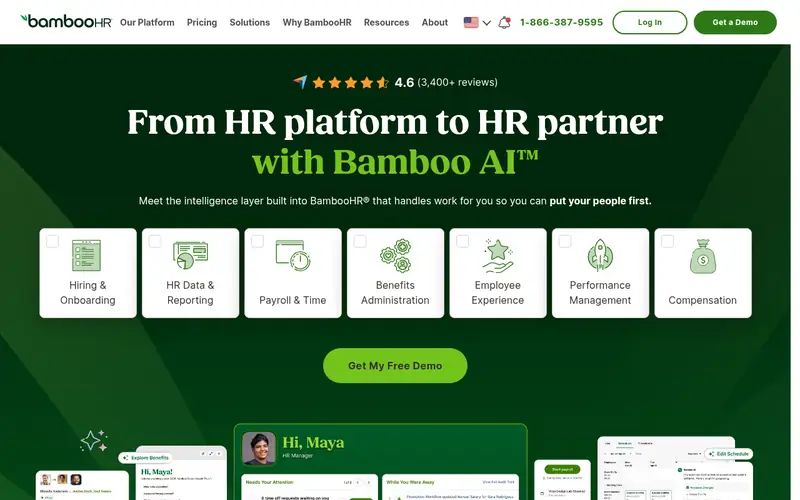
BambooHR homepage

BambooHR is a full HR platform with a dedicated time-off module. Retailers can set accrual rules by tenure, job type or location, route requests through approval chains, and keep balances and history in each employee record. That structure helps when stores have formal PTO policies and need an audit trail. It is not built around shift scheduling, so stores still need a separate scheduling tool. There is no free plan, and pricing is aimed at growing companies rather than very small stores. A single-location shop with a handful of staff will likely find it heavier than needed, while multi-store retailers with HR staff get more from it.

Free plan: No

Website: bamboohr.com

Strengths

  • Detailed accrual policies and approval chains
  • stores employee records and PTO history together

Watch out for

  • No free plan
  • priced for growing companies, not tiny stores
5

Gusto

Small retailers that want payroll and PTO tracking together
See vendor pricing page
GustoHomepage image unavailable

Gusto combines payroll with HR tools, including PTO tracking. Retail employees request time off in the portal, managers approve it, and balances feed into payroll so paid leave is handled correctly. For small stores that already run payroll through Gusto, adding PTO tracking avoids a second system. PTO features depend on the plan tier, so check what each level includes before signing up. There is no free plan. Stores that do not use Gusto for payroll may prefer a standalone PTO tool, and very small teams may find the payroll-first setup more than they need for leave tracking alone.

Free plan: No

Website: gusto.com

Strengths

  • PTO tracking sits alongside payroll
  • employees request time off in the same portal

Watch out for

  • No free plan
  • PTO features depend on the payroll plan
6

QuickBooks Time

Retailers already using QuickBooks for payroll and accounting
See vendor pricing page
quickbooks.intuit.comHomepage, Nov 2026
QuickBooks Time homepage

QuickBooks Time tracks hours and manages time-off requests, and it connects to QuickBooks payroll so approved PTO flows into pay runs. Store staff clock in from mobile or a shared device, and managers see who is out before building the week. The tool makes most sense for retailers already using QuickBooks for payroll or accounting. PTO features are practical but basic compared with dedicated HR platforms, so stores with complex accrual rules may need more. There is a 30-day trial but no free plan. Confirm current pricing and plan limits on the vendor page.

Free plan: Free trial (30 days)

Website: quickbooks.intuit.com/time-tracking

Strengths

  • Time tracking and PTO requests connect to QuickBooks payroll
  • mobile clock-in for store staff

Watch out for

  • Best value only inside the QuickBooks ecosystem
  • PTO depth is basic
7

Clockify

Small stores that want low-cost time tracking with PTO requests
See vendor pricing page
clockify.meHomepage, Nov 2026
Clockify homepage

Clockify is a time tracking tool with PTO request and balance features. Small retail stores can have staff log hours, request time off and see remaining balances without a large HR system. The free plan covers core time tracking and basic PTO requests for small teams. Accrual rules are simpler than in dedicated HR platforms, so stores with tenure-based or location-specific policies may hit limits. It is not a retail scheduling tool, so shift planning stays separate. It suits small shops that want a low-cost way to track hours and leave, not multi-store chains with formal PTO policies.

Free plan: Yes

Website: clockify.me

Strengths

  • Free plan covers time tracking and basic PTO requests
  • simple setup for small teams

Watch out for

  • PTO accrual rules are limited
  • not built specifically for retail scheduling

Which PTO tracking software for retail stores should I use if I have several store locations?

Homebase is a strong fit for multi-location retail because its paid plans add locations on top of scheduling and PTO tracking. If scheduling is the priority, When I Work and Deputy both handle leave requests across sites. If you need formal accrual policies and HR records, BambooHR is the better fit. If payroll already runs through Gusto or QuickBooks, adding PTO tracking there avoids a second system.

Is Homebase better than When I Work for PTO tracking software for retail stores?

Homebase is the better fit if you want a free plan that covers scheduling, time clocks and basic PTO tracking for one location. When I Work is the better fit if scheduling is your main task and you want leave requests built into the weekly schedule, though it has no permanent free plan. Both suit hourly retail teams; the choice comes down to free access versus scheduling depth.

Pre-purchase checklist

  • Confirm the tool handles hourly accrual, since retail staff hours vary week to week.
  • Check how many locations the entry plan covers and what each extra location costs.
  • Verify employees can request time off from mobile, as many retail staff do not use a desk.
  • Confirm approved PTO feeds into payroll or exports cleanly to your payroll provider.
  • Check free plan limits on employees, locations and PTO features before relying on them.

FAQ

What is the best PTO tracking software for retail stores with hourly staff?

Homebase is a common pick because it combines hourly scheduling, time clocks and PTO accrual, with a free plan for one location. When I Work and Deputy also handle leave requests for hourly teams. For formal accrual policies, BambooHR is the stronger option. Match the tool to whether scheduling or HR records matter more.

Can retail employees request time off from a mobile app?

Yes. Homebase, When I Work, Deputy and Gusto all let employees submit time-off requests from a mobile app, and managers approve them there. This suits retail staff who work on the floor or across shifts and do not use a desk. Check that the mobile app is included in your plan tier.

Do these tools track PTO accrual by hours worked?

Several do. Homebase and BambooHR support accrual that builds as hours are worked, which fits variable retail schedules. Clockify has simpler accrual rules. QuickBooks Time and Gusto connect PTO to payroll. Confirm the accrual options on your specific plan, since features vary by tier.

How much does PTO tracking software for retail stores cost?

Entry prices vary widely and change often, so check each vendor pricing page. Homebase and Clockify offer free plans with limits. When I Work and QuickBooks Time offer trials but no free plan. BambooHR, Gusto and Deputy charge per employee or per user, so cost grows with headcount.

What should a small retail store look for in PTO tracking software?

Look for hourly accrual, mobile time-off requests, a clear balance view for managers, and a free or low-cost entry plan. If you already run payroll through Gusto or QuickBooks, check whether PTO tracking is included. Small stores rarely need formal approval chains, so avoid paying for HR depth you will not use.