How we rank
HR and Workforce · Researched comparison

Best PTO Tracking Software for Urgent Care Clinics in 2026

TaskReports may earn a fee from some links on this page, and some placements are paid and labelled. Neither one decides the order. See our disclosure.

The short answer

Homebase is the first pick for many small urgent care clinics because its free plan covers scheduling and time clocks, and paid plans add PTO tracking. When I Work suits clinics that want published per-user pricing with accrual tools. BambooHR fits clinics that want PTO tracking inside a full HR system with document storage and reporting.

On this page

Key takeaways

  • Homebase combines free scheduling and time clock tools with PTO tracking, which fits clinics that need shift coverage and leave records in one place.
  • When I Work and Deputy both start with published per-user prices and add PTO accrual and approval tools on paid plans.
  • BambooHR and Gusto pair PTO tracking with broader HR or payroll, which suits clinics that want one system for staff records and pay.
  • Several tools list accrual and balance features on paid tiers only, so confirm the plan level before you commit.

Quick comparison

ToolBest fitStarting price
HomebaseSmall clinics that need scheduling and PTO in one toolSee vendor pricing page
When I WorkClinics that schedule shifts and track leave togetherSee vendor pricing page

DeputyClinics managing mixed shifts and leave balancesSee vendor pricing page
BambooHRClinics that want PTO inside a full HR systemSee vendor pricing page
GustoClinics that want PTO tracking tied to payrollSee vendor pricing page
CalamariClinics that need detailed leave and accrual rulesSee vendor pricing page
ClockifyClinics that want a low-cost leave and hours trackerSee vendor pricing page

How we chose

We picked tools that support real leave requests and PTO accrual or balance tracking, then checked fit for hourly clinic staffing, published entry pricing, free access and main plan limits. Sources are vendor websites and public pricing and documentation pages. Prices change, so confirm the current price on the vendor site before you buy.

Best overall

Homebase

Small clinics that need scheduling and PTO in one tool

  • Free plan covers scheduling and time clock
  • paid plans add PTO tracking and payroll
PriceSee vendor pricing page
See Homebase pricing
joinhomebase.comHomepage, Nov 2026
Homebase homepage

Homebase is built for small hourly teams, which matches the staffing model at many urgent care clinics. The free plan covers employee scheduling, time clock records and team messaging. Paid plans add PTO tracking with accrual rules and request approvals, plus payroll and hiring tools. For a clinic, the value is that a provider's leave request and the shift it affects sit in the same system. Managers can see who is out before they publish the schedule. The free plan does not include full PTO accrual, so clinics that need balance tracking will look at a paid tier. Skip Homebase if you need deep HR records such as benefits administration or performance reviews. It is a scheduling and hourly-work tool first.

Price: See vendor pricing page

Free plan: Yes

Website: joinhomebase.com

Watch out for

  • PTO accrual tools sit on paid plans
  • advanced HR features cost more
2

When I Work

Clinics that schedule shifts and track leave together
See vendor pricing page
wheniwork.comHomepage, Nov 2026
When I Work homepage

When I Work focuses on hourly shift scheduling, and its paid plans add time tracking and PTO request tools. For an urgent care clinic, that means a front-desk or clinical staff member can request leave and the manager can see coverage gaps before approving. The vendor publishes per-user monthly pricing, which makes it easy to estimate cost as the clinic grows. A free trial lets you test the request and approval flow before buying. Skip it if you need payroll built in or detailed accrual rules across many leave types. Confirm which plan includes PTO accrual before you commit.

Free plan: Free trial (14 days)

Website: wheniwork.com

Strengths

  • Clear per-user pricing
  • scheduling and PTO requests in one place

Watch out for

  • No permanent free plan
  • PTO features depend on plan level
3

Deputy

Clinics managing mixed shifts and leave balances
See vendor pricing page
deputy.comHomepage, Nov 2026
Deputy homepage

Deputy handles shift scheduling, time and attendance, and leave management. Urgent care clinics with varied shift patterns, including evenings and weekends, can map availability and approved leave against the schedule. The vendor publishes per-user pricing and offers a 31-day trial. Leave and accrual features depend on the plan tier, so check the feature list for the plan you are considering. Skip Deputy if you only need simple PTO balances and already have a scheduling system you like.

Free plan: Free trial (31 days)

Website: deputy.com

Strengths

  • Strong shift scheduling with leave and availability tools
  • long free trial

Watch out for

  • PTO features vary by plan
  • pricing is per user
4

BambooHR

Clinics that want PTO inside a full HR system
See vendor pricing page
bamboohr.comHomepage, Nov 2026
BambooHR homepage

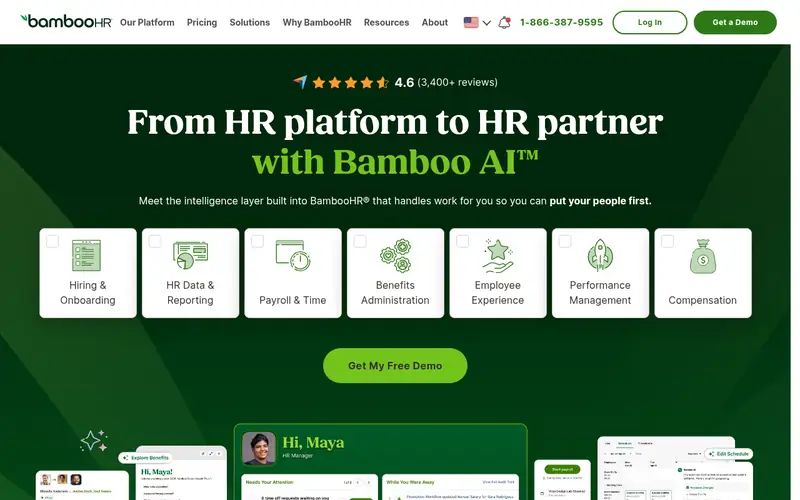
BambooHR is an HR platform with time-off tracking, employee records, document storage and reporting. An urgent care clinic can keep credential documents, staff records and PTO balances in one place, and employees request leave through self-service. It suits clinics that have outgrown spreadsheets and want a single HR record. Pricing is quoted by the vendor based on headcount, so there is no public entry price. Skip it if you only need scheduling and PTO and do not want a full HR suite.

Free plan: No

Website: bamboohr.com

Strengths

  • PTO tracking sits with employee records and reporting
  • self-service requests

Watch out for

  • No free plan
  • priced for growing teams
5

Gusto

Clinics that want PTO tracking tied to payroll
See vendor pricing page
GustoHomepage image unavailable

Gusto is a payroll and HR platform. Its paid plans include time-off request and approval tools, and PTO policies can connect to payroll so balances and pay stay consistent. For a clinic, that means a medical assistant's approved leave flows into the pay run without a separate spreadsheet. The vendor publishes per-month base pricing plus per-person fees, and the exact PTO features depend on the plan. Skip Gusto if you already run payroll elsewhere and only need a standalone PTO tracker.

Free plan: No

Website: gusto.com

Strengths

  • PTO policies connect to payroll
  • employee self-service

Watch out for

  • No free plan
  • PTO features depend on payroll plan
6

Calamari

Clinics that need detailed leave and accrual rules
See vendor pricing page
calamari.ioHomepage, Nov 2026
Calamari homepage

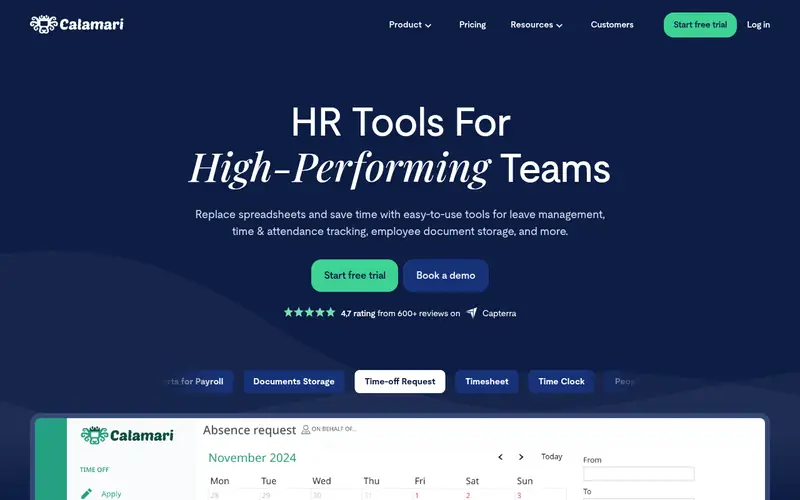
Calamari is a leave and attendance management tool. It supports multiple leave types, accrual rules and approval flows, which helps clinics with separate policies for full-time and part-time staff. It is a focused tool rather than a full HR suite, so it pairs well with an existing payroll system. The vendor publishes per-user pricing and a 14-day trial. Skip it if you want PTO tracking bundled with scheduling and payroll in one product.

Free plan: Free trial (14 days)

Website: calamari.io

Strengths

  • Flexible leave types and accrual rules
  • absence tracking

Watch out for

  • No permanent free plan
  • setup takes time
7

Clockify

Clinics that want a low-cost leave and hours tracker
See vendor pricing page
clockify.meHomepage, Nov 2026
Clockify homepage

Clockify is a time tracking tool with time-off and PTO features on its plans. A small clinic can track staff hours and leave requests at low cost, and the free plan covers basic use for small teams. It is not an HR platform, so employee records, payroll and benefits sit elsewhere. The vendor publishes per-user pricing and plan limits. Skip Clockify if you need scheduling tied to PTO approvals or detailed accrual rules across many leave types.

Free plan: Yes

Website: clockify.me

Strengths

  • Free plan for small teams
  • time off and hours tracking

Watch out for

  • PTO features limited on free plan
  • not a full HR system

Which PTO tracking software for urgent care clinics should I use if I run a small clinic with tight budget?

Start with Homebase, because its free plan covers scheduling and time clocks and paid plans add PTO tracking. If you need detailed accrual rules, look at Calamari. If you want PTO tied to payroll, look at Gusto. If you want a low-cost hours and leave tracker, look at Clockify. Match the tool to whether scheduling, payroll or accrual rules matter most to your clinic.

Is Homebase better than When I Work for PTO tracking software for urgent care clinics?

Homebase is the better fit if you want a free plan that covers scheduling and time clocks before you pay for PTO tools. When I Work is the better fit if you want published per-user pricing and a trial before buying. Homebase has a permanent free plan; When I Work offers a 14-day trial. Both put leave requests next to the shift schedule, so the choice comes down to free access versus published per-user pricing.

Pre-purchase checklist

  • Confirm the plan includes PTO accrual and balance tracking, not just time off requests.
  • Check whether scheduling and shift coverage are included or sold separately.
  • Confirm the price is per user or per month and estimate it at your full headcount.
  • Check whether payroll integration is needed or you will export hours manually.
  • Confirm the free plan or trial limits before you commit staff data.

FAQ

What is the best PTO tracking software for urgent care clinics?

Homebase is a strong first pick for small clinics because its free plan covers scheduling and time clocks and paid plans add PTO tracking. When I Work, Deputy, BambooHR and Gusto are alternatives depending on whether you need published per-user pricing, shift scheduling, a full HR system or payroll integration.

Do these PTO tools include free plans?

Homebase and Clockify list free plans. When I Work and Calamari offer free trials, and Deputy offers a 31-day trial. BambooHR and Gusto do not list free plans. Free plan limits vary, so check the vendor page for what each free tier includes.

Can urgent care clinics track PTO accrual by leave type?

Yes. Calamari and BambooHR support multiple leave types and accrual rules, which helps clinics with different policies for full-time and part-time staff. Confirm the specific plan includes accrual rules, because some tools limit PTO features to higher tiers.

Should PTO tracking connect to payroll?

It helps if you want approved leave to flow into pay runs without a spreadsheet. Gusto connects PTO policies to payroll. If you run payroll elsewhere, a standalone tool such as Calamari or Clockify can track leave and hours for export.

How much does PTO tracking software cost for a clinic?

Prices vary by vendor and plan. Some tools publish per-user monthly pricing, while BambooHR and Gusto quote based on headcount and plan. Check the vendor pricing page for current rates, and confirm whether PTO accrual is included in the plan you are considering.