How we rank
HR and Workforce · Researched comparison

Best Time Clock Software for Car Dealerships in 2026

TaskReports may earn a fee from some links on this page, and some placements are paid and labelled. Neither one decides the order. See our disclosure.

The short answer

Homebase is the first pick for small dealerships that want a free start and simple scheduling. TimeClock Plus fits stores with flat-rate technician pay and complex overtime rules. QuickBooks Time suits dealerships that already run QuickBooks payroll. Each option tracks hours, but they differ in pay-rule depth, scheduling features and price structure, so match the tool to your payroll setup before you commit.

On this page

Key takeaways

  • Homebase has a free plan for one location and paid plans that add payroll and hiring tools, which suits small dealerships.
  • TimeClock Plus and UKG Ready are built for complex pay rules such as flat-rate technician pay, shift differentials and multi-department payroll.
  • QuickBooks Time connects tracked hours to QuickBooks payroll, which helps dealerships already running QuickBooks accounting.
  • Most tools here charge per user or per employee, so cost rises with lot staff, service writers, technicians and porters.

Quick comparison

ToolBest fitStarting price
HomebaseSmall dealerships that want a free startSee vendor pricing page
QuickBooks TimeDealerships already using QuickBooks payrollSee vendor pricing page
TimeClock PlusStores with complex pay rules and multiple departmentsSee vendor pricing page
UKG ReadyLarger dealership groups with HR and payroll needsSee vendor pricing page
ClockifyBudget tracking of hours by department or jobSee vendor pricing page
Buddy PunchSmall teams that want simple clock-in with photosSee vendor pricing page
DeputyDealerships that need scheduling plus time clocksSee vendor pricing page

How we chose

We picked tools that support time tracking for hourly, shift-based and multi-department staff, which matches how dealerships run sales, service, parts and admin teams. We weighed fit for the use case, published entry pricing, free access and main limits such as per-user costs and pay-rule depth. Sources are vendor websites and public documentation. Prices and plan limits change, so confirm details on the vendor site before you buy.

★ Best overall

Homebase

Small dealerships that want a free start

  • Free plan for one location
  • built-in scheduling and messaging
PriceSee vendor pricing page
See Homebase pricing
joinhomebase.comHomepage, Nov 2026
Homebase homepage

Homebase covers time clock, scheduling and team messaging in one app. The free plan supports one location, which fits a single-point dealership with a small staff. Paid plans add payroll, hiring and advanced controls. For a store with a handful of employees and simple hourly pay, the free tier may be enough to start. Homebase is weaker on complex pay rules. Flat-rate technician pay, multi-department cost splitting and shift differentials are not its focus. Dealerships with commissioned or flat-rate service staff should look at TimeClock Plus or UKG Ready instead. Confirm current plan limits on the vendor site before you rely on the free tier.

Price: See vendor pricing page

Free plan: Yes

Website: joinhomebase.com

Watch out for

  • Advanced payroll and hiring tools cost extra
  • limited complex pay rules
2

QuickBooks Time

Dealerships already using QuickBooks payroll

See vendor pricing page
quickbooks.intuit.comHomepage, Nov 2026
QuickBooks Time homepage

QuickBooks Time tracks hours by employee, job and location. Because it connects to QuickBooks payroll, tracked hours can move into pay runs without manual re-entry. That helps dealerships that already use QuickBooks for accounting. Mobile clock-in with GPS supports lot staff, drivers and porters who work away from a desk. Pricing is per user, so a large staff raises the monthly cost. The tool is strongest when paired with QuickBooks payroll. Dealerships on other payroll systems get less benefit. It handles overtime and paid time off, but deep flat-rate technician pay rules may need a more specialized tool. Check the current trial length and per-user rate on the vendor page.

Free plan: Free trial (30 days)

Website: quickbooks.intuit.com/time-tracking

Strengths

  • Hours flow into QuickBooks payroll
  • mobile clock-in with GPS

Watch out for

  • Best value only inside QuickBooks
  • per-user pricing adds up
3

TimeClock Plus

Stores with complex pay rules and multiple departments
See vendor pricing page
TimeClock PlusHomepage image unavailable

TimeClock Plus is built for organizations with detailed pay rules. It supports multiple departments, locations and pay codes, which fits a dealership that splits hours between sales, service, parts and administration. Overtime, shift differentials and rounding rules can be configured. That depth matters when technicians are paid flat rate and hourly staff follow different rules. There is no free plan, and setup takes more work than a simple clock app. Smaller dealerships with basic hourly pay may find it more than they need. Larger stores with several departments and a dedicated payroll staff get the most from it. Ask the vendor for a quote and confirm implementation effort before you commit.

Free plan: No

Website: timeclockplus.com

Strengths

  • Handles complex pay and overtime rules
  • supports multiple departments and locations

Watch out for

  • No free plan
  • setup is heavier than simple tools
4

UKG Ready

Larger dealership groups with HR and payroll needs
See vendor pricing page
ukg.comHomepage, Nov 2026
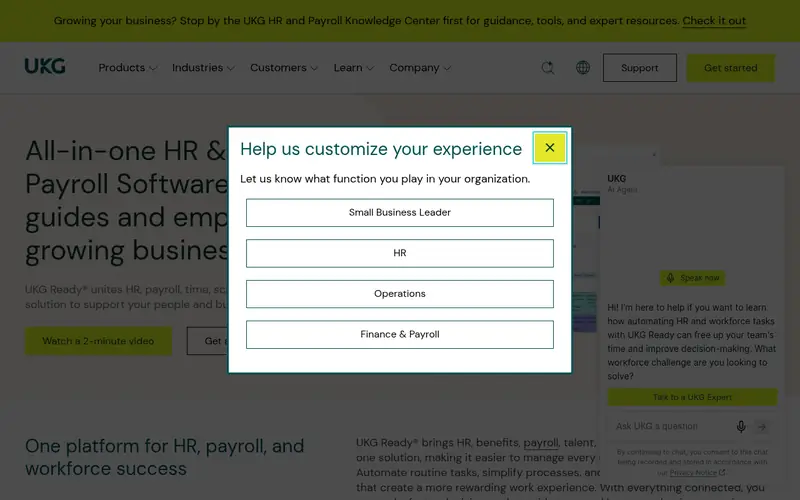
UKG Ready homepage

UKG Ready combines time and attendance with HR, scheduling and payroll support. It fits dealership groups that run several rooftops and want one system for staff records and hours. Scheduling tools help service managers plan technician shifts, and time data can feed payroll. The product is aimed at larger employers, and pricing comes through a quote. There is no free plan. A single small dealership will likely find it heavy and costly compared with Homebase. Groups with HR staff and multi-location payroll get more value. Confirm the scope of the modules you need and the quote terms with the vendor.

Free plan: No

Website: ukg.com/products/ukg-ready

Strengths

  • Combines timekeeping with HR and scheduling
  • scales across locations

Watch out for

  • No free plan
  • pricing requires a quote
5

Clockify

Budget tracking of hours by department or job
See vendor pricing page
clockify.meHomepage, Nov 2026
Clockify homepage

Clockify is a time tracking tool that records hours by project, client and task. A dealership can use it to track hours against jobs, customers or departments. The free plan supports unlimited users, which keeps cost low for a small store. Paid tiers add admin controls and reporting. Clockify is not built around payroll pay rules. It lacks deep overtime, flat-rate and shift-differential handling. Dealerships that need hours to flow into payroll should pair it with a payroll system or choose a payroll-focused tool. It suits stores that mainly want to see where labor hours go. Check the free plan limits on the vendor site.

Free plan: Yes

Website: clockify.me

Strengths

  • Free plan for unlimited users
  • tracks time by project and client

Watch out for

  • Light on payroll and pay-rule features
  • not a full HR suite
6

Buddy Punch

Small teams that want simple clock-in with photos
See vendor pricing page
Buddy PunchHomepage image unavailable

Buddy Punch focuses on straightforward time clock features. Employees clock in from a browser or mobile device, and optional GPS and photo capture help confirm who is on site. That fits lot staff and porters who move around the dealership. Setup is quick for a small team. The tool is lighter on payroll and complex pay rules than TimeClock Plus or UKG Ready. Pricing is per user, so a large staff raises cost. Small dealerships with simple hourly pay and a need for location checks get the most from it. Confirm the trial length and per-user rate on the vendor page.

Free plan: Free trial (14 days)

Website: buddypunch.com

Strengths

  • Simple clock-in with GPS and photo options
  • easy setup for small teams

Watch out for

  • Limited payroll depth
  • per-user pricing
7

Deputy

Dealerships that need scheduling plus time clocks
See vendor pricing page
deputy.comHomepage, Nov 2026
Deputy homepage

Deputy pairs scheduling with time and attendance. Managers can build shifts for sales, service and parts, and staff can swap shifts through the app. Clock-in can include location checks, which helps when employees work across a lot or between locations. Timesheets export to payroll systems. Deputy has no free plan beyond the trial. Pricing is per user, and advanced features raise the cost. It suits dealerships where scheduling is the main pain point and hours must tie to shifts. Stores that only need a basic punch clock may prefer a simpler tool. Confirm trial terms and pricing on the vendor site.

Free plan: Free trial (31 days)

Website: deputy.com

Strengths

  • Strong scheduling with shift swaps
  • time clock with location checks

Watch out for

  • No free plan
  • advanced features cost more

Pre-purchase checklist

  • Confirm the tool handles flat-rate technician pay and overtime rules if your service department uses them.
  • Check whether pricing is per user or per location, and estimate cost for your full staff.
  • Verify the time clock works on the devices your staff use, including mobile and shared kiosks.
  • Confirm how hours export to your payroll system and whether the integration is included.
  • Review free plan limits and trial length, and test the tool with a small group before rolling it out.

FAQ

What is the best time clock software for car dealerships?

Homebase is a strong first pick for small dealerships because it has a free plan for one location. TimeClock Plus fits stores with complex pay rules, and QuickBooks Time suits dealerships already using QuickBooks payroll. The right choice depends on your pay structure and payroll system.

Can time clock software handle flat-rate technician pay?

Some tools can. TimeClock Plus and UKG Ready support complex pay rules, including multiple pay codes and overtime. Simpler tools like Homebase and Clockify focus on basic hour tracking and may not handle flat-rate pay well. Confirm the feature with the vendor before you rely on it.

Do these tools integrate with payroll?

Several do. QuickBooks Time connects to QuickBooks payroll, and Deputy and TimeClock Plus export timesheets to payroll systems. Integration depth varies by plan and payroll provider. Check whether the integration you need is included in your plan or costs extra.

Is there a free option for a small dealership?

Homebase offers a free plan for one location, and Clockify has a free plan with unlimited users. Both have limits on advanced features. Paid plans add payroll, reporting and controls. Review the current free plan limits on each vendor site before you depend on them.

How much does time clock software cost for a dealership?

Pricing varies. Many tools charge per user per month, so cost depends on staff size. Some require a quote. We list entry prices only when they are confirmed, and otherwise point to the vendor pricing page. Get a quote based on your headcount and the features you need.