How we rank
HR and Workforce · Researched comparison

Best Time Clock Software for Dry Cleaners in 2026

TaskReports may earn a fee from some links on this page, and some placements are paid and labelled. Neither one decides the order. See our disclosure.

The short answer

Homebase is the best starting point for most dry cleaners. It has a free plan for a single location, covers shift scheduling and time clocks, and works on a shared tablet at the counter. QuickBooks Time is the better fit if you already pay staff through QuickBooks. If you want photo verification on punches, Buddy Punch is the stronger choice. All three are standalone products with published pricing.

On this page

Key takeaways

  • Homebase is the first pick for most dry cleaners because it has a free plan for one location and simple shift tracking.
  • QuickBooks Time fits cleaners who already run payroll in QuickBooks.
  • Buddy Punch and Clockify cover photo punch and free time tracking needs.
  • Entry prices below come from vendor pages as of 2025-2026; confirm current pricing before you buy.

Quick comparison

ToolBest fitStarting price
HomebaseSmall dry cleaners that need free scheduling and time clocksSee vendor pricing page
QuickBooks TimeDry cleaners already using QuickBooks for payrollSee vendor pricing page

Buddy PunchCleaners who want photo verification on every punchSee vendor pricing page
ClockifyBudget-conscious cleaners who want a free time trackerSee vendor pricing page
TimeClock PlusMulti-location cleaners needing workforce schedulingSee vendor pricing page
ClockSharkDry cleaners with route drivers who need GPS trackingSee vendor pricing page
OnTheClockSmall cleaners wanting an affordable web time clockSee vendor pricing page
When I WorkCleaners who need scheduling more than time trackingSee vendor pricing page

How we chose

We picked tools that support the time clock needs of a dry cleaner: counter staff, pressers, and route drivers. Criteria were fit for the use case, published entry price, free access, and main limits. Sources are vendor websites and public documentation. We did not run hands-on tests. Prices change, so confirm current rates on the vendor site before you buy.

★ Best overall

Homebase

Small dry cleaners that need free scheduling and time clocks

  • Free plan for one location
  • shift scheduling in the same app
PriceSee vendor pricing page
See Homebase pricing
joinhomebase.comHomepage, Nov 2026
Homebase homepage

Homebase combines a time clock, shift scheduling, and basic team messaging in one app. For a dry cleaner, that means counter staff, pressers, and route drivers can punch in on a shared tablet or their own phone. The free plan covers one location and includes the time clock and scheduling tools. Paid plans add payroll, hiring, and more advanced controls. The free plan is the main draw for a single-store cleaner. If you run more than one location, you need a paid plan. Homebase does not publish a simple per-user entry price on its main page, so check the vendor pricing page for current numbers. Skip it if you need deep payroll tax handling built in.

Price: See vendor pricing page

Free plan: Yes

Website: joinhomebase.com

Watch out for

  • Payroll and advanced features cost extra
  • free plan limited to one location
2

QuickBooks Time

Dry cleaners already using QuickBooks for payroll
See vendor pricing page
quickbooks.intuit.comHomepage, Nov 2026
QuickBooks Time homepage

QuickBooks Time is a time tracking tool from Intuit. It handles clock in and out, timesheets, and scheduling, and it syncs with QuickBooks payroll so hours flow into pay runs. For a dry cleaner with route drivers, the GPS and location tracking on mobile punches help confirm where a driver clocked in. Pricing is per user per month, and the exact rate changes, so confirm it on the vendor page. There is a free trial but no permanent free plan. The tool makes the most sense if you already run payroll in QuickBooks. If you use another payroll provider, the sync advantage disappears and the cost is harder to justify.

Free plan: Free trial (30 days)

Website: quickbooks.intuit.com/time-tracking

Strengths

  • Syncs with QuickBooks payroll
  • GPS and job tracking for route drivers

Watch out for

  • Costs more than basic tools
  • best value only inside QuickBooks
3

Buddy Punch

Cleaners who want photo verification on every punch
See vendor pricing page
Buddy PunchHomepage image unavailable

Buddy Punch is a dedicated time clock app with a shared kiosk mode, which suits a single tablet at the front counter. It offers optional photo capture on each punch and GPS stamps for mobile users. That helps a dry cleaner confirm who is on the clock and where route drivers are. The tool also handles scheduling, PTO tracking, and payroll exports. Pricing is per user per month, and the published rate changes, so check the vendor page. There is a free trial but no free tier. It is a good fit for a cleaner who has had time theft problems or wants proof of punch times. Small shops on a tight budget may prefer a free option.

Free plan: Free trial (14 days)

Website: buddypunch.com

Strengths

  • Photo and GPS punch options
  • simple shared kiosk mode

Watch out for

  • No free plan
  • per-user pricing adds up for larger crews
4

Clockify

Budget-conscious cleaners who want a free time tracker
See vendor pricing page
clockify.meHomepage, Nov 2026
Clockify homepage

Clockify is a time tracking tool with a free plan that supports unlimited users. A dry cleaner can set up staff as users and have them clock in from a phone or a shared computer. It records hours and produces reports you can export. The catch is that Clockify is built around project time tracking, not shift-based payroll. It does not handle scheduling or payroll tax the way a dedicated time clock does. For a small cleaner who just needs to record hours and export them, the free plan is enough. Larger shops that need scheduling and payroll sync should look at Homebase or QuickBooks Time.

Free plan: Yes

Website: clockify.me

Strengths

  • Free plan with unlimited users
  • simple web and mobile clock in

Watch out for

  • Built for project time, not shift payroll
  • advanced features cost extra
5

TimeClock Plus

Multi-location cleaners needing workforce scheduling
See vendor pricing page
TimeClock PlusHomepage image unavailable

TimeClock Plus is a workforce management system with time and attendance, scheduling, and leave tracking. It fits a dry cleaner with several stores that needs one system to manage staff across sites. It supports kiosk and mobile punches and produces payroll-ready reports. The vendor does not publish a simple entry price, so you need a quote. There is no free plan. This is a heavier tool than a single-store cleaner needs, and setup takes more time. Consider it when you have multiple locations and a real scheduling problem. A one-store shop should start with Homebase or Buddy Punch instead.

Free plan: No

Website: timeclockplus.com

Strengths

  • Strong scheduling and leave management
  • supports multiple sites

Watch out for

  • No free plan
  • pricing requires a quote
6

ClockShark

Dry cleaners with route drivers who need GPS tracking
See vendor pricing page
ClockSharkHomepage image unavailable

ClockShark is built for field and mobile staff, which maps to dry cleaners running pickup and delivery routes. Drivers clock in on a phone, and the app records location with the punch. The office can see who is on the clock and where. It also handles scheduling and job codes. For counter and plant staff, ClockShark works but is more than you need. The GPS focus is the reason to pick it. Pricing is per user per month, and the rate changes, so confirm on the vendor page. There is a free trial but no free tier. A cleaner with no route drivers can skip it.

Free plan: Free trial (14 days)

Website: clockshark.com

Strengths

  • GPS tracking built for mobile crews
  • scheduling and job codes

Watch out for

  • No free plan
  • priced per user
7

OnTheClock

Small cleaners wanting an affordable web time clock
See vendor pricing page
ontheclock.comHomepage, Nov 2026
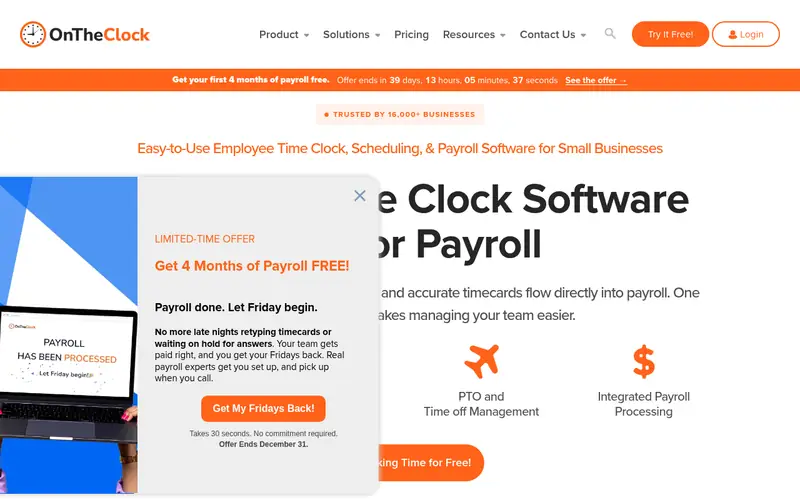
OnTheClock homepage

OnTheClock is a web-based time clock with mobile punch, GPS options, and reporting. It is straightforward to set up, which suits a dry cleaner who wants staff to clock in without a long rollout. Reports export for payroll. The tool is priced per user per month, and the published rate changes, so check the vendor page. There is a free trial but no free plan. It covers the basics well but has fewer scheduling and HR features than Homebase or TimeClock Plus. Pick it if you want a simple, low-cost clock and do not need payroll sync.

Free plan: Free trial (14 days)

Website: ontheclock.com

Strengths

  • Simple web and mobile punch
  • clear per-user pricing

Watch out for

  • No free plan
  • fewer scheduling features than larger tools
8

When I Work

Cleaners who need scheduling more than time tracking
See vendor pricing page
wheniwork.comHomepage, Nov 2026
When I Work homepage

When I Work started as a scheduling tool and added time clock features. For a dry cleaner with shift swaps and part-time staff, the scheduling side is useful. Staff can request swaps, and managers approve them in the app. Mobile clock in records hours for payroll. The time clock is not the main product, so if punch accuracy and payroll sync are your priority, QuickBooks Time or Buddy Punch fit better. Pricing is per user per month and changes, so confirm on the vendor page. There is a free trial but no free plan. Choose it when scheduling is the bigger pain.

Free plan: Free trial (14 days)

Website: wheniwork.com

Strengths

  • Strong shift scheduling and swap requests
  • mobile clock in

Watch out for

  • No free plan
  • time clock is secondary to scheduling

Pre-purchase checklist

  • Confirm the free plan limits, especially the number of locations and users.
  • Check whether the tool syncs with your payroll provider.
  • Decide if you need photo or GPS verification on punches.
  • Test the shared tablet or kiosk mode for counter staff.
  • Confirm the per-user price at your actual staff count.

FAQ

What is the best time clock software for a small dry cleaner?

Homebase is a strong pick for a single location because its free plan includes a time clock and scheduling. If you already use QuickBooks for payroll, QuickBooks Time is the better fit. Both are standalone products with published pricing pages.

Do I need GPS tracking for route drivers?

Only if you run pickup and delivery routes. ClockShark and Buddy Punch offer GPS stamps on mobile punches. A counter-only dry cleaner does not need GPS and can save money with a simpler tool.

Is there free time clock software for dry cleaners?

Yes. Homebase has a free plan for one location, and Clockify has a free plan with unlimited users. Both have limits. Homebase's free plan is tied to one location, and Clockify is built for project time rather than shift payroll.

Can these tools handle payroll?

Some do. QuickBooks Time syncs with QuickBooks payroll, and Buddy Punch and OnTheClock export hours for payroll. Check that your chosen tool exports in a format your payroll provider accepts before you commit.

How much should a dry cleaner expect to pay?

Prices vary by user count and features. Most tools here do not publish a single fixed rate that stays current, so check the vendor pricing page. Budget per user per month and confirm the rate at your staff count.