How we rank
HR and Workforce · Researched comparison

Best Time Clock Software for Manufacturing in 2026

TaskReports may earn a fee from some links on this page, and some placements are paid and labelled. Neither one decides the order. See our disclosure.

The short answer

UKG (Kronos) is the first pick for large manufacturers that need detailed shift scheduling, overtime rules, and labor costing across multiple plants. Smaller shops that want a low-cost start should look at Clockify, which has a free plan for basic time tracking. Buddy Punch suits teams that want simple punch clocks with job codes and a fixed per-user price.

On this page

Key takeaways

  • Kronos (UKG) and Clockify lead this list for different reasons: UKG for complex plant scheduling and Clockify for a free entry point.
  • Entry prices range from free plans to per-user monthly fees, so cost depends on headcount and whether payroll is included.
  • Most tools here handle shift differentials, overtime rules, and job or work-order tracking, which matter on a factory floor.
  • Confirm hardware support (badge readers, kiosks, biometric clocks) on the vendor site before you commit.

Quick comparison

ToolBest fitStarting price
UKG (Kronos)Large manufacturers with complex shift and overtime rulesSee vendor pricing page
ClockifySmall shops that want free time tracking firstSee vendor pricing page

Buddy PunchTeams that want simple punch clocks with job codesSee vendor pricing page
QuickBooks TimeShops already using QuickBooks for payrollSee vendor pricing page
HomebaseSmall manufacturers that need scheduling and time clocksSee vendor pricing page
DeputyManufacturers with rotating shifts and award rulesSee vendor pricing page
TimeClock PlusMid-size plants that need labor tracking and complianceSee vendor pricing page
ClockSharkField and shop crews that track hours by jobSee vendor pricing page

How we chose

We picked tools that support the time clock needs of manufacturing teams: shift scheduling, overtime rules, job or work-order tracking, and hardware like badges and kiosks. We weighed fit for the use case, published entry price, free access, and main limits. Sources are vendor websites and public documentation. Prices change, so confirm current pricing on the vendor site before you buy.

★ Best overall

UKG (Kronos)

Large manufacturers with complex shift and overtime rules

  • Deep scheduling and overtime rules
  • Strong labor costing and job tracking
PriceSee vendor pricing page
See UKG (Kronos) pricing
ukg.comHomepage, Nov 2026
UKG (Kronos) homepage

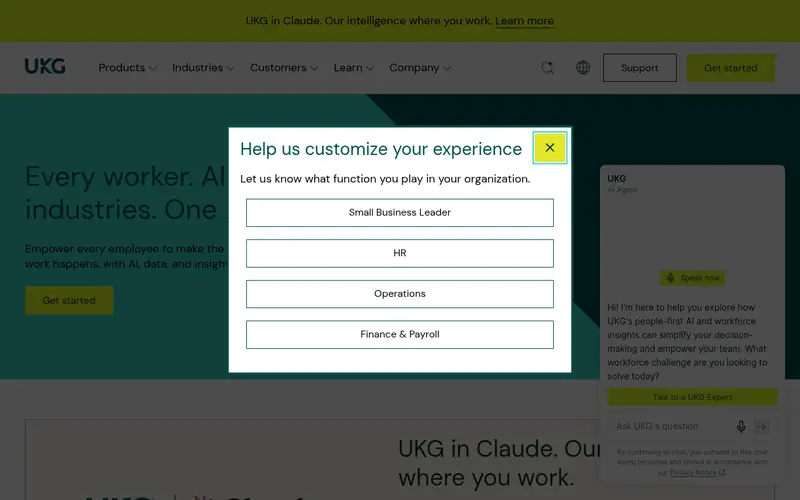
UKG, formerly Kronos, is built for manufacturers with multiple shifts, rotating schedules, and union or plant-specific overtime rules. It tracks punches against work orders and cost centers, so labor hours roll into production reporting. Timekeeping connects to scheduling and payroll in one system. The platform is sold through quotes, so there is no public entry price. Expect implementation work and admin training. Small shops with one shift and simple rules will find it heavier than needed. Large plants with several locations and detailed labor rules are the better fit.

Price: See vendor pricing page

Free plan: No

Website: ukg.com

Watch out for

  • Pricing is quote-based
  • Setup and admin take time
2

Clockify

Small shops that want free time tracking first
See vendor pricing page
clockify.meHomepage, Nov 2026
Clockify homepage

Clockify is a time tracker that works for small manufacturing teams that want to log hours by job, project, or work order without a big setup. The free plan covers unlimited users with basic tracking. Paid tiers add timesheet approvals, scheduling, and reporting. It is not a full workforce management system. Overtime rules and payroll are limited compared with dedicated time clock platforms. Use it if you need a low-cost way to record hours against jobs and can handle payroll elsewhere.

Free plan: Yes

Website: clockify.me

Strengths

  • Free plan for unlimited users
  • Tracks time by project and task

Watch out for

  • Payroll and scheduling are limited
  • Punch-clock hardware is basic
3

Buddy Punch

Teams that want simple punch clocks with job codes
See vendor pricing page
Buddy PunchHomepage image unavailable

Buddy Punch is a straightforward time clock. Employees punch in on a web browser, mobile app, or kiosk, and can assign hours to job codes. Managers approve timesheets and export hours to payroll. It supports geofencing and photo capture on punches. Pricing is per user per month, and payroll integration is a separate add-on. It fits small to mid-size shops that want simple punches tied to jobs. Plants with complex rotating shifts or detailed labor costing should look at UKG or similar platforms.

Free plan: Free trial (14 days)

Website: buddypunch.com

Strengths

  • Easy punch clock with job codes
  • Fixed per-user pricing

Watch out for

  • Advanced scheduling is limited
  • Payroll add-ons cost extra
4

QuickBooks Time

Shops already using QuickBooks for payroll
See vendor pricing page
quickbooks.intuit.comHomepage, Nov 2026
QuickBooks Time homepage

QuickBooks Time, formerly TSheets, is a time clock that links to QuickBooks payroll. Employees punch in by mobile, kiosk, or web, and hours can be assigned to customers, jobs, or service items. That helps shops that bill labor to work orders. The tool works best if you already run QuickBooks. Standalone use is possible, but the payroll link is the main draw. Scheduling and approvals are included, while some advanced features sit in higher tiers. Mid-size plants with many cost codes may outgrow it.

Free plan: Free trial (30 days)

Website: quickbooks.intuit.com/time-tracking

Strengths

  • Connects to QuickBooks payroll
  • Job and service item tracking

Watch out for

  • Best value only inside QuickBooks
  • Advanced rules need higher tiers
5

Homebase

Small manufacturers that need scheduling and time clocks
See vendor pricing page
joinhomebase.comHomepage, Nov 2026
Homebase homepage

Homebase combines scheduling, time clocks, and basic HR for small teams. The free plan covers one location with core time tracking and scheduling. Paid plans add hiring, payroll, and more controls. For a small factory or workshop, Homebase can cover shift scheduling and punch tracking in one place. Larger plants with multiple locations or complex overtime rules will hit the plan limits. Check the current free plan limits on the vendor site before you rely on them.

Free plan: Yes

Website: joinhomebase.com

Strengths

  • Free plan for one location
  • Scheduling and time clock in one app

Watch out for

  • Free plan limits features
  • Payroll is an add-on
6

Deputy

Manufacturers with rotating shifts and award rules
See vendor pricing page
deputy.comHomepage, Nov 2026
Deputy homepage

Deputy focuses on scheduling and time tracking for shift-based teams. It handles rotating schedules, shift swapping, and rule checks for overtime and breaks. Employees punch in on mobile or a kiosk, and managers review timesheets before export to payroll. It fits plants that run several shifts and need scheduling and timekeeping together. There is no free plan, and pricing rises with headcount. Small teams with simple hours may prefer a cheaper punch clock.

Free plan: Free trial (31 days)

Website: deputy.com

Strengths

  • Strong shift scheduling and rule enforcement
  • Mobile punch with location checks

Watch out for

  • No free plan
  • Pricing scales with headcount
7

TimeClock Plus

Mid-size plants that need labor tracking and compliance
See vendor pricing page
TimeClock PlusHomepage image unavailable

TimeClock Plus is a workforce management system aimed at organizations with hourly staff. It covers time and attendance, scheduling, leave, and labor analytics. It supports badge readers and biometric clocks, which suit factory floors where shared devices are common. Pricing is quote-based, and setup takes planning. It fits mid-size to large manufacturers that need audit trails and compliance reporting. Very small shops will find it more than they need.

Free plan: No

Website: timeclockplus.com

Strengths

  • Built for labor tracking and compliance
  • Supports badges and biometric clocks

Watch out for

  • Quote-based pricing
  • Longer setup
8

ClockShark

Field and shop crews that track hours by job
See vendor pricing page
ClockSharkHomepage image unavailable

ClockShark is a time clock for crews that move between jobs. Employees clock in on mobile with GPS, and hours attach to jobs and tasks. That suits manufacturers with install or service crews as well as shop staff. It handles job costing and payroll export, but scheduling is basic compared with Deputy or UKG. There is no free plan. Use it if job-based hour tracking matters more than complex shift rules.

Free plan: Free trial (14 days)

Website: clockshark.com

Strengths

  • Tracks hours by job and task
  • Mobile app with GPS

Watch out for

  • No free plan
  • Scheduling is basic

Pre-purchase checklist

  • Confirm the tool supports your overtime rules, shift differentials, and break policies.
  • Check hardware support: badge readers, kiosks, biometric clocks, or mobile punch.
  • Verify how hours map to jobs, work orders, or cost centers for labor reporting.
  • Ask whether payroll is included or a separate add-on, and check the per-user cost.
  • Review free plan limits and trial length on the vendor site before you commit.

FAQ

What is the best time clock software for manufacturing?

There is no single best tool. UKG fits large plants with complex rules. Clockify and Homebase suit small shops that want a free start. Deputy and TimeClock Plus fit mid-size teams that need scheduling and compliance.

Do these tools handle overtime and shift differentials?

Most do. UKG, Deputy, and TimeClock Plus have detailed rule setup for overtime, breaks, and shift differentials. Simpler tools like Buddy Punch and ClockShark handle basic overtime but may need manual review for complex plant rules.

Can time clock software track hours by job or work order?

Yes. UKG, ClockShark, QuickBooks Time, and Buddy Punch let you assign hours to jobs, work orders, or cost codes. That supports labor costing and job-based billing.

Is there free time clock software for manufacturing?

Clockify and Homebase offer free plans. Both cover basic time tracking, and Homebase adds scheduling for one location. Free plans have limits, so check the vendor site for current terms before you rely on them.

Do I need special hardware for a factory time clock?

Not always. Many tools work on mobile, web, or tablet kiosks. For shared floor devices, badge readers and biometric clocks are options with UKG and TimeClock Plus. Confirm hardware support on the vendor site.


