
How we rank
HR and Workforce · Researched comparison

Best Time Clock Software for Print Shops in 2026

TaskReports may earn a fee from some links on this page, and some placements are paid and labelled. Neither one decides the order. See our disclosure.

The short answer

Homebase suits small print shops that want free scheduling and shift tracking for one location. Clockify fits shops that bill hours to client jobs and want a free tier. QuickBooks Time is the better fit for shops already running QuickBooks payroll and job costing. All three track punches; the choice depends on payroll setup and how you bill press and prepress time.

On this page

Key takeaways

  • Homebase is the top pick for small print shops that need free scheduling and shift tracking for one location.
  • Clockify and QuickBooks Time tie punches to client jobs and estimates, which fits estimate-driven print work.
  • Buddy Punch and Timeclock Plus add geofencing, kiosk mode and payroll exports for multi-press shops.
  • Most picks offer a free trial or free tier; confirm current entry prices on each vendor's pricing page.

Quick comparison

ToolBest fitStarting price
HomebaseSmall single-location print shops needing free schedulingSee vendor pricing page
ClockifyPrint shops billing hours to client jobsSee vendor pricing page

QuickBooks TimePrint shops already using QuickBooks payrollSee vendor pricing page
Buddy PunchMulti-press shops needing kiosk and geofence punchesSee vendor pricing page
Timeclock PlusLarger print operations with complex shift rulesSee vendor pricing page
ClockSharkPrint shops with field install or delivery crewsSee vendor pricing page
PaylocityPrint businesses needing HR and payroll in one platformSee vendor pricing page

How we chose

We picked tools that support shift tracking, job-level hour capture and payroll export, since print shops bill time to client jobs and run presses on shifts. We weighed fit for the use case, published entry pricing, free access and main limits. Sources are vendor websites and public documentation. Prices change, so confirm current pricing on the vendor site before you buy.

★ Best overall

Homebase

Small single-location print shops needing free scheduling

  • Free tier covers scheduling and time clock for one location
  • mobile app for punch in and out
PriceSee vendor pricing page
See Homebase pricing
joinhomebase.comHomepage, Nov 2026
Homebase homepage

Homebase covers the basics a small print shop needs: a time clock, shift schedules and timesheet export. Employees punch in from a shared device or their phone, and managers approve hours before payroll. The free plan works for one location, which suits a single press room or front counter. Paid plans add payroll, hiring and compliance tools. For a shop that runs payroll elsewhere, the free tier may be enough. Shops that need hours tied to individual print jobs should look at Clockify or QuickBooks Time instead, because Homebase focuses on attendance rather than job costing.

Price: See vendor pricing page

Free plan: Yes

Website: joinhomebase.com

Watch out for

  • Advanced payroll and hiring tools sit on paid plans
  • limited job-costing depth
2

Clockify

Print shops billing hours to client jobs
See vendor pricing page
clockify.meHomepage, Nov 2026
Clockify homepage

Clockify is a time tracker first, so it fits print shops that bill prepress, press and finishing hours to client jobs. Each punch or timer entry can carry a client, project and task tag, which gives you a record of where shop hours went. The free tier supports unlimited users and basic reporting. The trade-off is payroll. Clockify tracks time well but does not run payroll the way QuickBooks Time or Homebase does. Shops that need a strict punch clock with rounding and overtime rules may find it lighter than expected. It works best as a job-costing layer alongside a separate payroll tool.

Free plan: Yes

Website: clockify.me

Strengths

  • Free tier includes unlimited users and time tracking
  • hours can be tagged to clients and projects

Watch out for

  • Payroll features are limited
  • advanced reporting sits on paid plans
3

QuickBooks Time

Print shops already using QuickBooks payroll
See vendor pricing page
quickbooks.intuit.comHomepage, Nov 2026
QuickBooks Time homepage

QuickBooks Time, formerly TSheets, is built for teams that already run QuickBooks. Print shop owners can approve timesheets, assign hours to customers and jobs, and send approved time to payroll without rekeying. Mobile punches can be tied to a location, which helps when staff move between the front counter and the press room. There is no free plan, only a trial. The product makes the most sense if payroll and invoicing already live in QuickBooks. A shop using another accounting system will get less from it and may prefer a standalone clock like Buddy Punch.

Free plan: Free trial (30 days)

Website: quickbooks.intuit.com/time-tracking

Strengths

  • Hours flow into QuickBooks payroll and job costing
  • GPS and geofencing on mobile

Watch out for

  • No free tier
  • full value depends on using QuickBooks
4

Buddy Punch

Multi-press shops needing kiosk and geofence punches
See vendor pricing page
Buddy PunchHomepage image unavailable

Buddy Punch is a straightforward employee time clock. A shared tablet at the shop entrance can run in kiosk mode so press operators and finishers punch in with a PIN or photo. Mobile punches can be limited to a geofence around the building, which cuts down on off-site clock-ins. It also handles PTO, overtime rules and payroll exports to common providers. The catch is cost: there is no free plan, and pricing scales with headcount. Small shops with a handful of staff may find Homebase's free tier enough, while larger press rooms get more from the kiosk and geofence controls here.

Free plan: Free trial (14 days)

Website: buddypunch.com

Strengths

  • Kiosk mode for shared shop-floor tablets
  • geofencing and GPS on mobile punches

Watch out for

  • No free tier
  • per-user pricing adds up for larger crews
5

Timeclock Plus

Larger print operations with complex shift rules
See vendor pricing page
Timeclock PlusHomepage image unavailable

Timeclock Plus targets organizations with more involved attendance rules. A print operation running multiple shifts, weekend press crews and state-specific overtime can model those rules in the system rather than fixing timesheets by hand. Scheduling and leave requests sit alongside the clock. This is not a quick self-serve signup. Pricing is quoted, and setup takes more planning than a small shop needs. A single-location print shop with ten employees will likely be over-served. Mid-size and multi-site printers with a payroll or HR team are the better fit.

Free plan: No

Website: timeclockplus.com

Strengths

  • Handles complex overtime and shift rules
  • scheduling and leave tools in one system

Watch out for

  • No free plan or published entry price
  • setup is heavier than simple clocks
6

ClockShark

Print shops with field install or delivery crews
See vendor pricing page
ClockSharkHomepage image unavailable

ClockShark is built for teams that split time between a shop and job sites. A print shop that sends installers to set up signage or delivers large-format work can track those hours by job and location. Office and shop staff punch in as usual. The scheduling and job-costing tools are useful if you bill installation time to clients. A shop that never leaves the building will pay for GPS features it does not use. In that case, a simpler clock such as Homebase or Buddy Punch is a better match.

Free plan: Free trial (14 days)

Website: clockshark.com

Strengths

  • GPS tracking for field and delivery staff
  • job and task tracking built in

Watch out for

  • No free tier
  • features aimed at field service may be more than a counter shop needs
7

Paylocity

Print businesses needing HR and payroll in one platform
See vendor pricing page
paylocity.comHomepage, Nov 2026
Paylocity homepage

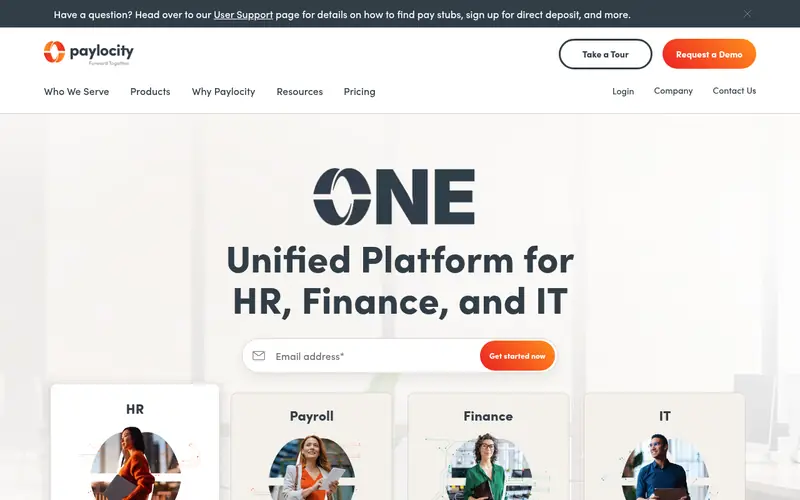
Paylocity is an HR and payroll platform with time tracking included. A growing print business that wants hiring, benefits, payroll and attendance in one place can avoid stitching separate tools together. Time and attendance rules, PTO and payroll run from the same system. It is not a low-cost punch clock. Pricing is quoted, and setup involves an implementation process. Small print shops should start with a free or low-cost clock and move here when HR admin becomes a real workload. Mid-size printers with a dedicated HR or payroll person get the most from it.

Free plan: No

Website: paylocity.com

Strengths

  • Time tracking, payroll and HR records in one system
  • supports multi-state payroll

Watch out for

  • No free plan or published entry price
  • implementation is longer than standalone clocks

Pre-purchase checklist

  • Confirm the clock can tag hours to client jobs or estimates, not just to employees.
  • Check overtime and shift rules for your state and how the tool applies them.
  • Verify payroll export formats match your payroll provider or accountant's setup.
  • Test kiosk or shared-device punch options for shop-floor staff without phones.
  • Confirm per-user pricing at your headcount and whether a free tier covers one location.

FAQ

What is the best time clock software for a small print shop?

Homebase is a strong fit for a small single-location print shop because its free tier covers scheduling and time clock for one location. Clockify is a good alternative if you bill hours to client jobs. Confirm current plan limits on each vendor's pricing page.

Can time clock software track hours by print job?

Yes, some tools do. Clockify lets you tag time to clients, projects and tasks. QuickBooks Time assigns hours to customers and jobs. This matters for print shops that bill prepress, press and finishing time to specific orders.

Do these tools handle overtime for shift work?

Several do. Buddy Punch, Timeclock Plus and Paylocity support overtime rules and shift scheduling. Homebase and Clockify cover basic time tracking. Check that the tool applies the overtime rules for your state before you commit.

Is there free time clock software for print shops?

Homebase offers a free tier for one location, and Clockify's free tier includes unlimited users and basic time tracking. Both have limits on payroll and advanced reporting. Paid plans add those features.

How much does time clock software cost for a print shop?

Prices vary by vendor and headcount. Many tools publish per-user pricing, while Timeclock Plus and Paylocity quote pricing after a sales conversation. Check each vendor's pricing page for current entry prices, since they change.
