How we rank
HR and Workforce · Researched comparison

Best Time Clock Software for Ski Resorts in 2026

TaskReports may earn a fee from some links on this page, and some placements are paid and labelled. Neither one decides the order. See our disclosure.

The short answer

Homebase is the first pick for a small ski area that wants a free time clock and scheduling tool for one location. Deputy fits resorts that need shift swapping and compliance rules across several outlets. QuickBooks Time suits resorts already using QuickBooks for payroll and books. All three track hours by location, which matters when lift crews, rental shops, and food service clock in at different buildings.

On this page

Key takeaways

  • Homebase has a free plan for one location with up to 20 employees, which fits a small base lodge but not a multi-lift resort.
  • Deputy and When I Work both sell per-user scheduling and time clock plans, so seasonal headcount drives the monthly cost.
  • QuickBooks Time bills per user and adds payroll and accounting links, which suits resorts already running QuickBooks.
  • Most tools here charge per user, so cutting seasonal staff from the roster after closing day lowers the bill.

Quick comparison

ToolBest fitStarting price
HomebaseSmall ski areas needing a free clock and scheduleSee vendor pricing page
DeputyMulti-outlet resorts with shift swapping and compliance rulesSee vendor pricing page

When I WorkScheduling-heavy resorts that need fast shift coverageSee vendor pricing page
QuickBooks TimeResorts already running payroll in QuickBooksSee vendor pricing page
ClockifyBudget-conscious resorts tracking hours by departmentSee vendor pricing page
SlingResorts that want free scheduling plus a time clockSee vendor pricing page
Buddy PunchResorts needing simple clock-in with location controlsSee vendor pricing page

How we chose

We picked tools that record hourly time and handle the scheduling and payroll needs common at ski resorts, including multiple locations, seasonal rosters, and shift changes. We weighed fit for the use case, the published entry price, free access, and the main limits of each plan. Sources are vendor websites and public documentation. Prices change, so confirm current rates on the vendor site before buying.

★ Best overall

Homebase

Small ski areas needing a free clock and schedule

  • Free plan for one location with up to 20 employees
  • built-in scheduling and messaging
PriceSee vendor pricing page
See Homebase pricing
joinhomebase.comHomepage, Nov 2026
Homebase homepage

Homebase combines a time clock, employee scheduling, and team messaging in one app. Employees clock in from a shared tablet or their own phone, and managers see hours by location. For a small ski area with a base lodge and a rental desk, the single-location free plan can cover the core need at no cost. Paid plans add more locations, advanced scheduling, and payroll features. The free tier caps at 20 employees, which is well under the seasonal headcount of most resorts, so larger mountains will need a paid plan or a different tool. Resorts with several buildings and hundreds of seasonal hires should look elsewhere.

Price: See vendor pricing page

Free plan: Yes

Website: joinhomebase.com

Watch out for

  • Free tier limited to one location
  • advanced hiring tools cost extra
2

Deputy

Multi-outlet resorts with shift swapping and compliance rules
See vendor pricing page
deputy.comHomepage, Nov 2026
Deputy homepage

Deputy handles scheduling, time and attendance, and payroll export. Employees clock in from a kiosk, browser, or mobile app, and the system records hours against the assigned shift and location. That structure fits a resort with separate lift, rental, food, and ski school departments. Shift swapping and open-shift offers help when snow conditions change staffing needs on short notice. Compliance settings can flag overtime and break rules by region. Pricing is per user, so a resort that keeps hundreds of seasonal staff on the roster pays for all of them. Removing inactive staff after the season ends lowers the bill.

Free plan: Free trial (31 days)

Website: deputy.com

Strengths

  • Strong shift-swap and open-shift tools
  • labor law compliance settings by location

Watch out for

  • Per-user pricing adds up with large seasonal rosters
  • no permanent free plan
3

When I Work

Scheduling-heavy resorts that need fast shift coverage
See vendor pricing page
wheniwork.comHomepage, Nov 2026
When I Work homepage

When I Work focuses on scheduling and time tracking for hourly teams. Managers build schedules, staff pick up open shifts, and employees clock in from the mobile app with location data attached. For a ski resort that juggles lift operators, instructors, and ticket staff, the open-shift tools help fill gaps when someone calls out. The time clock records hours and breaks, and data exports to payroll providers. The tool is lighter on payroll, benefits, and HR records than full suites, so resorts with complex payroll may pair it with a payroll service. Pricing is per user, and the free trial is short.

Free plan: Free trial (14 days)

Website: wheniwork.com

Strengths

  • Simple scheduling and shift coverage tools
  • mobile clock-in with GPS

Watch out for

  • Payroll and HR features are limited
  • per-user pricing
4

QuickBooks Time

Resorts already running payroll in QuickBooks
See vendor pricing page
quickbooks.intuit.comHomepage, Nov 2026
QuickBooks Time homepage

QuickBooks Time tracks hours by employee, job, and location, and it sends approved timesheets straight to QuickBooks payroll. A resort that already runs its books in QuickBooks avoids double entry at payroll time. Job codes can separate lift operations, snowmaking, rental, and food service hours. Crews can clock in from a mobile device with GPS, which helps confirm that snowmaking staff are on the mountain and not at the base. The tool works as a standalone product, but the payroll link is the main reason to pick it. Resorts on other payroll systems get less out of it, and per-user pricing still applies.

Free plan: Free trial (30 days)

Website: quickbooks.intuit.com/time-tracking

Strengths

  • Direct link to QuickBooks payroll
  • GPS and job codes for crews

Watch out for

  • Best value only inside the QuickBooks ecosystem
  • per-user pricing
5

Clockify

Budget-conscious resorts tracking hours by department
See vendor pricing page
clockify.meHomepage, Nov 2026
Clockify homepage

Clockify is a time tracker with a free plan that allows unlimited users, which is unusual for a per-seat market. A resort can set up projects for each department, such as lifts, ski school, rental, and food service, and have staff log hours against them. Reports show totals by person, project, and date range. The trade-off is that Clockify is built around time tracking rather than shift scheduling and payroll compliance. Managers who need break rules, overtime alerts, and shift swaps will find it thin. It suits a resort that mainly needs to count hours by department and export them, and it costs nothing at the base tier.

Free plan: Yes

Website: clockify.me

Strengths

  • Free plan for unlimited users
  • reports by project and department

Watch out for

  • Scheduling is basic
  • payroll export needs setup
6

Sling

Resorts that want free scheduling plus a time clock
See vendor pricing page
getsling.comHomepage, Nov 2026
Sling homepage

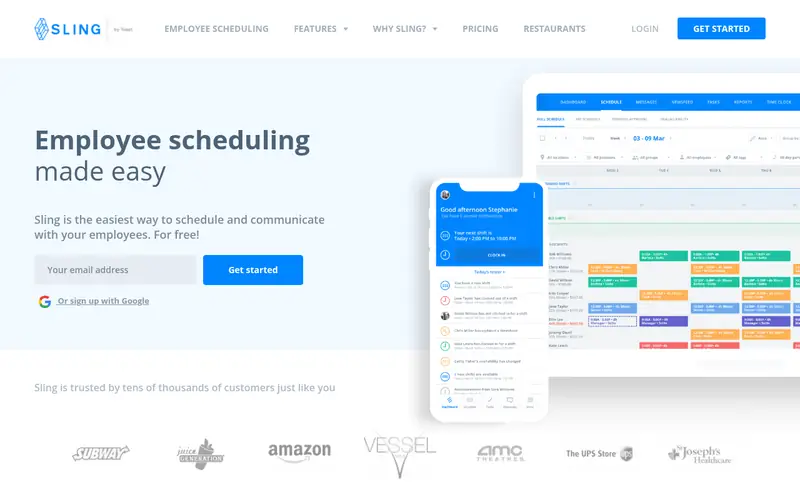
Sling offers scheduling, a time clock, and task management. The free plan covers core scheduling and clock-in for small teams, which can work for a single ski school or rental shop within a larger resort. Managers build shifts, assign tasks, and review hours in one place. Paid tiers add features such as more detailed reporting and integrations. Sling is not a full payroll system, so hours still need to move to a payroll provider. It fits a department-level need or a small area that wants scheduling and a clock without a large software bill.

Free plan: Yes

Website: getsling.com

Strengths

  • Free plan includes scheduling and time clock
  • shift and task tools

Watch out for

  • Advanced features are paid
  • payroll integration is limited
7

Buddy Punch

Resorts needing simple clock-in with location controls
See vendor pricing page
Buddy PunchHomepage image unavailable

Buddy Punch is a dedicated time clock. Employees punch in from a browser, mobile app, or kiosk, and managers can require GPS, IP address, or a QR code to confirm the punch location. For a resort with staff spread across a mountain, those controls help prevent clock-ins from off-site. The tool handles timesheets, paid time off, and payroll export. Scheduling is available as an add-on rather than part of the base product. It suits a resort that already has a scheduling method and mainly needs accurate punch data, but it is not the cheapest option and has no free tier.

Free plan: Free trial (14 days)

Website: buddypunch.com

Strengths

  • Clock-in controls such as GPS and IP locks
  • simple interface

Watch out for

  • No free plan
  • scheduling is an add-on

Pre-purchase checklist

  • Confirm how the tool handles seasonal hires who leave the roster after closing day, and whether you pay per active user or per seat.
  • Check that clock-in can be tied to a location, such as GPS, IP, or QR, so staff cannot punch in from home.
  • Ask whether the tool supports multiple locations or departments under one account and one bill.
  • Confirm the payroll export format matches your payroll provider before the first pay run.
  • Review break and overtime rules for your state or region and test that the tool flags them.

FAQ

What is the best time clock software for a small ski resort?

Homebase is a good fit for a small area because its free plan covers one location with up to 20 employees and includes a time clock and scheduling. A resort with more staff or more buildings will need a paid plan or a tool priced per user.

Can time clock software handle seasonal staff?

Yes. Most tools here let you add and remove employees as the season changes. Because pricing is often per user, removing staff after closing day lowers the monthly bill. Check each vendor's policy on deactivating users and keeping their historical hours.

Do these tools track hours by location?

Several do. Deputy, QuickBooks Time, and Buddy Punch can tie a punch to a location using GPS, IP address, or a kiosk. That helps when lift crews, rental shops, and food service clock in at different buildings across the mountain.

How much does time clock software cost for a resort?

Prices are per user at most vendors, so cost depends on headcount. Homebase, Clockify, and Sling have free plans with limits. Deputy, When I Work, QuickBooks Time, and Buddy Punch charge per user. Confirm current rates on each vendor's pricing page.

Do these tools include payroll?

QuickBooks Time links directly to QuickBooks payroll. Deputy, When I Work, and Buddy Punch export hours to payroll providers. Homebase, Clockify, and Sling focus on time and scheduling, so payroll runs through a separate service.