How we rank
HR and Workforce · Researched comparison

Best Time Theft Prevention Software in 2026

TaskReports may earn a fee from some links on this page, and some placements are paid and labelled. Neither one decides the order. See our disclosure.

The short answer

Hubstaff is the best time theft prevention software for most teams because it combines time tracking, GPS, screenshots and activity rates in one app. Small teams that want a simpler tracker can look at Time Doctor for activity monitoring, or QuickBooks Time if payroll already runs through QuickBooks. Each tool below addresses time theft in a different way, so match the pick to how your team works.

On this page

Key takeaways

  • Hubstaff is the top pick for most teams, with GPS, screenshots and activity tracking on paid plans.
  • Time Doctor focuses on activity monitoring and time-use alerts, with a free trial.
  • QuickBooks Time suits teams that already run payroll and accounting in QuickBooks.
  • Most tools here charge per user per month and offer a trial rather than a free plan.

Quick comparison

ToolBest fitStarting price
HubstaffTeams that want tracking plus activity ratesSee vendor pricing page
Time DoctorManagers who want activity alerts and time-use reportsSee vendor pricing page

QuickBooks TimeTeams already using QuickBooks for payrollSee vendor pricing page
ClockifyBudget-conscious teams that need basic time recordsSee vendor pricing page
Toggl TrackSmall teams that want simple, low-friction trackingSee vendor pricing page
InsightfulTeams that want activity and productivity monitoringSee vendor pricing page
VeriClockField teams that need GPS and job-site time checksSee vendor pricing page
ConnecteamMobile and deskless teams that need scheduling plus time clockSee vendor pricing page

How we chose

We picked tools that directly address time theft through time records, GPS, screenshots or activity monitoring. We compared fit for the use case, entry pricing, free access and main limits. Sources are vendor websites and public documentation, not hands-on testing. Prices change, so confirm current rates on each vendor site before buying.

★ Best overall

Hubstaff

Teams that want tracking plus activity rates

  • Combines GPS, screenshots and activity rates
  • supports payroll and invoicing
PriceSee vendor pricing page
See Hubstaff pricing
hubstaff.comHomepage, Nov 2026
Hubstaff homepage

Hubstaff records time against projects and clients and adds GPS, screenshots and keyboard and mouse activity rates on paid plans. Managers can review activity rates and screenshots to spot patterns that suggest time theft, such as long idle periods or padded hours. It also supports payroll and invoicing, so approved hours flow into billing. Pricing is per user per month and varies by plan and billing cycle, so confirm current rates on the vendor site. A 14-day free trial is offered. Lower tiers limit features like screenshots and activity tracking, so check which plan includes the monitoring you need. Skip Hubstaff if your team works in sensitive environments where screenshots are not acceptable, or if you only need simple start and stop timers.

Price: See vendor pricing page

Free plan: Free trial (14 days)

Website: hubstaff.com

Watch out for

  • Screenshots can feel invasive to some staff
  • activity tracking is limited on lower tiers
2

Time Doctor

Managers who want activity alerts and time-use reports
See vendor pricing page
timedoctor.comHomepage, Nov 2026
Time Doctor homepage

Time Doctor tracks time and monitors activity, and it can send alerts when it detects low activity or possible time misuse. Reports show how time is spent across apps and websites, which helps managers spot unproductive hours. It supports screenshots and GPS on paid plans. Pricing is per user per month and depends on the plan and billing term, so check the vendor page for current rates. A 14-day free trial is available. The monitoring features are strongest on paid tiers, and setting up rules for alerts takes some configuration. Skip Time Doctor if you want a lightweight timer with no monitoring, or if staff will not accept activity alerts and screenshots.

Free plan: Free trial (14 days)

Website: timedoctor.com

Strengths

  • Sends alerts for low activity and time misuse
  • offers detailed time-use reports

Watch out for

  • Full monitoring needs a paid plan
  • setup takes time for larger teams

3

QuickBooks Time

Teams already using QuickBooks for payroll
See vendor pricing page
quickbooks.intuit.comHomepage, Nov 2026
QuickBooks Time homepage

QuickBooks Time tracks hours by employee, job and client, and it connects to QuickBooks payroll so approved hours flow into pay runs. GPS tracking and job costing help managers confirm that staff are where they should be and that hours match the work billed. Pricing is per user per month, and some features may cost extra, so confirm current rates on the vendor site. A 30-day free trial is offered. The tool is most useful for teams that already run accounting or payroll in QuickBooks; others may find the connection less valuable. Skip QuickBooks Time if you do not use QuickBooks, or if you need deep activity monitoring and screenshots, which it does not focus on.

Free plan: Free trial (30 days)

Website: quickbooks.intuit.com/time-tracking

Strengths

  • Connects directly to QuickBooks payroll
  • offers GPS tracking and job costing

Watch out for

  • Best value only if you use QuickBooks
  • some features cost extra
4

Clockify

Budget-conscious teams that need basic time records
See vendor pricing page
clockify.meHomepage, Nov 2026
Clockify homepage

Clockify offers a free plan for unlimited users with a timer and timesheet reports, which gives managers a record of hours to review for gaps or padding. Paid plans add features such as approvals, scheduling and more detailed reporting. The free plan covers basic tracking, but advanced controls and some reporting need a paid plan. Pricing is per user per month on paid tiers, so confirm current rates on the vendor site. Clockify does not focus on screenshots or activity rates, so it is a fit for teams that want records rather than close monitoring. Skip Clockify if you need GPS, screenshots or activity alerts to catch time theft.

Free plan: Yes

Website: clockify.me

Strengths

  • Free plan for unlimited users
  • simple timer and timesheet reports

Watch out for

  • Advanced controls need a paid plan
  • limited activity monitoring
5

Toggl Track

Small teams that want simple, low-friction tracking
See vendor pricing page
toggl.comHomepage, Nov 2026
Toggl Track homepage

Toggl Track provides a simple timer with project and client tags, and its reports show where hours go. Managers can review timesheets for inconsistencies, which helps catch padding and misreported hours. A free plan is available for small teams, and paid plans add features such as billable rates and more reporting. Pricing is per user per month on paid tiers, so confirm current rates on the vendor site. Toggl Track does not focus on screenshots or activity monitoring, so it suits teams that trust staff but want clear records. Skip Toggl Track if you need GPS, screenshots or activity alerts.

Free plan: Yes

Website: toggl.com/track

Strengths

  • Clean timer with easy project tagging
  • free plan for small teams

Watch out for

  • Limited monitoring features
  • advanced reports need a paid plan
6

Insightful

Teams that want activity and productivity monitoring
See vendor pricing page
insightful.ioHomepage, Nov 2026
Insightful homepage

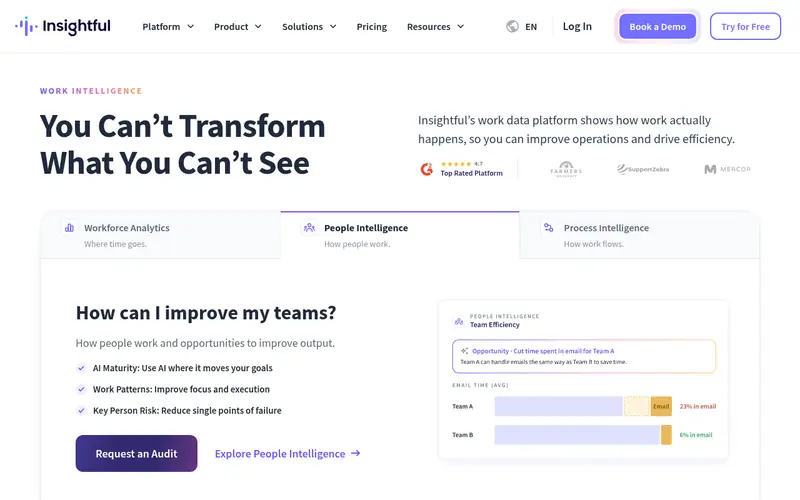
Insightful focuses on workforce monitoring, with activity tracking, screenshots and productivity reports that help managers spot unproductive time. It is built for teams that want close visibility into how hours are spent. There is no free plan; pricing is per user per month and depends on the plan, so confirm current rates on the vendor site. The monitoring features are extensive, which can feel heavy to staff who are not used to being tracked. Skip Insightful if you want a light tracker or if your team will not accept close monitoring.

Free plan: No

Website: insightful.io

Strengths

  • Offers activity monitoring and productivity reports
  • supports screenshots

Watch out for

  • No free plan
  • monitoring can feel heavy to staff
7

VeriClock

Field teams that need GPS and job-site time checks
See vendor pricing page
vericlock.comHomepage, Nov 2026
VeriClock homepage

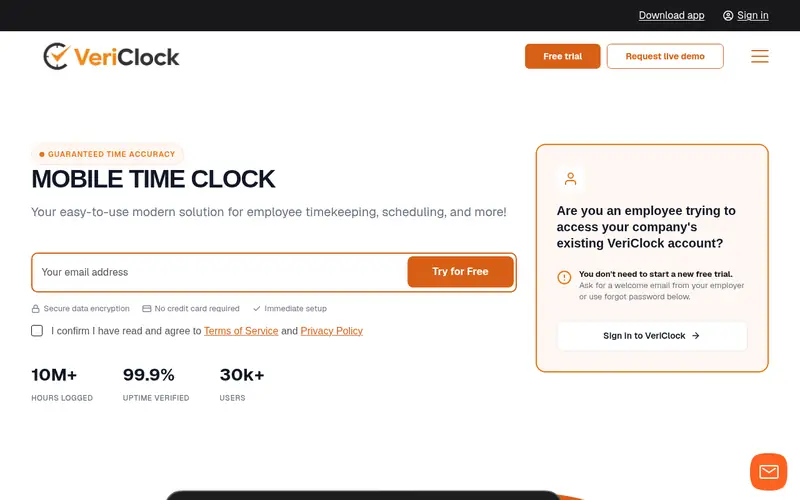
VeriClock is built for field and mobile teams, with GPS tracking and job-site verification so managers can confirm staff are on site when they clock in. This helps address buddy punching and hours logged away from the job. Pricing is per user per month and varies by plan, so confirm current rates on the vendor site. A 30-day free trial is offered. It is less focused on desktop activity monitoring, so it suits field work more than office work. Skip VeriClock if your team works mainly at desks and you need activity rates and screenshots.

Free plan: Free trial (30 days)

Website: vericlock.com

Strengths

  • GPS tracking with job-site verification
  • simple clock-in for field staff

Watch out for

  • Less focused on desktop activity
  • pricing varies by plan
8

Connecteam

Mobile and deskless teams that need scheduling plus time clock
See vendor pricing page
connecteam.comHomepage, Nov 2026
Connecteam homepage

Connecteam combines scheduling, a mobile time clock and job tracking for deskless teams. Managers can review clock-in records and locations to spot hours that do not match the schedule. A free plan is available for small teams, and paid plans add features such as GPS and more reporting. Pricing is per user per month on paid tiers, so confirm current rates on the vendor site. Monitoring is limited compared with dedicated activity tools, so it suits teams that need scheduling and basic time records. Skip Connecteam if you need detailed desktop activity monitoring.

Free plan: Yes

Website: connecteam.com

Strengths

  • Free plan for small teams
  • combines scheduling with a mobile time clock

Watch out for

  • Advanced features need a paid plan
  • monitoring is limited

Pre-purchase checklist

  • Confirm which plan includes the monitoring you need, such as GPS, screenshots or activity rates.
  • Check the per-user price and how it changes with billing term.
  • Confirm whether a free trial or free plan is offered and what it includes.
  • Review how records are stored and who can access them.
  • Check that the tool connects to your payroll or billing system if you need that.

FAQ

What is time theft prevention software?

It is software that records hours, location or activity so managers can spot padded timesheets, buddy punching or unproductive time. Tools range from simple timers to apps with GPS, screenshots and activity rates.

Do these tools require screenshots?

No. Some tools, such as Hubstaff and Insightful, offer screenshots on paid plans, but others, such as Clockify and Toggl Track, focus on time records without screenshots.

Is there a free option?

Clockify, Toggl Track and Connecteam offer free plans with limits. Most other tools here offer a free trial instead, so check each vendor page for current terms.

Can these tools track remote and field staff?

Yes. Hubstaff, Time Doctor and VeriClock offer GPS or location features, and Connecteam is built for mobile and deskless teams.

Are prices fixed?

No. Most tools charge per user per month and prices vary by plan and billing term. Confirm current rates on the vendor site before buying.