How we rank
HR and Workforce · Researched comparison

Best Time Tracking Software That Integrates With Workday in 2026

TaskReports may earn a fee from some links on this page, and some placements are paid and labelled. Neither one decides the order. See our disclosure.

The short answer

Clockify is the best first stop for most teams that need time tracking alongside Workday, because it has a free plan and low entry pricing. If payroll-grade hour capture matters most, look at Replicon. If you bill clients for project hours, Harvest is the better fit. Each connects to Workday through an API or export, so confirm the method that matches your setup.

On this page

Key takeaways

  • Clockify is the lowest-cost starting point, with a free plan and paid plans from $3.99 per user per month.
  • Replicon and Workday-focused tools such as Time Tracking by Replicon are built for payroll and project hour capture, while general tools like Harvest suit billing.
  • Most tools here connect to Workday through API or file export rather than a native connector, so confirm the integration method before buying.
  • Free plan limits vary widely, so check seat caps and feature locks on each vendor page.

Quick comparison

ToolBest fitStarting price
ClockifyLow-cost time tracking for teams of any size$3.99 per user per month
HarvestClient billing and project hour trackingSee vendor pricing page

RepliconPayroll and project hour capture at scaleSee vendor pricing page
Toggl TrackSimple tracking with easy exportsSee vendor pricing page
HubstaffTracking distributed teams with activity dataSee vendor pricing page
ClockSharkField and mobile crews with job costingSee vendor pricing page
QuickBooks TimeTeams already using QuickBooks for payrollSee vendor pricing page
Zoho PeopleHR and time tracking in one suiteSee vendor pricing page

How we chose

We selected tools that track time and can pass hours to Workday or a payroll system through an API or export. Criteria were fit for payroll and project hour capture, published entry price, free access, and main limits. Sources are vendor websites and public documentation. Prices change, so confirm on the vendor site before buying.

★ Best overall

Clockify

Low-cost time tracking for teams of any size

  • Free plan for unlimited users
  • simple timer and timesheet views
Price$3.99 per user per month
See Clockify pricing
clockify.meHomepage, Nov 2026
Clockify homepage

Clockify is a general time tracker with a free plan that supports unlimited users. Paid plans start at $3.99 per user per month. It records hours with a timer or manual entry and produces timesheets and reports. For Workday users, the connection is typically made through the Clockify API or a file export that feeds hours into payroll or project records. The plan structure is tiered, with higher tiers adding features such as approvals and billing rates. The free plan covers basic tracking but limits some reporting and admin controls. Teams that need deep payroll rules inside Workday should plan the integration work first. Clockify suits small and mid-size teams that want low cost and simple tracking.

Price: $3.99 per user per month

Free plan: Yes

Website: clockify.me

Watch out for

  • Workday connection relies on API or export
  • advanced features cost extra
2

Harvest

Client billing and project hour tracking
See vendor pricing page
getharvest.comHomepage, Nov 2026
Harvest homepage

Harvest focuses on tracking project hours and turning them into invoices. It records time against clients and projects and supports budgets and reports. For teams that also run Workday, hours can be exported or passed through the Harvest API into Workday records. Harvest does not offer a free plan. It offers a free trial, and paid plans are priced per user. The tool is strongest for agencies and service firms that bill by the hour. It is a weaker fit for internal payroll capture, where a payroll-focused tool is simpler. Check current pricing on the vendor page.

Free plan: Free trial (30 days)

Website: getharvest.com

Strengths

  • Strong invoicing and project budgets
  • clean timesheet reports

Watch out for

  • No free plan
  • Workday link needs export or API work

3

Replicon

Payroll and project hour capture at scale
See vendor pricing page
RepliconHomepage image unavailable

Replicon is a time and attendance platform aimed at payroll, compliance, and project hour capture. It handles timesheets, approvals, and rules that feed payroll systems. For Workday users, Replicon is positioned around passing validated hours into payroll and project records. Replicon does not publish entry pricing and does not offer a free plan, so buyers should request a quote. Setup takes more effort than a simple timer tool because payroll rules and approvals must be configured. It suits larger organizations that need controlled hour capture. Small teams that only need a timer should look at lighter tools first.

Free plan: No

Website: replicon.com

Strengths

  • Built for payroll and compliance rules
  • supports project and client hours

Watch out for

  • Pricing not published
  • setup is heavier than simple trackers
4

Toggl Track

Simple tracking with easy exports
See vendor pricing page
toggl.comHomepage, Nov 2026
Toggl Track homepage

Toggl Track is a lightweight time tracker with a free plan and paid tiers. It records hours with a timer or manual entry and produces summary reports. For Workday, the common path is a CSV export or the Toggl API, which lets teams move hours into payroll or project records. The free plan covers basic tracking for small teams, while paid plans add features such as billable rates and saved reports. Toggl Track does not handle payroll rules itself. It suits individuals and small teams that want fast tracking and simple exports. Larger payroll teams should pair it with a system that enforces Workday rules.

Free plan: Yes

Website: toggl.com/track

Strengths

  • Fast timer and clean reports
  • easy CSV export for Workday

Watch out for

  • Limited payroll features
  • Workday link is manual or API-based
5

Hubstaff

Tracking distributed teams with activity data
See vendor pricing page
hubstaff.comHomepage, Nov 2026
Hubstaff homepage

Hubstaff tracks time for remote and distributed teams and adds activity monitoring and optional screenshots. It records hours against projects and clients and produces reports. For Workday, hours can be exported or moved through the Hubstaff API into payroll or project systems. Hubstaff offers a free trial but no free plan, and paid plans are priced per user. The activity features are useful for some teams and unwelcome for others, so confirm policy before rollout. It suits teams that manage remote work and want visibility. Teams that only need timesheets may find it heavier than needed.

Free plan: Free trial (14 days)

Website: hubstaff.com

Strengths

  • Time tracking with activity and screenshots
  • project and client reporting

Watch out for

  • No free plan
  • activity features may not suit all teams
6

ClockShark

Field and mobile crews with job costing
See vendor pricing page
ClockSharkHomepage image unavailable

ClockShark is built for field service and construction crews. It tracks time on mobile devices with GPS and job codes and supports job costing and scheduling. For Workday, hours can be exported to feed payroll or project records. ClockShark offers a free trial but no free plan, and pricing is per user with tiers. The GPS and job-code features suit crews that move between sites. Office-based teams will find it more than they need. Confirm the export format and how hours will reach Workday before committing.

Free plan: Free trial (14 days)

Website: clockshark.com

Strengths

  • Mobile tracking with GPS and job codes
  • supports job costing

Watch out for

  • No free plan
  • built for field service rather than office teams
7

QuickBooks Time

Teams already using QuickBooks for payroll
See vendor pricing page
quickbooks.intuit.comHomepage, Nov 2026
QuickBooks Time homepage

QuickBooks Time tracks employee hours with mobile and web tools and connects to QuickBooks payroll. It supports job codes and approvals. For Workday users, hours can be exported and then loaded into Workday records. QuickBooks Time offers a free trial but no free plan, and pricing is per user. Its main advantage is tight coupling with QuickBooks payroll, which matters less if you run Workday. Teams outside the Intuit ecosystem should compare export options and cost. Confirm current pricing on the vendor page.

Free plan: Free trial (30 days)

Website: quickbooks.intuit.com/time-tracking

Strengths

  • Ties to QuickBooks payroll
  • mobile tracking and job codes

Watch out for

  • Best value inside the Intuit ecosystem
  • Workday link needs export
8

Zoho People

HR and time tracking in one suite
See vendor pricing page
zoho.comHomepage, Nov 2026
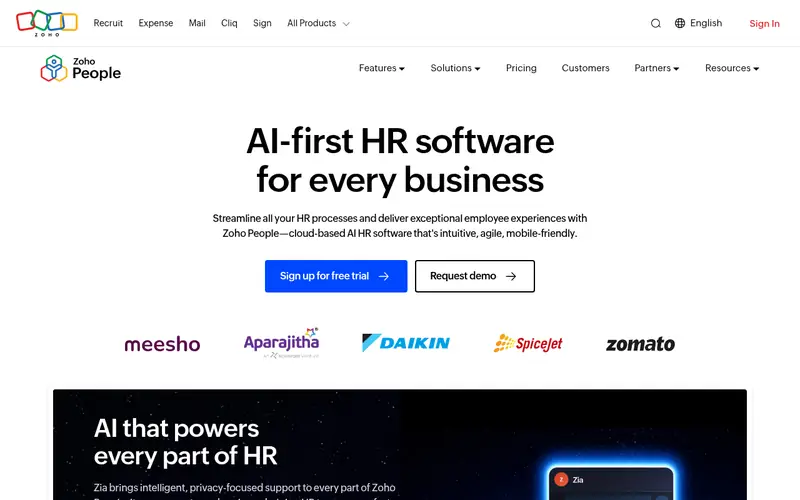
Zoho People homepage

Zoho People is an HR platform that includes time tracking, attendance, and leave management. It records hours and ties them to employee records. For Workday, data can move through the Zoho API or exports into payroll and HR records. Zoho People has a free plan for small teams and paid tiers for larger ones. Because it is an HR suite, setup covers more than a timer, and the Workday connection needs planning. It suits teams that want HR and time tracking together. Teams that only need a timer should choose a lighter tool.

Free plan: Yes

Website: zoho.com/people

Strengths

  • Time tracking inside an HR system
  • leave and attendance in one place

Watch out for

  • Workday link needs API or export work
  • setup spans HR modules

Pre-purchase checklist

  • Confirm how the tool sends hours to Workday: native connector, API, or file export.
  • Check whether the tool enforces payroll rules or only records hours.
  • Verify the free plan limits, including seat caps and locked features.
  • Confirm the entry price and what each tier adds.
  • Test an export or API sync with a small group before rollout.

FAQ

Do these tools integrate natively with Workday?

Most connect through an API or file export rather than a native connector. Confirm the exact method with the vendor before buying, and plan who maintains the sync.

Which option is cheapest for small teams?

Clockify has a free plan and paid plans from $3.99 per user per month, which makes it the lowest-cost starting point in this list. Check current limits on the vendor page.

Can I track billable client hours and send them to Workday?

Yes. Harvest and Clockify both track billable hours and can export or sync them. You then map those hours to Workday project or payroll records.

Do any of these tools have a free plan?

Clockify, Toggl Track, and Zoho People offer free plans. Harvest, Hubstaff, ClockShark, and QuickBooks Time offer free trials instead. Replicon does not publish a free option.

What should I check before choosing?

Confirm the Workday connection method, payroll rule support, free plan limits, and entry price. Run a small export or API test before a full rollout.