How we rank
HR and Workforce · Researched comparison

Best Time Tracking Software With Custom Fields in 2026

TaskReports may earn a fee from some links on this page, and some placements are paid and labelled. Neither one decides the order. See our disclosure.

The short answer

Wrike is the first pick for teams that need custom fields tied to tasks, projects and timesheets in one work management system. Harvest suits teams that want simple time tracking with custom fields on entries and reports. Clickify and ClickUp are good alternatives: Clickify for a free dedicated tracker, ClickUp for a broad workspace with built-in time tracking.

On this page

Key takeaways

  • Wrike and ClickUp support custom fields on tasks that carry tracked time, while Harvest, Toggl Track and Clockify focus on time entries themselves.
  • Harvest, Toggl Track and Clockify are dedicated time trackers; Harvest and Clockify carry the clearest custom-field support for time entries and reports.
  • Entry prices range from free plans at ClickUp and Clockify to paid plans at Wrike, Harvest and Toggl Track.
  • Confirm custom-field limits on the vendor pricing page, because several tools tie field counts to plan tier.

Quick comparison

ToolBest fitStarting price
WrikeTeams that want custom fields across tasks and timesheetsSee vendor pricing page
HarvestSmall teams that bill clients by custom fieldSee vendor pricing page

Toggl TrackFreelancers and teams that tag time entriesSee vendor pricing page
ClickUpTeams that want time tracking inside a broad workspaceSee vendor pricing page
ClockifyBudget-conscious teams that need custom fields on time entriesSee vendor pricing page

How we chose

We picked tools that list custom fields or custom properties in their public documentation and that support time entries, timesheets or time logs. We looked at fit for the use case, entry price, free access and the main limits on each plan. Sources are vendor websites and public pricing pages. Prices and plan limits change, so confirm details on the vendor site before you buy.

Best overall

Wrike

Teams that want custom fields across tasks and timesheets

  • Custom fields on tasks, projects and reports
  • built-in timesheets and approvals
PriceSee vendor pricing page
See Wrike pricing
wrike.comHomepage, Nov 2026
Wrike homepage

Wrike is a work management platform with built-in timesheets. You can create custom fields at the account level and apply them to tasks, projects and folders, then use those fields in timesheet views and reports. That makes it a fit for teams that bill or report by client, department or cost code. Time tracking is included in the platform rather than sold as a separate product. The entry plan has limits on custom field types and automation, so check the plan comparison before you commit. Teams that only need a stopwatch and a timesheet will find Wrike heavier than needed.

Price: See vendor pricing page

Free plan: Free trial (14 days)

Website: wrike.com

Watch out for

  • Time tracking depth varies by plan
  • higher tiers needed for advanced reporting
2

Harvest

Small teams that bill clients by custom field
See vendor pricing page
getharvest.comHomepage, Nov 2026
Harvest homepage

Harvest is a dedicated time tracker built around client and project hours. You can add custom fields to time entries so people record things like phase, location or ticket number alongside their hours. Those fields then appear in reports and can be used to filter invoices. The product is simple and focused. It does not try to be a full project management suite, so teams that need task dependencies or resource planning should look elsewhere. Harvest offers a free trial but no permanent free plan, and the number of custom fields you can create depends on your plan.

Free plan: Free trial (30 days)

Website: getharvest.com

Strengths

  • Custom fields on time entries and invoices
  • clean client and project reporting

Watch out for

  • No free plan
  • custom field count is limited
3

Toggl Track

Freelancers and teams that tag time entries
See vendor pricing page
toggl.comHomepage, Nov 2026
Toggl Track homepage

Toggl Track is a dedicated time tracker with a strong timer and reporting layer. You can attach tags and project details to each entry and filter reports by them, which covers many of the same needs as custom fields. It suits freelancers and small teams that want quick entry and clear reports. The free plan covers solo use and small teams but limits some reporting and admin features. Teams that need structured custom fields with fixed dropdown values, rather than free-form tags, may find the data model too loose. Paid plans add more reporting and control.

Free plan: Yes

Website: toggl.com/track

Strengths

  • Fast timer with tags and project fields
  • reports filter by those fields

Watch out for

  • Custom fields are closer to tags than structured data
  • free plan limits features
4

ClickUp

Teams that want time tracking inside a broad workspace
See vendor pricing page
clickup.comHomepage, Nov 2026
ClickUp homepage

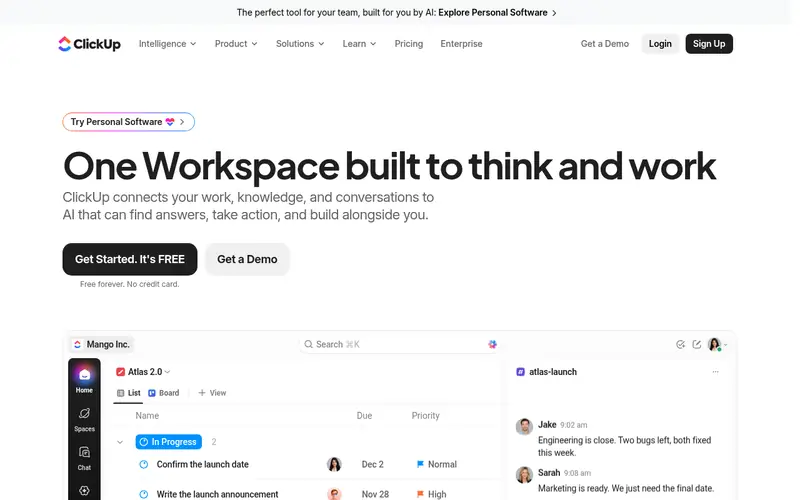
ClickUp is a work management platform with custom fields on tasks and a built-in time tracking feature. You can add fields such as client, phase or billable status, then use them in views and time reports. It suits teams that already run projects in ClickUp and want hours recorded in the same place. Because ClickUp covers tasks, docs, goals and more, the time tracking side is less deep than a dedicated tracker. The free plan has limits on some features, and custom field types and counts depend on the plan. Teams that only want a timer will find it overbuilt.

Free plan: Yes

Website: clickup.com

Strengths

  • Custom fields on tasks with built-in time estimates and tracking
  • free plan available

Watch out for

  • Time tracking is one feature among many
  • setup takes time
5

Clockify

Budget-conscious teams that need custom fields on time entries
See vendor pricing page
clockify.meHomepage, Nov 2026
Clockify homepage

Clockify is a dedicated time tracker with a free plan for unlimited users. You can add custom fields to time entries so people record extra details alongside their hours, and those fields can be used in reports. It suits small businesses and agencies that need low-cost tracking with some structure. The free plan covers core tracking and basic reporting. Some admin controls and advanced reporting sit on paid tiers. The interface carries a lot of options, so new users may need time to set up projects and fields before tracking starts.

Free plan: Yes

Website: clockify.me

Strengths

  • Free plan for unlimited users
  • custom fields available on time entries

Watch out for

  • Advanced custom field controls sit on paid plans
  • interface is dense

Which time tracking software with custom fields should I use if I bill clients by project phase?

Harvest is the best fit if you bill clients by project phase, because custom fields on time entries flow into reports and invoices. If you need a free dedicated tracker, Clockify covers custom fields on entries. If you already run projects in ClickUp, its built-in tracking keeps hours next to tasks. If your team plans work in Wrike, its custom fields and time logs sit on the same task.

Is Harvest better than Toggl Track for time tracking software with custom fields?

Harvest is better for structured custom fields that feed client invoices. Toggl Track is better for quick tagging and a simple timer. Harvest puts custom fields on time entries and reports and ties them to billing. Toggl Track uses tags and project details to filter reports, which is looser but faster to set up. Harvest has no free plan; Toggl Track does.

Pre-purchase checklist

  • Confirm the number and type of custom fields allowed on your plan, since several tools cap them by tier.
  • Check whether custom fields appear in reports, exports and invoices, not just on the entry form.
  • Test whether time tracking is built in or needs an add-on, template or integration.
  • Review free plan limits on users, records and reporting before you rely on them.
  • Confirm the billing unit and entry price on the vendor pricing page, since prices change.

FAQ

What is the best time tracking software with custom fields?

Wrike is a strong pick for custom fields across tasks and timesheets. Harvest suits client billing with custom fields on entries. Clockify is a good free option with custom fields on time entries. The right choice depends on whether you need a dedicated tracker or a full work management system.

Does Clockify offer custom fields on the free plan?

Clockify lists a free plan for unlimited users and supports custom fields on time entries. Some admin controls and advanced reporting sit on paid plans. Check the Clockify pricing page for the current field and feature limits before you set up your workspace.

Can I add custom fields to time entries in Toggl Track?

Toggl Track uses tags and project details on time entries rather than fixed custom fields. You can filter reports by those tags. Teams that need structured dropdown fields with fixed values may prefer Harvest or Clockify, which list custom fields on entries.

Which tool is best for a small team that bills by client?

Harvest is built around client and project hours, and custom fields on entries flow into reports and invoices. It has a free trial but no free plan. Clockify is a lower-cost alternative with a free plan and custom fields on entries.

Do these tools have free plans?

ClickUp, Clockify and Toggl Track list free plans with limits. Wrike and Harvest offer free trials rather than free plans. Free plan limits change, so confirm the current terms on each vendor pricing page.