How we rank
HR and Workforce · Researched comparison

Best Time Tracking Software With Role-Based Permissions in 2026

TaskReports may earn a fee from some links on this page, and some placements are paid and labelled. Neither one decides the order. See our disclosure.

The short answer

Harvest is a strong first pick for service firms that need clear admin, manager, and member roles alongside project time tracking. Clockify suits small teams that want role-based permissions on a free plan. Toggl Track is a good fit for teams that prioritize simple time tracking with basic access levels. Larger organizations may prefer Wrike or ClickUp for deeper permission structures.

On this page

Key takeaways

  • Harvest, Clockify, and Toggl Track all offer role-based access controls with published entry prices.
  • Clockify has a free plan for unlimited users with basic member and admin roles.
  • Wrike and ClickUp combine time tracking with granular permission levels for larger teams.
  • Most tools limit custom roles or advanced permissions to paid plans.

Quick comparison

ToolBest fitStarting price
HarvestService firms needing admin, manager, and member roles$12 per user per month
ClockifySmall teams wanting role-based access on a free plan$3.99 per user per month

Toggl TrackTeams wanting simple time tracking with basic access levels$9 per user per month
WrikeLarger teams needing granular permission levels with time trackingSee vendor pricing page
ClickUpTeams wanting time tracking inside a flexible project platform$7 per user per month
HubstaffRemote teams needing time tracking with role-based access$7 per user per month
PaymoSmall agencies needing time tracking with client and role controlsSee vendor pricing page

How we chose

We selected tools based on fit for role-based permissions, published entry pricing, free access options, and main limits. Sources are vendor websites and public documentation. Prices change, so confirm current pricing on the vendor site before buying.

Best overall

Harvest

Service firms needing admin, manager, and member roles

  • Clear role separation for admins, managers, and members
  • Time tracking tied to project budgets and client reporting
Price$12 per user per month
See Harvest pricing
getharvest.comHomepage, Nov 2026
Harvest homepage

Harvest assigns each user a role that controls what they can see and change. Admins manage account settings and billing. Managers oversee projects and approve timesheets. Members log time and see only their assigned projects. This structure fits agencies and consultancies that bill by client hours. The entry price is $12 per user per month, billed annually, for the Starter plan. Higher tiers add more project and reporting features. Harvest does not offer a free plan, only a 30-day trial. Teams that need custom role definitions beyond the three built-in roles should look at tools with more granular permission settings.

Price: $12 per user per month

Free plan: Free trial (30 days)

Website: getharvest.com

Watch out for

  • No free plan
  • Advanced permissions require higher tiers
2

Clockify

Small teams wanting role-based access on a free plan
$3.99 per user per month
clockify.meHomepage, Nov 2026
Clockify homepage

Clockify offers a free plan with unlimited users and basic roles. Admins can manage workspace settings, while regular members track time and view their own entries. This makes it a low-cost starting point for small teams that need simple role separation. Paid plans start at $3.99 per user per month for the Basic tier. More advanced permission controls, including custom roles and restricted visibility, appear on higher plans. The free plan is generous but does not include every access control. Teams with strict permission requirements should compare paid tiers before committing.

Free plan: Yes

Website: clockify.me

Strengths

  • Free plan supports unlimited users with admin and member roles
  • Low entry price for paid tiers

Watch out for

  • Custom roles limited to higher plans
  • Some permission features require paid upgrade

3

Toggl Track

Teams wanting simple time tracking with basic access levels
$9 per user per month
toggl.comHomepage, Nov 2026
Toggl Track homepage

Toggl Track provides straightforward time tracking with basic role distinctions. Workspace admins manage members and settings, while regular users log time on their own projects. The free plan supports up to 5 users, which suits very small teams testing the tool. The Starter plan is $9 per user per month, billed annually. It adds project templates, billable rates, and more reporting. Role-based permissions are present but less detailed than in tools built for larger organizations. Teams that need fine-grained control over who sees which projects may need a different product.

Free plan: Yes

Website: toggl.com/track

Strengths

  • Simple interface with clear admin and member roles
  • Free plan for up to 5 users

Watch out for

  • Limited granular permission options
  • Advanced controls tied to paid plans
4

Wrike

Larger teams needing granular permission levels with time tracking
See vendor pricing page
wrike.comHomepage, Nov 2026
Wrike homepage

Wrike is a project management platform with time tracking and detailed access controls. Admins can set permissions at the account, space, folder, and project level. This suits organizations that need to restrict visibility by team or client. Wrike offers a free plan with limited features. Paid plans add more permission options and time tracking depth. Pricing varies by plan and billing cycle, so check the vendor page. The platform is broader than a dedicated time tracker, which may be more than small teams need.

Free plan: Yes

Website: wrike.com

Strengths

  • Detailed permission settings across projects and folders
  • Time tracking built into project workflows

Watch out for

  • Complex setup for new users
  • Time tracking is one feature among many
5

ClickUp

Teams wanting time tracking inside a flexible project platform
$7 per user per month
clickup.comHomepage, Nov 2026
ClickUp homepage

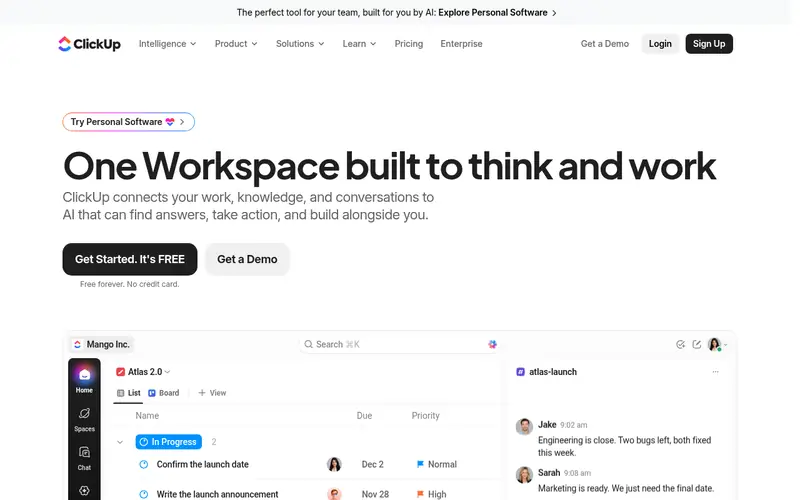
ClickUp includes time tracking with permission controls at the workspace, space, folder, and list level. Admins assign roles that determine who can view, edit, or approve time entries. The free plan supports unlimited users with basic permissions. The Unlimited plan starts at $7 per user per month, billed annually. Higher tiers add more advanced permission and reporting features. ClickUp is a good fit for teams already using it for project management. Teams that only need time tracking may find it heavier than necessary.

Free plan: Yes

Website: clickup.com

Strengths

  • Time tracking with role-based access across workspaces and spaces
  • Free plan for unlimited users

Watch out for

  • Permission setup can be complex
  • Time tracking is part of a larger feature set
6

Hubstaff

Remote teams needing time tracking with role-based access
$7 per user per month
hubstaff.comHomepage, Nov 2026
Hubstaff homepage

Hubstaff is built for remote and distributed teams. It assigns roles that control access to timesheets, reports, and team settings. Owners and managers can review time and activity data, while members log time on assigned projects. The entry price is $7 per user per month for the Starter plan, billed annually. A 14-day free trial is available. Higher plans add more reporting and scheduling features. Hubstaff includes activity monitoring, which some teams may not want. Check whether that fits your workplace policies.

Free plan: Free trial (14 days)

Website: hubstaff.com

Strengths

  • Role-based permissions for owners, managers, and members
  • Time tracking with activity and project data

Watch out for

  • No free plan
  • Some features require higher tiers
7

Paymo

Small agencies needing time tracking with client and role controls
See vendor pricing page
paymoapp.comHomepage, Nov 2026
Paymo homepage

Paymo combines time tracking, project management, and invoicing. It supports roles for admins, managers, and clients, with permissions that control what each role can view or edit. This suits small agencies that bill clients by the hour. Paymo offers a free plan for a limited number of users. Paid plans add more projects, storage, and permission features. Pricing details are on the vendor page. Teams that need extensive integrations or very granular permissions may outgrow Paymo.

Free plan: Yes

Website: paymoapp.com

Strengths

  • Role-based access for admins, managers, and clients
  • Time tracking tied to projects and invoices

Watch out for

  • Smaller feature set than larger platforms
  • Limited integrations compared to bigger tools

Which time tracking software with role-based permissions should I use if I run a small agency?

Harvest is a strong fit for small agencies because its admin, manager, and member roles map cleanly to agency workflows. If you need a free starting point, Clockify supports unlimited users with basic roles. For remote teams that want activity data alongside time tracking, Hubstaff offers role controls and a 14-day trial. For agencies that also invoice clients, Paymo ties time tracking to projects and client roles.

Is Harvest better than Clockify for time tracking software with role-based permissions?

Harvest is better for service firms that need clear role separation tied to client billing. Clockify is better for small teams that want role-based permissions on a free plan. Harvest starts at $12 per user per month with no free plan. Clockify has a free plan with unlimited users and paid plans from $3.99 per user per month. Choose Harvest for billing workflows and Clockify for budget-friendly access control.

Pre-purchase checklist

  • Confirm which roles are built in and whether custom roles require a higher plan.
  • Check whether time entry visibility can be restricted by project, client, or team.
  • Verify approval workflows for managers and admins.
  • Confirm the free plan limits for users and permission features.
  • Check whether time tracking integrates with your payroll or invoicing tools.

FAQ

What is role-based permission in time tracking software?

Role-based permission means each user is assigned a role, such as admin, manager, or member. The role determines what the user can view, edit, or approve. This helps protect sensitive time and billing data while letting team members log their hours.

Which time tracking tool has a free plan with role-based permissions?

Clockify offers a free plan with unlimited users and basic admin and member roles. ClickUp also has a free plan with unlimited users and permission controls. Free plans usually limit advanced or custom roles, so check what each plan includes.

Can I restrict managers to only see their team's time entries?

Yes, several tools support this. Harvest, Wrike, and ClickUp let admins limit visibility by project, team, or space. The exact options depend on the plan. Confirm the permission settings on the vendor page before buying.

Do I need a paid plan for custom roles?

In most cases, yes. Harvest, Clockify, and Toggl Track reserve advanced or custom role settings for paid tiers. Free plans typically include basic admin and member roles only. Review plan details to see which permission features are included.

How much does time tracking software with role-based permissions cost?

Entry prices range from $3.99 per user per month for Clockify to $12 per user per month for Harvest. Wrike and Paymo list pricing on their vendor pages. Costs depend on user count, billing cycle, and the permission features you need.