How we rank
HR and Workforce · Researched comparison

Best Timesheet Software for Asbestos Abatement Contractors in 2026

TaskReports may earn a fee from some links on this page, and some placements are paid and labelled. Neither one decides the order. See our disclosure.

The short answer

ClockShark is the first pick for most asbestos abatement contractors. It combines mobile clock-in with GPS stamps, job costing, and scheduling, which fits crews moving between containment sites. QuickBooks Time is a strong alternative if your payroll already runs on QuickBooks. Connecteam is a lower-cost option for small firms that want a free tier and simple mobile time tracking. Confirm current prices on each vendor site before you buy.

On this page

Key takeaways

  • ClockShark suits abatement crews that need GPS-stamped mobile time tracking with job costing, and its entry plan is published on its pricing page.
  • QuickBooks Time is a common pick for contractors already running QuickBooks payroll and books.
  • Hubstaff and Connecteam both offer free plan tiers with limits, which helps small abatement firms test a system before paying.
  • Every tool here tracks hours by job or client, but none replaces the certified supervisor and recordkeeping duties that asbestos regulations require.

Quick comparison

ToolBest fitStarting price
ClockSharkMobile crews that need GPS-stamped time and job costingSee vendor pricing page
QuickBooks TimeFirms already using QuickBooks for payroll and booksSee vendor pricing page

HubstaffTeams that want GPS tracking plus a free tier to startSee vendor pricing page
ConnecteamSmall firms that want a free tier and simple mobile trackingSee vendor pricing page
HomebaseSmall crews that need scheduling and basic time trackingSee vendor pricing page
TimeeroContractors who need GPS mileage and route historySee vendor pricing page
Buddy PunchSmall teams that want simple clock-in with job codesSee vendor pricing page

How we chose

We compared tools on fit for hourly field crews, entry price, free access, and main limits. We looked for mobile clock-in, job or client costing, GPS or geofence options, and payroll exports, since abatement work is billed by job and crew hours. Sources are vendor websites and public pricing and documentation pages. We did not run hands-on tests or collect user reviews. Prices and plan limits change, so confirm them on the vendor site before you buy.

Best overall

ClockShark

Mobile crews that need GPS-stamped time and job costing

  • GPS and geofence stamps on mobile punches
  • job and task costing built in
PriceSee vendor pricing page
See ClockShark pricing
ClockSharkHomepage image unavailable

ClockShark is built for field service and construction crews. Workers clock in from a phone, and each punch can carry a GPS location and a geofence check. For abatement work, that means hours can be tied to a specific containment site and job code. Supervisors can see who is on site and export hours to payroll. The product also includes scheduling, job costing, and reporting by employee, job, or task. That supports the job-level hour records many abatement contracts require for billing and project review. The trial runs 14 days. After that, plans are billed per user per month, so a large crew raises the total cost. Small firms with two or three workers may find the per-user price high compared with simpler apps.

Price: See vendor pricing page

Free plan: Free trial (14 days)

Website: clockshark.com

Watch out for

  • Per-user pricing adds up on large crews
  • no free plan after the trial
2

QuickBooks Time

Firms already using QuickBooks for payroll and books
See vendor pricing page
quickbooks.intuit.comHomepage, Nov 2026
QuickBooks Time homepage

QuickBooks Time is the time tracking product from Intuit. It handles mobile clock-in, GPS tracking, scheduling, and approvals. For an abatement contractor already running payroll and job costing in QuickBooks, approved hours can move into payroll without a separate export step. The plan structure separates a simpler time tracking tier from a premium tier that adds features such as geofencing and project tracking. Pricing is published on the vendor site and changes over time, so check it before you commit. Firms that do not use QuickBooks get less from the integration and may prefer a tool with stronger standalone job costing.

Free plan: Free trial (30 days)

Website: quickbooks.intuit.com/time-tracking

Strengths

  • Hours flow into QuickBooks payroll
  • strong mobile app and scheduling

Watch out for

  • Best value only inside the QuickBooks ecosystem
  • advanced features cost extra
3

Hubstaff

Teams that want GPS tracking plus a free tier to start
See vendor pricing page
hubstaff.comHomepage, Nov 2026
Hubstaff homepage

Hubstaff offers time tracking with GPS, screenshots, and activity data on its paid plans. It also has a free plan for small teams, which lets a small abatement firm test mobile clock-in before paying. Hours can be grouped by project and client, and reports can be exported. The free tier is limited in seats and features, so it suits a very small crew or a trial period rather than a full operation. GPS and advanced reporting sit on paid tiers. Firms that need strict per-job costing and certified payroll reports should compare the paid plans carefully before choosing Hubstaff over a construction-focused tool.

Free plan: Yes

Website: hubstaff.com

Strengths

  • Free plan for small teams
  • GPS and activity tracking on paid tiers

Watch out for

  • Free plan is limited in users and features
  • some features cost extra
4

Connecteam

Small firms that want a free tier and simple mobile tracking
See vendor pricing page
connecteam.comHomepage, Nov 2026
Connecteam homepage

Connecteam is a workforce app with time clock, scheduling, and team communication in one place. A small abatement crew can use the free plan to track hours on a phone and message the team. Paid plans add features such as geofencing, job scheduling, and more detailed reports. The free plan has user and feature limits, so it fits small teams. Larger crews and firms that need job costing tied to payroll should look at the paid tiers or a dedicated time tracking tool. Connecteam is a reasonable first step for a new abatement business that wants one app for hours and communication.

Free plan: Yes

Website: connecteam.com

Strengths

  • Free plan for small teams
  • mobile clock-in plus team communication

Watch out for

  • Advanced time and payroll features sit on paid plans
  • pricing scales with users
5

Homebase

Small crews that need scheduling and basic time tracking
See vendor pricing page
joinhomebase.comHomepage, Nov 2026
Homebase homepage

Homebase combines employee scheduling, time clock, and payroll tools. Its free plan covers one location and basic time tracking, which can fit a small abatement firm with a single office or yard. Workers clock in from a phone or a shared device, and managers approve hours before payroll. The free plan is limited to one location, so firms running multiple crews from separate sites will need a paid tier. Homebase is less focused on construction job costing than ClockShark or QuickBooks Time, but it is simple to set up and covers scheduling and hours for a small team.

Free plan: Yes

Website: joinhomebase.com

Strengths

  • Free plan for a single location
  • simple mobile clock-in and scheduling

Watch out for

  • Free plan limited to one location
  • payroll and hiring tools cost extra
6

Timeero

Contractors who need GPS mileage and route history
See vendor pricing page
timeero.comHomepage, Nov 2026
Timeero homepage

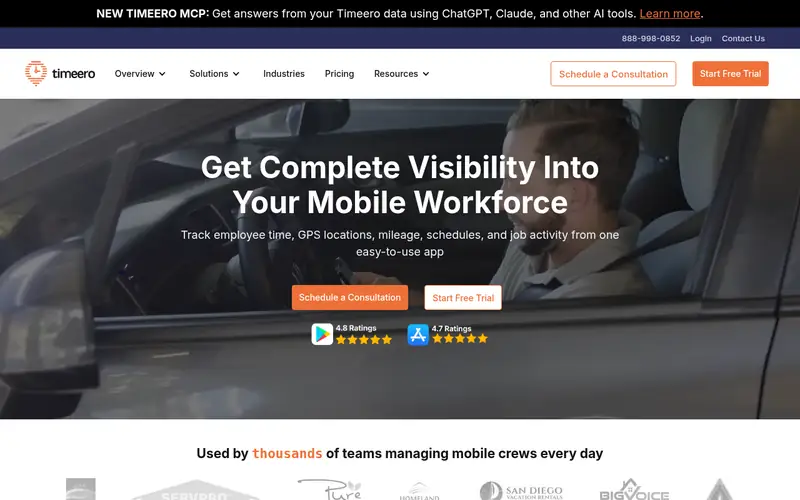
Timeero is a time and mileage tracking app built for mobile teams. It records GPS breadcrumbs, which show the route a worker took between sites. For abatement contractors moving between jobs, that history can support job-level hour records and mileage claims. The app tracks time by job and task and produces reports for payroll and billing. There is a 14-day trial, and paid plans are billed per user. Firms that mainly need simple clock-in may find it more than they need, while companies with several vehicles and sites may value the route history.

Free plan: Free trial (14 days)

Website: timeero.com

Strengths

  • GPS tracking with route and mileage history
  • job and task tracking

Watch out for

  • No free plan after trial
  • per-user pricing on paid tiers
7

Buddy Punch

Small teams that want simple clock-in with job codes
See vendor pricing page
Buddy PunchHomepage image unavailable

Buddy Punch is a straightforward time clock for small teams. Employees clock in from a browser or phone, and the system can require a job code and a geofence for each punch. That helps an abatement crew separate hours by site and job. Managers can approve timesheets, run reports, and export hours to payroll. The product is less deep on construction job costing than ClockShark, but it is easy to set up and priced per user. It suits a small firm that wants clean job-coded hours without a large software rollout. A 14-day trial is available; confirm current pricing on the vendor site.

Free plan: Free trial (14 days)

Website: buddypunch.com

Strengths

  • Simple setup with job codes and geofencing
  • web and mobile clock-in

Watch out for

  • Fewer construction-specific reports
  • no free plan after trial

Pre-purchase checklist

  • Confirm the tool can tag each punch with a job or client code, since abatement hours are billed by project.
  • Check whether GPS or geofence stamps are included or cost extra on the plan you want.
  • Verify payroll export formats match your payroll provider, including certified payroll if you do public work.
  • Confirm the free plan or trial limits in users, locations, and features before you commit.
  • Check how long records are kept and whether you can export them for regulatory and contract audits.

FAQ

Do asbestos abatement contractors need special timesheet software?

No special category exists. Abatement contractors need the same core features as other field contractors: mobile clock-in, job or client codes, GPS or geofence options, and payroll exports. The software records hours; it does not replace the certified supervisor or the recordkeeping duties that asbestos regulations place on the employer.

Can these tools track hours by job site?

Yes. ClockShark, QuickBooks Time, Timeero, and Buddy Punch all support job or task codes on each punch. Connecteam and Homebase offer job tracking on paid plans. Confirm the feature is included in the plan you choose, because some tools reserve job costing for higher tiers.

Is there free timesheet software for a small abatement crew?

Hubstaff, Connecteam, and Homebase each offer a free plan with limits. The limits are on users, locations, or features, so a small crew may fit while a larger one will need a paid tier. ClockShark, Timeero, and Buddy Punch offer free trials rather than free plans.

Do these tools handle certified payroll?

Some do. QuickBooks Time connects to QuickBooks payroll, and ClockShark offers payroll exports. Certified payroll reporting for public projects often needs a separate module or add-on. Check the vendor's documentation for certified payroll support before you rely on it.

How much should a small abatement firm expect to pay?

Most tools here bill per user per month, so cost depends on crew size. Entry prices are published on each vendor's pricing page and change over time. We do not quote a single figure because plans and limits differ. Compare the per-user price at your crew size, including any add-ons for GPS or job costing.