How we rank
HR and Workforce · Researched comparison

Best Timesheet Software for Auto Body Shops in 2026

TaskReports may earn a fee from some links on this page, and some placements are paid and labelled. Neither one decides the order. See our disclosure.

The short answer

QuickBooks Time suits auto body shops that want straightforward technician time tracking with job codes and payroll exports. Clockify is a lower-cost alternative for small shops, with a free plan for unlimited users. Shopmonkey fits shops that want time tracking inside a full repair order and shop management system. Larger multi-bay shops should compare per-user costs across all three before choosing.

On this page

Key takeaways

  • QuickBooks Time is the first pick for shops that want simple technician time tracking with job codes and payroll exports.
  • Clockify has a free plan for unlimited users, which suits small shops tracking hours on a budget.
  • Shopmonkey and Tekmetric combine repair orders with time data, so hours tie to jobs rather than sitting in a separate tool.
  • Most picks bill per user per month, so confirm seat counts and add-on costs before you commit.

Quick comparison

ToolBest fitStarting price
QuickBooks TimeShops needing simple job-coded technician time trackingSee vendor pricing page
ClockifySmall shops wanting free unlimited-user time trackingSee vendor pricing page

ShopmonkeyShops wanting time tracking inside shop managementSee vendor pricing page
TekmetricRepair shops tying technician hours to repair ordersSee vendor pricing page
Toggl TrackSimple timer-based tracking for small crewsSee vendor pricing page
HubstaffShops tracking time across bays and locationsSee vendor pricing page
HomebaseSmall shops combining scheduling with timesheetsSee vendor pricing page

How we chose

We picked tools that support time tracking for hourly technicians and can tie hours to jobs, clients or repair orders. Criteria included fit for auto body shop workflows, published entry pricing, free access, and the main limits of each plan. Sources are vendor websites and public documentation. Prices change, so confirm current pricing on the vendor site before you buy.

Best overall

QuickBooks Time

Shops needing simple job-coded technician time tracking

  • Job and service item codes for tagging repair work
  • Payroll and accounting exports through Intuit
PriceSee vendor pricing page
See QuickBooks Time pricing
quickbooks.intuit.comHomepage, Nov 2026
QuickBooks Time homepage

QuickBooks Time records when technicians clock in and out and lets you attach hours to jobs, service items or customers. For an auto body shop, that means a technician's time can be tagged to a specific repair order or insurance job, which helps with job costing and payroll. Timesheets can be approved by a manager and exported to payroll or QuickBooks accounting. The plan structure is tiered, and the entry tier covers basic time tracking while scheduling and other features sit in higher tiers. Pricing is per user per month, so a shop with several technicians should estimate the total seat cost. The free trial is 30 days. Shops that do not use QuickBooks accounting may prefer a standalone tool with simpler pricing.

Price: See vendor pricing page

Free plan: Free trial (30 days)

Website: quickbooks.intuit.com/time-tracking

Watch out for

  • Per-user pricing adds up for larger crews
  • Advanced features cost extra
2

Clockify

Small shops wanting free unlimited-user time tracking
See vendor pricing page
clockify.meHomepage, Nov 2026
Clockify homepage

Clockify is a general time tracking tool with a free plan that supports unlimited users. A small auto body shop can create a project for each repair order or client and have technicians log time against it. Timesheets can be reviewed and exported, which helps with payroll and billing. The free plan covers core tracking, and paid tiers add features such as scheduling, approvals and more detailed reporting. Because it is not built for auto body work, you set up projects and clients yourself, and job costing takes some configuration. It suits shops that want low-cost time tracking and are willing to run repair orders in a separate system.

Free plan: Yes

Website: clockify.me

Strengths

  • Free plan supports unlimited users
  • Timesheets can be grouped by project or client

Watch out for

  • Advanced features require paid tiers
  • Job costing needs setup work
3

Shopmonkey

Shops wanting time tracking inside shop management
See vendor pricing page
shopmonkey.ioHomepage, Nov 2026
Shopmonkey homepage

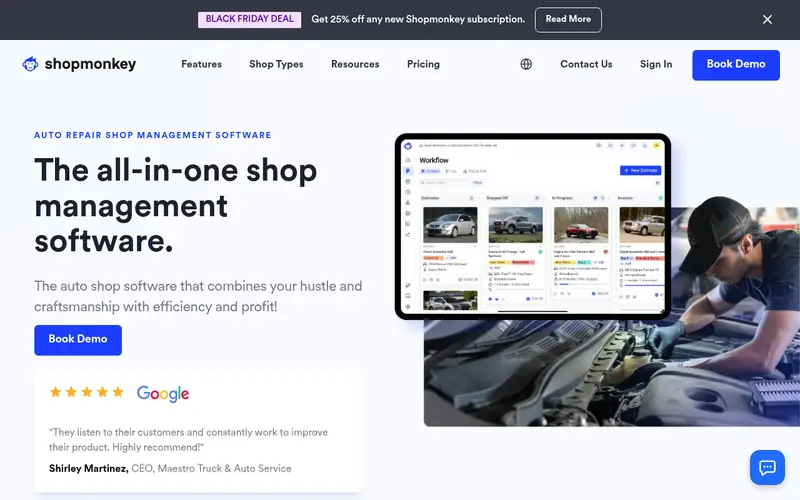
Shopmonkey is a shop management system for auto repair and body shops. It handles repair orders, estimates, parts, invoicing and customer communication, and it records technician time against the work. That means hours are tied to the job inside the same system that produces the invoice. Pricing is tiered and there is no free plan, so it suits shops ready to run more of the business in one platform. The time tracking is part of a larger product, which is useful for shops that want job data and hours together. A shop that only needs timesheets and already has a management system may find it more than necessary.

Free plan: No

Website: shopmonkey.io

Strengths

  • Repair orders and time tracking in one system
  • Built for auto repair workflows

Watch out for

  • No free plan
  • Full suite costs more than standalone time tools
4

Tekmetric

Repair shops tying technician hours to repair orders
See vendor pricing page
tekmetric.comHomepage, Nov 2026
Tekmetric homepage

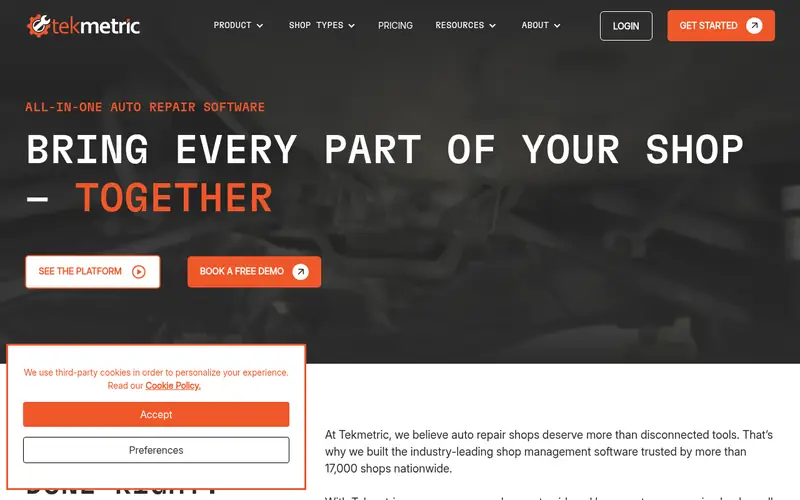
Tekmetric is a shop management platform for auto repair businesses. It covers repair orders, estimates, parts ordering, invoicing and reporting, and it tracks technician time against jobs. For an auto body shop, that links labor hours to the repair order and supports job costing. Pricing is quoted per shop and there is no free plan. The platform is aimed at shops that want an integrated system rather than a standalone timesheet app. Shops with simple payroll needs and an existing management system may not need it, but those replacing spreadsheets and paper tickets should compare it with Shopmonkey.

Free plan: No

Website: tekmetric.com

Strengths

  • Time tracking tied to repair orders
  • Integrates with parts and invoicing

Watch out for

  • No free plan
  • Pricing quoted per shop
5

Toggl Track

Simple timer-based tracking for small crews
See vendor pricing page
toggl.comHomepage, Nov 2026
Toggl Track homepage

Toggl Track is a time tracking tool built around simple timers. A technician can start a timer when work begins on a vehicle and stop it when the task ends, and the entry can be tagged with a project or client. Reports summarize hours by project, which helps with payroll and billing. The free plan covers basic tracking for a small team, and paid tiers add features such as billable rates and more reporting. It is not designed for auto body workflows, so repair order details live elsewhere. It suits small shops that want a low-friction timer and will handle job costing in another tool.

Free plan: Yes

Website: toggl.com/track

Strengths

  • Simple start-and-stop timers
  • Free plan for small teams

Watch out for

  • Limited job-costing depth
  • Paid tiers needed for team features
6

Hubstaff

Shops tracking time across bays and locations
See vendor pricing page
hubstaff.comHomepage, Nov 2026
Hubstaff homepage

Hubstaff is a workforce management tool with time tracking, scheduling and payroll features. A shop can set up projects for repair jobs or clients and have technicians log time against them. Location and activity options are available on higher tiers, which can help shops with multiple locations. Pricing is per user per month, and the free trial runs 14 days. The activity monitoring features are optional but may not fit a shop culture, so review them before rollout. It suits shops that want scheduling and payroll alongside time tracking, and it is more than a small shop needs for basic timesheets.

Free plan: Free trial (14 days)

Website: hubstaff.com

Strengths

  • Time tracking with activity and location options
  • Payroll and scheduling features

Watch out for

  • Per-user pricing
  • Activity monitoring may not suit every shop
7

Homebase

Small shops combining scheduling with timesheets
See vendor pricing page
joinhomebase.comHomepage, Nov 2026
Homebase homepage

Homebase combines employee scheduling, a time clock and timesheets. A small auto body shop can schedule technicians, have them clock in and out, and review hours for payroll. The free plan covers core scheduling and time clock features for a single location. Paid tiers add payroll, hiring and more advanced controls. It is not built for repair orders, so job costing and labor hours per vehicle need another system. It suits small shops that mainly need to track employee hours and schedules, and it is a reasonable starting point before moving to a shop management platform.

Free plan: Yes

Website: joinhomebase.com

Strengths

  • Free plan covers scheduling and time clock
  • Payroll add-ons available

Watch out for

  • Job costing is limited
  • Advanced features cost extra

Pre-purchase checklist

  • Confirm the tool can tag hours to a repair order, job number or client, not just a generic project.
  • Check the per-user price against your technician count, including any add-on tiers you need.
  • Verify payroll exports match how you pay staff, such as hourly, overtime or commission.
  • Ask whether the tool integrates with your existing shop management or accounting system.
  • Review free plan limits and trial length before you commit to a paid tier.

FAQ

Do auto body shops need dedicated timesheet software?

Not always. A small shop can track hours with a general time tracking tool. Shops that want hours tied to repair orders and job costing usually benefit from a shop management system that includes time tracking.

Can timesheet software track hours per repair order?

Some tools can. QuickBooks Time lets you tag hours to jobs and service items, and Shopmonkey and Tekmetric tie time to repair orders. General tools like Clockify use projects, so you set up a project per repair order.

Is there free timesheet software for small shops?

Yes. Clockify, Toggl Track, and Homebase offer free plans with limits. Free plans usually cover basic tracking for a small team, and advanced features such as payroll or detailed reporting require a paid tier.

How much does timesheet software cost for a shop?

Pricing varies by tool and user count. Some tools bill per user per month, while shop management systems quote per shop. Check the vendor pricing page for current rates, since published prices change.

Can timesheet software handle payroll for technicians?

Many tools export hours to payroll or connect to payroll services. QuickBooks Time and Homebase offer payroll features, and Clockify and Toggl Track provide reports you can use for payroll. Confirm the export format matches your payroll process.