How we rank
HR and Workforce · Researched comparison

Best Timesheet Software for Carpet Cleaning Companies in 2026

TaskReports may earn a fee from some links on this page, and some placements are paid and labelled. Neither one decides the order. See our disclosure.

The short answer

QuickBooks Time is the first pick for carpet cleaning companies that already use QuickBooks for payroll and invoicing, because approved hours flow into pay runs and job costing without re-entry. Homebase suits small owner-operators who want a free plan and simple scheduling. Connecteam fits crews that need mobile clock-in with GPS and job dispatch in one app. All three track hours; they differ on job costing, GPS and price per technician.

On this page

Key takeaways

  • QuickBooks Time is the first pick for carpet cleaning crews that already run QuickBooks payroll and invoicing.
  • Homebase offers a free plan for one location with unlimited employees, which suits small owner-operated carpet cleaning businesses.
  • Most tools here price per user per month, so a five-technician crew pays roughly five times the entry rate.
  • Only some products tie hours to jobs and clients; check job costing before you commit.

Quick comparison

ToolBest fitStarting price
QuickBooks TimeCarpet cleaning crews already using QuickBooks payrollSee vendor pricing page
HomebaseSmall carpet cleaning teams that want a free planSee vendor pricing page

ConnecteamMobile crews needing GPS clock-in and job dispatchSee vendor pricing page
ClockifyLow-cost time tracking with client and project taggingSee vendor pricing page
HubstaffCrews that need GPS tracking and activity dataSee vendor pricing page
TimeCampTracking hours by client for billing and job costingSee vendor pricing page
JibbleSimple free clock-in for small cleaning crewsSee vendor pricing page
Zoho PeopleGrowing carpet cleaning firms needing HR and timesheetsSee vendor pricing page

How we chose

We picked products that record employee hours and support the way carpet cleaning companies work: mobile clock-in, job or client tagging, and reports that feed payroll or billing. We weighed fit for the use case, published entry price, free access and the main limits of each plan. Sources are vendor websites and public documentation. Prices change, so confirm the current rate on the vendor site before you buy.

Best overall

QuickBooks Time

Carpet cleaning crews already using QuickBooks payroll

  • Hours flow into QuickBooks payroll
  • GPS and job tracking on mobile
PriceSee vendor pricing page
See QuickBooks Time pricing
quickbooks.intuit.comHomepage, Nov 2026
QuickBooks Time homepage

QuickBooks Time records hours on mobile, including GPS stamps and job codes, so a technician can clock in at a customer address and tag the job. Approved timesheets move into QuickBooks Online Payroll, which removes a manual export step for companies already on Intuit software. Scheduling and time-off requests are included. Pricing is per user per month, and the published rate depends on whether you bundle it with a QuickBooks Online plan. Confirm the current rate on the vendor pricing page before you budget for a crew. The product is strongest for carpet cleaning businesses that already pay for QuickBooks; a company on another accounting system gets less value from the integration.

Price: See vendor pricing page

Free plan: Free trial (30 days)

Website: quickbooks.intuit.com/time-tracking

Watch out for

  • Full features need a QuickBooks plan
  • per-user pricing adds up
2

Homebase

Small carpet cleaning teams that want a free plan
See vendor pricing page
joinhomebase.comHomepage, Nov 2026
Homebase homepage

Homebase combines employee scheduling, mobile clock-in and timesheets. The free plan covers one location with unlimited employees and includes basic scheduling and time tracking, which fits a small carpet cleaning business with a handful of technicians. Employees clock in from a phone, and managers review and approve hours before payroll. Paid plans add features such as hiring tools, payroll and more detailed controls. Job and client costing is lighter than in field service products, so a company that needs to price each carpet cleaning job from labor hours should check the paid tiers or pair it with accounting software. It is a reasonable starting point for owner-operators who want low cost first.

Free plan: Yes

Website: joinhomebase.com

Strengths

  • Free plan for one location
  • scheduling and timesheets in one app

Watch out for

  • Advanced controls sit on paid plans
  • limited job costing
3

Connecteam

Mobile crews needing GPS clock-in and job dispatch
See vendor pricing page
connecteam.comHomepage, Nov 2026
Connecteam homepage

Connecteam is built for mobile teams. Technicians clock in from the app with GPS, and managers assign jobs and shifts from the same dashboard. For carpet cleaning, that means a dispatcher can see who is on site and which job the hours belong to. Timesheets export to payroll. The free plan is limited to a small number of users, so it suits a very small crew. Larger companies move to a paid plan priced per user per month. The product covers more than time tracking, including checklists and forms, which helps if you want job photos or completion forms tied to a shift. Confirm the current free user cap on the vendor site.

Free plan: Yes

Website: connecteam.com

Strengths

  • GPS time clock with job scheduling
  • free plan for small teams

Watch out for

  • Free plan caps users
  • advanced features on paid tiers
4

Clockify

Low-cost time tracking with client and project tagging
See vendor pricing page
clockify.meHomepage, Nov 2026
Clockify homepage

Clockify tracks time against clients and projects, which maps well to carpet cleaning work billed by customer or job type. The free plan supports unlimited users and includes basic timesheets and reporting. A small company can track hours per technician and per job without a per-seat fee. Paid tiers add features such as invoicing, scheduling and more detailed reports. Clockify is a time tracking tool rather than a field service platform, so it lacks dispatch and route tools. It suits carpet cleaning companies that mainly need accurate hours and client billing data, and that already handle scheduling elsewhere. Check plan limits on the vendor pricing page.

Free plan: Yes

Website: clockify.me

Strengths

  • Free plan with unlimited users
  • hours tagged to clients and projects

Watch out for

  • Fewer field service features
  • GPS is limited
5

Hubstaff

Crews that need GPS tracking and activity data
See vendor pricing page
hubstaff.comHomepage, Nov 2026
Hubstaff homepage

Hubstaff records time with GPS and optional screenshots, and ties hours to projects and clients. For carpet cleaning, GPS tracking helps confirm a technician was at the customer address, and project budgets show whether a job is running over its labor estimate. Timesheets and reports are included. There is no free plan, only a trial, and pricing is per user per month. The activity monitoring features are heavier than many cleaning companies need, and some owners prefer lighter tracking for trust reasons. It fits companies with several crews that want location data and budget control, and that accept per-seat cost. Confirm the trial length and current rates on the vendor site.

Free plan: Free trial (14 days)

Website: hubstaff.com

Strengths

  • GPS tracking and screenshots on mobile
  • project budgets

Watch out for

  • No free plan
  • per-user pricing
6

TimeCamp

Tracking hours by client for billing and job costing
See vendor pricing page
timecamp.comHomepage, Nov 2026
TimeCamp homepage

TimeCamp tracks time against clients, projects and tasks, and produces reports that suit billing and job costing. A carpet cleaning company can see hours per customer and per job type, which helps price repeat work. The free plan is limited to a single user, so it fits an owner who tracks their own hours before adding staff. Paid plans are billed per user and add features such as invoicing and integrations. TimeCamp does not include dispatch or route planning, so it works best alongside a scheduling tool. It is a fit for small companies focused on accurate client billing rather than field management. Check the free plan limits on the vendor pricing page.

Free plan: Yes

Website: timecamp.com

Strengths

  • Free plan for a single user
  • client and project time reports

Watch out for

  • Free tier is one seat
  • field features are limited
7

Jibble

Simple free clock-in for small cleaning crews
See vendor pricing page
jibble.ioHomepage, Nov 2026
Jibble homepage

Jibble offers a free time clock with unlimited users on its free plan, plus mobile and kiosk clock-in. A carpet cleaning company can have technicians clock in from a phone at the start of a job and out at the end, and managers approve timesheets in the dashboard. That covers the core need at no cost for small teams. Paid plans add features such as GPS tracking, schedules and more detailed reports. Reporting on job profitability is limited compared with field service platforms, so companies that bill by client may need to export hours to accounting software. It suits small crews that want a simple, free time clock and will handle job costing elsewhere. Confirm free plan limits on the vendor site.

Free plan: Yes

Website: jibble.io

Strengths

  • Free plan with unlimited users
  • mobile and kiosk clock-in

Watch out for

  • Basic reporting
  • limited job costing
8

Zoho People

Growing carpet cleaning firms needing HR and timesheets
See vendor pricing page
zoho.comHomepage, Nov 2026
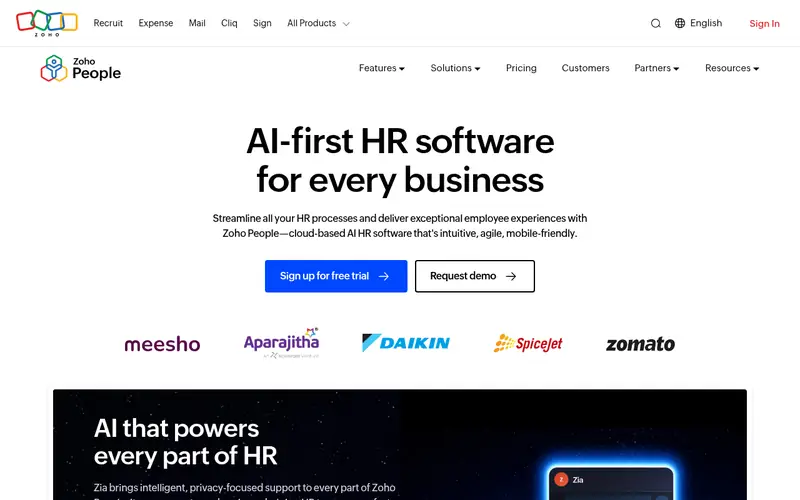
Zoho People homepage

Zoho People combines timesheets with leave management, shift scheduling and HR records. A carpet cleaning company that has grown past a handful of technicians can track hours, approve leave and keep employee records in one system. Timesheets can be tied to projects and clients for billing. Pricing is per user per month, and there is a trial rather than a free plan. The product is broader than time tracking, so setup takes more effort than a simple clock-in app. It fits companies that want HR and timesheets together and are willing to configure the system. Confirm current plan details on the vendor pricing page.

Free plan: Free trial (30 days)

Website: zoho.com/people

Strengths

  • Timesheets with leave and shift management
  • part of Zoho suite

Watch out for

  • No free plan
  • setup takes time

Pre-purchase checklist

  • Confirm the price is per user per month and estimate the cost for your full technician count.
  • Check whether the mobile app records GPS at clock-in, which helps confirm on-site work.
  • Verify that hours can be tagged to a client or job for billing and job costing.
  • Check how approved timesheets reach your payroll or accounting software.
  • Read the free plan limits, including user caps and feature restrictions, before relying on it.

FAQ

What is the best timesheet software for carpet cleaning companies?

QuickBooks Time is the strongest fit for companies already using QuickBooks, because hours flow into payroll. Homebase and Connecteam are good alternatives for small teams and mobile crews. The right choice depends on your payroll software, crew size and whether you need GPS.

Do carpet cleaning companies need GPS time tracking?

GPS is useful when technicians work at customer addresses and you want to confirm arrival and departure. It is optional. Some companies track hours by job code instead. Products such as QuickBooks Time, Connecteam and Hubstaff offer GPS, while simpler tools like Jibble add it on paid plans.

Can timesheet software bill hours to each cleaning job?

Some products tag hours to clients and projects, including Clockify, TimeCamp and Zoho People. Others focus on payroll. If job costing matters, check that the tool supports client or project tagging and exports those hours to your accounting software.

Is there free timesheet software for a small carpet cleaning business?

Yes. Homebase has a free plan for one location, Clockify and Jibble offer free plans with limits, and Connecteam has a free plan for small teams. Free plans usually cap users or features, so check the limits before you rely on one for a full crew.

How much does timesheet software cost per technician?

Most tools here price per user per month, and the entry rate varies by product and plan. We do not list guessed figures. Check the vendor pricing page for the current per-user rate and any minimum seat count before you budget for your crew.