How we rank
HR and Workforce · Researched comparison

Best Timesheet Software for Data Centers in 2026

TaskReports may earn a fee from some links on this page, and some placements are paid and labelled. Neither one decides the order. See our disclosure.

The short answer

Clockify is the best starting point for most data center teams because it has a free plan with unlimited users and supports shift and project time tracking. Harvest fits teams that bill clients for engineering or support hours. Hubstaff suits operators who want timesheets tied to activity monitoring for remote or hybrid staff.

On this page

Key takeaways

  • Clockify has a free plan with unlimited users and is the first pick for data center teams tracking shift and project hours.
  • Harvest starts at $12 per seat per month and suits client-facing hour billing.
  • Hubstaff combines timesheets with activity monitoring, with a free trial rather than a free plan.
  • Replicon and similar workforce suites price by quote, so confirm costs on the vendor pricing page.

Quick comparison

ToolBest fitStarting price
ClockifyBudget-conscious data center teams needing unlimited usersSee vendor pricing page
HarvestData center teams billing clients for project hours$12 per seat per month

HubstaffOperators tracking remote and hybrid staff hoursSee vendor pricing page
Toggl TrackSmall data center teams wanting simple time entrySee vendor pricing page
QuickBooks TimeTeams already using QuickBooks for payrollSee vendor pricing page
RepliconLarge data center operations with complex compliance needsSee vendor pricing page
ClockSharkField and facility crews needing GPS time trackingSee vendor pricing page
Zoho PeopleTeams wanting timesheets inside an HR suiteSee vendor pricing page

How we chose

We picked tools that support shift time tracking, project and client hours, and reporting relevant to data center operations. Criteria were fit for the use case, published entry price, free access and main limits. Sources are vendor websites and public documentation. Prices and plan limits change, so confirm them on the vendor site before buying.

Best overall

Clockify

Budget-conscious data center teams needing unlimited users

  • Free plan with unlimited users
  • Supports project and client hour tracking
PriceSee vendor pricing page
See Clockify pricing
clockify.meHomepage, Nov 2026
Clockify homepage

Clockify is a time tracking tool with a free plan that allows unlimited users, which suits data center teams with large shift crews. It tracks time by project, client and task, so facility work, maintenance windows and client support hours can be separated in reports. Paid tiers add features such as scheduling, timesheet approvals and more detailed reporting. The free plan covers basic time tracking and limited reporting. Teams that need advanced scheduling or approval workflows should compare the paid plans on the vendor pricing page. Skip Clockify if you need built-in payroll processing or deep workforce management modules. It is a time tracking tool first, not a full HR suite.

Price: See vendor pricing page

Free plan: Yes

Website: clockify.me

Watch out for

  • Advanced features require paid tiers
  • Reporting depth varies by plan
2

Harvest

Data center teams billing clients for project hours
$12 per seat per month
getharvest.comHomepage, Nov 2026
Harvest homepage

Harvest focuses on tracking time by project and client, then turning that time into invoices. That fits data center operators who bill clients for colocation support, engineering work or remote hands hours. The entry price is $12 per seat per month, billed annually, with a 30-day free trial. There is no free plan. Larger shift teams will pay per seat, so cost grows with headcount. Skip Harvest if you mainly need shift scheduling or activity monitoring. It is built around billable project time, not facility shift management.

Free plan: Free trial (30 days)

Website: getharvest.com

Strengths

  • Clear project and client hour tracking
  • Simple invoicing from tracked time

Watch out for

  • Per-seat pricing adds up for large teams
  • Limited shift scheduling features
3

Hubstaff

Operators tracking remote and hybrid staff hours
See vendor pricing page
hubstaff.comHomepage, Nov 2026
Hubstaff homepage

Hubstaff combines timesheets with activity monitoring, screenshots and app usage tracking. That suits data center operators with remote engineers or hybrid support staff who need visibility into logged hours. The free trial runs 14 days. Paid plans are priced per user, and the entry price depends on the features selected, so check the vendor pricing page. There is no free plan. Skip Hubstaff if activity monitoring raises privacy concerns with your staff or if you only need simple time entry. It is heavier than a basic timesheet tool.

Free plan: Free trial (14 days)

Website: hubstaff.com

Strengths

  • Timesheets combined with activity monitoring
  • Supports project and client tracking

Watch out for

  • No free plan
  • Monitoring features may not suit all teams
4

Toggl Track

Small data center teams wanting simple time entry
See vendor pricing page
toggl.comHomepage, Nov 2026
Toggl Track homepage

Toggl Track is a straightforward time tracking tool with a free plan for small teams. It works for data center teams that need to log hours by project or client without a complex setup. Paid plans add reporting, billable rates and project estimates. The free plan has limits on users and features, so confirm current limits on the vendor pricing page. Skip Toggl Track if you need shift scheduling, approvals or payroll integration. It is best for simple hour logging.

Free plan: Yes

Website: toggl.com/track

Strengths

  • Simple one-click time tracking
  • Free plan for small teams

Watch out for

  • Limited scheduling features
  • Advanced reporting on paid plans
5

QuickBooks Time

Teams already using QuickBooks for payroll
See vendor pricing page
quickbooks.intuit.comHomepage, Nov 2026
QuickBooks Time homepage

QuickBooks Time tracks employee hours, supports scheduling and connects to QuickBooks payroll. Data center teams that already run payroll in QuickBooks can keep timesheets and pay in one system. A 30-day free trial is offered. Pricing varies by plan and number of users, so check the vendor pricing page. There is no free plan. Skip QuickBooks Time if you do not use QuickBooks or need client billing features. It is strongest as part of the Intuit ecosystem.

Free plan: Free trial (30 days)

Website: quickbooks.intuit.com/time-tracking

Strengths

  • Connects timesheets to payroll
  • Mobile time tracking with GPS

Watch out for

  • Best value inside the QuickBooks ecosystem
  • No free plan
6

Replicon

Large data center operations with complex compliance needs
See vendor pricing page
RepliconHomepage image unavailable

Replicon is a workforce management platform built for time tracking, compliance and project time across large teams. It suits data center operators with multiple sites, shift rules and audit needs. Pricing is quote-based, so there is no published entry price. There is no free plan. Setup takes more effort than a simple timesheet tool. Skip Replicon if you are a small team that needs quick setup. It is built for larger, compliance-heavy operations.

Free plan: No

Website: replicon.com

Strengths

  • Built for complex workforce time and compliance
  • Supports project and client time

Watch out for

  • Quote-based pricing
  • Heavier setup than simple tools
7

ClockShark

Field and facility crews needing GPS time tracking
See vendor pricing page
ClockSharkHomepage image unavailable

ClockShark tracks time by job site with GPS and supports crew scheduling. Data center teams with field technicians or maintenance crews working across sites can use it to confirm where hours were logged. A 14-day free trial is offered. Paid plans are priced per user, and the entry price depends on the plan, so check the vendor pricing page. There is no free plan. Skip ClockShark if your team works only inside one facility and does not need GPS or job site tracking.

Free plan: Free trial (14 days)

Website: clockshark.com

Strengths

  • GPS and job site time tracking
  • Scheduling for crews

Watch out for

  • No free plan
  • Focused on field service rather than office teams
8

Zoho People

Teams wanting timesheets inside an HR suite
See vendor pricing page
zoho.comHomepage, Nov 2026
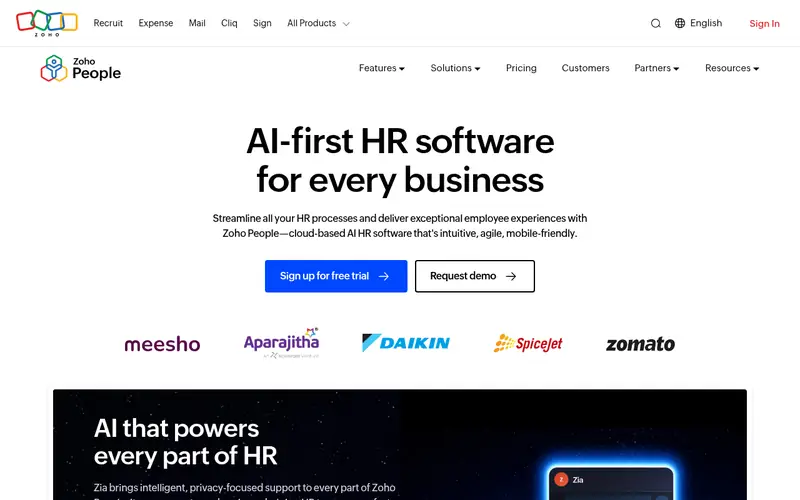
Zoho People homepage

Zoho People combines timesheets with leave, attendance and HR records. Data center teams that want time tracking inside a broader HR tool can use it for shift attendance and project hours. A free plan is available for small teams, with paid plans adding features. Confirm current plan limits and prices on the vendor pricing page. Skip Zoho People if you only need time tracking and do not want an HR suite. The extra modules add setup work.

Free plan: Yes

Website: zoho.com/people

Strengths

  • Timesheets combined with leave and attendance
  • Free plan for small teams

Watch out for

  • Best value inside the Zoho ecosystem
  • Advanced features on paid plans

Which timesheet software for data centers should I use if my team works rotating shifts?

Clockify is the best fit for rotating shifts because its free plan supports unlimited users and time tracking by project and task. If you bill clients for support hours, Harvest tracks billable time and invoices. If you need GPS tracking for field crews, ClockShark fits. If you want timesheets inside an HR suite with leave and attendance, Zoho People covers that.

Is Clockify better than Harvest for timesheet software for data centers?

Clockify is better for large shift teams on a budget because it has a free plan with unlimited users. Harvest is better when you bill clients for project hours because it turns tracked time into invoices. Clockify's paid tiers add approvals and scheduling. Harvest charges $12 per seat per month with a 30-day trial and no free plan.

Pre-purchase checklist

  • Confirm the tool supports shift schedules and approvals if your crews work rotating shifts.
  • Check whether you need client billing or only internal hour tracking.
  • Compare per-seat pricing against your headcount, including part-time staff.
  • Verify reporting covers project, client and site-level hours.
  • Confirm data retention and access controls meet your compliance needs.

FAQ

What is the best timesheet software for data centers?

Clockify is a strong default because its free plan supports unlimited users and project time tracking. Harvest suits client billing, Hubstaff suits remote staff monitoring and Replicon suits large compliance-heavy operations. The right pick depends on team size, billing needs and scheduling requirements.

Does Clockify have a free plan for data center teams?

Yes. Clockify offers a free plan with unlimited users for basic time tracking. Paid tiers add scheduling, approvals and more detailed reporting. Confirm current limits on the vendor pricing page before rolling it out to a large crew.

Which timesheet tool is best for billing clients for data center support hours?

Harvest is built for this. It tracks time by project and client and turns tracked hours into invoices. The entry price is $12 per seat per month, billed annually, with a 30-day free trial. There is no free plan, so cost grows with team size.

Can timesheet software track rotating shifts in a data center?

Some tools support shift scheduling and approvals, but coverage varies. Clockify adds scheduling on paid tiers, and Zoho People combines timesheets with attendance and leave. Check each vendor's plan details because basic free plans often limit scheduling features.

How much does timesheet software for data centers cost?

Costs range from free plans to per-seat pricing and quote-based enterprise contracts. Harvest starts at $12 per seat per month. Hubstaff, Replicon and ClockShark price by plan or quote. Confirm current prices on each vendor pricing page because rates change.