
How we rank
HR and Workforce · Researched comparison

Best Timesheet Software for Deck Builders in 2026

TaskReports may earn a fee from some links on this page, and some placements are paid and labelled. Neither one decides the order. See our disclosure.

The short answer

Clockify is the first pick for deck builders who want a free start, since its free plan covers unlimited users with a basic time tracker. QuickBooks Time suits crews that already run payroll and job costing in QuickBooks and want hours to flow into it. Harvest fits builders who bill clients by the hour and need project budgets tied to tracked time.

On this page

Key takeaways

  • Clockify offers a free plan with unlimited users and a time tracker, which suits small deck crews testing software.
  • QuickBooks Time ties crew hours to QuickBooks payroll and job costing, so deck builders already on QuickBooks avoid a second system.
  • Harvest and Toggl Track focus on billable hours and project budgets rather than payroll, which fits builders who invoice clients by the hour.
  • Most tools here charge per user per month, so a five-person deck crew pays roughly five times the listed seat price.

Quick comparison

ToolBest fitStarting price
ClockifySmall deck crews that want a free startSee vendor pricing page
QuickBooks TimeDeck crews already using QuickBooks payrollSee vendor pricing page
HarvestDeck builders who invoice clients by the hourSee vendor pricing page
Toggl TrackSolo builders and small crews tracking billable timeSee vendor pricing page
HubstaffCrews that need GPS and activity tracking on siteSee vendor pricing page
ClockSharkField crews that need scheduling and job costingSee vendor pricing page
ConnecteamSmall crews that want time tracking plus team communicationSee vendor pricing page
TimeCampBuilders who want automatic time capture and reportingSee vendor pricing page

How we chose

We picked tools that support crew time tracking, job costing or client billing for deck construction, and that have a public pricing page and official documentation. We looked at fit for the use case, entry price, free access and main limits. Sources are vendor websites and public documentation. Prices and plan limits change, so confirm current details on the vendor site before buying.

Best overall

Clockify

Small deck crews that want a free start

  • Free plan with unlimited users
  • Timesheets, projects and billable rates
PriceSee vendor pricing page
See Clockify pricing
clockify.meHomepage, Nov 2026
Clockify homepage

Clockify is a time tracker with timesheets built in. Deck builders can set up each job as a project, assign crew members, and log hours against framing, decking, railing and cleanup phases. Billable rates let you turn tracked hours into client invoices. The free plan covers unlimited users with a basic tracker, which suits a small crew that needs hours recorded before buying anything. Paid tiers add admin controls, scheduling and deeper reporting. The main limit is that payroll and accounting are not built in, so pay runs happen elsewhere. Skip it if you need native payroll.

Price: See vendor pricing page

Free plan: Yes

Website: clockify.me

Watch out for

  • Advanced features sit on paid tiers
  • Reporting depth varies by plan
2

QuickBooks Time

Deck crews already using QuickBooks payroll
See vendor pricing page
quickbooks.intuit.comHomepage, Nov 2026
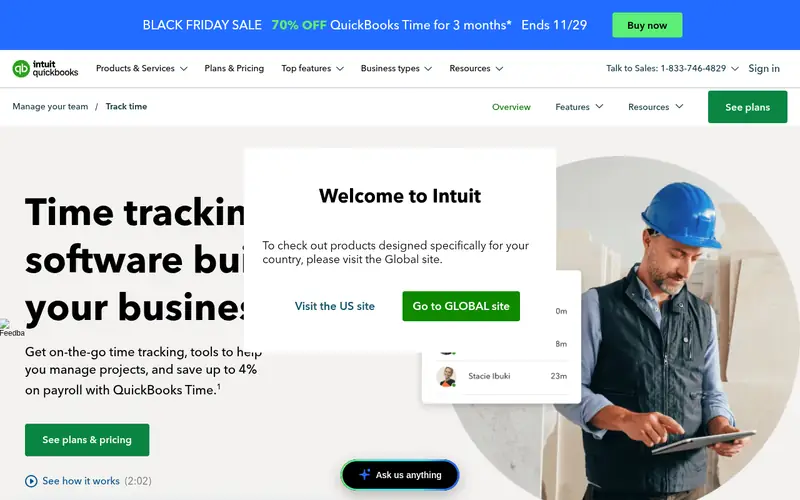
QuickBooks Time homepage

QuickBooks Time is a time tracking product from Intuit. Crews clock in from a phone at the job site, and hours can flow into QuickBooks payroll and job costing. For deck builders, that means labor hours attach to a specific job rather than a general payroll bucket, which helps when you compare estimated hours to actual hours on a deck build. GPS tracking and mobile clock-in suit crews moving between sites. Pricing is per user per month, and the full benefit depends on running QuickBooks for payroll or accounting. Skip it if you use a different payroll provider and do not plan to switch.

Free plan: Free trial (30 days)

Website: quickbooks.intuit.com/time

Strengths

  • Connects tracked hours to QuickBooks payroll
  • GPS and job tracking on mobile

Watch out for

  • Best value only inside QuickBooks
  • Per-user pricing adds up for larger crews

3

Harvest

Deck builders who invoice clients by the hour
See vendor pricing page
getharvest.comHomepage, Nov 2026
Harvest homepage

Harvest combines time tracking with project budgets and invoicing. A deck builder can set a fixed budget per project, track hours against it, and see how much of the budget is used before the job closes. Invoicing from tracked time is built in, which suits builders who bill clients hourly for design, framing or finish work. The tool is not a payroll system, so crew pay still runs through separate software. Pricing is per user per month, so a larger crew raises the monthly cost. Skip it if payroll integration is the main requirement.

Free plan: Free trial (30 days)

Website: getharvest.com

Strengths

  • Clear project budgets and billable hours
  • Invoicing built in

Watch out for

  • No payroll features
  • Per-seat pricing for the whole team
4

Toggl Track

Solo builders and small crews tracking billable time
See vendor pricing page
toggl.comHomepage, Nov 2026
Toggl Track homepage

Toggl Track is a lightweight time tracker with a simple start-and-stop timer. A deck builder can create a project per job and log hours by task, then export the data for invoicing or payroll. The free plan covers up to five users, which fits a small crew or a solo builder with a helper. Paid plans add billable rates, project estimates and reporting. The tool does not handle payroll or job costing in depth, so it works best as a time capture layer that feeds other software. Skip it if you need scheduling, payroll or detailed cost reporting in one place.

Free plan: Yes

Website: toggl.com/track

Strengths

  • Simple one-click timer
  • Free plan for up to five users

Watch out for

  • Limited payroll and accounting links
  • Project controls are basic on free
5

Hubstaff

Crews that need GPS and activity tracking on site
See vendor pricing page
hubstaff.comHomepage, Nov 2026
Hubstaff homepage

Hubstaff is a time tracking tool built for mobile and field teams. Crews clock in from a phone, and GPS stamps the location, which helps a deck builder confirm which job site hours belong to. Timesheets roll up by project and team member, and payroll and invoicing features are available as add-ons. The activity monitoring features are more than some deck crews need, and they can affect how the tool is received by workers. Pricing is per user per month, and add-ons raise the total. Skip it if you want a simple timer without monitoring.

Free plan: Free trial (14 days)

Website: hubstaff.com

Strengths

  • GPS and location tracking for mobile crews
  • Timesheets and payroll add-ons

Watch out for

  • Activity monitoring may not suit every crew
  • Per-user pricing with add-on costs
6

ClockShark

Field crews that need scheduling and job costing
See vendor pricing page
ClockSharkHomepage image unavailable

ClockShark is time tracking software aimed at construction and field service businesses. Deck builders can schedule crews across job sites, track hours by job and task, and review job costs against tracked labor. Mobile clock-in with GPS suits crews that move between builds. The tool includes scheduling, which many general time trackers leave out. There is no free plan, only a trial, and pricing is per user per month. Skip it if you only need a basic timer and do not want scheduling or job costing features.

Free plan: Free trial (14 days)

Website: clockshark.com

Strengths

  • Built for field service and construction crews
  • Scheduling and job costing in one tool

Watch out for

  • No free plan
  • Per-user pricing for the full crew
7

Connecteam

Small crews that want time tracking plus team communication
See vendor pricing page
connecteam.comHomepage, Nov 2026
Connecteam homepage

Connecteam is an all-in-one app for small field teams. It includes a time clock, scheduling, task lists and team messaging. A deck builder can have crew clock in at the site, see the day's schedule and receive job updates in one app. The free plan is limited to small businesses, so check the current user cap before relying on it. Paid tiers add more admin tools and reporting. The time tracking is solid but less deep than dedicated timesheet tools, so skip it if detailed job costing is the priority.

Free plan: Yes

Website: connecteam.com

Strengths

  • Free plan for small businesses
  • Time clock plus scheduling and messaging

Watch out for

  • Free plan has user limits
  • Advanced features sit on paid tiers
8

TimeCamp

Builders who want automatic time capture and reporting
See vendor pricing page
timecamp.comHomepage, Nov 2026
TimeCamp homepage

TimeCamp tracks time with a manual timer or automatic capture that records activity on a computer. For a deck builder, the manual timer is the practical option for crew hours, while automatic tracking suits office work like estimating and client emails. Projects and budgets let you compare tracked hours to the job estimate. The free plan covers a single user with limited features, so a crew needs a paid tier. Automatic tracking can be imprecise and may not suit site work. Skip it if you need payroll built in.

Free plan: Yes

Website: timecamp.com

Strengths

  • Automatic time tracking option
  • Reporting and project budgets

Watch out for

  • Automatic tracking can be imprecise
  • Free plan limits features

Pre-purchase checklist

  • Confirm the free plan user limit, since crew size decides whether you can stay free.
  • Check whether the tool connects to your payroll or accounting software.
  • Verify that hours can be tagged to a specific job or project, not just a person.
  • Ask whether mobile clock-in and GPS are included or cost extra.
  • Confirm the per-user price for your full crew, not just one seat.

FAQ

What is the best free timesheet software for deck builders?

Clockify has a free plan with unlimited users and a basic time tracker, which suits small deck crews. Toggl Track has a free plan for up to five users. Connecteam also offers a free plan for small businesses. Check current limits on each vendor site, since free plan terms change.

Can deck builders track hours by job site?

Yes. ClockShark, Hubstaff and QuickBooks Time support mobile clock-in with GPS, so hours attach to a location. Clockify, Harvest and TimeCamp let you create a project per job and assign hours to it. Pick based on whether you need GPS or just job-level reporting.

Do these tools handle payroll for a deck crew?

QuickBooks Time connects to QuickBooks payroll. Hubstaff offers payroll features as an add-on. Clockify, Harvest, Toggl Track, ClockShark, Connecteam and TimeCamp focus on time tracking and reporting, so pay runs happen in separate payroll software.

How much does timesheet software cost for a small crew?

Most tools here charge per user per month, so cost scales with crew size. Several offer free plans or trials. Published entry prices vary and change, so check each vendor pricing page for current rates before you commit.

Can I bill clients from tracked deck-building hours?

Harvest has invoicing built in and ties tracked hours to project budgets. Clockify supports billable rates on paid plans. Toggl Track and TimeCamp let you export tracked time for invoicing in other software.



