How we rank
HR and Workforce · Researched comparison

Best Timesheet Software for Excavation Contractors in 2026

TaskReports may earn a fee from some links on this page, and some placements are paid and labelled. Neither one decides the order. See our disclosure.

The short answer

QuickBooks Time suits excavation contractors who already use QuickBooks and want crew hours tied to jobs and payroll. ClockShark is a good alternative for companies that want GPS tracking and scheduling in one field-focused app. Raken fits contractors who need daily reports and time tracking together. All three track crew hours by job, which is the core need for excavation work.

On this page

Key takeaways

  • QuickBooks Time is the top pick for excavation crews that already run QuickBooks, with GPS tracking and job-based time.
  • ClockShark targets field crews with GPS, scheduling, and job costing, and offers a free trial.
  • Raken and ExakTime fit daily field reporting and crew time tracking for heavy and site work.
  • Prices change, so confirm the entry price on each vendor's pricing page before you buy.

Quick comparison

ToolBest fitStarting price
QuickBooks TimeExcavation crews already using QuickBooks payrollSee vendor pricing page
ClockSharkField crews needing GPS time and schedulingSee vendor pricing page
RakenContractors combining daily reports and time trackingSee vendor pricing page
ExakTimeCrews needing rugged time clocks and job costingSee vendor pricing page
HubstaffTeams wanting GPS and timesheet reportingSee vendor pricing page
TimeeroSmall crews needing GPS time and mileageSee vendor pricing page
ConnecteamCrews wanting time tracking plus team communicationSee vendor pricing page

How we chose

We picked tools that support crew time tracking, job-based hours, and field use for excavation work. We looked at fit for the use case, entry price, free access, and main limits. Sources are vendor websites and public documentation. We did not run hands-on tests or benchmarks. Prices and plan limits change, so confirm details on each vendor site before buying.

★ Best overall

QuickBooks Time

Excavation crews already using QuickBooks payroll

  • Ties crew hours to jobs and QuickBooks payroll
  • GPS and mobile clock-in for field crews
PriceSee vendor pricing page
See QuickBooks Time pricing
quickbooks.intuit.comHomepage, Nov 2026
QuickBooks Time homepage

QuickBooks Time is a time tracking tool from Intuit. Crews clock in from a phone, and hours can be assigned to a job or customer. GPS and location data help confirm where a clock-in happened. For excavation work, that means hours on a site can be linked to the job for payroll and billing. The product has a free trial and paid plans. Plan details and limits change, so check the vendor pricing page. It fits companies that already run QuickBooks for payroll or invoicing. If you do not use QuickBooks, the main benefit is smaller, and a field-focused tool may fit better.

Price: See vendor pricing page

Free plan: Free trial (30 days)

Website: quickbooks.intuit.com/time-tracking

Watch out for

  • Full features need a paid plan
  • Best value only if you use QuickBooks
2

ClockShark

Field crews needing GPS time and scheduling
See vendor pricing page
ClockSharkHomepage image unavailable

ClockShark is time tracking software built for construction and field service crews. Workers clock in on a mobile app, and GPS data shows where the clock-in happened. Hours can be assigned to jobs, and the scheduling tools help assign crews to sites. Job costing reports show hours by job. The product offers a free trial, then paid plans. Plan tiers and limits change, so confirm details on the vendor pricing page. It fits excavation contractors with mobile crews who want GPS and scheduling in one tool. Companies that only need simple time capture may find it more than they need.

Free plan: Free trial (14 days)

Website: clockshark.com

Strengths

  • GPS time tracking built for field crews
  • Scheduling and job costing in one app

Watch out for

  • Paid plans only after the trial
  • Advanced features cost more
3

Raken

Contractors combining daily reports and time tracking
See vendor pricing page
RakenHomepage image unavailable

Raken is a field management app for construction. It includes daily reports, time tracking, and photo documentation. Crews can log time on a phone, and the data can be tied to projects. For excavation contractors, the daily report side helps document site conditions, equipment, and progress alongside hours. Raken does not list a free plan. Pricing is available by request, so check the vendor site. It fits contractors who want time tracking and field reporting together. If you only need timesheets, a simpler tool may cost less.

Free plan: No

Website: rakenapp.com

Strengths

  • Daily field reports and time tracking in one app
  • Built for construction field workflows

Watch out for

  • No free plan
  • Pricing is quote-based
4

ExakTime

Crews needing rugged time clocks and job costing
See vendor pricing page
ExakTimeHomepage image unavailable

ExakTime provides time and attendance tools for construction and field crews. It offers durable time clocks for job sites plus mobile options. Hours can be assigned to jobs and cost codes, which helps excavation contractors see labor cost by project. ExakTime does not list a free plan. Pricing depends on configuration, including hardware, so check the vendor site. It fits companies with fixed site locations that want a physical clock. Crews that work only from phones may prefer a mobile-first tool.

Free plan: No

Website: exaktime.com

Strengths

  • Time clocks built for tough job sites
  • Hours tied to jobs for costing

Watch out for

  • Hardware may add cost
  • No free plan
5

Hubstaff

Teams wanting GPS and timesheet reporting
See vendor pricing page
hubstaff.comHomepage, Nov 2026
Hubstaff homepage

Hubstaff is time tracking software with GPS, timesheets, and reporting. Crews can track time on mobile, and GPS data can confirm location. Hours can be assigned to projects and clients, and reports show time by project. Hubstaff offers a free trial, then paid plans. Plan limits and add-ons change, so confirm on the vendor pricing page. It fits excavation contractors who want GPS time tracking and client reporting. It is less construction-specific than ClockShark or Raken, so field reporting is limited.

Free plan: Free trial (14 days)

Website: hubstaff.com

Strengths

  • GPS tracking and timesheets in one tool
  • Reports by project and client

Watch out for

  • Not built only for construction
  • Some features cost extra
6

Timeero

Small crews needing GPS time and mileage
See vendor pricing page
timeero.comHomepage, Nov 2026
Timeero homepage

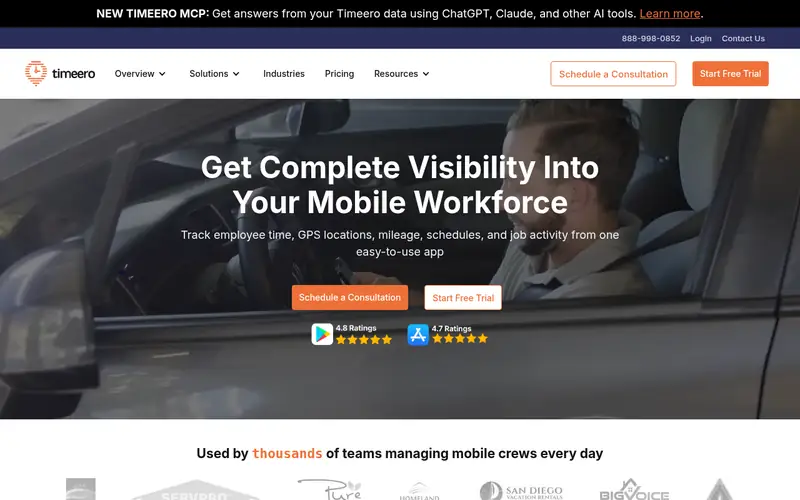
Timeero is time tracking software with GPS and mileage tracking. Crews clock in on a mobile app, and location data is recorded. Mileage tracking can help with travel between sites. Hours can be assigned to jobs for reporting. Timeero offers a free trial, then paid plans. Plan details change, so check the vendor pricing page. It fits small excavation crews that want GPS time and mileage without a large system. Companies that need deep job costing or daily reports may need a construction-focused tool.

Free plan: Free trial (14 days)

Website: timeero.com

Strengths

  • GPS tracking and mileage capture
  • Simple mobile clock-in for crews

Watch out for

  • Fewer construction reporting tools
  • Paid plans needed after trial
7

Connecteam

Crews wanting time tracking plus team communication
See vendor pricing page
connecteam.comHomepage, Nov 2026
Connecteam homepage

Connecteam is an app for managing deskless teams. It includes time tracking, scheduling, and team communication. Crews can clock in on a phone, and hours can be tied to jobs. The communication tools help keep field crews in touch. Connecteam offers a free plan for small teams, with paid plans for more features. Free plan limits change, so confirm on the vendor pricing page. It fits excavation contractors who want time tracking and team messaging in one place. Companies that need detailed job costing may need a dedicated construction tool.

Free plan: Yes

Website: connecteam.com

Strengths

  • Free plan for small teams
  • Time tracking and team communication in one app

Watch out for

  • Advanced features need paid plans
  • Not construction-only

Pre-purchase checklist

  • Confirm the tool tracks hours by job or cost code, not just by employee.
  • Check whether GPS or location data is included or costs extra.
  • Confirm mobile clock-in works on the phones your crews use.
  • Ask how the tool exports hours to your payroll or accounting system.
  • Check the free plan or trial limits and what happens when they end.

FAQ

What is the best timesheet software for excavation contractors?

QuickBooks Time is a strong pick for companies already using QuickBooks. ClockShark fits crews that want GPS tracking and scheduling. Raken suits contractors who need daily reports with time tracking. The right choice depends on your payroll system and whether you need field reports.

Do these tools track hours by job?

Most do. QuickBooks Time, ClockShark, ExakTime, and Hubstaff let you assign hours to jobs or projects. That helps excavation contractors see labor cost by site. Confirm the job costing features on each vendor's plan page before you buy.

Is there free timesheet software for excavation crews?

Connecteam offers a free plan for small teams, with limits that change. QuickBooks Time, ClockShark, Hubstaff, and Timeero offer free trials but not free plans. ExakTime and Raken do not list a free plan. Confirm current limits on the vendor site.

Can these tools track equipment hours?

Most of these tools focus on employee time, not equipment hours. Raken includes field reports that can document equipment use. If equipment hours are a core need, check each vendor's documentation for equipment tracking before you buy.

How much does timesheet software cost?

Prices vary by vendor and plan. Many tools do not list a public entry price, so check the vendor pricing page. Costs often depend on the number of users and features like GPS, scheduling, or job costing. Confirm the price for your crew size before you commit.