How we rank
HR and Workforce · Researched comparison

Best Timesheet Software for Facility Management in 2026

TaskReports may earn a fee from some links on this page, and some placements are paid and labelled. Neither one decides the order. See our disclosure.

The short answer

Clockify is the first pick for facility managers who want a free start and simple time tracking across unlimited users. QuickBooks Time suits teams that need timesheets tied to payroll and job costing. Hubstaff fits operations that manage distributed crews and want activity data alongside hours. All three are general time tracking tools, so check each one against your client billing and reporting needs before choosing.

On this page

Key takeaways

  • Clockify has a free plan for unlimited users and suits teams that need basic time tracking before paying.
  • QuickBooks Time starts at $20 per month plus $10 per user per month and connects timesheets to payroll.

  • Hubstaff and Time Doctor add screenshots and activity data for distributed field and site staff.
  • Most tools here bill per user, so confirm seat counts and client-billing limits before you commit.

Quick comparison

ToolBest fitStarting price
ClockifyFree time tracking for unlimited usersSee vendor pricing page
QuickBooks TimeTeams that need timesheets tied to payroll$20 per month plus $10 per user per month
HubstaffDistributed crews that need activity dataSee vendor pricing page
Time DoctorDetailed time and productivity reportingSee vendor pricing page
Toggl TrackSimple time tracking with clean reportsSee vendor pricing page
HarvestClient billing and project hoursSee vendor pricing page
Zoho PeopleHR and timesheets in one systemSee vendor pricing page
ConnecteamMobile crews with scheduling and time clockSee vendor pricing page

How we chose

We picked tools that support time tracking for crews, projects and client billing in facility management. Criteria were fit for the use case, published entry price, free access and main limits. Sources are vendor websites and public documentation. Prices and plan limits change, so confirm details on the vendor site before buying.

Best overall

Clockify

Free time tracking for unlimited users

  • Unlimited users on the free plan
  • Timesheets feed project and client reports
PriceSee vendor pricing page
See Clockify pricing
clockify.meHomepage, Nov 2026
Clockify homepage

Clockify tracks hours by project, client and task, which fits facility teams that split time across buildings or contracts. The free plan covers unlimited users and basic reporting. Paid tiers add features such as invoicing, scheduling and custom fields. The vendor publishes current tier prices on its pricing page. For facility management, the client and project structure helps separate billable maintenance work from internal property tasks. Managers can review timesheets before export. Teams that need work orders, asset tracking or inspections should pair it with a dedicated facility management system, since Clockify does not handle those.

Price: See vendor pricing page

Free plan: Yes

Website: clockify.me

Watch out for

  • Advanced features sit behind paid tiers
  • No built-in facility work order system
2

QuickBooks Time

Teams that need timesheets tied to payroll
$20 per month plus $10 per user per month
quickbooks.intuit.comHomepage, Nov 2026
QuickBooks Time homepage

QuickBooks Time records hours on mobile and desktop and sends approved timesheets to QuickBooks payroll. Facility teams can assign time to jobs and clients, which helps with cost tracking on maintenance and cleaning contracts. The vendor lists a 30-day free trial. The entry price covers a base fee plus a per-user charge, so cost scales with crew size. GPS tracking and mobile clock-in suit staff who move between sites. Teams that do not use QuickBooks for accounting may find the payroll link less useful and should compare standalone options.

Free plan: Free trial (30 days)

Website: quickbooks.intuit.com/time-tracking

Strengths

  • Connects hours to QuickBooks payroll
  • GPS and job tracking on mobile

Watch out for

  • Per-user cost adds up for large crews
  • Best value inside the QuickBooks ecosystem

3

Hubstaff

Distributed crews that need activity data
See vendor pricing page
hubstaff.comHomepage, Nov 2026
Hubstaff homepage

Hubstaff combines time tracking with activity monitoring, screenshots and GPS. For facility management, that suits supervisors who manage staff across multiple buildings and want evidence of time on site. Geofenced clock-in helps confirm crews are at the right location. The vendor offers a 14-day free trial. Paid plans are billed per user, and the feature set changes by tier, so check the pricing page for current limits. Teams that only need simple hour logging may find the monitoring tools more than they need.

Free plan: Free trial (14 days)

Website: hubstaff.com

Strengths

  • Screenshots and activity rates for remote staff
  • GPS and geofencing for field teams

Watch out for

  • Monitoring features may not suit every crew
  • Per-user pricing on paid plans
4

Time Doctor

Detailed time and productivity reporting
See vendor pricing page
timedoctor.comHomepage, Nov 2026
Time Doctor homepage

Time Doctor focuses on detailed time records and reporting. Facility managers can see how hours split across tasks, clients and sites, and export reports for billing or payroll. The vendor offers a 14-day free trial. The tool includes optional screenshots and app usage tracking. Some facility teams will not want that level of monitoring for on-site staff, so decide the policy before rollout. Pricing is per user, and the vendor lists current tiers on its pricing page.

Free plan: Free trial (14 days)

Website: timedoctor.com

Strengths

  • Detailed reports on time use
  • Optional screenshots and app monitoring

Watch out for

  • Monitoring can feel intrusive to staff
  • Pricing is per user
5

Toggl Track

Simple time tracking with clean reports
See vendor pricing page
toggl.comHomepage, Nov 2026
Toggl Track homepage

Toggl Track is a straightforward time tracker with a free plan for small teams. Facility staff can log hours against clients, projects and tags, then pull reports for billing or internal review. The interface is simple enough for crews to adopt without much training. The free plan has limits on features such as billable rates and report access, so check the vendor page before relying on it for client invoicing. Teams that need scheduling, GPS or payroll links should look at other tools on this list.

Free plan: Yes

Website: toggl.com/track

Strengths

  • Easy start with a free plan
  • Reports by client, project and tag

Watch out for

  • Limited scheduling features
  • Free plan caps some report options
6

Harvest

Client billing and project hours
See vendor pricing page
getharvest.comHomepage, Nov 2026
Harvest homepage

Harvest ties time tracking to invoicing and project budgets. That fits facility service providers that bill clients by the hour for maintenance, cleaning or repair work. Managers can set budgets, track hours against them and turn approved time into invoices. The vendor offers a 30-day free trial. Harvest is weaker for field teams that need GPS or mobile geofencing, so it suits office-based managers and service firms more than large mobile crews. Check the pricing page for current per-seat rates.

Free plan: Free trial (30 days)

Website: getharvest.com

Strengths

  • Strong invoicing and budget tracking
  • Clear project and client reports

Watch out for

  • Limited field and GPS features
  • Per-seat pricing
7

Zoho People

HR and timesheets in one system
See vendor pricing page
zoho.comHomepage, Nov 2026
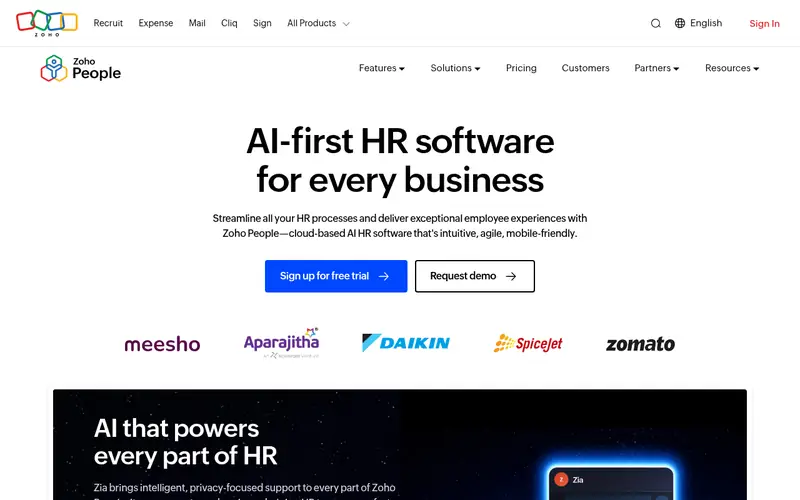
Zoho People homepage

Zoho People is an HR platform with timesheet, attendance and leave modules. Facility management firms that already run HR processes in Zoho can keep staff hours, shift attendance and time-off in one place. The vendor offers a free plan for small teams and paid tiers for more features. The timesheet module works best when the rest of the HR setup is in place, so expect more configuration than a standalone tracker. Teams that only need hour logging may prefer a simpler tool. Check the vendor pricing page for plan limits.

Free plan: Yes

Website: zoho.com/people

Strengths

  • Timesheets sit alongside leave and attendance
  • Fits teams already using Zoho

Watch out for

  • Setup takes more effort
  • Time tracking is one part of a larger HR suite
8

Connecteam

Mobile crews with scheduling and time clock
See vendor pricing page
connecteam.comHomepage, Nov 2026
Connecteam homepage

Connecteam is built for mobile and deskless teams. Facility crews can clock in from a phone, with GPS options, and managers can build schedules and assign tasks. That suits janitorial, maintenance and security teams that move between sites. The vendor offers a free plan for small businesses, with paid tiers for more features. Because it bundles scheduling, communication and task tools, it can replace several apps, but teams that only need timesheets may find it heavier than needed. Check the pricing page for current plan limits.

Free plan: Yes

Website: connecteam.com

Strengths

  • Mobile time clock with GPS
  • Scheduling and task tools for field staff

Watch out for

  • Free plan limits advanced features
  • Best for teams that need more than timesheets

Pre-purchase checklist

  • Confirm how many staff need logins and what the per-user cost is at that seat count.
  • Check whether the tool separates billable client hours from internal property work.
  • Verify mobile clock-in, GPS or geofencing if crews work across sites.
  • Review report and export options for payroll and client invoicing.
  • Check free plan limits and trial length before committing.

FAQ

What is the best timesheet software for facility management?

Clockify is a strong first pick because its free plan covers unlimited users and reports by client and project. QuickBooks Time suits payroll-linked teams, and Hubstaff fits distributed crews that want activity data.

Do facility management timesheet tools cost per user?

Most tools on this list bill per user on paid plans. Clockify and Toggl Track offer free plans with limits, while QuickBooks Time lists a base fee plus a per-user charge. Confirm current rates on each vendor page.

Can these tools track hours across multiple buildings or clients?

Yes. Clockify, Toggl Track and Harvest let you tag time by client and project, which helps separate buildings or contracts. Connecteam and Hubstaff add GPS options for confirming staff location.

Do I need a separate facility management system?

Often yes. These tools track time but do not manage work orders, assets or inspections. Many teams pair a timesheet tool with a facility management platform and export hours for billing or payroll.

Is there free timesheet software for facility teams?

Clockify, Toggl Track, Zoho People and Connecteam offer free plans with limits. Free tiers usually restrict advanced reports, billing features or user counts, so check the vendor page before relying on one for paid client work.