How we rank
HR and Workforce · Researched comparison

Best Timesheet Software for Fence Contractors in 2026

TaskReports may earn a fee from some links on this page, and some placements are paid and labelled. Neither one decides the order. See our disclosure.

The short answer

ClockShark is the first pick for most fence contractors. It combines mobile clock-in, GPS stamps, and job costing, which fits crews moving between fence install and repair sites. QuickBooks Time is the alternative if you already run payroll in QuickBooks. Contractor Foreman suits contractors who want timesheets inside a full project management suite at a low entry price.

On this page

Key takeaways

  • ClockShark and QuickBooks Time lead for fence crews that need GPS and mobile clock-in tied to job sites.
  • Payroll-only tools like Homebase and Time Clock Wizard cost less but do not track hours by fence job or client.
  • Job-costing tools like Buildertrend and Contractor Foreman bundle timesheets with estimates and invoicing.
  • Entry prices below are published list prices; confirm current rates on each vendor page before buying.

Quick comparison

ToolBest fitStarting price
ClockSharkField crews needing GPS clock-in and job costing$40 per month
QuickBooks TimeFence crews already using QuickBooks payrollSee vendor pricing page

HomebaseSmall fence crews needing free scheduling and time clocks$0
Contractor ForemanFence contractors wanting timesheets inside a full construction suite$49 per month
BuildertrendEstablished fence companies running many jobs and clientsSee vendor pricing page
Time Clock WizardVery small fence crews needing low-cost basic time tracking$19.95 per month
HubstaffFence crews needing GPS tracking and detailed activity reports$7 per user per month

How we chose

We picked tools that support mobile time tracking for field crews and, where possible, job costing by project or client. Criteria were fit for fence installation and repair work, published entry price, free access, and main limits such as per-user pricing or missing job costing. Sources are vendor websites and public pricing pages. Prices change, so confirm current rates on the vendor site before buying.

Best overall

ClockShark

Field crews needing GPS clock-in and job costing

  • GPS and geofence clock-in tied to job sites
  • job costing and payroll exports
Price$40 per month
See ClockShark pricing
ClockSharkHomepage image unavailable

ClockShark is built for construction and field service crews, which fits fence installation and repair work. Employees clock in from a phone, and each entry can attach to a job, task, and cost code. GPS stamps and geofences confirm where the clock-in happened. That helps when crews split time between multiple fence jobs in one day. The entry plan covers scheduling and mobile time tracking. Higher tiers add job costing, payroll, and QuickBooks sync. Pricing is per user per month, so a ten-person crew pays ten times the base rate. There is no free plan, only a trial. Skip it if you only need simple punch-in times and do not track hours by job.

Price: $40 per month

Free plan: Free trial (14 days)

Website: clockshark.com

Watch out for

  • Per-user pricing adds up for larger crews
  • no free plan
2

QuickBooks Time

Fence crews already using QuickBooks payroll
See vendor pricing page
quickbooks.intuit.comHomepage, Nov 2026
QuickBooks Time homepage

QuickBooks Time, formerly TSheets, tracks hours by employee, job, and service item. Fence crews can clock in from a mobile app with GPS, and the hours flow into QuickBooks payroll and invoicing. Job codes let you separate install, repair, and maintenance work for job costing. The product offers scheduling, time approvals, and reports on hours by customer or job. It works as a standalone tool, but the main benefit is the accounting sync. Intuit does not publish one fixed entry price for every configuration, so check the vendor pricing page. Skip it if you do not use QuickBooks for payroll or books.

Free plan: Free trial (30 days)

Website: quickbooks.intuit.com/time-tracking

Strengths

  • Strong QuickBooks payroll and accounting sync
  • GPS tracking and job codes

Watch out for

  • Best value only inside the QuickBooks ecosystem
  • pricing varies by plan and users
3

Homebase

Small fence crews needing free scheduling and time clocks
$0
joinhomebase.comHomepage, Nov 2026
Homebase homepage

Homebase offers a free plan for a single location. It includes a time clock, scheduling, and basic timesheets. A small fence crew can use it to track hours and build a schedule without paying. Employees clock in from a phone or a shared tablet. Paid plans add hiring tools, more locations, and advanced reporting. Homebase is not built for construction job costing, so it suits crews that mainly need hours for payroll. If you need to track hours against many fence jobs and clients, a construction-focused tool fits better. Confirm current plan limits on the vendor site.

Free plan: Yes

Website: joinhomebase.com

Strengths

  • Free plan covers one location with time clock and scheduling
  • simple mobile app

Watch out for

  • Job costing and advanced reports sit on paid plans
  • limited accounting depth
4

Contractor Foreman

Fence contractors wanting timesheets inside a full construction suite
$49 per month
contractorforeman.comHomepage, Nov 2026
Contractor Foreman homepage

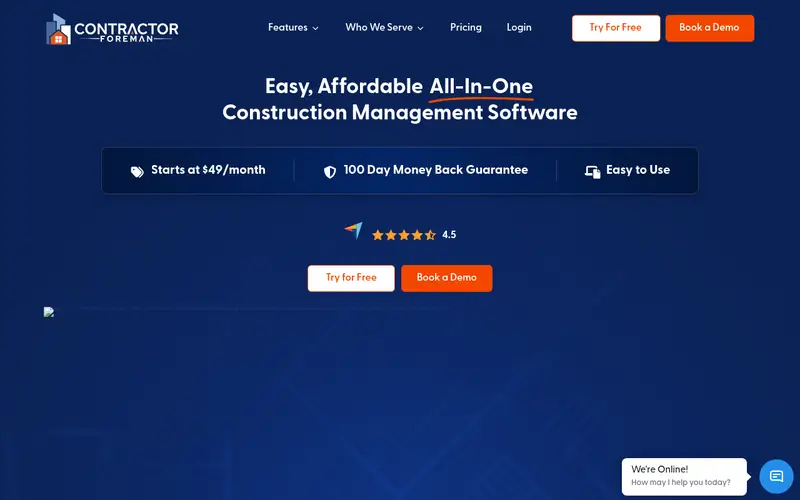
Contractor Foreman is a construction management suite. It includes time tracking, scheduling, estimates, invoices, and change orders. Fence contractors can clock crews in by job and roll hours into project costs. The entry price covers the core suite for a small team, and higher tiers add users and modules. Because it covers so much, setup takes more effort than a standalone time clock. A crew that only needs hours for payroll may find it heavy. A fence business that wants one system for bids, jobs, and hours gets more value. Check the vendor page for current user limits and pricing tiers.

Free plan: Free trial (30 days)

Website: contractorforeman.com

Strengths

  • Timesheets bundled with estimates, invoicing, and scheduling
  • low entry price for the feature set

Watch out for

  • Broad suite can be more than a small crew needs
  • learning curve across modules
5

Buildertrend

Established fence companies running many jobs and clients
See vendor pricing page
BuildertrendHomepage image unavailable

Buildertrend is a project management platform for construction. It includes daily logs, scheduling, time tracking, and job costing. A fence contractor can track crew hours against each project and compare them to the budget. Clients can see schedule and progress updates. The platform targets established builders and remodelers, so pricing is quoted rather than listed. It is not the cheapest option for a small fence crew. It fits companies running many concurrent jobs that need hours, budgets, and client communication in one place. Ask for a quote and confirm the current plan structure on the vendor site.

Free plan: No

Website: buildertrend.com

Strengths

  • Timesheets tied to project schedules and budgets
  • client-facing updates

Watch out for

  • Higher cost tier than simple time clocks
  • no free plan
6

Time Clock Wizard

Very small fence crews needing low-cost basic time tracking
$19.95 per month
timeclockwizard.comHomepage, Nov 2026
Time Clock Wizard homepage

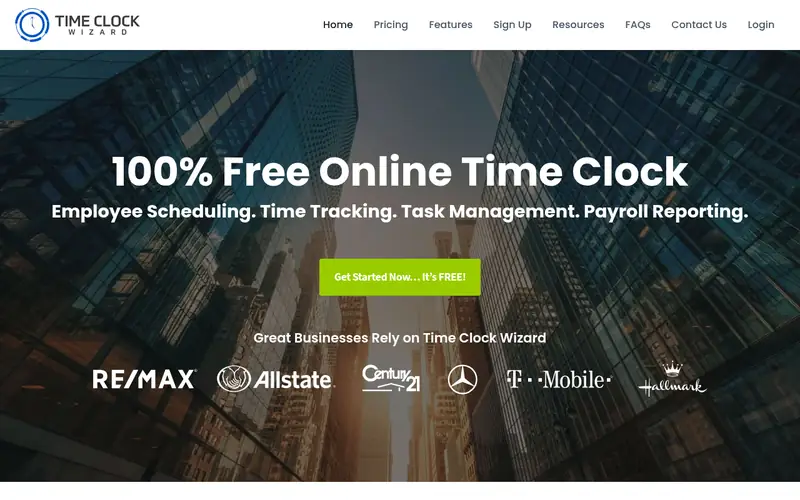
Time Clock Wizard is a simple time clock and scheduling tool. Employees clock in from a browser or mobile device, and the system builds timesheets for payroll. It suits a very small fence crew that needs basic hours tracking at low cost. The free plan covers a limited number of employees, and paid plans add features and users. It does not offer deep construction job costing or GPS geofencing. If your main need is hours per employee for payroll, it can work. If you need hours per fence job and client, choose a construction-focused tool. Confirm free plan limits on the vendor site.

Free plan: Yes

Website: timeclockwizard.com

Strengths

  • Low entry price
  • free plan for a small number of employees
  • simple clock-in

Watch out for

  • Limited job costing and construction features
  • basic reporting
7

Hubstaff

Fence crews needing GPS tracking and detailed activity reports
$7 per user per month
hubstaff.comHomepage, Nov 2026
Hubstaff homepage

Hubstaff tracks time with GPS, geofences, and optional screenshots. For fence contractors, the GPS and geofence features confirm crew locations at clock-in. Reports break down hours by project, client, and team member, and the tool connects to payroll and accounting systems. Pricing is per user per month, so cost scales with crew size. The activity monitoring features are more common in office and remote work than on fence sites, and some crews may not want them. It fits companies that want detailed location and hours data and are willing to pay per seat. Check current plan details on the vendor site.

Free plan: Free trial (14 days)

Website: hubstaff.com

Strengths

  • GPS tracking and geofences
  • detailed reports and payroll integrations

Watch out for

  • Per-user pricing rises with crew size
  • activity tracking can feel heavy for field work

Which timesheet software for fence contractors should I use if I already run payroll in QuickBooks?

QuickBooks Time is the fit here because hours flow into QuickBooks payroll and invoicing. If you need GPS clock-in by job site, ClockShark also syncs with QuickBooks and adds construction job costing. If you want timesheets inside a full construction suite, Contractor Foreman bundles them with estimates and invoices. If cost is the main concern and you have a very small crew, Homebase's free plan covers basic time clock and scheduling.

Is ClockShark better than QuickBooks Time for timesheet software for fence contractors?

ClockShark is the better fit for fence crews that need GPS geofences and job costing by site. QuickBooks Time is the better fit if your payroll and books already run in QuickBooks. Both offer mobile clock-in and job codes. ClockShark lists a $40 per month entry price and a 14-day trial. QuickBooks Time pricing varies, so check the vendor page.

Pre-purchase checklist

  • Confirm the tool tracks hours by job or client, not just by employee.
  • Check whether GPS or geofence clock-in matters for your crews.
  • Compare per-user pricing against your typical crew size.
  • Verify payroll and accounting sync with the system you already use.
  • Read the free plan or trial limits before committing.

FAQ

What is the best timesheet software for fence contractors with small crews?

Homebase is a strong fit for small crews because its free plan covers one location with a time clock and scheduling. ClockShark and Time Clock Wizard are also options at low entry prices. Choose based on whether you need job costing or just payroll hours.

Do fence contractors need GPS time tracking?

GPS tracking helps when crews move between multiple fence jobs in a day. It confirms where clock-ins happened and supports job costing. Tools like ClockShark and Hubstaff include GPS and geofences. If your crews work at one yard, basic time tracking may be enough.

Can I track hours by fence job and client?

Yes. ClockShark, QuickBooks Time, Contractor Foreman, and Buildertrend let you attach hours to jobs or clients. That supports job costing and invoicing. Simple payroll tools like Homebase and Time Clock Wizard focus on hours per employee, so check their reporting features first.

Is there free timesheet software for fence contractors?

Homebase offers a free plan for one location with a time clock and scheduling. Time Clock Wizard also has a free plan with limited employees. Most construction-focused tools offer trials rather than free plans. Confirm current free plan limits on each vendor site.

How much does timesheet software for fence contractors cost?

Published entry prices range from free plans to about $49 per month for a construction suite. ClockShark lists $40 per month, Contractor Foreman $49 per month, Time Clock Wizard $19.95 per month, and Hubstaff $7 per user per month. QuickBooks Time and Buildertrend quote pricing, so check their pages.