How we rank
HR and Workforce · Researched comparison

Best Timesheet Software for Fractional CFOs in 2026

TaskReports may earn a fee from some links on this page, and some placements are paid and labelled. Neither one decides the order. See our disclosure.

The short answer

Harvest is the first pick for most fractional CFOs because it links tracked hours to client invoices and budgets. Clockify is the low-cost choice for a solo practice that wants a free start. FreshBooks fits CFOs who want timesheets and client accounting in one tool. All three track billable hours per client, which is the core need for this work.

On this page

Key takeaways

  • Harvest suits fractional CFOs who bill multiple clients by the hour and need timesheets tied to invoices.
  • Clockify has a free plan for solo practices, and its paid tiers add billable rates and client billing.
  • Toggl Track, TimeCamp and QuickBooks Time cover time capture; FreshBooks and Zoho Invoice add client invoicing.
  • Entry prices below are published list prices and change often, so confirm them on each vendor page.

Quick comparison

ToolBest fitStarting price
HarvestConsultants who bill clients by the hourSee vendor pricing page
ClockifySolo CFOs who want a free startSee vendor pricing page

Toggl TrackSimple per-client time captureSee vendor pricing page
TimeCampPractices that want automatic time captureSee vendor pricing page
QuickBooks TimeCFOs already using QuickBooksSee vendor pricing page
FreshBooksTimesheets plus client invoicing in one toolSee vendor pricing page
Zoho InvoiceLow-cost client billing with timesheetsSee vendor pricing page
HubstaffDistributed teams that need activity recordsSee vendor pricing page

How we chose

We compared tools on fit for hourly client billing, per-client reporting, entry price and free access. Sources are vendor websites and public pricing and documentation pages. No hands-on testing, benchmarks or user surveys were used. Prices and plan limits change, so confirm current details on each vendor site before you buy.

Best overall

Harvest

Consultants who bill clients by the hour

  • Ties tracked hours to invoices and budgets
  • clear per-client and per-project reports
PriceSee vendor pricing page
See Harvest pricing
getharvest.comHomepage, Nov 2026
Harvest homepage

Harvest is built around billable time. A fractional CFO can log hours against each client and project, set billable rates, and turn approved time into an invoice. Budget tracking shows how much of a retainer is used, which fits monthly advisory work. Reports break time down by client, project and team member. The plan structure is per seat, and the entry tier limits the number of active clients and projects. Larger practices need a higher tier for more capacity and advanced reporting. Harvest is a good fit when invoicing from timesheets matters. Skip it if you only need internal time records and no client billing.

Price: See vendor pricing page

Free plan: Free trial (30 days)

Website: getharvest.com

Watch out for

  • No permanent free plan
  • per-seat pricing adds up for a small team
2

Clockify

Solo CFOs who want a free start
See vendor pricing page
clockify.meHomepage, Nov 2026
Clockify homepage

Clockify offers a free plan that covers time tracking for an unlimited number of users, which suits a solo fractional CFO or a very small practice. Paid tiers add billable rates, client and project budgets, and invoice generation. Timesheets can be reviewed and approved before billing. For fractional work, the useful part is separating hours by client and project and marking them billable. The free plan does not include all billing and approval features, so check the plan comparison before relying on it for invoicing. It is a practical low-cost option when budget is tight.

Free plan: Yes

Website: clockify.me

Strengths

  • Free plan covers unlimited users and tracking
  • paid tiers add billable rates and invoicing

Watch out for

  • Advanced billing features sit behind paid plans
  • interface has many settings to learn

3

Toggl Track

Simple per-client time capture
See vendor pricing page
toggl.comHomepage, Nov 2026
Toggl Track homepage

Toggl Track focuses on quick time entry. A fractional CFO can start a timer per client, tag entries, and pull reports by client or project. The free plan covers a small number of users and basic tracking, which fits a one-person practice. The tool is strongest at capturing time, not at full client billing. It exports data that can feed an invoice in another system. Paid plans add more report types and admin controls. Choose it when speed of entry matters more than built-in invoicing.

Free plan: Yes

Website: toggl.com/track

Strengths

  • Fast timer and clean reports
  • free plan for small teams

Watch out for

  • Invoicing is limited compared with billing-focused tools
  • some reports need paid plans
4

TimeCamp

Practices that want automatic time capture
See vendor pricing page
timecamp.comHomepage, Nov 2026
TimeCamp homepage

TimeCamp records time automatically and lets users assign entries to clients and projects. Billable rates and budgets can be set per client, which helps a fractional CFO see where hours go across engagements. Reports cover client, project and task levels. Automatic tracking can capture work a manual timer would miss, but it needs review to keep entries accurate and billable. The free trial is short, and ongoing use requires a paid plan. It suits practices with steady computer-based work and a need for detailed records.

Free plan: Free trial (14 days)

Website: timecamp.com

Strengths

  • Automatic activity tracking and billable rate support
  • per-client reporting

Watch out for

  • No permanent free plan
  • automatic tracking needs setup and review
5

QuickBooks Time

CFOs already using QuickBooks
See vendor pricing page
quickbooks.intuit.comHomepage, Nov 2026
QuickBooks Time homepage

QuickBooks Time tracks hours and job costing, and it connects to QuickBooks for payroll and accounting. A fractional CFO who already runs client books in QuickBooks can keep time data close to the accounting records. It supports mobile entry and approvals. The tool is oriented toward teams and payroll, so a solo practice may find it heavier than needed. Client billing from timesheets is possible but less direct than in Harvest. Consider it when QuickBooks is already the center of your workflow.

Free plan: Free trial (30 days)

Website: quickbooks.intuit.com/time-tracking

Strengths

  • Connects to QuickBooks payroll and accounting
  • mobile time tracking

Watch out for

  • No free plan
  • best value only inside the QuickBooks ecosystem
6

FreshBooks

Timesheets plus client invoicing in one tool
See vendor pricing page
freshbooks.comHomepage, Nov 2026
FreshBooks homepage

FreshBooks combines time tracking with invoicing and expenses. A fractional CFO can log billable hours per client and pull them into an invoice in the same tool. That reduces the number of systems a small practice needs. Lower plans cap the number of billable clients, so check the limit against your client count. The tool is aimed at service businesses rather than accounting firms, so some features may not match a CFO practice exactly. It fits when you want billing and time in one place.

Free plan: Free trial (30 days)

Website: freshbooks.com

Strengths

  • Built-in invoicing and expense tracking
  • timesheets attach to client invoices

Watch out for

  • Client limits on lower plans
  • no free plan
7

Zoho Invoice

Low-cost client billing with timesheets
See vendor pricing page
zoho.comHomepage, Nov 2026
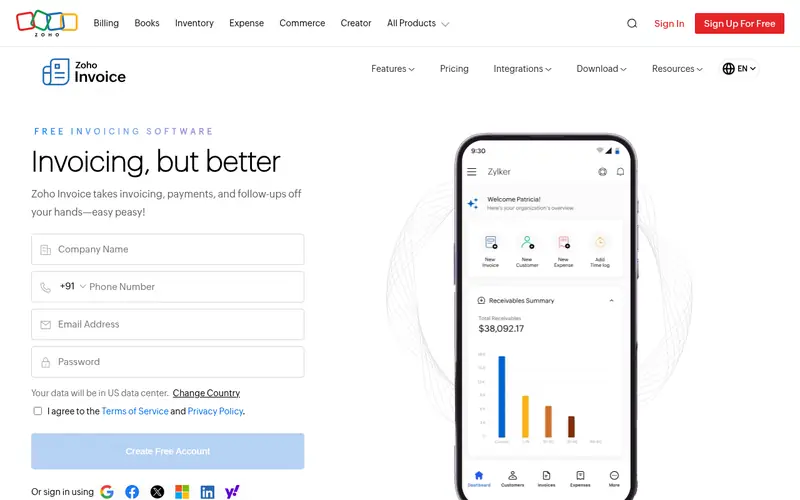
Zoho Invoice homepage

Zoho Invoice includes time tracking that can be billed to clients on invoices. The free plan suits a small practice with a limited number of clients. Timesheets can be attached to projects and turned into invoice lines. Time tracking here is simpler than in dedicated tools, so detailed reporting may be limited. It works well when invoicing is the main need and time tracking is a supporting feature. Confirm the free plan limits on the vendor page before committing.

Free plan: Yes

Website: zoho.com/invoice

Strengths

  • Free plan for small practices
  • timesheets feed client invoices

Watch out for

  • Fewer time-tracking controls than dedicated tools
  • tied to the Zoho ecosystem
8

Hubstaff

Distributed teams that need activity records
See vendor pricing page
hubstaff.comHomepage, Nov 2026
Hubstaff homepage

Hubstaff tracks time with optional activity monitoring and screenshots, and it supports client and project budgets. A fractional CFO with a small distributed team can review hours per client and per person. Payroll and invoicing features are also included. The monitoring features are more than a solo practice needs and may raise privacy questions with contractors. Pricing is per user, so cost grows with the team. It fits when oversight of remote work is a priority.

Free plan: Free trial (14 days)

Website: hubstaff.com

Strengths

  • Time tracking with activity and screenshots
  • client and project budgets

Watch out for

  • No free plan
  • activity monitoring may not suit every practice

Which timesheet software for fractional CFOs should I use if I only have one client?

Start with Clockify, whose free plan covers basic tracking for a solo practice. If you bill several clients and invoice from timesheets, Harvest is the better fit. If you already run client books in QuickBooks, QuickBooks Time keeps time data close to the accounting records. If you want timesheets and invoicing in one tool, look at FreshBooks, and check its client limits on lower plans.

Is Harvest better than Clockify for timesheet software for fractional CFOs?

Harvest is better when invoicing from timesheets is the priority, because billing and budgets are central to the product. Clockify is better when cost is the main concern, since its free plan covers basic tracking and paid tiers add billing features. A solo CFO with tight budget can start on Clockify. A practice that bills several clients monthly will likely prefer Harvest.

Pre-purchase checklist

  • Confirm the tool supports billable rates and per-client reports.
  • Check how tracked hours move into an invoice.
  • Compare the entry plan's client and project limits with your client count.
  • Confirm whether a free plan exists and what it excludes.
  • Check per-seat pricing if contractors or staff will log time.

FAQ

What is the best timesheet software for a fractional CFO who bills by the hour?

Harvest is the usual pick because it links tracked hours to client invoices and budgets. Clockify is a lower-cost option with a free plan. FreshBooks works when you want timesheets and invoicing together. Confirm current pricing and plan limits on each vendor page.

Does Clockify have a free plan for fractional CFOs?

Yes. Clockify offers a free plan that covers time tracking for an unlimited number of users. Paid tiers add billable rates, budgets and invoicing. The free plan does not include every billing feature, so check the plan comparison before you rely on it for client invoices.

Can I track billable hours per client in these tools?

Yes. Harvest, Clockify, Toggl Track, TimeCamp, FreshBooks, Zoho Invoice and Hubstaff all support assigning time to clients and marking it billable. QuickBooks Time does this through job costing and its QuickBooks connection. The depth of billing features varies by plan.

Do I need accounting software too, or can timesheets handle invoicing?

Some tools, such as Harvest, FreshBooks and Zoho Invoice, generate client invoices from tracked time. Others, such as Toggl Track, focus on time capture and export data for invoicing elsewhere. A fractional CFO often pairs a time tool with accounting software for the full client books.

How much does timesheet software for fractional CFOs cost?

Entry prices vary by vendor and change often, so this guide does not list fixed numbers. Clockify and Zoho Invoice offer free plans, and most others offer a free trial. Check each vendor's pricing page for current per-seat rates and plan limits.