
How we rank
HR and Workforce · Researched comparison

Best Timesheet Software for Garage Door Companies in 2026

TaskReports may earn a fee from some links on this page, and some placements are paid and labelled. Neither one decides the order. See our disclosure.

The short answer

QuickBooks Time suits garage door companies that already use QuickBooks for invoicing and payroll, since approved hours move into job costing and pay runs. Clockify is a lower-cost alternative for small crews that mainly need to record time by job. Housecall Pro fits companies that want scheduling, dispatching, and time tracking in one field service tool.

On this page

Key takeaways

  • QuickBooks Time is the first pick for garage door companies already running QuickBooks, because approved timesheets flow into payroll and job costing.
  • Clockify has a free plan for unlimited users, which suits small crews that only need basic time capture.
  • Most picks here charge per user per month, so a five-technician crew usually costs more than a flat-rate plan.
  • Only some tools track hours against a specific job or client, which matters for billing installation and repair work.

Quick comparison

ToolBest fitStarting price
QuickBooks TimeGarage door firms already using QuickBooksSee vendor pricing page
ClockifySmall crews needing free time tracking by jobSee vendor pricing page
Housecall ProGarage door firms wanting scheduling and time in one toolSee vendor pricing page
JobberSmall garage door teams managing jobs and hoursSee vendor pricing page
ConnecteamCrews needing mobile clock-in and job trackingSee vendor pricing page
HubstaffCompanies tracking time and location for field techsSee vendor pricing page
TimeCampBudget-conscious teams wanting time by client and jobSee vendor pricing page

How we chose

We compared tools on fit for garage door work (job-level time tracking, mobile clock-in, payroll handoff), published entry prices, free plan availability and limits, and the main restrictions of each plan. Sources are vendor websites and public documentation, not hands-on testing. Prices and plan limits change, so confirm current details on the vendor site before buying.

★ Best overall

QuickBooks Time

Garage door firms already using QuickBooks

  • Timesheets flow into QuickBooks payroll and job costing
  • mobile clock-in with GPS
PriceSee vendor pricing page
See QuickBooks Time pricing
quickbooks.intuit.comHomepage, Nov 2026
QuickBooks Time homepage

QuickBooks Time (formerly TSheets) lets technicians clock in from a phone at the job site, with GPS stamps on each entry. An admin approves timesheets, and approved hours can be assigned to a customer or job so installation and repair labor lands on the right invoice. For a garage door company, that means a two-person install and a same-day spring repair can be costed separately. The plan structure is per user per month, with tiers that add scheduling and payroll features. Small crews may find the entry tier enough, while companies running payroll inside QuickBooks get the most value from the higher tiers. The 30-day trial lets a company test the job-costing flow before committing. Skip it if you do not use QuickBooks and want a simple, low-cost time clock. The per-user cost and the accounting tie-in are the main reasons to choose it.

Price: See vendor pricing page

Free plan: Free trial (30 days)

Website: quickbooks.intuit.com/time-tracking

Watch out for

  • Per-user pricing adds up for larger crews
  • best value only inside the QuickBooks ecosystem
2

Clockify

Small crews needing free time tracking by job

See vendor pricing page
clockify.meHomepage, Nov 2026
Clockify homepage

Clockify is a general time tracker with a free plan that covers unlimited users and unlimited tracking. For a garage door company, that means each technician can log hours against a project named for the customer or job, and an admin can pull a report by client at month end. The free plan covers basic time entry and reporting. Paid tiers add features such as invoicing, scheduling, and more detailed reporting. Because it is not built for field service, it does not handle dispatching or work orders; it is a time capture and reporting tool that a small office can run alongside existing job management. Choose it if budget is the main constraint and you mainly need hours recorded by job. Skip it if you need GPS clock-in, dispatch, or payroll built in.

Free plan: Yes

Website: clockify.me

Strengths

  • Free plan for unlimited users
  • tracks time against projects and clients

Watch out for

  • Advanced job costing sits on paid tiers
  • less field-service specific than dedicated tools
3

Housecall Pro

Garage door firms wanting scheduling and time in one tool
See vendor pricing page
housecallpro.comHomepage, Nov 2026
Housecall Pro homepage

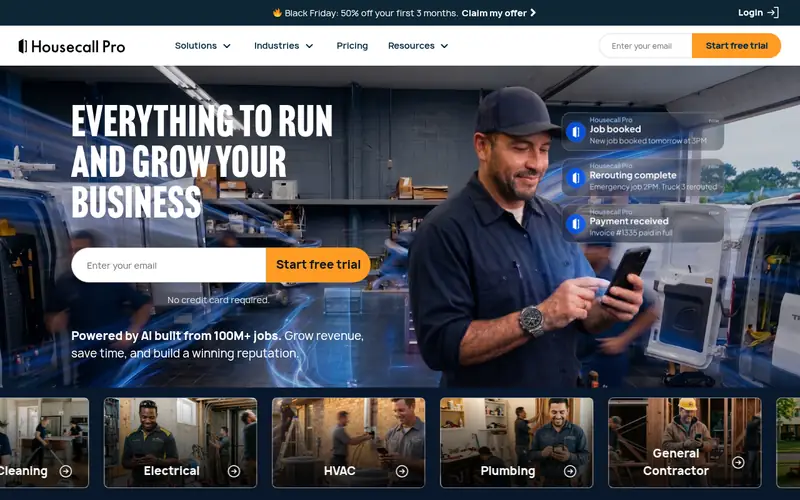
Housecall Pro is a field service platform for home service businesses, including garage door installers and repairers. Technicians clock in and out from the mobile app, and hours attach to the job they are working, so the office can see labor against each installation or repair. Because it bundles scheduling, dispatching, invoicing, and payments, it costs more than a standalone timesheet tool. Companies that already need those features get time tracking as part of the package. Companies that only need timesheets will pay for features they do not use. The 14-day trial is short, so plan the evaluation carefully. Check whether the tier you need includes the time tracking and reporting you require, since features differ by plan.

Free plan: Free trial (14 days)

Website: housecallpro.com

Strengths

  • Combines scheduling, dispatching, and time tracking
  • built for field service teams

Watch out for

  • Priced as a field service platform, not a standalone timesheet
  • plan limits vary by tier
4

Jobber

Small garage door teams managing jobs and hours
See vendor pricing page
JobberHomepage image unavailable

Jobber is field service software for small home service businesses. Technicians use the mobile app to clock in at a job, and the time is linked to the visit and the client. For a garage door company, that connects labor hours to the invoice for each install or repair. Plans are tiered, and the features you get, such as time tracking depth and reporting, depend on the tier. Pricing is per user on higher plans, so a growing crew should model the cost before choosing. The trial runs 14 days. It suits companies that want scheduling, quoting, and time tracking in one place and are small enough to stay on a lower tier. Skip it if you only need a time clock and already have job management.

Free plan: Free trial (14 days)

Website: getjobber.com

Strengths

  • Time tracking tied to jobs and visits
  • scheduling and invoicing in the same app

Watch out for

  • No free plan after the trial
  • per-user pricing on higher tiers
5

Connecteam

Crews needing mobile clock-in and job tracking
See vendor pricing page
connecteam.comHomepage, Nov 2026
Connecteam homepage

Connecteam is a workforce management app with a free plan for small teams. It offers mobile clock-in, job tracking, and shift scheduling. A garage door company can have technicians clock in at the job site and tag hours to a specific job or task. The free plan has a user cap, so it fits very small teams. Paid tiers add features such as GPS tracking, geofencing, and more detailed reporting. The app is general-purpose workforce software rather than field service software, so it does not handle quoting or invoicing. Choose it if you want a free mobile time clock with job tagging and do not need invoicing. Skip it if you need payroll integration or detailed job costing.

Free plan: Yes

Website: connecteam.com

Strengths

  • Free plan for small teams
  • mobile clock-in with job and task tracking

Watch out for

  • Free plan caps users
  • advanced features sit on paid tiers
6

Hubstaff

Companies tracking time and location for field techs
See vendor pricing page
hubstaff.comHomepage, Nov 2026
Hubstaff homepage

Hubstaff is a time tracking tool with GPS and location features. Field technicians can clock in from a phone, and the entry records location, which helps confirm they were at the job site. Timesheets roll up for payroll and client billing. Plans are per user per month, and features such as scheduling and detailed reporting vary by tier. For a garage door company, it is a fit when you want to verify field hours and locations but already have separate job management and invoicing. It is not built for field service dispatch, so it works best as a time and location layer. The trial is 14 days. Skip it if you need job costing tied to invoices inside the same tool.

Free plan: Free trial (14 days)

Website: hubstaff.com

Strengths

  • GPS and location tracking for field staff
  • timesheets and reporting

Watch out for

  • Per-user pricing
  • no free plan after the trial
7

TimeCamp

Budget-conscious teams wanting time by client and job
See vendor pricing page
timecamp.comHomepage, Nov 2026
TimeCamp homepage

TimeCamp tracks time against projects and clients and offers a free plan for small teams. A garage door company can set up a project per customer or per job type and pull reports on hours by client, which helps with billing and estimating. The free plan covers basic tracking and reporting for a limited number of users. Paid tiers add invoicing, budgeting, and more detailed reporting. It is a general time tracking tool, so it does not include dispatch, work orders, or field service scheduling. Choose it if you want low-cost time tracking with client reports and already handle jobs elsewhere. Skip it if you need GPS clock-in or payroll built in.

Free plan: Yes

Website: timecamp.com

Strengths

  • Free plan for small teams
  • reports by client and project

Watch out for

  • Free plan limits features
  • less field-service specific

Pre-purchase checklist

  • Confirm the tool tracks hours against a specific job or client, not just a day total.
  • Check whether mobile clock-in includes GPS or geofencing if you need to verify field locations.
  • Model per-user pricing against your crew size, including office staff who approve timesheets.
  • Verify how approved hours move into payroll or invoicing, and whether that needs an add-on.
  • Read the free plan or trial limits, including user caps and feature restrictions, before committing.

FAQ

Do garage door companies need timesheet software?

Yes, if you bill labor by job or pay hourly technicians. Timesheet software records hours against each installation or repair, which supports accurate invoicing and payroll. Small owner-operated crews may manage with paper or a spreadsheet, but job-level time tracking usually pays off once you have several technicians.

Which tool is best for job costing?

QuickBooks Time is the strongest fit when you already use QuickBooks, because approved hours can be assigned to jobs and flow into costing and payroll. Housecall Pro and Jobber also tie hours to jobs as part of a broader field service platform.

Is there a free option?

Yes. Clockify offers a free plan for unlimited users, Connecteam has a free plan for small teams, and TimeCamp has a free plan with limited features. Free plans usually cap users or advanced features, so check the limits against your crew size.

Can technicians clock in from a phone at the job site?

Most tools here offer mobile clock-in. QuickBooks Time and Hubstaff add GPS stamps to entries, and Housecall Pro and Jobber tie clock-ins to the scheduled job. Confirm the feature is included in the tier you plan to buy.

How much does timesheet software cost?

Most tools here charge per user per month, and the entry price depends on the tier and features. We do not list specific prices because they change; check each vendor's pricing page for current rates and free plan limits.


